
For many Laravel developers, the constant switching between tools to get smarter AI coding help has been a real frustration. Some tried dedicated AI IDEs such as Cursor and Windsurf, but faced some limitations in PHP and Laravel workflows. Others were supercharging PhpStorm with the AI plugins like Claude Code, giving them more options but not sacrificing the powerful PHP features found in PhpStorm.
I did the same switch a month ago, started using Claude Code in phpStorm and it works perfectly for me.
— Venelin K. (@venelinkochev) September 12, 2025
Last week I cancelled my Cursor subscription
Claude Code in PhpStorm
One of the biggest strengths of Claude Agent in PhpStorm is how naturally it blends AI-driven code generation with the IDE’s powerful review and navigation tools — giving developers the feeling of pair programming with an expert right inside their workflow.
I love the micro managed "auto completion on steroids" of Claude Code in the terminal in combination with the visual inspection and manual labour in PHPstorm while Claude Code does its thing.
— Martijn van Nieuwenhoven (@martijnvann) September 12, 2025
Great combom imho.
Through the plugin and terminal, developers have been making use of Claude’s key capabilities, including:
- Review diffs directly in PhpStorm’s viewer
- Share selected code with Claude instantly
- Insert file references with familiar shortcuts
- Send errors and warnings to Claude in real time
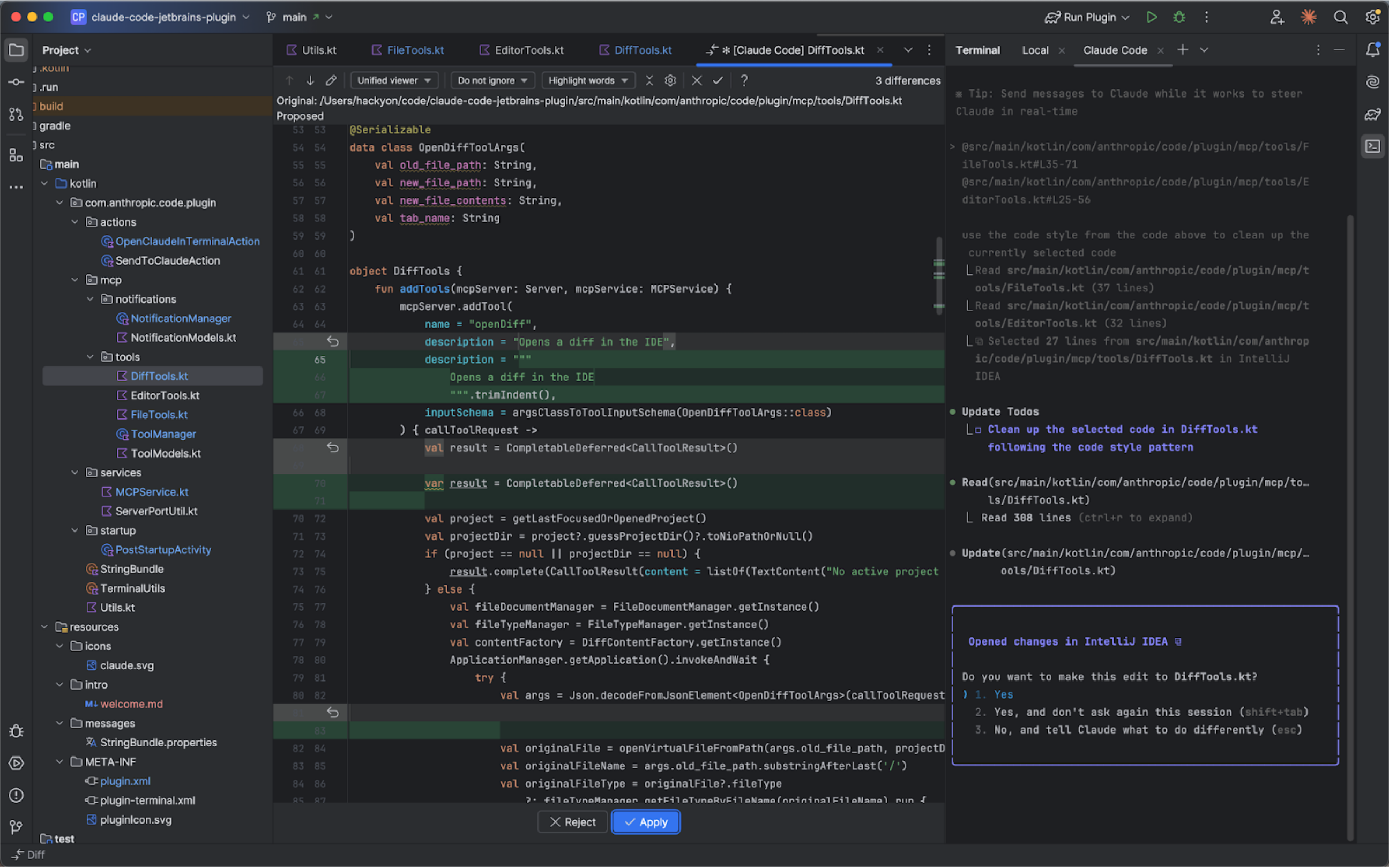
Now, with the latest JetBrains AI Assistant update, Claude becomes available as a native agent too — so you can choose whichever workflow works best for you.
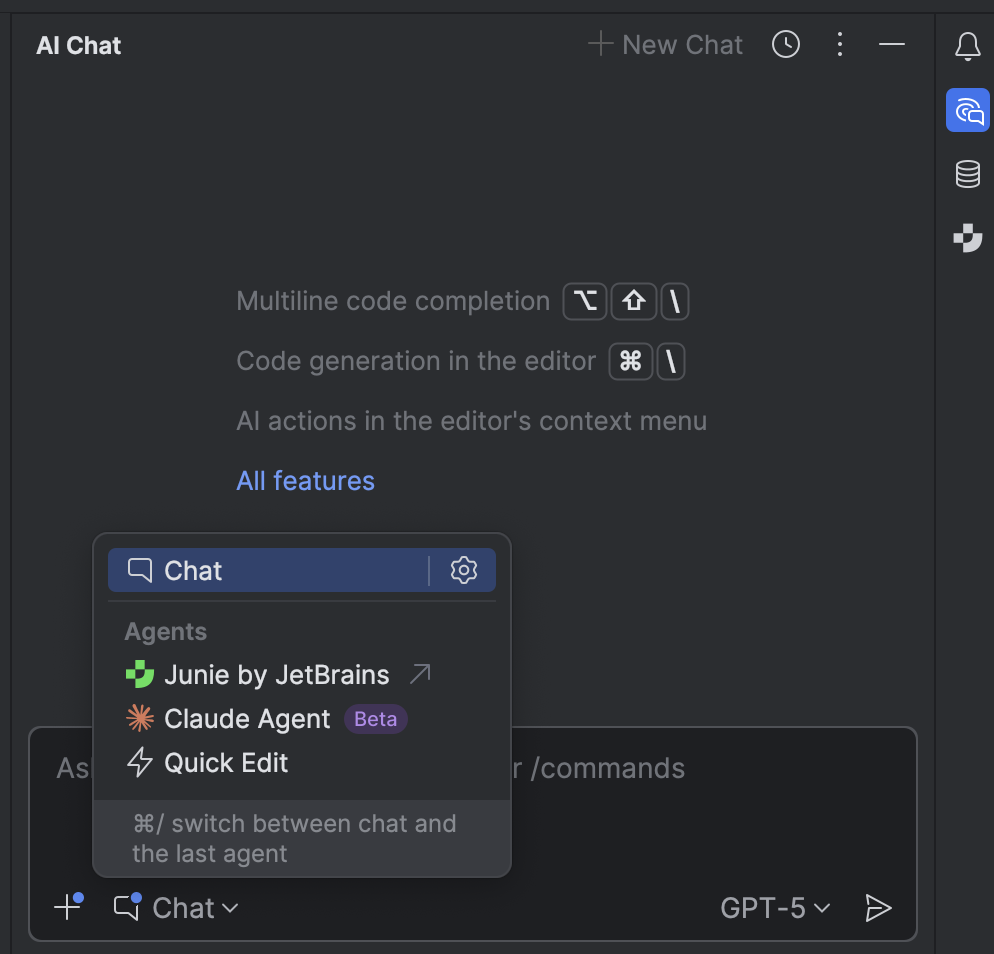
What’s Next: Meet Junie
Junie, the AI coding agent by JetBrains, has also been added to the list of available agents alongside Claude. A single-chat experience is coming soon.
Why It Matters for Laravel Developers
Since summer 2025, PhpStorm has included full Laravel support for free. Combined with JetBrains AI Assistant, PhpStorm offers to Laravel developers:
- Smarter scaffolding for controllers, services, and tests.
- Quick migration help, like refactoring complex Eloquent queries.
- Faster onboarding for junior developers joining Laravel projects.
- Laravel Boost integration
Try It Today
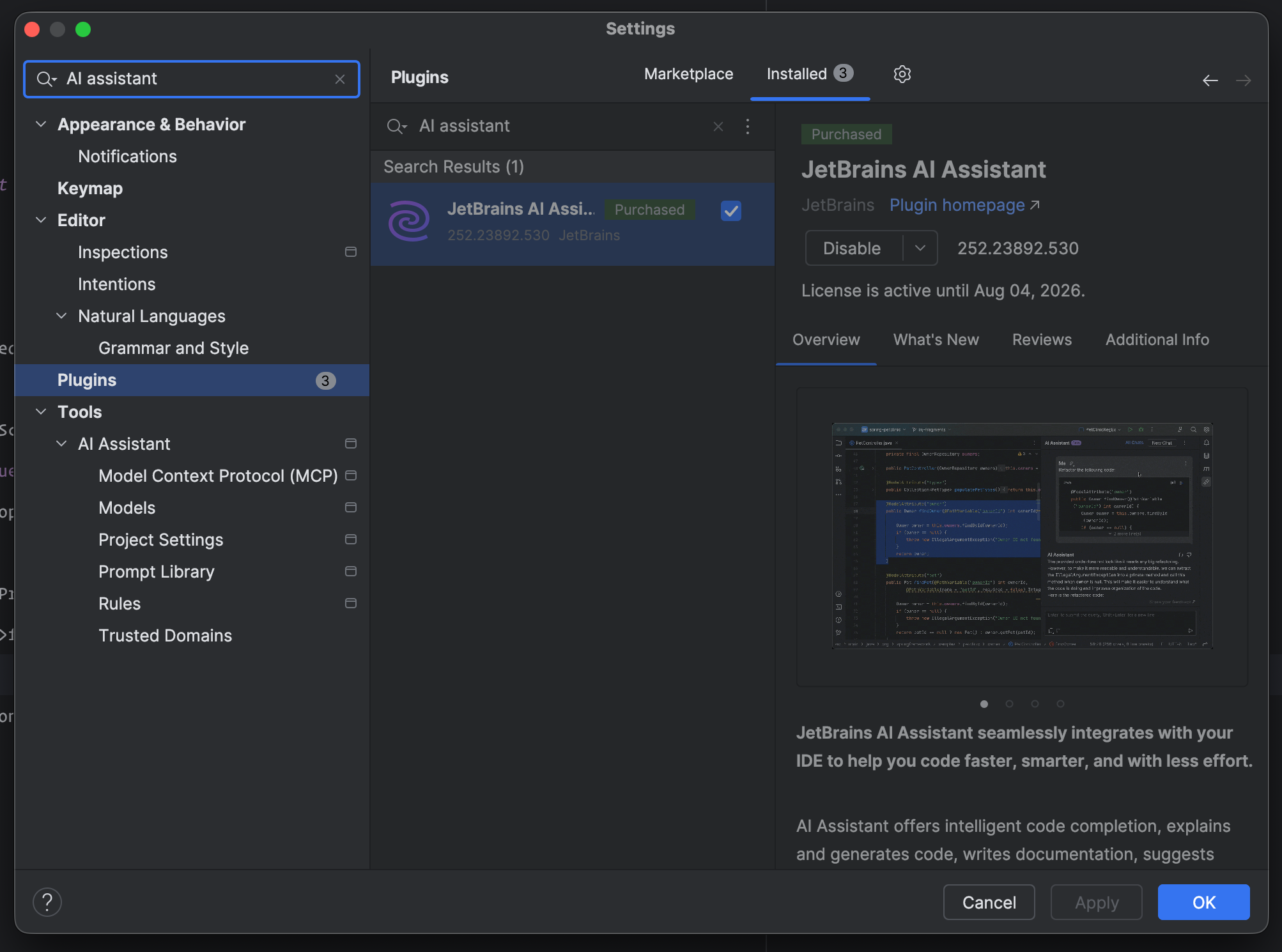
If you haven’t tried Claude in PhpStormit yet, download PhpStorm and enable JetBrains AI Assistant
If you haven’t tried it yet, . You can find instructions here to install the AI Assistant.
If you need to manually enable it, go to Settings -> Plugins -> JetBrains AI Assistant:
 Then, from the AI Chat panel, just switch the agent to Claude.







