

In a perfect world all our side projects, dev sites, customer systems, and other Laravel applications would be up to date running on Laravel 12, PHP 8.4, and the latest version of all the packages we love. We’d also have applications that run perfectly, always have the external ETL processes provide the correct data, and never forget to set a variable in our .env file.
Unfortunately, most of us aren’t that lucky.
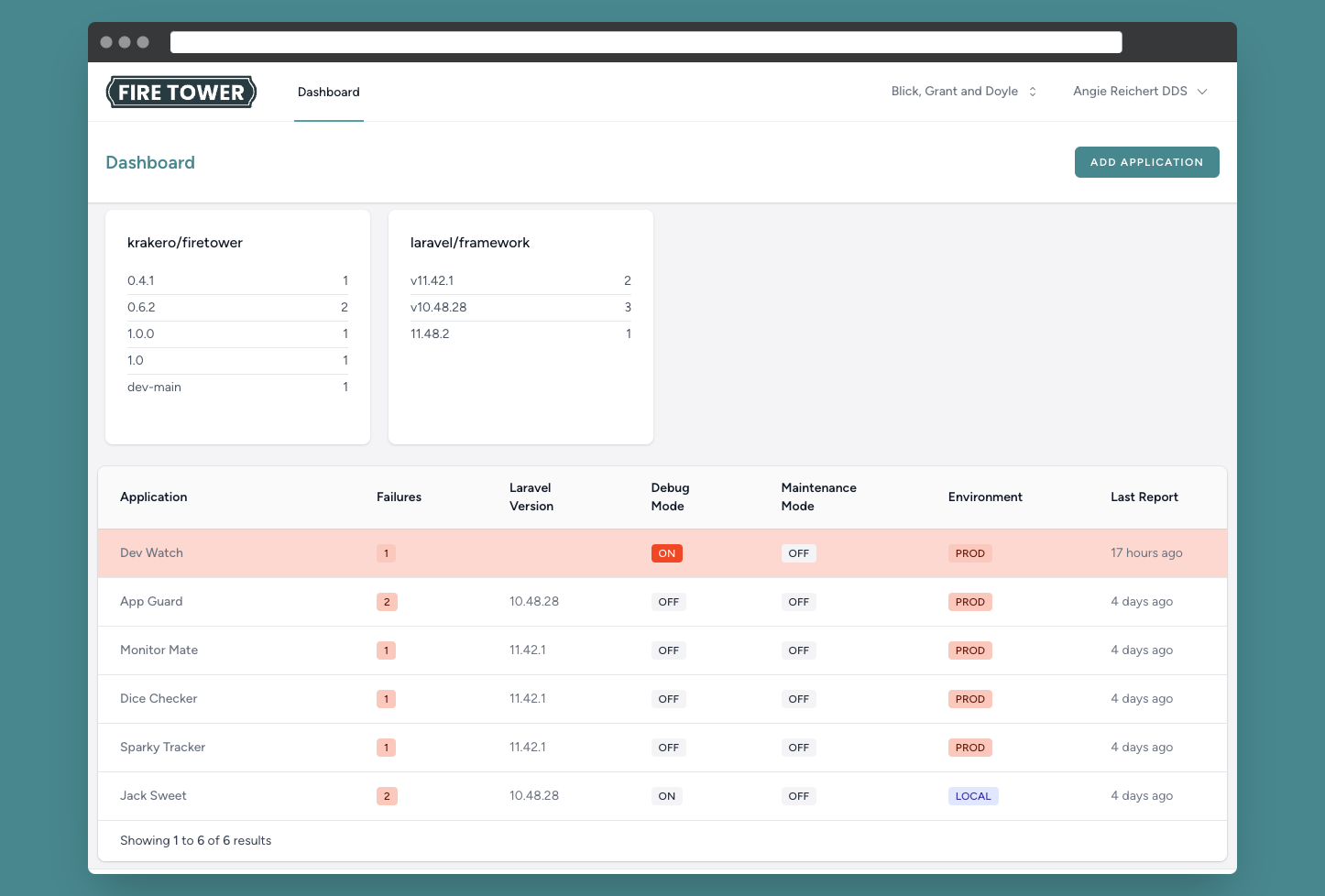
Fire Tower provides an easy to use Laravel package that plugs into your Laravel application and monitors crucial information using our expanding checks and version information. By default, Fire Tower will check to see if you’re running the latest version of Laravel, PHP, verify you don’t have debug mode on in Production, and even let you know if you forgot to setup your Mail config for those password reset emails.
It doesn’t just stop there. Fire Tower lets you build your own bespoke checks. Does your application need to ensure a specific piece of data is within a certain range? Do you need to ensure a certain number of rows exist in a column? Do you need to check the latest created_at date on a table to make sure your ETL process ran? All these can easily be created and used with Fire Tower.
Use Cases
The Hobbyist
If you’re like me, you have a bunch of small apps that you’ve built to do different things and they don’t always get the attention they deserve. Sure, the last one you put out is running Laravel 11 but that one you built a few years ago? Did you upgrade it to 10 yet?
Or, are you also like me and have a bunch Statamic websites, or custom applications, you’ve built for clients that might be a bit behind on updates?
Fire Tower lets you quickly see the specific composer package version each of your applications are running. Quickly know which apps need some TLC, and work towards getting them upgraded.
The Agency
Years ago I helped develop a Laravel package that was 99% of a Laravel application. It was really only deployed as a package to help facilitate easier updates and provide some flexibility as needed with the individual Laravel applications. Over the course of a few years we realized that keeping previous clients up to date with the newest version was a problem. We started trying to keep a spreadsheet, and do other things to keep it straight.
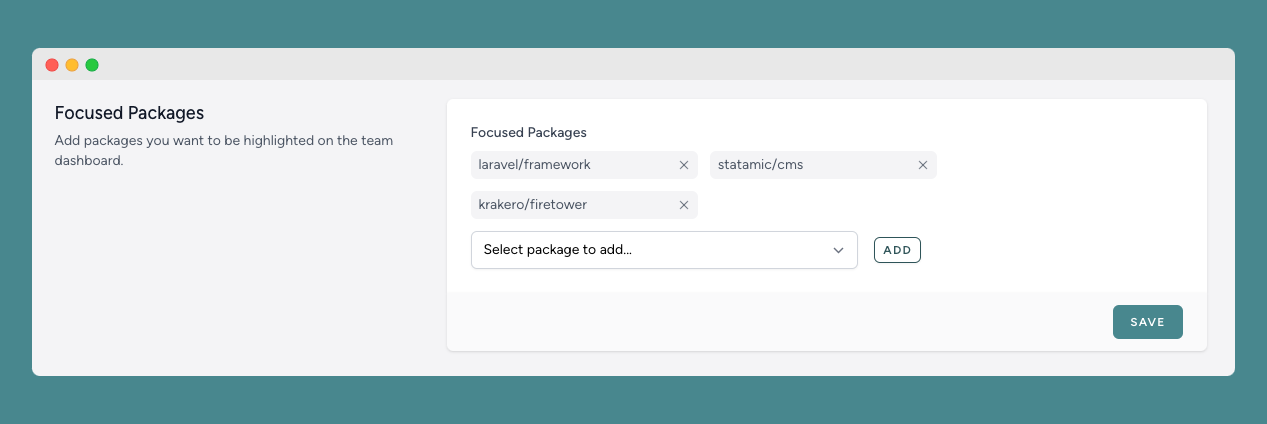
A product like Fire Tower back then would’ve saved us a ton of time and energy. To select specific packages to show on the dashboard just go to your team settings page and choose which focused packages you want.
Pricing
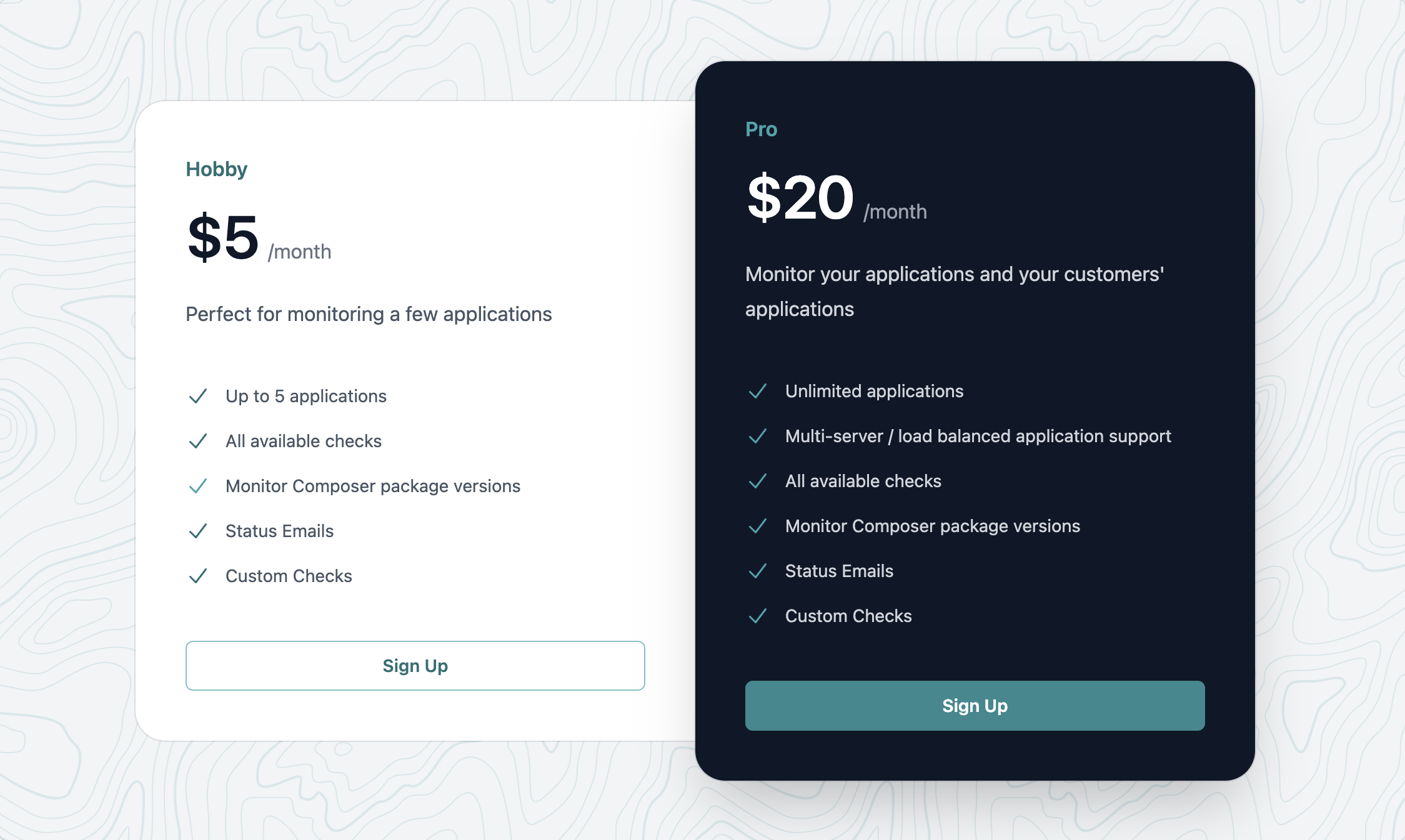
Fire Tower has two pricing options, one for users with only a few applications to monitor and one for advanced users, or agencies, that have more than five applications they want to monitor. The Pro plan also provides an advanced interface for managing applications with multiple servers.
Get 20% off your first month by using the coupon code LARAVELNEWS. This coupon is valid until midnight on Feb 25, 2025.
Setup
Installation
To get started, subscribe to Fire Tower, and install the Fire Tower package into your application:
composer require krakero/firetowerThe next step is to run the installer:
php artisan firetower:installThe installer will publish the service provider and config file needed.
Next, we create an application and put our account and application keys into our .env file.
FIRETOWER_ACCOUNT_KEY="laravel-news-4ee4-838a-250aa0fb17f0"FIRETOWER_APPLICATION_KEY="fire-tower-4181-936f-6f0f3f754ca3"Once you have all that setup you’re ready to send your report:
php artisan firetower:reportWe recommend scheduling the command to run once a week. View our docs for more information on setting this up.
Custom Checks
We have a artisan command to scaffold a check for you:
php artisan make:firetower-checkIt will prompt you for a name, and will generate the following file:
<?php namespace App\Checks; use Krakero\FireTower\Checks\Check; class EnsureNightlyDataLoadCheck extends Check{ public string $name = 'My New Check'; public string $description = 'This checks that important data'; public function handle(): string { $this->pass(); // Note: This data is stored on the firetower servers. // PLEASE DO NOT SEND ANY SENSITIVE DATA. $this->data([ 'my_variable' => 8675309 ]); return 'Success'; }}We’ll make some quick updates to our default check to send over relevant data:
<?php namespace App\Checks; use Krakero\FireTower\Checks\Check;use App\Models\Order; class EnsureNightlyDataLoadCheck extends Check{ public string $name = 'Nightly ETL Check'; public string $description = 'Validates that the latest daily sales values made it into the application.'; public function handle(): string { $order = Order::latest()->get(); if ($order->created_at > now()->subDay()) { $this->pass(); $this->data([ 'newest_order_date' => $order->created_at ]); return 'PASS'; } else { $this->fail(); return 'FAIL'; } }}We’ll then need to add our check to the FireTowerServiceProvider.php file:
<?php namespace App\Providers; use App\Checks\EnsureNightlyDataLoadCheck;//... class FireTowerServiceProvider extends ServiceProvider{ public function boot() { FireTower::checks(function () { return [ DebugModeInProductionCheck::check(), LaravelVersionCheck::check(), PhpVersionCheck::check(), //MailConfigInProductionCheck::check(), //StripeKeyCheck::check() EnsureNightlyDataLoadCheck::check(), ]; }); }}To learn more:







