

GitHub announced yesterday that the GitHub desktop application’s latest version, v1.2.4, ships with a beta version of a dark theme.
The dark theme changes the whole UI, including file browsing, UI controls, and the code window:
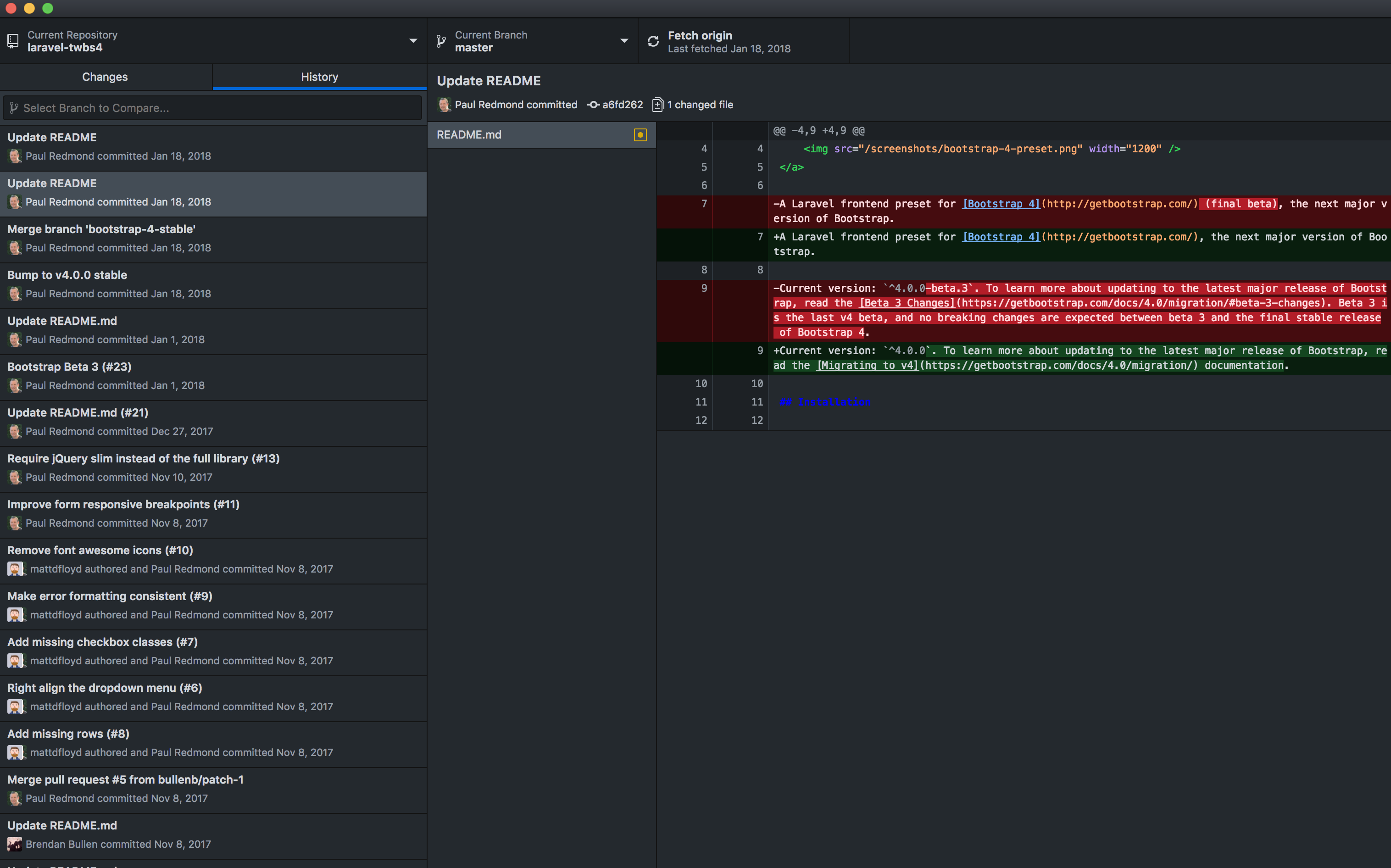
The dark theme is considered in beta while getting further “feedback and adjustments” but you can access it from the stable release of GitHub desktop.
You can enable dark mode from Preferences > Appearance > Dark:
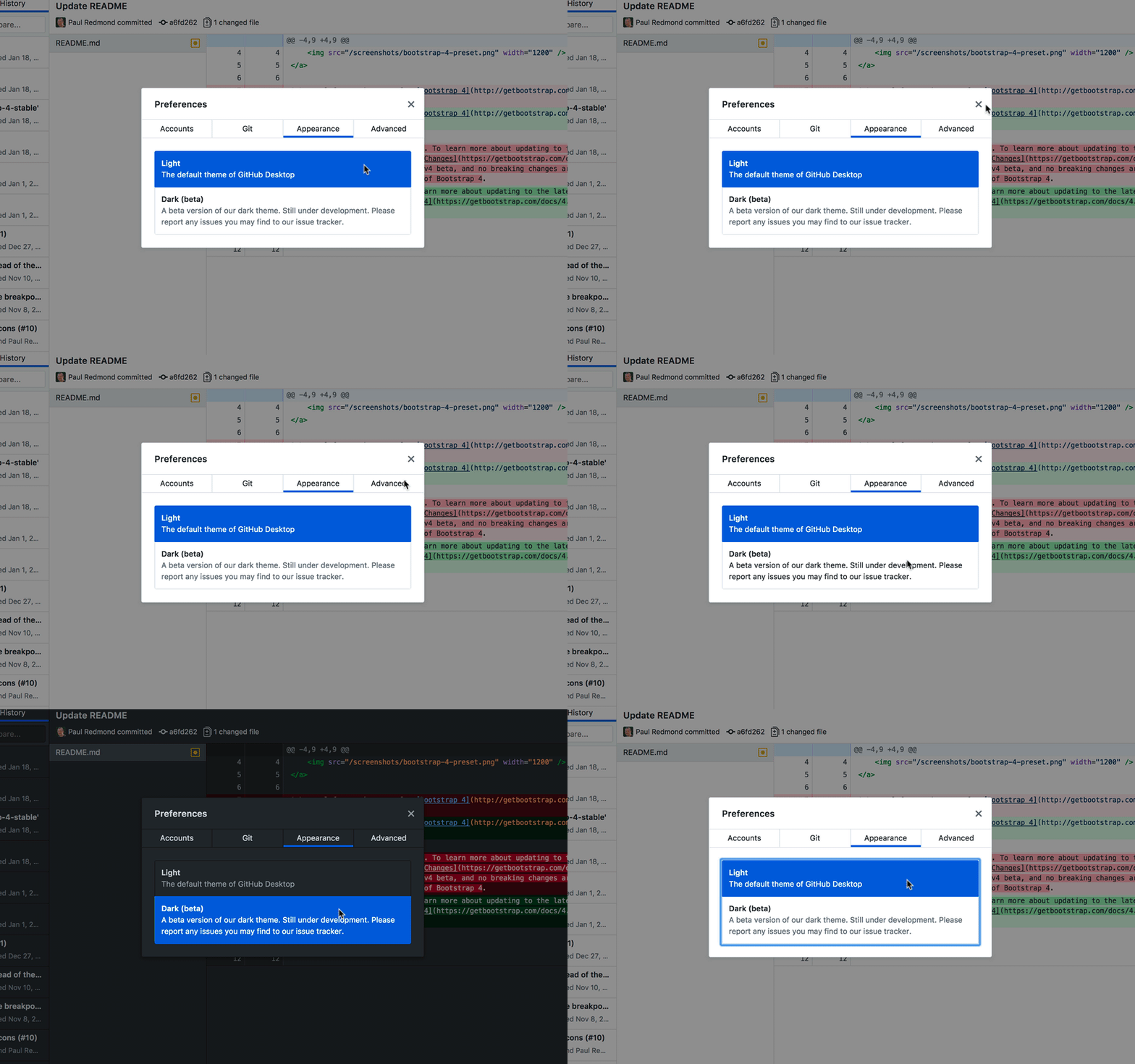
You can update to the latest GitHub Desktop version by going to GitHub Desktop menu > About GitHub Desktop on the Mac and Help > About GitHub Desktop on Windows. From there click “Check for Updates.”
Check out GitHub’s dark mode annoucement, and here’s the full release notes of the last couple of releases from the GitHub Desktop’s changelog:
1.2.6
- [Fixed] Visual indicator for upcoming feature should not be shown – #5026
1.2.6-beta0
- [Fixed] Feature flag for upcoming feature not applied correctly – #5024
1.2.5
- [Fixed] Feature flag for upcoming feature not applied correctly – #5024
1.2.4
- [New] Dark Theme preview – #4849
- [Added] Syntax highlighting for Cake files – #4935. Thanks @say25!
- [Added] WebStorm support for macOS – #4841. Thanks @mrsimonfletcher!
- [Fixed] Compare tab appends older commits when scrolling to bottom of list – #4964
- [Fixed] Remove temporary directory after Git LFS operation completes – #4414
- [Fixed] Unable to compare when two branches exist – #4947 #4730
- [Fixed] Unhandled errors when refreshing pull requests fails – #4844 #4866
- [Improved] Remove context menu needs to hint if a dialog will be shown – #4975
- [Improved] Upgrade embedded Git LFS – #4602 #4745
- [Improved] Update banner message clarifies that only Desktop needs to be restarted – #4891. Thanks @KennethSweezy!
- [Improved] Discard Changes context menu entry should contain ellipses when user needs to confirm – #4846. Thanks @yongdamsh!
- [Improved] Initializing syntax highlighting components – #4764
- [Improved] Only show overflow shadow when description overflows – #4898
- [Improved] Changes tab displays number of changed files instead of dot – #4772








