
LaraOwl is an open-source monitoring platform for Laravel applications that you deploy and run on your own infrastructure. Instead of sending application data to a third-party service, you set up a LaraOwl server and install a client package in the apps you want to watch. The client captures telemetry and ships it to your server for storage and display. It covers similar territory to Laravel Nightwatch, request, exception, query, and job monitoring, but Nightwatch is a hosted service while LaraOwl is something you run yourself. The project is licensed under Apache 2.0.
What the Client Captures
After installing the laraowl/client package in a monitored application, LaraOwl records data across several layers of the request lifecycle:
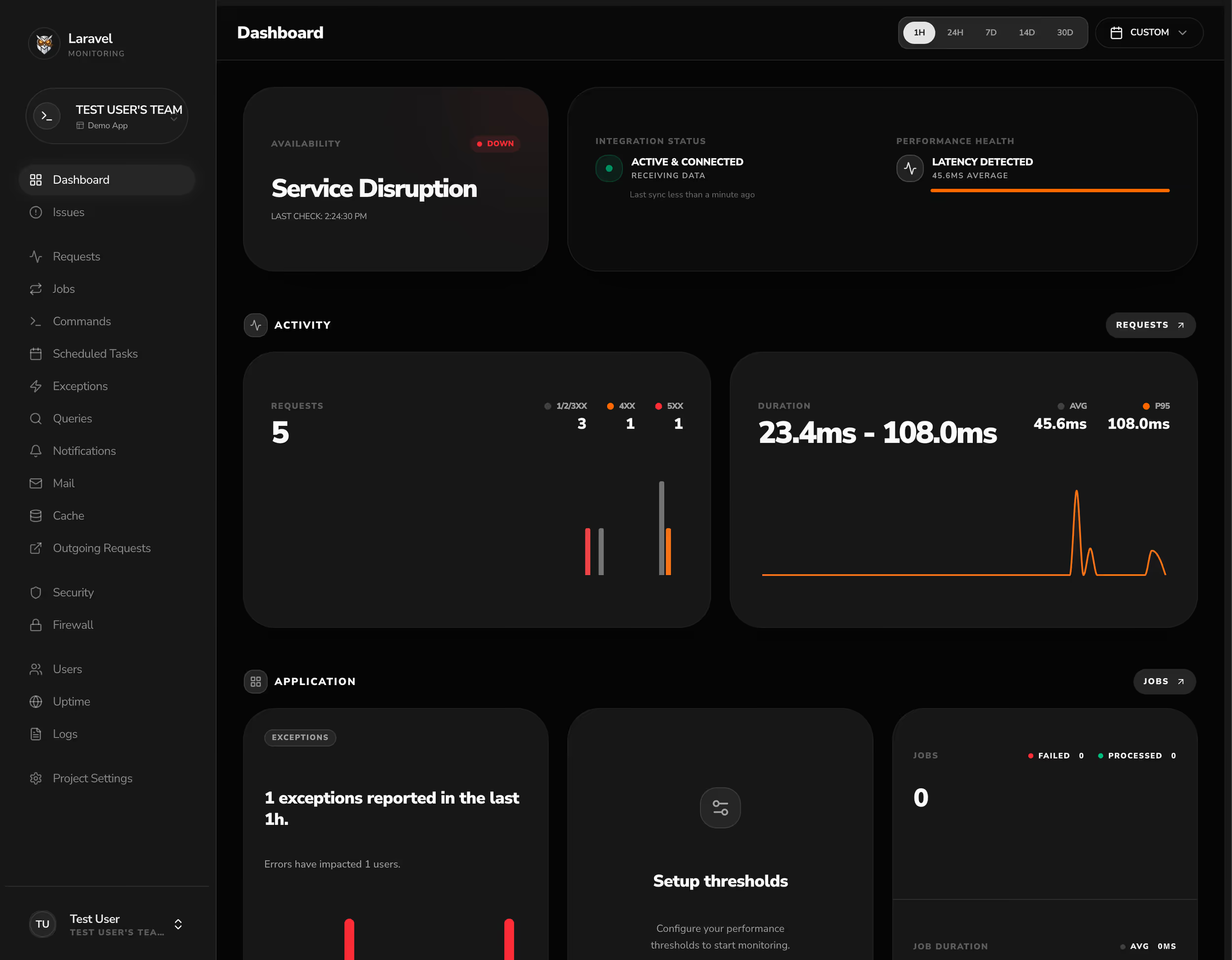
- HTTP requests, including method, path, status code, duration, and response size
- Exceptions, grouped together with stack traces and a resolution status you can mark off
- Database queries, with slow query detection and N+1 query identification
- Jobs and queue activity, including processing status, duration, and failures
- Per-user activity and request history
Telemetry is sent asynchronously through Laravel's queue system, so capturing data stays off the request's critical path.
WAF Analysis and Cloudflare Integration
Beyond performance data, LaraOwl inspects incoming traffic for common attack patterns. Its WAF analysis flags requests that look like SQL injection, cross-site scripting, and path traversal attempts. It also connects directly to the Cloudflare API, so you can manage firewall rules from the dashboard rather than switching between tools.
Real-Time Dashboard and Alerts
The dashboard updates live over WebSockets using Laravel Reverb, with charts that reflect new requests, exceptions, and jobs as they arrive. When something needs attention, LaraOwl can notify you through Slack, Discord, Telegram, email, or a webhook of your choosing. It also supports uptime and heartbeat checks for monitoring whether a service is responding.
Installation
The server is a Laravel application you create with Composer, then build the frontend assets and run migrations:
composer create-project laraowl/laraowl laraowlcd laraowlnpm installcp .env.example .envphp artisan key:generatephp artisan migratenpm run buildBecause the dashboard relies on queued ingestion, scheduled tasks, and Reverb, the server runs three supporting processes:
php artisan queue:workphp artisan reverb:startphp artisan schedule:workIn each application you want to monitor, pull in the client package and run its installer:
composer require laraowl/clientphp artisan laraowl:installLaraOwl requires PHP 8.3+, Node.js 18+, and either MySQL 8.0+ or PostgreSQL. You can read the documentation and view the source on GitHub.











