

Accessibility is easy to overlook during development, and regressions are hard to catch in code review. Lens for Laravel, created by Jakub Lipiński, is a dev package that scans your running application for WCAG violations using Axe-core, then maps each issue back to the specific Blade template file and line number where it originated.
It ships with a web dashboard, an Artisan command, and optional AI-assisted fix suggestions.
Installation
Lens depends on Puppeteer to drive a headless Chromium browser via Spatie Browsershot, so you'll need Node.js installed alongside PHP 8.2+ and Laravel 10, 11, or 12.
npm install puppeteer --save-devcomposer require webcrafts-studio/lens-for-laravel --devNo additional setup is required. The package auto-discovers its service provider and pulls Alpine.js and Tailwind from a CDN.
The Dashboard
Navigate to /lens-for-laravel/dashboard in your local app. From there, you can audit a single page, a list of URLs, or crawl your entire site via sitemap discovery or link-following (up to 50 pages by default).
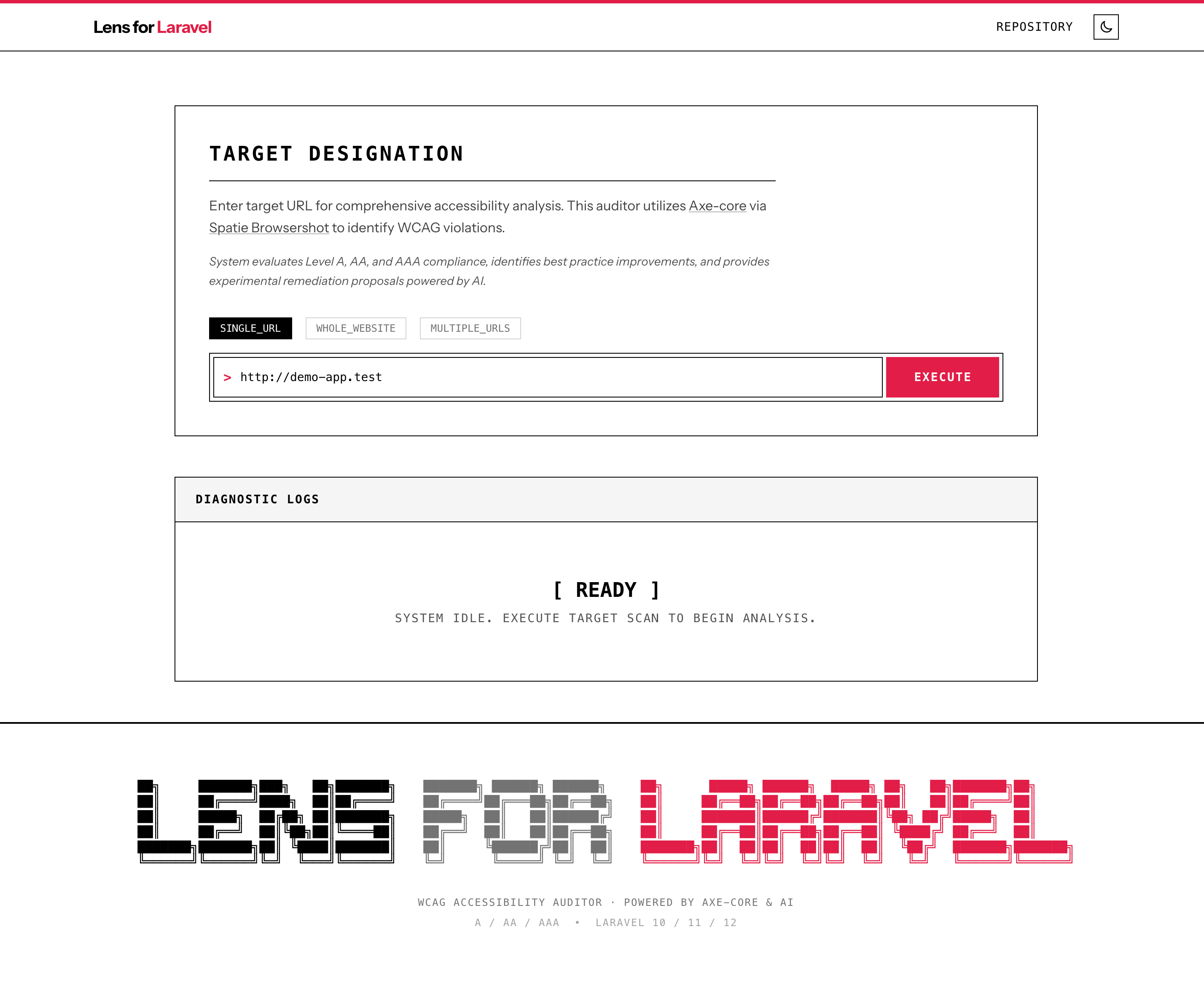
Results are grouped by WCAG level — A, AA, or AAA — with each violation showing the CSS selector, the source Blade file and line number, and a link to the relevant WCAG documentation. You can also take a screenshot that highlights the offending element in context, or export a formatted PDF audit report.
Clicking a source location opens the file directly in your configured editor: VSCode, Cursor, PhpStorm, or Sublime Text.
The dashboard is restricted to your local environment by default, and domain checks are enforced against your APP_URL, so it won't be accessible on staging or production unless you explicitly change the configuration.
CLI Auditing
For headless workflows and CI/CD integration, the package provides a lens:audit Artisan command:
# Audit the root URLphp artisan lens:audit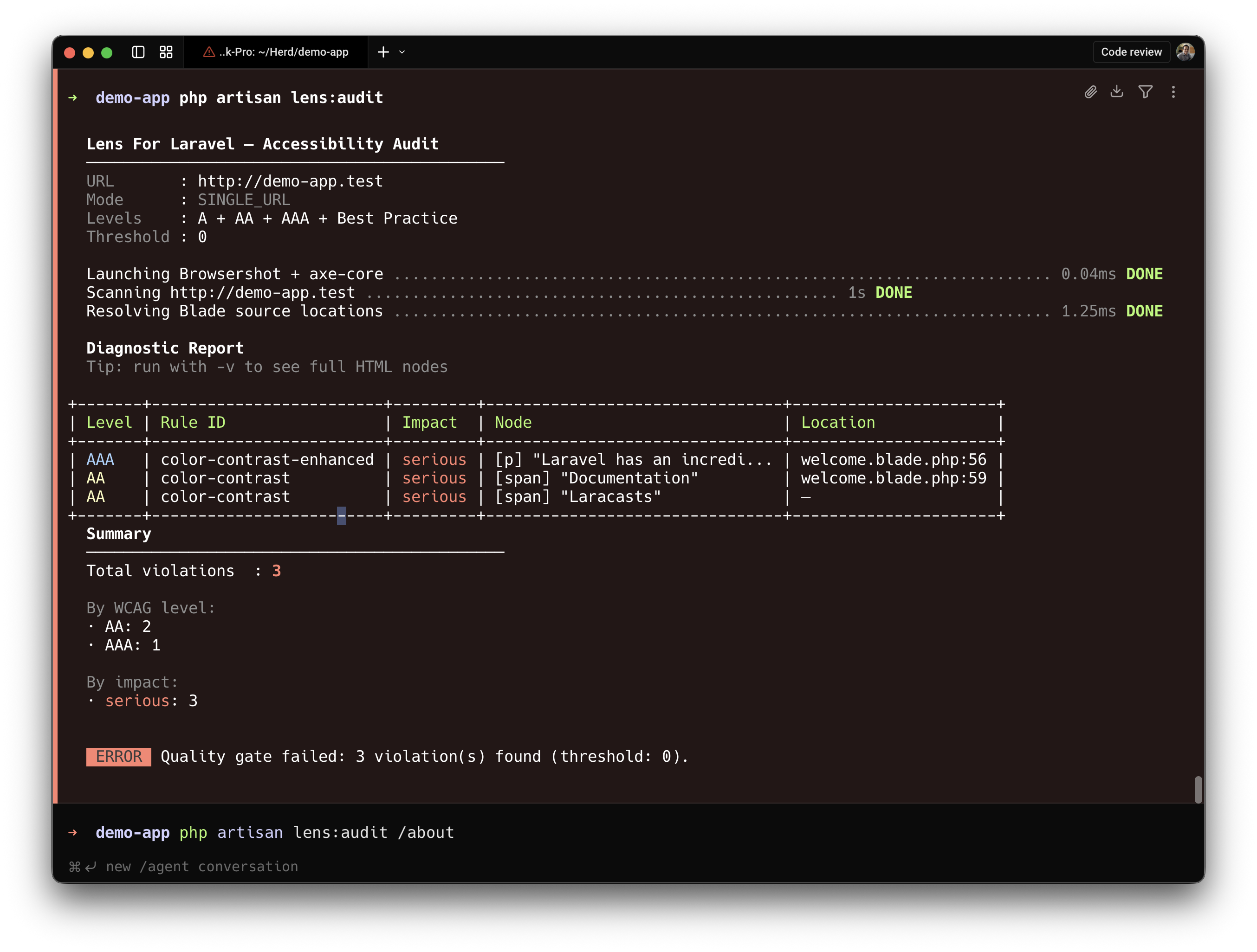
The other options for the artisan command include:
# Audit specific pagesphp artisan lens:audit /about /contact # Crawl the entire sitephp artisan lens:audit --crawl # Filter by WCAG levelphp artisan lens:audit --a # --aa or --all # Fail the command if violations exceed a thresholdphp artisan lens:audit --threshold=10The --threshold option makes it straightforward to gate deployments on a maximum number of violations.
AI-Assisted Fixes
If you configure an AI provider, Lens can generate suggested patches directly in the dashboard. It examines roughly 20 lines of surrounding Blade code, proposes a corrected diff, and lets you apply the change without leaving the browser.
Configure your provider in .env:
LENS_FOR_LARAVEL_AI_PROVIDER=geminiGEMINI_API_KEY=your-key # LENS_FOR_LARAVEL_AI_PROVIDER=openai# OPENAI_API_KEY=your-key # LENS_FOR_LARAVEL_AI_PROVIDER=anthropic# ANTHROPIC_API_KEY=your-keyGemini, OpenAI, and Anthropic are all supported. File writes are limited to resources/views to prevent path traversal.
Configuration
Publish the config file to adjust defaults:
php artisan vendor:publish --tag="lens-for-laravel-config"The config/lens-for-laravel.php file exposes:
route_prefix— the dashboard URL prefix (default:lens-for-laravel)enabled_environments— which environments load the dashboard (default:local)editor— your IDE for click-to-open source linkscrawl_max_pages— maximum pages per crawl (default:50)ai_provider— the AI backend for fix suggestions
What Automated Scanning Can't Catch
Axe-core detects roughly 20–30% of WCAG violations. Issues that require human judgment — meaningful image alt text, logical heading hierarchy, keyboard navigation flows, screen reader announcements, and cognitive load — won't be flagged. The package's own documentation is clear on this point: automated scanning is a starting point, not a substitute for manual keyboard testing, screen reader validation, and user testing with people who have disabilities.
Lens is a useful addition to a development workflow for catching low-hanging fruit early. For teams working toward ADA, Section 508, or the EU Accessibility Act compliance, it should be one layer of a broader testing process.
You can find the source on GitHub and browse the documentation at lens.webcrafts.pl.











