

Let's quickly walk through the setup to get started on Parallel testing and setting up code coverage reports to analyze how much of our code is tested.
I personally dig HTML reports via XDebug, as I love to visualize coverage line-by-line while working on a feature:
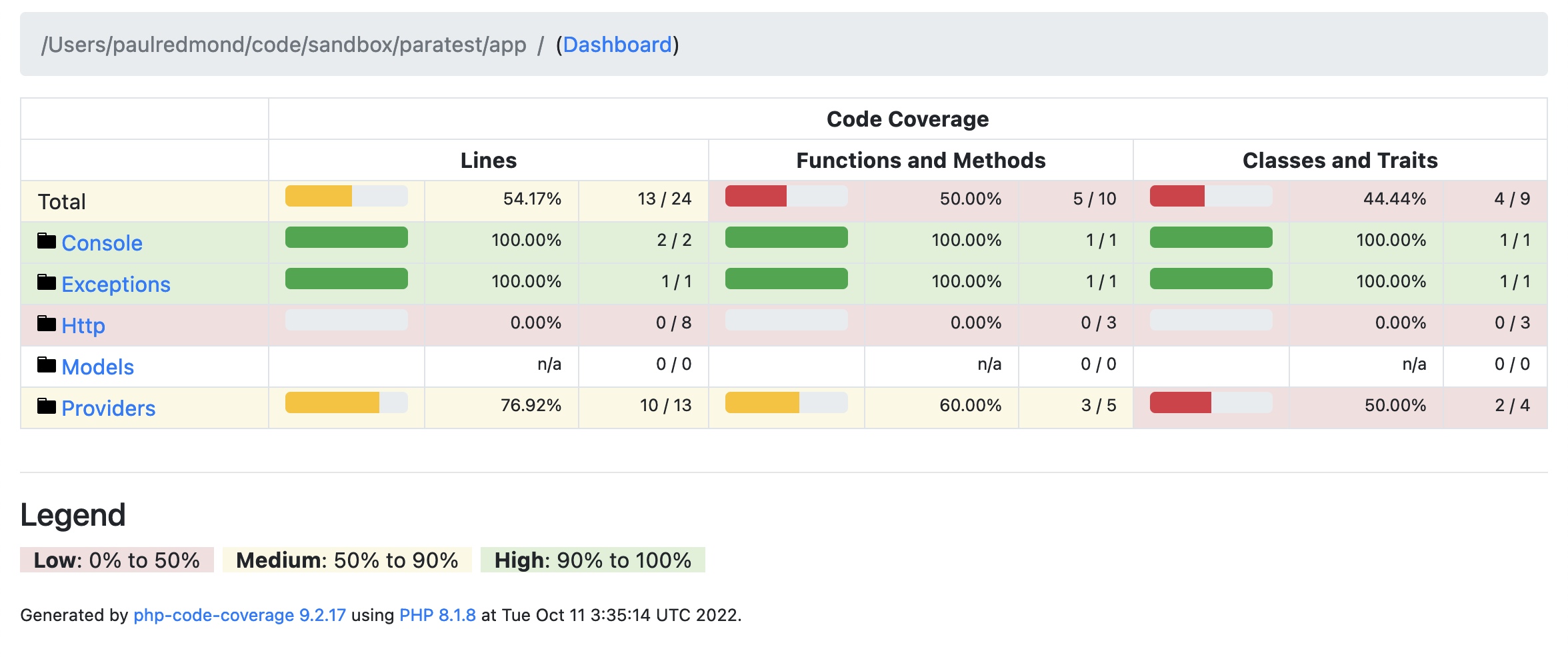
I'll show you how to set up HTML reports quickly in this tutorial as well and set up Parallel testing on a new project.
The setup
Parallel testing has been officially supported in Laravel with Artisan since Laravel v8.25. Let's walk through setting up Parallel testing and coverage reports by setting up a new Laravel project and walking through the process of installing Paratest and configuring our reports.
Running tests in parallel in a new project isn't going to help speed up our test runs; however, as your tests grow, you'll notice performance increases.
First, create a fresh Laravel app, and we'll version control it so we can see changes along the way as we work on the setup.
laravel new parallel-demo --gitThe laravel command creates our project and commits the code, so we get a clean install and a single commit.
To use Laravel's --parallel flag in PHPUnit, we must install ParaTest. Laravel makes this easy, prompting us to do so when we run tests for the first time:
php artisan test --parallel Running tests in parallel requires "brianium/paratest". Do you wish to install it as a dev dependency? (yes/no) [no]:> yesUsing version ^6.6 for brianium/paratest./composer.json has been updated# ...ParaTest v6.6.4 upon PHPUnit 9.5.25 #StandWithUkraine .. 2 / 2 (100%) Time: 00:00.300, Memory: 22.00 MB OK (2 tests, 2 assertions)Paratest is now installed properly and we can move on to running tests with coverage and configuring HTML reports.
Coverage reports
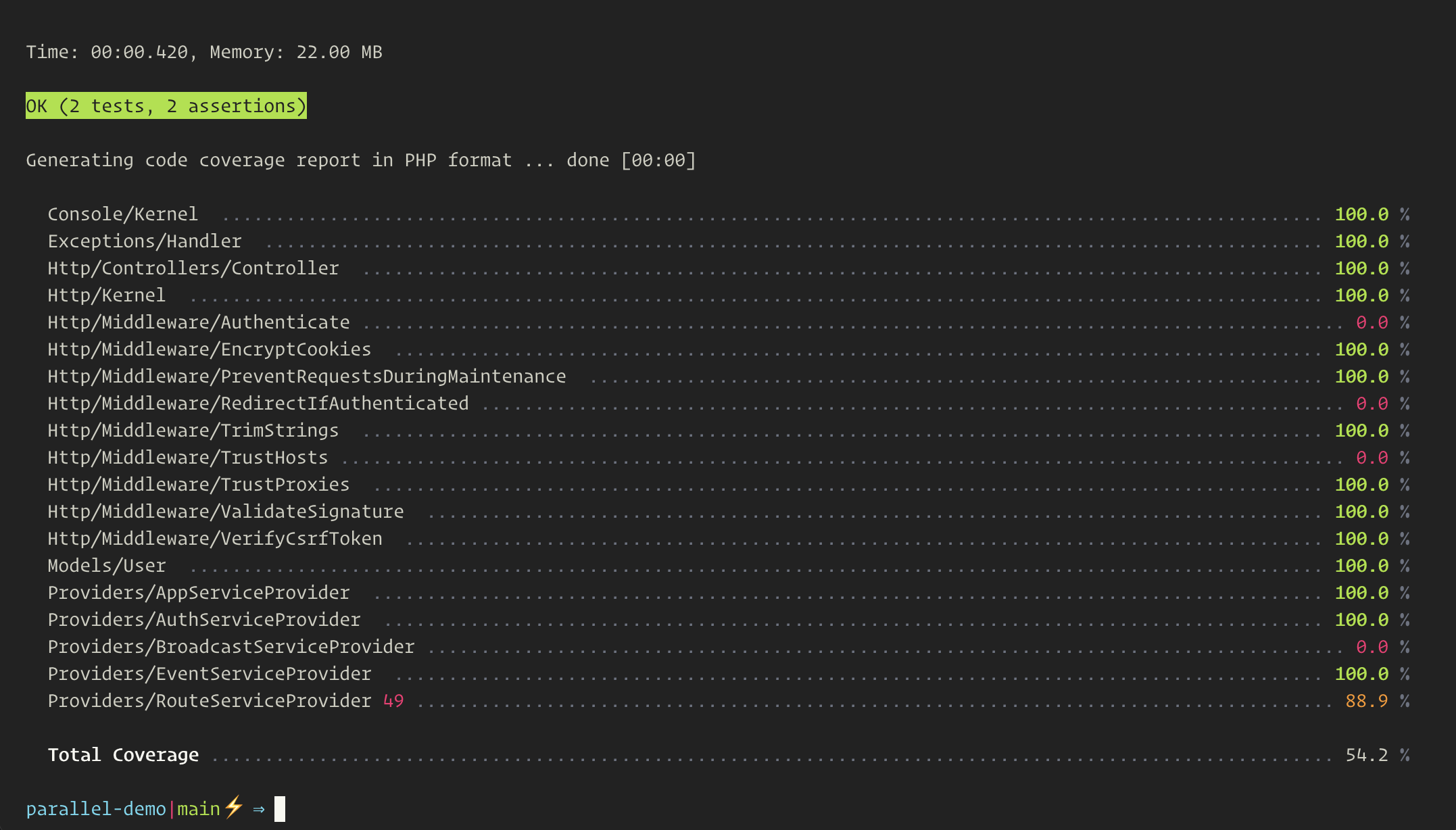
Another helpful test flag is --coverage, which outputs a beautiful text-based version to the terminal:
php artisan test --parallel --coverage ERROR Code coverage driver not available. Did you set Xdebug's coverage mode?Depending on your local PHP setup, you may get the above error message, prompting you to set Xdebug's coverage mode. We won't get into the details of setting up code coverage tools, but a few options are available. I don't mind using Xdebug 3's coverage as I often use Xdebug for debugging in development.
To get coverage working, you need to see Xdebug mode to coverage:
XDEBUG_MODE=coverage php artisan test --parallel --coverageAfter running the above command, you should see something similar for your coverage reports:
HTML coverage reports
While text-based coverage is helpful, I like using HTML coverage reports to visualize lines of code that are covered and not covered. They are highlighted in green and red:
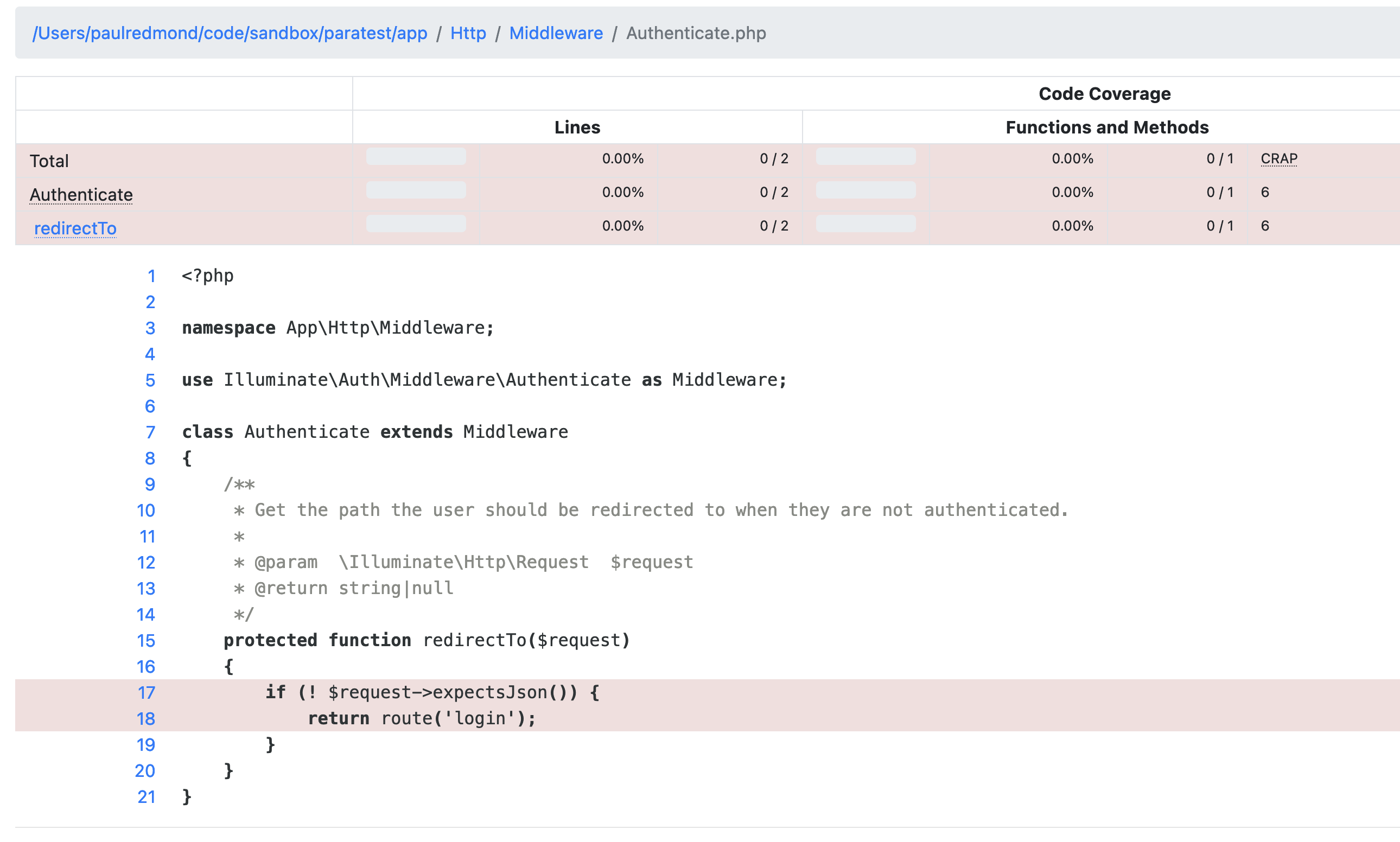
The above code is an example from a default Laravel install, and I'll let you decide if you want to test/cover the code that ships with Laravel. I am of the opinion that I prefer to ignore the initially generated files and only focus on the code I add to the application.
Adding HTML reports is rather simple. Open the phpunit.xml file, find the <coverage/> and add the <report/> tag:
<coverage processUncoveredFiles="true"> <include> <directory suffix=".php">./app</directory> </include> <report> <html outputDirectory="tests/Coverage/html"/> </report></coverage>You can put the coverage wherever you want, but you'll probably want to ignore the generated files from version control. Perhaps you could use a coverage/ folder in the project's root, put it somewhere in storage, or embed it in the tests/ folder like above. The choice is up to you!
Using the above path example, add the following to your .gitignore file:
# ...tests/Coverage/When you run your tests with coverage, it will generate an HTML report. You can then open the tests/Coverage/html/index.html file in a browser to view the report.
With that, you should have a nice setup for running tests in parallel and configuring HTML reports for easy visualization of coverage in development!
While we set up parallel testing and coverage reports, we could improve the coverage reports by ignoring files that ship with a default Laravel installation.








