

TemPHPest is an extension for Visual Studio Code to improve writing PHP in VS Code. Created by Liam Hammett, this package adds rich PHP features that will enhance the experience tremendously while writing PHP:
TemPHPest is an extension for VSCode that I’ve been working on to bring nice little tweaks and features to improve working with PHP. Each feature could probably be a separate extension, but being bundled in one is easier for me to maintain and you to install.
TemPHPest Extension Features
- Stubs for file creation
- Auto Renaming
- Code Actions
- Auto Switch to PHP Language
- Auto Interpolate from single quotes to double quotes
- Surround with Snippets
- Explorer file nesting
- REPL as you write
- Date formatting lense
- Smart autocompletion
- Blade Heredoc/Nowdoc syntax highlighting
- And more...
Let's highlight a few features that launched with TemPHPest for VS Code:
Stubs
Creating a PHP file in VS Code gives you an empty file (without PHP tags) out of the box, but TemPHPest uses PSR naming conventions to fill out an empty class/interface/trait/etc, based on the file's name. For example, creating a PHP file in app/Enums will stub out an enum for you with the proper namespace:
<?php namespace App\Enums; enum Statuses{}Code Actions
TemPHPest supports a few code actions during the initial release, such as converting arrays to short arrays syntax and combining string concatenation. According to the author of the extension, the number of code actions available will grow over time.

CMD + .Interpolate a Value
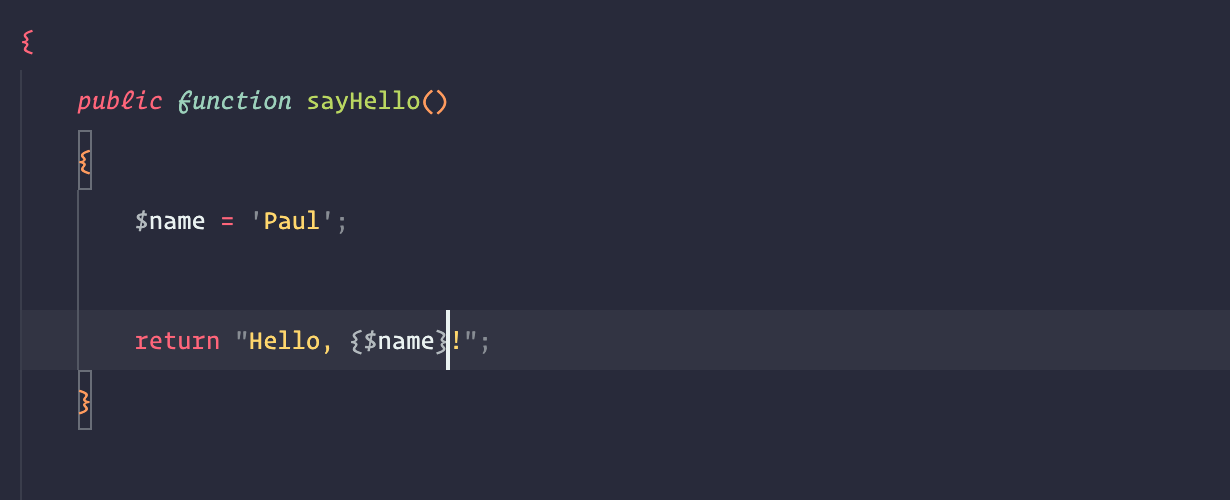
If you're updating a string and add an interpolated value, TemPHPest automatically changes the line to use double quotes. This is a small paper cut that gets really annoying when you have to swap single quotes for double quotes.
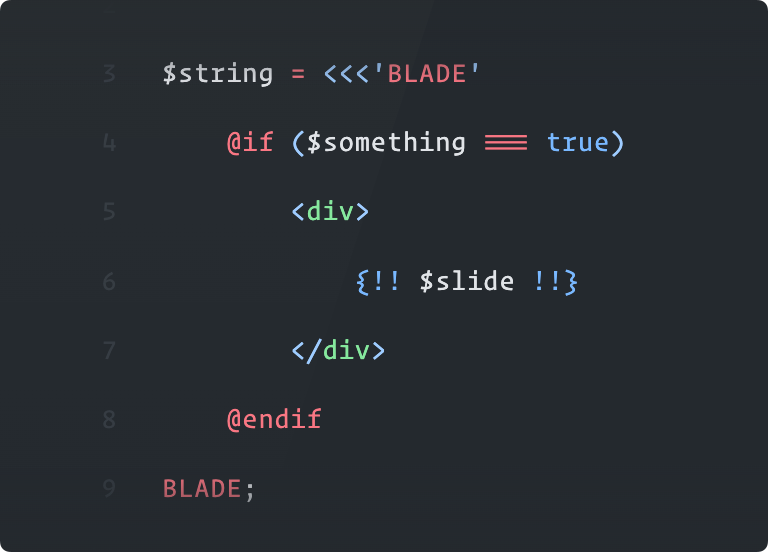
Heredoc Strings Can Render Laravel Blade Syntax Highlighting
When using BLADE heredoc and nowdoc strings, strings are highlighted with the Blade syntax (you'll need a separate extension to provide blade syntax highlighting)
Get Started
To get started with TemPHPest, install it from the TemPHPest - Visual Studio Marketplace page. You can also search for "TemPHPest" directly in the VS Code Extensions menu and install it that way.








