Cut PHP Code Review Time & Bugs into Half with CodeRabbit

Laravel Blade SVG Directive

Published on by

Laravel Blade SVG Directive image

Using SVG’s in your design is all the rage and for good reason. They can be resized to any size without becoming pixelated, you can reference them by id, modify them through CSS or JavaScript.

One of the difficulties in using SVG files in your templates is referencing them. Currently, there are three ways this can be done. Either referencing an SVG file, embedding the whole thing, or use an SVG sprite.

Here is how the different styles look when written in HTML:

Image Src

<img src="icon.svg" alt="My SVG Icon">

Embedding an SVG

<svg class="icon icon-lg" viewBox="0 0 20 20" xmlns="http://www.w3.org/2000/svg">
<path d="M3.938 6.497a6.958 6.958 0 0 0-.702 1.694L0 9v2l3.236.809c.16.6.398 1.169.702 1.694l-1.716 2.861 1.414 1.414 2.86-1.716a6.958 6.958 0 0 0 1.695.702L9 20h2l.809-3.236a6.96 6.96 0 0 0 1.694-.702l2.861 1.716 1.414-1.414-1.716-2.86a6.958 6.958 0 0 0 .702-1.695L20 11V9l-3.236-.809a6.958 6.958 0 0 0-.702-1.694l1.716-2.861-1.414-1.414-2.86 1.716a6.958 6.958 0 0 0-1.695-.702L11 0H9l-.809 3.236a6.96 6.96 0 0 0-1.694.702L3.636 2.222 2.222 3.636l1.716 2.86zM10 13a3 3 0 1 0 0-6 3 3 0 0 0 0 6z" fill-rule="evenodd">
</path>
</svg>

SVG Sprite

<svg xmlns="http://www.w3.org/2000/svg" xmlns:xlink="http://www.w3.org/1999/xlink" width="0" height="0" style="position:absolute; display: none; visibility: hidden; width: 0; height: 0;">
<symbol id="icon-arrow-down" //..
<symbol id="icon-arrow-up" //..
// etc…
</svg>
 
<!— Then to referece it: —>
<svg><use xlink:href="#icon-arrow-down"></svg>

As you can hopefully see using the inline or sprite style is not that user friendly and it’s a lot of copy and pasting the icon text around.

Adam Wathan launched a new Laravel package to make all this much easier when you are using the Blade template engine.

Laravel Blade SVG Package

The Blade SVG package adds a new directive for either inline SVG or using SVG sprites.

Once installed this gives you the option to picking what choice best suits your project through a config item:

return [
'inline' => true,
// True renders the full icon SVG inline by default
// False references the sprite sheet and render the icon with a `use` tag
];

You also then have access to the following two directives:

@icon('icon-arrow-up')
{{ svg_icon('icon-arrow-up') }}

The difference is the svg_icon is a helper that allows a fluent chaining syntax for more advanced operations:

{{ svg_icon('icon-arrow-up')->alt('Arrow')->dataFoo('bar')->dataBaz() }}

Sample Blade SVG Usage

With the inline flag set to true you use it like this:

@icon('icon-arrow-up', ['class' => 'icon-lg'])

Which renders the following:

<svg class="icon icon-lg" viewBox="0 0 20 20" xmlns="http://www.w3.org/2000/svg">
<path d="M3.938 6.497a6.958 6.958 0 0 0-.702 1.694L0 9v2l3.236.809c.16.6.398 1.169.702 1.694l-1.716 2.861 1.414 1.414 2.86-1.716a6.958 6.958 0 0 0 1.695.702L9 20h2l.809-3.236a6.96 6.96 0 0 0 1.694-.702l2.861 1.716 1.414-1.414-1.716-2.86a6.958 6.958 0 0 0 .702-1.695L20 11V9l-3.236-.809a6.958 6.958 0 0 0-.702-1.694l1.716-2.861-1.414-1.414-2.86 1.716a6.958 6.958 0 0 0-1.695-.702L11 0H9l-.809 3.236a6.96 6.96 0 0 0-1.694.702L3.636 2.222 2.222 3.636l1.716 2.86zM10 13a3 3 0 1 0 0-6 3 3 0 0 0 0 6z" fill-rule="evenodd">
</path>
</svg>

Compared to if you have the inline set to false:

@icon('icon-arrow-up', ['class' => 'icon-lg'])

Would render:

<svg class="icon icon-lg">
<use xmlns:xlink="http://www.w3.org/1999/xlink" xlink:href="#icon-arrow-up"></use>
</svg>

No matter which style you have as the default you can switch between them with the svg_icon helper.

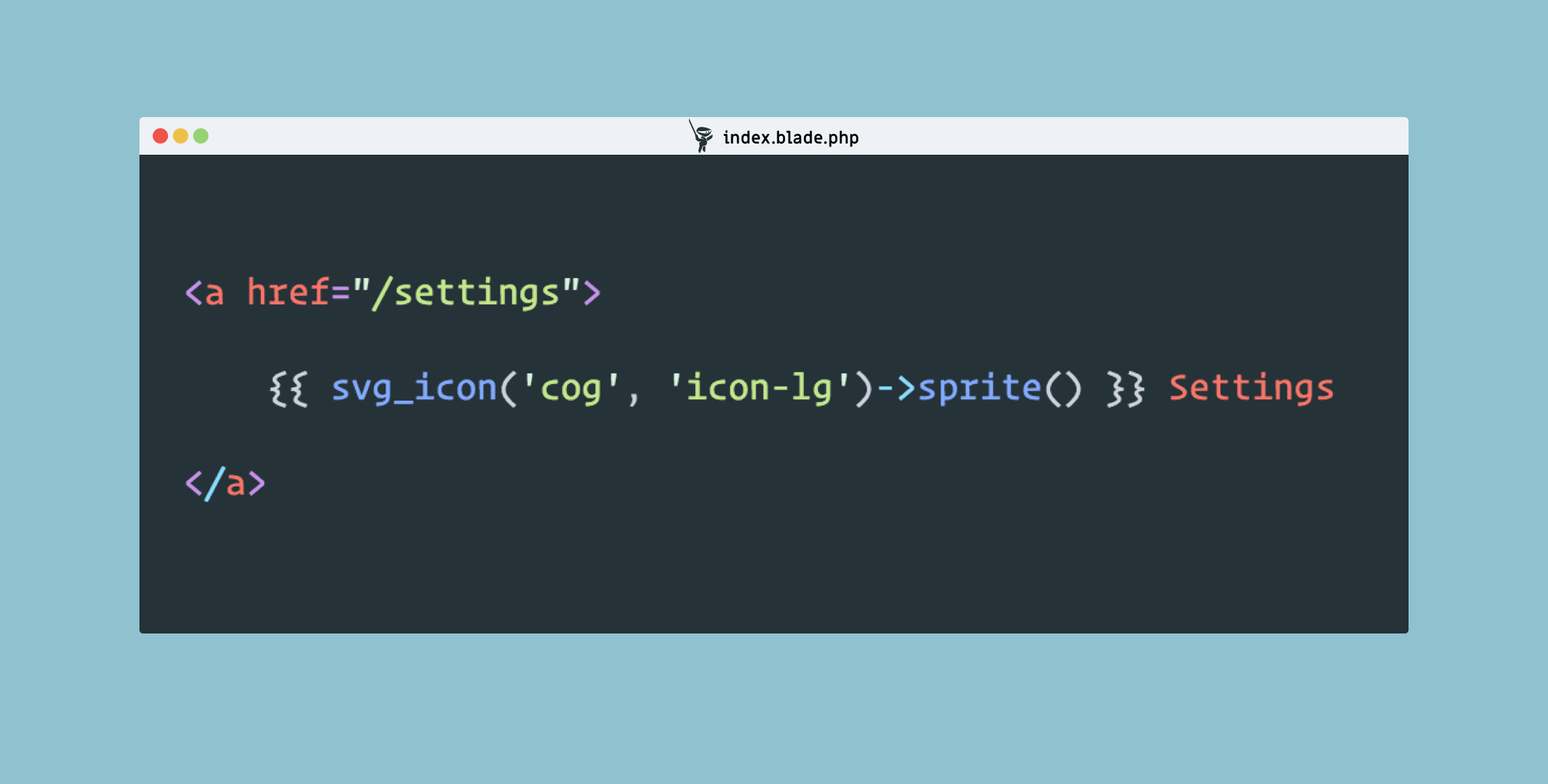
{{ svg_icon('icon-arrow-up', 'icon-lg')->sprite() }}
{{ svg_icon('icon-arrow-up', 'icon-lg')->inline() }}

As you can see, this package will be very useful for when you are working with SVG files and will keep your views clean and easier to manage.

If you’d like to learn more checkout the GitHub repo.

Eric L. Barnes photo

Eric is the creator of Laravel News and has been covering Laravel since 2012.

Cube

Laravel Newsletter

Join 40k+ other developers and never miss out on new tips, tutorials, and more.

image
Battle Ready Laravel

The ultimate guide to auditing, testing, fixing and improving your Laravel applications so you can build better apps faster and with more confidence.

Visit Battle Ready Laravel
Curotec logo

Curotec

World class Laravel experts with GenAI dev skills. LATAM-based, embedded engineers that ship fast, communicate clearly, and elevate your product. No bloat, no BS.

Curotec
Bacancy logo

Bacancy

Supercharge your project with a seasoned Laravel developer with 4-6 years of experience for just $3200/month. Get 160 hours of dedicated expertise & a risk-free 15-day trial. Schedule a call now!

Bacancy
Tinkerwell logo

Tinkerwell

The must-have code runner for Laravel developers. Tinker with AI, autocompletion and instant feedback on local and production environments.

Tinkerwell
Cut PHP Code Review Time & Bugs into Half with CodeRabbit logo

Cut PHP Code Review Time & Bugs into Half with CodeRabbit

CodeRabbit is an AI-powered code review tool that specializes in PHP and Laravel, running PHPStan and offering automated PR analysis, security checks, and custom review features while remaining free for open-source projects.

Cut PHP Code Review Time & Bugs into Half with CodeRabbit
Get expert guidance in a few days with a Laravel code review logo

Get expert guidance in a few days with a Laravel code review

Expert code review! Get clear, practical feedback from two Laravel devs with 10+ years of experience helping teams build better apps.

Get expert guidance in a few days with a Laravel code review
Kirschbaum logo

Kirschbaum

Providing innovation and stability to ensure your web application succeeds.

Kirschbaum
Shift logo

Shift

Running an old Laravel version? Instant, automated Laravel upgrades and code modernization to keep your applications fresh.

Shift
Harpoon: Next generation time tracking and invoicing logo

Harpoon: Next generation time tracking and invoicing

The next generation time-tracking and billing software that helps your agency plan and forecast a profitable future.

Harpoon: Next generation time tracking and invoicing
Lucky Media logo

Lucky Media

Get Lucky Now - the ideal choice for Laravel Development, with over a decade of experience!

Lucky Media
Lunar: Laravel E-Commerce logo

Lunar: Laravel E-Commerce

E-Commerce for Laravel. An open-source package that brings the power of modern headless e-commerce functionality to Laravel.

Lunar: Laravel E-Commerce
SaaSykit: Laravel SaaS Starter Kit logo

SaaSykit: Laravel SaaS Starter Kit

SaaSykit is a Multi-tenant Laravel SaaS Starter Kit that comes with all features required to run a modern SaaS. Payments, Beautiful Checkout, Admin Panel, User dashboard, Auth, Ready Components, Stats, Blog, Docs and more.

SaaSykit: Laravel SaaS Starter Kit

The latest

View all →
Laravel 12.44 Adds HTTP Client afterResponse() Callbacks image

Laravel 12.44 Adds HTTP Client afterResponse() Callbacks

Read article
Handle Nested Data Structures in PHP with the Data Block Package image

Handle Nested Data Structures in PHP with the Data Block Package

Read article
Detect and Clean Up Unchanged Vendor Files with Laravel Vendor Cleanup image

Detect and Clean Up Unchanged Vendor Files with Laravel Vendor Cleanup

Read article
Seamless PropelAuth Integration in Laravel with Earhart image

Seamless PropelAuth Integration in Laravel with Earhart

Read article
Laravel API Route image

Laravel API Route

Read article
Laravel News 2025 Recap image

Laravel News 2025 Recap

Read article