Code review at scale is broken. Here’s how Augment Code is fixing it.

Claude Agent Now Built Into PhpStorm AI Assistant

Published on by

For many Laravel developers, the constant switching between tools to get smarter AI coding help has been a real frustration. Some tried dedicated AI IDEs such as Cursor and Windsurf, but faced some limitations in PHP and Laravel workflows. Others were supercharging PhpStorm with the AI plugins like Claude Code, giving them more options but not sacrificing the powerful PHP features found in PhpStorm.

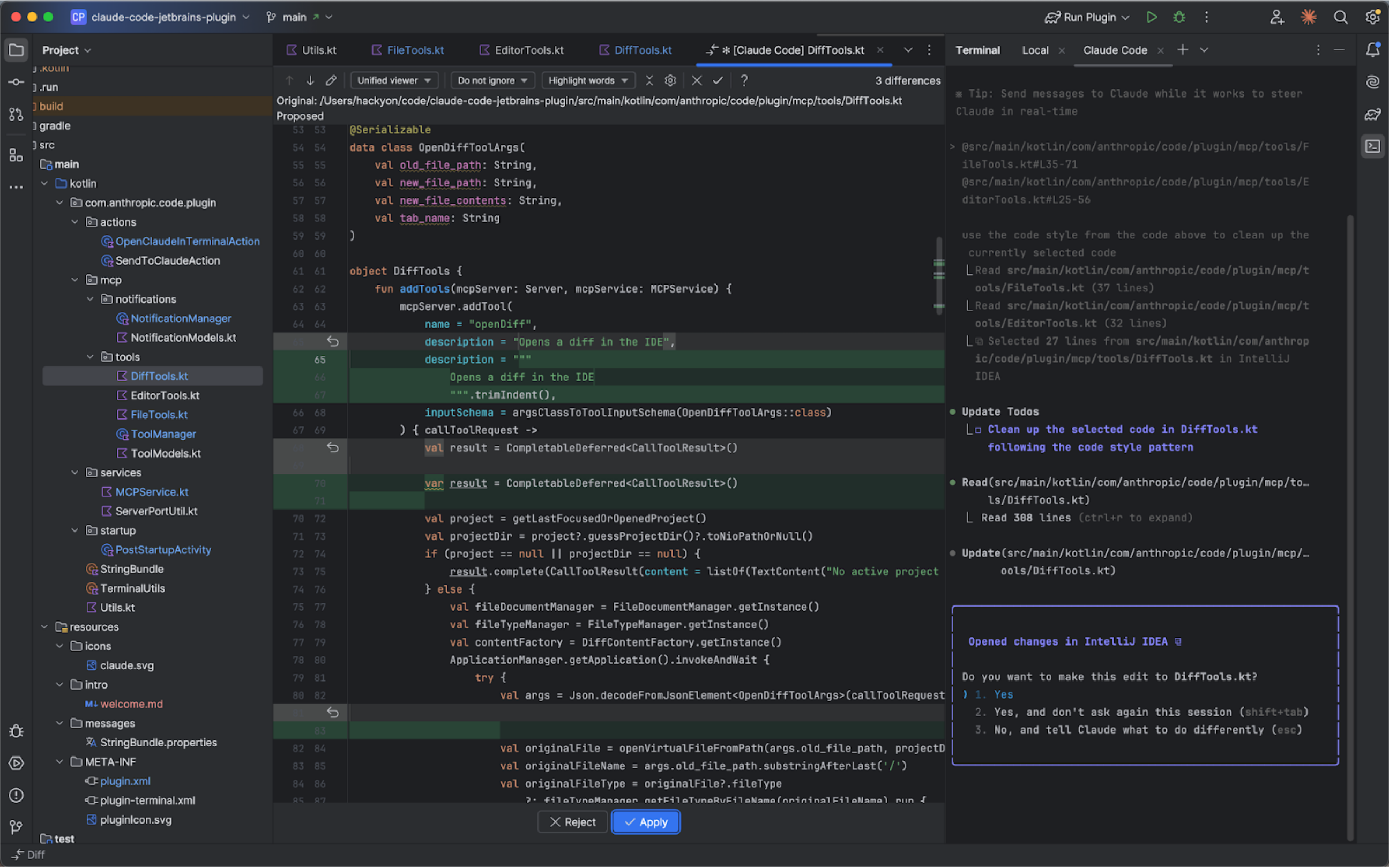
Claude Code in PhpStorm

One of the biggest strengths of Claude Agent in PhpStorm is how naturally it blends AI-driven code generation with the IDE’s powerful review and navigation tools — giving developers the feeling of pair programming with an expert right inside their workflow.

Through the plugin and terminal, developers have been making use of Claude’s key capabilities, including:

  • Review diffs directly in PhpStorm’s viewer
  • Share selected code with Claude instantly
  • Insert file references with familiar shortcuts
  • Send errors and warnings to Claude in real time
Now, with the latest JetBrains AI Assistant update, Claude becomes available as a native agent too — so you can choose whichever workflow works best for you.
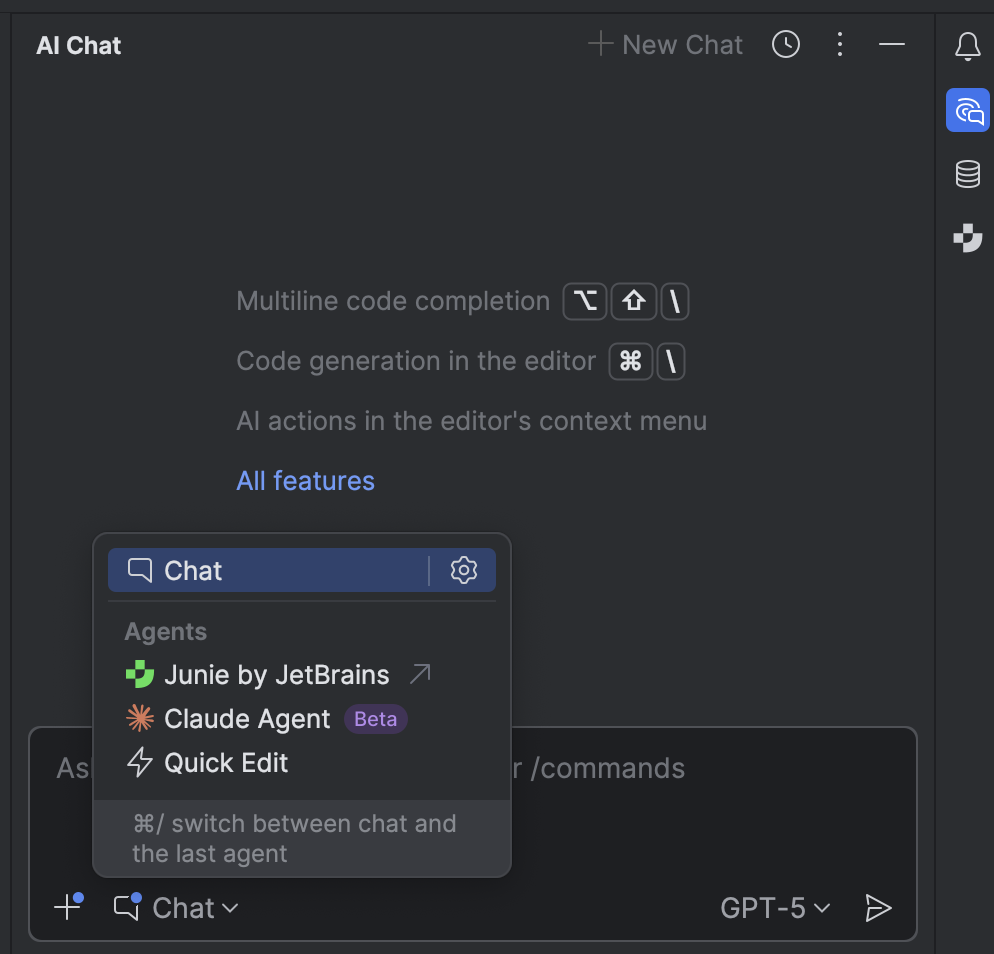
What’s Next: Meet Junie

Junie, the AI coding agent by JetBrains, has also been added to the list of available agents alongside Claude. A single-chat experience is coming soon.

Why It Matters for Laravel Developers

Since summer 2025, PhpStorm has included full Laravel support for free. Combined with JetBrains AI Assistant, PhpStorm offers to Laravel developers:

  • Smarter scaffolding for controllers, services, and tests.
  • Quick migration help, like refactoring complex Eloquent queries.
  • Faster onboarding for junior developers joining Laravel projects.
  • Laravel Boost integration

Try It Today

If you haven’t tried Claude in PhpStormit yet, download PhpStorm and enable JetBrains AI Assistant

If you haven’t tried it yet, . You can find instructions here to install the AI Assistant.

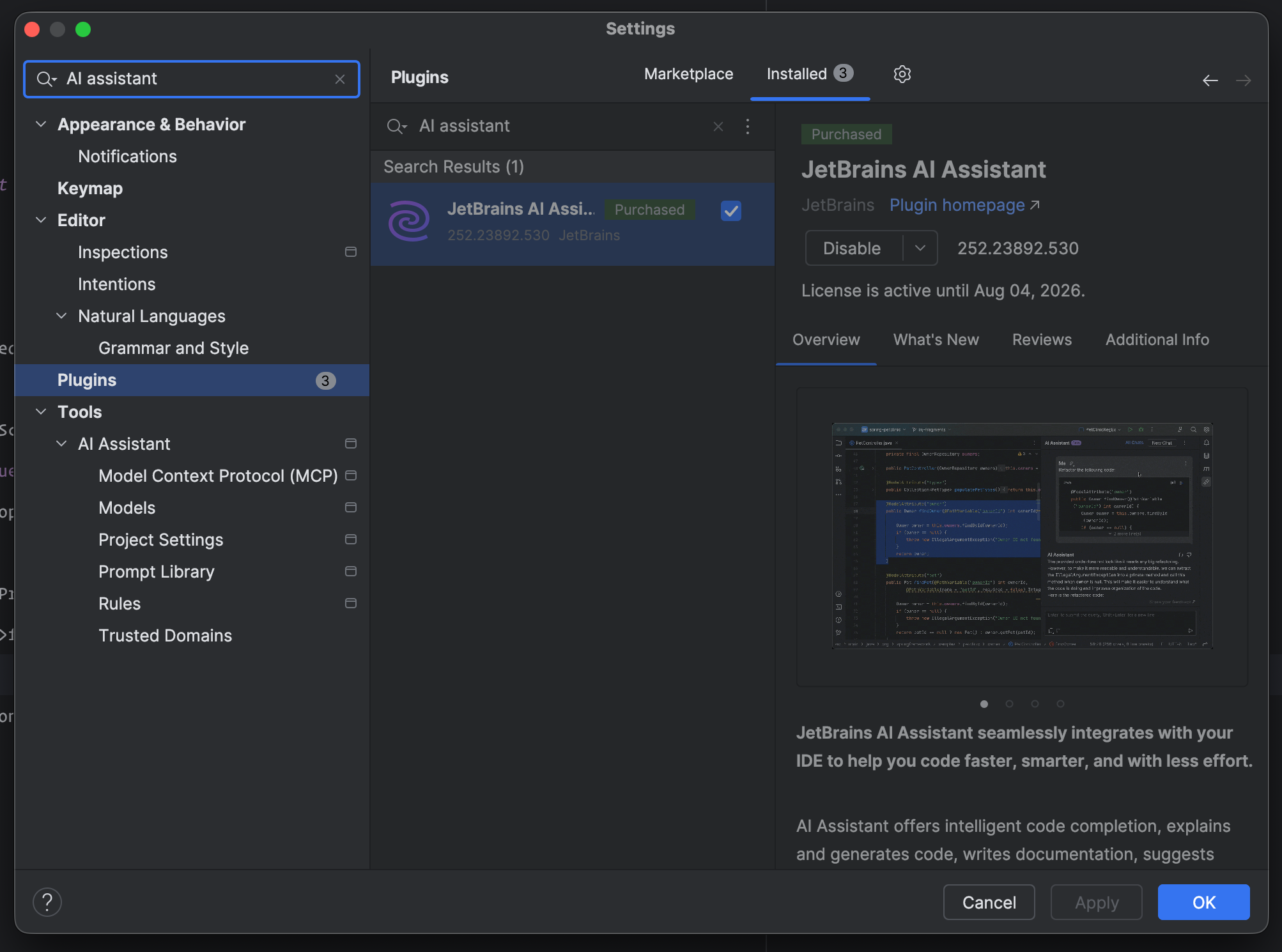
If you need to manually enable it, go to Settings -> Plugins -> JetBrains AI Assistant: Then, from the AI Chat panel, just switch the agent to Claude.
Tania Goral photo

Product Marketing Manager for PhpStorm, a JetBrains IDE for PHP

Cube

Laravel Newsletter

Join 40k+ other developers and never miss out on new tips, tutorials, and more.

image
Laravel Cloud

Easily create and manage your servers and deploy your Laravel applications in seconds.

Visit Laravel Cloud
Bacancy logo

Bacancy

Supercharge your project with a seasoned Laravel developer with 4-6 years of experience for just $3200/month. Get 160 hours of dedicated expertise & a risk-free 15-day trial. Schedule a call now!

Bacancy
Tinkerwell logo

Tinkerwell

The must-have code runner for Laravel developers. Tinker with AI, autocompletion and instant feedback on local and production environments.

Tinkerwell
Get expert guidance in a few days with a Laravel code review logo

Get expert guidance in a few days with a Laravel code review

Expert code review! Get clear, practical feedback from two Laravel devs with 10+ years of experience helping teams build better apps.

Get expert guidance in a few days with a Laravel code review
PhpStorm logo

PhpStorm

The go-to PHP IDE with extensive out-of-the-box support for Laravel and its ecosystem.

PhpStorm
Laravel Cloud logo

Laravel Cloud

Easily create and manage your servers and deploy your Laravel applications in seconds.

Laravel Cloud
Kirschbaum logo

Kirschbaum

Providing innovation and stability to ensure your web application succeeds.

Kirschbaum
Shift logo

Shift

Running an old Laravel version? Instant, automated Laravel upgrades and code modernization to keep your applications fresh.

Shift
Harpoon: Next generation time tracking and invoicing logo

Harpoon: Next generation time tracking and invoicing

The next generation time-tracking and billing software that helps your agency plan and forecast a profitable future.

Harpoon: Next generation time tracking and invoicing
Lucky Media logo

Lucky Media

Get Lucky Now - the ideal choice for Laravel Development, with over a decade of experience!

Lucky Media
SaaSykit: Laravel SaaS Starter Kit logo

SaaSykit: Laravel SaaS Starter Kit

SaaSykit is a Multi-tenant Laravel SaaS Starter Kit that comes with all features required to run a modern SaaS. Payments, Beautiful Checkout, Admin Panel, User dashboard, Auth, Ready Components, Stats, Blog, Docs and more.

SaaSykit: Laravel SaaS Starter Kit

The latest

View all →
Nimbus: An In-Browser API Testing Playground for Laravel image

Nimbus: An In-Browser API Testing Playground for Laravel

Read article
Laravel 12.51.0 Adds afterSending Callbacks, Validator whenFails, and MySQL Timeout image

Laravel 12.51.0 Adds afterSending Callbacks, Validator whenFails, and MySQL Timeout

Read article
Handling Large Datasets with Pagination and Cursors in Laravel MongoDB image

Handling Large Datasets with Pagination and Cursors in Laravel MongoDB

Read article
Driver-Based Architecture in Spatie's Laravel PDF v2 image

Driver-Based Architecture in Spatie's Laravel PDF v2

Read article
Why Your Livewire Dashboard Jumps (And How to Fix It) - Laravel In Practice EP18 image

Why Your Livewire Dashboard Jumps (And How to Fix It) - Laravel In Practice EP18

Read article
Laravel Live UK returns to London on June 18-19, 2026 image

Laravel Live UK returns to London on June 18-19, 2026

Read article