Authentication is one of those things many applications need, and Laravel has no shortage of options for Authentication solutions. However, if you're looking for an alternative, then PropelAuth could be a good option to try. There is a PropelAuth Socialite Provider available, and to make the integration even easier, developer Elliot Ali has created a Laravel package called Earhart, which makes it even more seamless.
Features
- Integrates with Laravel Socialite
- Some initial routes and controllers are already set up and loaded to handle PropelAuth Accounts, Organizations, and Members
- A controller to handle webhook requests from PropelAuth, which fires events you can listen for in your application.
A Quick Example
As with other Socialite providers, you will need to sign up for PropelAuth and complete some configuration before using this package. This includes creating an OAuth2 provider within PropelAuth and copying down your Client ID and Client Secret. Follow the PropelAuth docs to learn how to setup this OAuth provider.
Once done, in your .env file, add the following environment variables with the appropriate values:
PROPELAUTH_CLIENT_ID="tbc"PROPELAUTH_CLIENT_SECRET="tbc"PROPELAUTH_CALLBACK_URL=https://localhost:8000/auth/callbackPROPELAUTH_AUTH_URL=https://0000000000.propelauthtest.comPROPELAUTH_SVIX_SECRET="whsec_tbd"PROPELAUTH_API_KEY="tbc"And then, in config/services.php, add the following:
'propelauth' => [ 'client_id' => env('PROPELAUTH_CLIENT_ID'), 'client_secret' => env('PROPELAUTH_CLIENT_SECRET'), 'redirect' => env('PROPELAUTH_CALLBACK_URL'), 'auth_url' => env('PROPELAUTH_AUTH_URL'), 'svix_secret' => env('PROPELAUTH_SVIX_SECRET'), 'api_key' => env('PROPELAUTH_API_KEY'),]With that now set up, you can add a login link to your Blade template using the included auth.redirect route, which sends your users to your PropelAuth login page (which is customizable from your PropelAuth Dashboard).
<a href="{{ route('auth.redirect') }}">Login</a>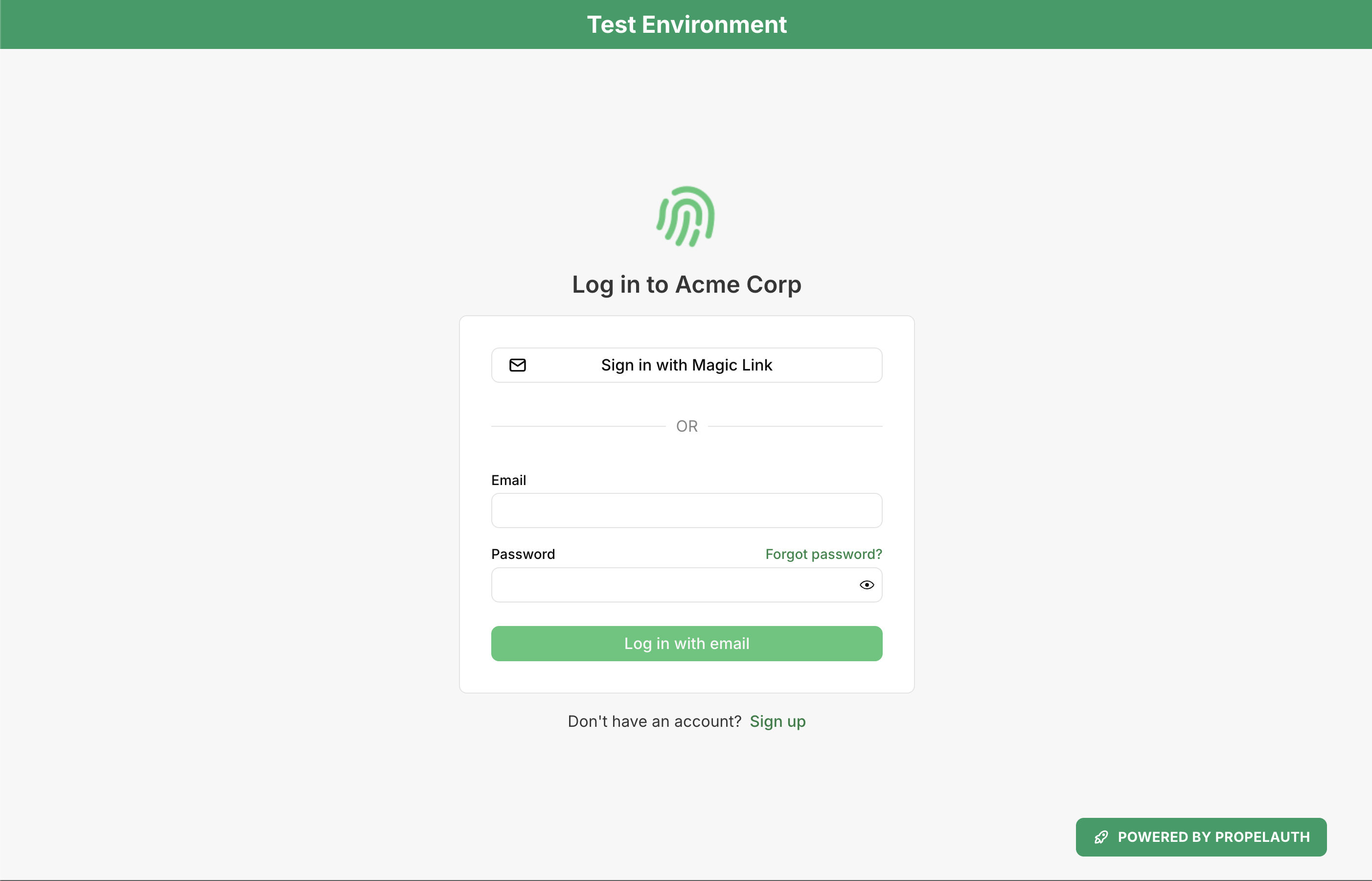
Even though this package handles some of the boilerplate code for integrating with PropelAuth, it’s still up to you to create a /auth/callback route that saves the user to your application's database on successful login.
This route could look something like this:
Route::get('/auth/callback', function(Request $request) { $propelUser = Socialite::driver('propelauth')->user(); $rawUser = $propelUser->getRaw(); $user = User::updateOrCreate([ 'propel_id' => $propelUser->id, ], [ 'name' => $rawUser['first_name'] . ' ' . $rawUser['last_name'], 'email' => $propelUser->email, 'propel_access_token' => $propelUser->token, 'propel_refresh_token' => $propelUser->refreshToken, 'avatar' => $rawUser['picture_url'], 'data' => json_encode($rawUser), 'email_verified_at' => $rawUser['email_confirmed'] ? now() : null, ]); Auth::login($user); return redirect('/dashboard');})->name('auth.callback');You’ll notice in the example above that we have used $propelUser->getRaw(). By default, after a user successfully logs in, the Socialite driver for PropelAuth returns only the user's email, id, and tokens. But if you require some more information about the user, for instance, to populate other user details in your database, then you can retrieve the raw user array.
You will also need to create a /auth/logout route, which will invalidate the refresh_token we received during login and also log the user out:
Route::get('/auth/logout', function(Request $request){ $response = Http::withHeaders([ 'Content-Type' => 'application/json', ])->post(config('services.propelauth.auth_url') . '/api/backend/v1/logout', [ 'refresh_token' => Auth::user()->propel_refresh_token, ]); if ($response->failed()) { Log::debug('Failed to log out from PropelAuth', ['response' => $response->body()]); } Auth::logout(); return redirect('/');})->name('auth.logout');And in a similar manner to our Login link, you should add your Logout link in your Blade template:
<a href="{{ route('auth.logout') }}">Logout</a>Learn more about this package (including the other available routes and events) and view the source code on GitHub.