News

Tailwind Configuration Viewer

Published
Tailwind Configuration Viewer image

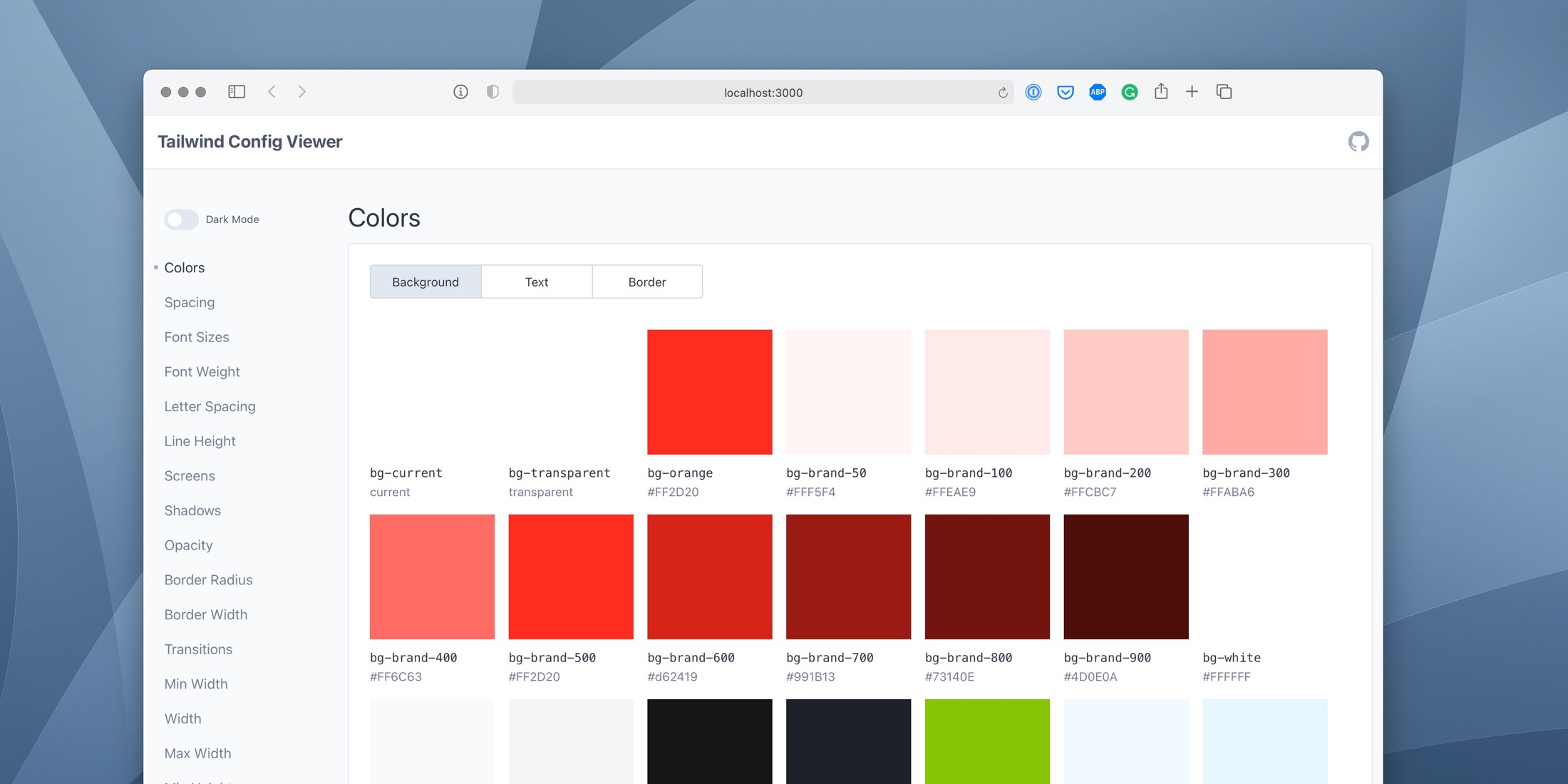
Tailwind Config Viewer is a local UI tool for visualizing your Tailwind CSS configuration file. You can keep it open during development to quickly reference custom Tailwind values and classes:
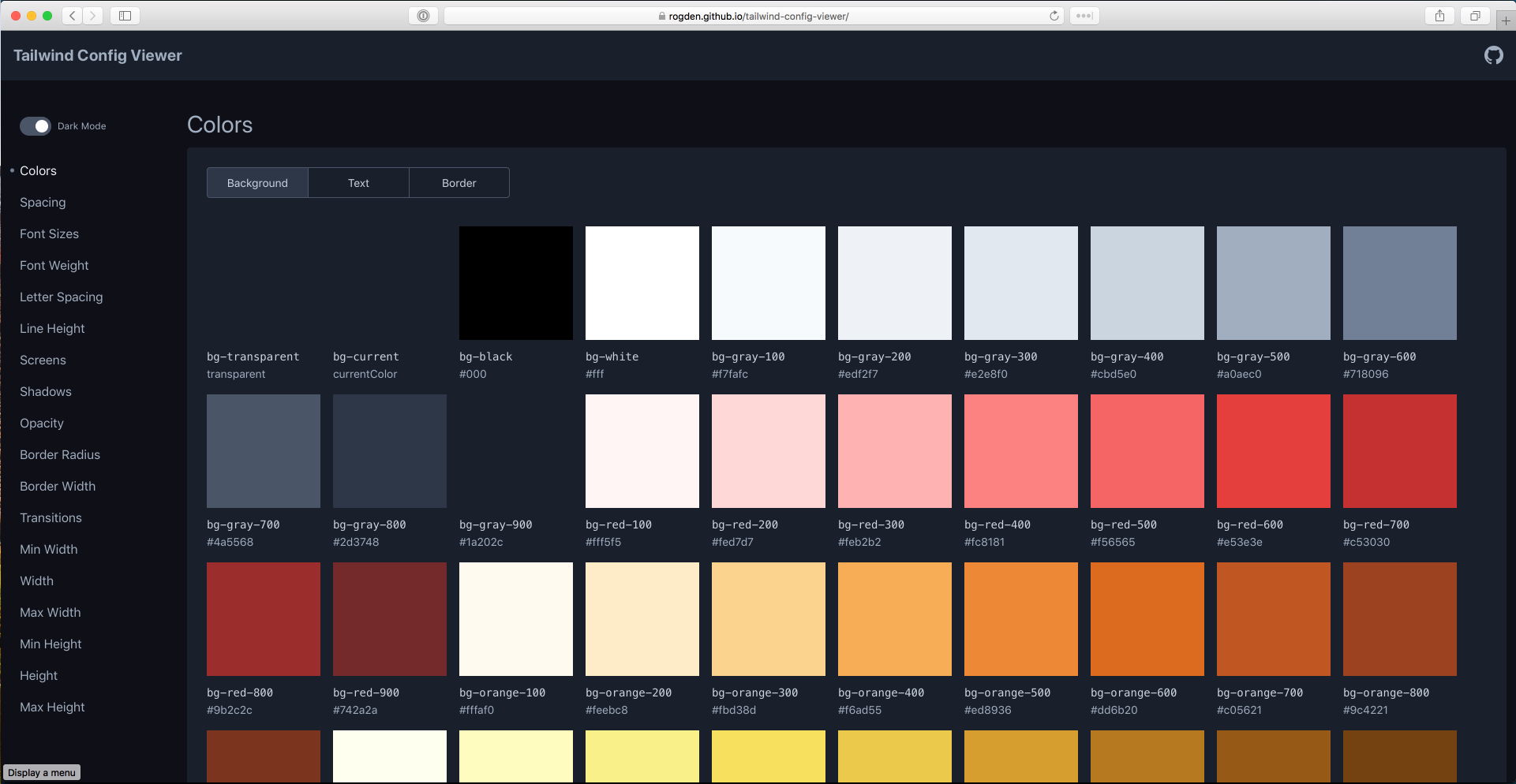
You can toggle between a light and dark mode UI, and clicking on each config copies the CSS class to your clipboard.

If you want to explore your project's Tailwind configuration quickly, all you need to do is install the NPM package and run an NPM command:

# Install globally
npm i tailwind-config-viewer -g
 
# Or install in your project
npm install --save-dev tailwind-config-viewer
 
# Run the command
npx tailwind-config-viewer
 
# Specify the path to the config file
npx tailwind-config-viewer -c path/to/tailwind.config.js

You can also export the site and upload it to a static host:

npx tailwind-config-viewer export ./output-dir

This project uses Vue and Tailwind for the UI (among other things) and can act as an excellent configuration reference for your team. You can learn more about this package, get full installation instructions, configuration options, and view the source code on GitHub.

Paul Redmond photo

Staff writer at Laravel News. Full stack web developer and author.

Sponsored

acquaintsoft logo
Acquaint Softtech

Hire Laravel developers with AI expertise at $20/hr. Get started in 48 hours.

Visit Acquaint Softtech

The latest

View all →
CPX: The Composer Package Executor for PHP image

CPX: The Composer Package Executor for PHP

Read article
Laravel AI SDK Adds Human-in-the-Loop Tool Approval image

Laravel AI SDK Adds Human-in-the-Loop Tool Approval

Read article
Pest 5 Released With Test Impact Analysis, Agent Verification, and Evals image

Pest 5 Released With Test Impact Analysis, Agent Verification, and Evals

Read article
Queue-SQL: Run Mass Deletes and Updates Across Parallel Queue Jobs image

Queue-SQL: Run Mass Deletes and Updates Across Parallel Queue Jobs

Read article
Blade Formatting in Laravel Pint image

Blade Formatting in Laravel Pint

Read article
Inertia DevTools Is Now on the Chrome Web Store image

Inertia DevTools Is Now on the Chrome Web Store

Read article






