Tinkerwell - The PHP Scratchpad

Laravel Themer package: add multi-theme support for Laravel application

Published on by

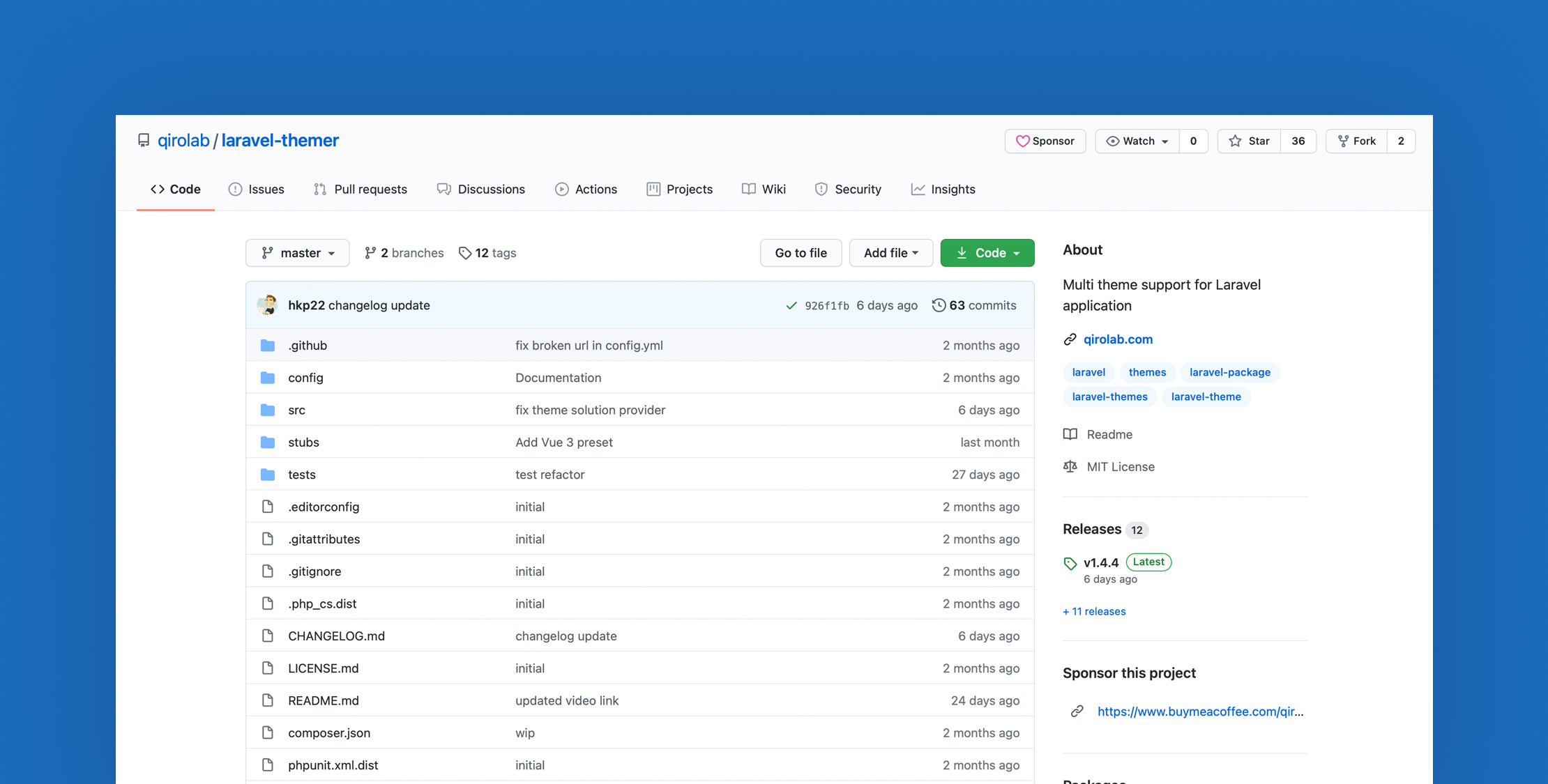
Laravel Themer package: add multi-theme support for Laravel application image

This Laravel Themer package adds multi-theme support to your Laravel application. It also provides a simple authentication scaffolding and presets for Bootstrap, Tailwind, Vue, and React as a starting point for building a Laravel application.

In my opinion, this Laravel Themer package is a better alternative to the official laravel/ui & laravel/breeze packages because of the following features:

  • Any number of themes
  • Fallback theme support (WordPress style); It allows creating a child theme to extend any theme
  • Provides authentication scaffolding similar to laravel/ui & laravel/breeze
  • Exports all auth controllers, tests, and other files similar to laravel/breeze
  • Provides frontend presets for Bootstrap, Tailwind, Vue 2, Vue 3, and React

If you don't want to use this package's auth scaffolding, instead, you want to use Laravel Fortify, no problem with that. You can use Laravel Themer with Fortify as well. Laravel Fortify is a frontend agnostic authentication backend for Laravel, and it does not provide views or frontend presets. So, use Fortify for backend authentication and Laravel Themer for your views, presets, and for multi-theme support.

Video Tutorial

Installation

Install via composer

composer require qirolab/laravel-themer

Publish a configuration file:

php artisan vendor:publish --provider="Qirolab\Theme\ThemeServiceProvider" --tag="config"

Creating a theme

Use the following command to create a theme:

php artisan make:theme
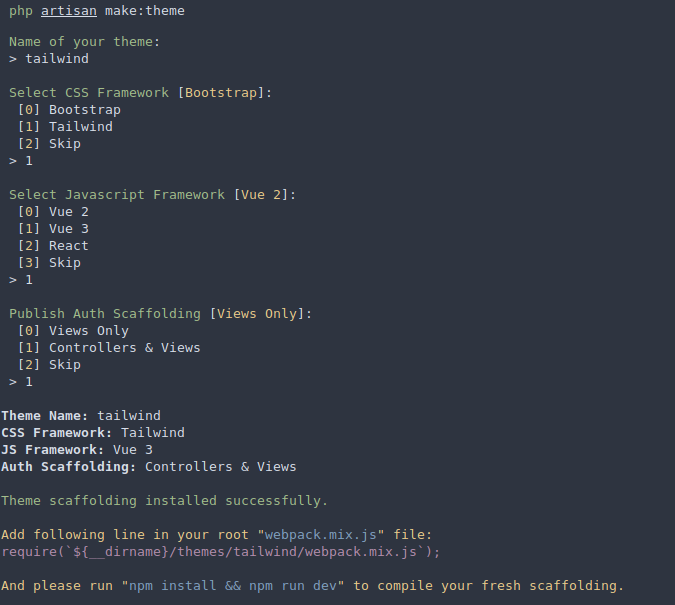
Create theme

Middleware to set a theme

Register ThemeMiddleware in app\Http\Kernel.php:

protected $routeMiddleware = [
// ...
'theme' => \Qirolab\Theme\Middleware\ThemeMiddleware::class,
];

Examples for middleware usage:

Route::get('/dashboard', 'DashboardController@index')
->middleware('theme:dashboard-theme');

Theme methods:

// Set active theme
Theme::set('theme-name');
 
// Get current active theme
Theme::active();
 
// Get current parent theme
Theme::parent();
 
// Clear theme. So, no theme will be active
Theme::clear();
 
// Get theme path
Theme::path($path = 'views');
// output:
// /app-root-path/themes/active-theme/views
 
Theme::path($path = 'views', $themeName = 'admin');
// output:
// /app-root-path/themes/admin/views
 
Theme::getViewPaths();
// Output:
// [
// '/app-root-path/themes/admin/views',
// '/app-root-path/resources/views'
// ]

webpack.mix.js Configuration

After creating a new theme, it creates a separate webpack.mix.js file for that theme. So, to compile the theme's webpack.mix.js file it should be included in the app's webpack.mix.js that is located in the root path.

// add this in the root `webpack.mix.js`
require(`${__dirname}/themes/theme-name/webpack.mix.js`);

In the case of multiple themes, If you add multiple webpack.mix.js of different themes. Then webpack may not compile these correctly. So, you should modify the root webpack.mix.js with the following code:

let theme = process.env.npm_config_theme;
 
if(theme) {
require(`${__dirname}/themes/${theme}/webpack.mix.js`);
} else {
// default theme to compile if theme is not specified
require(`${__dirname}/themes/theme-name/webpack.mix.js`);
}

Now, you can use the following command to compile assets for a particular theme:

npm run dev --theme=theme-name
Harish Kumar photo

Laravel developer skilled in PHP, JavaScript, Vue, React, TailwindCSS, and Docker. Creator of Qirolab, and a YouTube channel. Passionate about open-source contributions and developing tools to empower the developer community.

Cube

Laravel Newsletter

Join 40k+ other developers and never miss out on new tips, tutorials, and more.

image
Laravel Cloud

Easily create and manage your servers and deploy your Laravel applications in seconds.

Visit Laravel Cloud
Bacancy logo

Bacancy

Supercharge your project with a seasoned Laravel developer with 4-6 years of experience for just $3200/month. Get 160 hours of dedicated expertise & a risk-free 15-day trial. Schedule a call now!

Bacancy
Tinkerwell logo

Tinkerwell

The must-have code runner for Laravel developers. Tinker with AI, autocompletion and instant feedback on local and production environments.

Tinkerwell
Get expert guidance in a few days with a Laravel code review logo

Get expert guidance in a few days with a Laravel code review

Expert code review! Get clear, practical feedback from two Laravel devs with 10+ years of experience helping teams build better apps.

Get expert guidance in a few days with a Laravel code review
Acquaint Softtech logo

Acquaint Softtech

Acquaint Softtech offers AI-ready Laravel developers who onboard in 48 hours at $3000/Month with no lengthy sales process and a 100 percent money-back guarantee.

Acquaint Softtech
Kirschbaum logo

Kirschbaum

Providing innovation and stability to ensure your web application succeeds.

Kirschbaum
Shift logo

Shift

Running an old Laravel version? Instant, automated Laravel upgrades and code modernization to keep your applications fresh.

Shift
Harpoon: Next generation time tracking and invoicing logo

Harpoon: Next generation time tracking and invoicing

The next generation time-tracking and billing software that helps your agency plan and forecast a profitable future.

Harpoon: Next generation time tracking and invoicing
Lucky Media logo

Lucky Media

Get Lucky Now - the ideal choice for Laravel Development, with over a decade of experience!

Lucky Media
SaaSykit: Laravel SaaS Starter Kit logo

SaaSykit: Laravel SaaS Starter Kit

SaaSykit is a Multi-tenant Laravel SaaS Starter Kit that comes with all features required to run a modern SaaS. Payments, Beautiful Checkout, Admin Panel, User dashboard, Auth, Ready Components, Stats, Blog, Docs and more.

SaaSykit: Laravel SaaS Starter Kit

The latest

View all →
New Colors Added in Tailwind CSS v4.2 image

New Colors Added in Tailwind CSS v4.2

Read article
Factory makeMany() Method in Laravel 12.52.0 image

Factory makeMany() Method in Laravel 12.52.0

Read article
Laravel Adds an Official Svelte + Inertia Starter Kit image

Laravel Adds an Official Svelte + Inertia Starter Kit

Read article
MongoDB Vector Search in Laravel: Finding the Unqueryable image

MongoDB Vector Search in Laravel: Finding the Unqueryable

Read article
Laravel Cloud Adds “Markdown for Agents” to Serve AI-Friendly Content image

Laravel Cloud Adds “Markdown for Agents” to Serve AI-Friendly Content

Read article
Laravel Releases Nightwatch MCP Server for Claude Code and AI Agents image

Laravel Releases Nightwatch MCP Server for Claude Code and AI Agents

Read article






