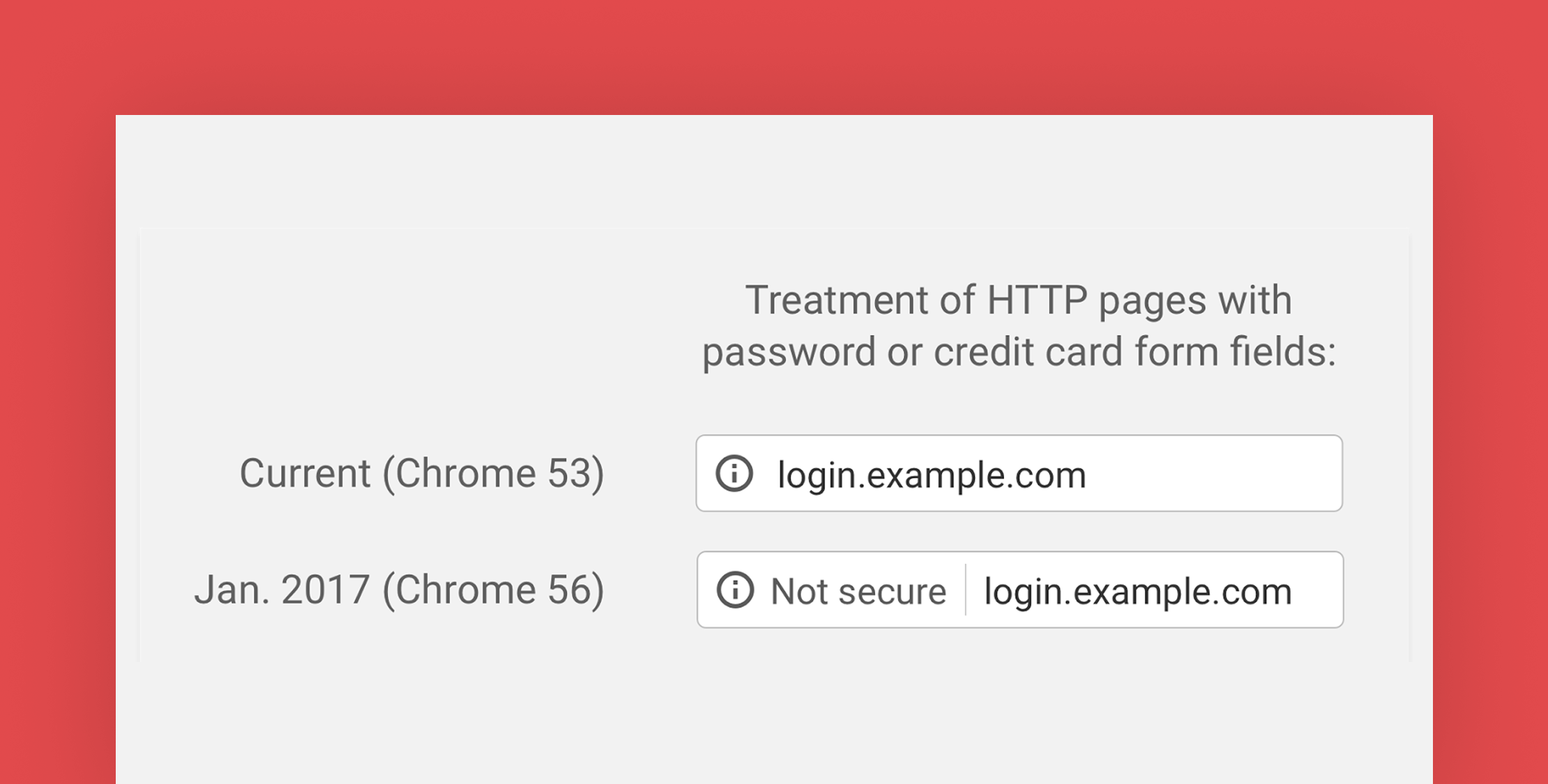
Chrome announced back in September that they want to move towards a more secure web, and one they plan to accomplish this is by marking HTTP pages that collect passwords or credit cards as non-secure.
Chrome 56 will be the first version that includes this change and it’s due out this month. Now is the time to upgrade your site to HTTPS if it isn’t already. Chrome is currently the most popular browser with 56% market share, based on netmarketshare, and this change will affect any site that has password registration and of course that accept credit cards.
If you need help adding an SSL there are many options available today to make it easier than ever before:
- Let’s Encrypt – Free, automated, and open Certificate Authority
- Cloudflare – Free plan with shared SSL and added DDOS protection.
- Laravel Forge – Starting at $15 a month and works with DigitalOcean, Linode, & AWS and includes automatic support for Let’s Encrypt.
- NameCheap – SSL Certificates starting at $9 a year.
To test out your sites before Chrome 56 ships you can open up the hidden Chrome flags preferences and change this setting manually and restart.

To get to this setting page just open Chrome and visit this URL: chrome://flags/#mark-non-secure-as