Do you hate dealing with backups because of any of these?
- AWS S3
- IAM policies / rules
- Bucket policies
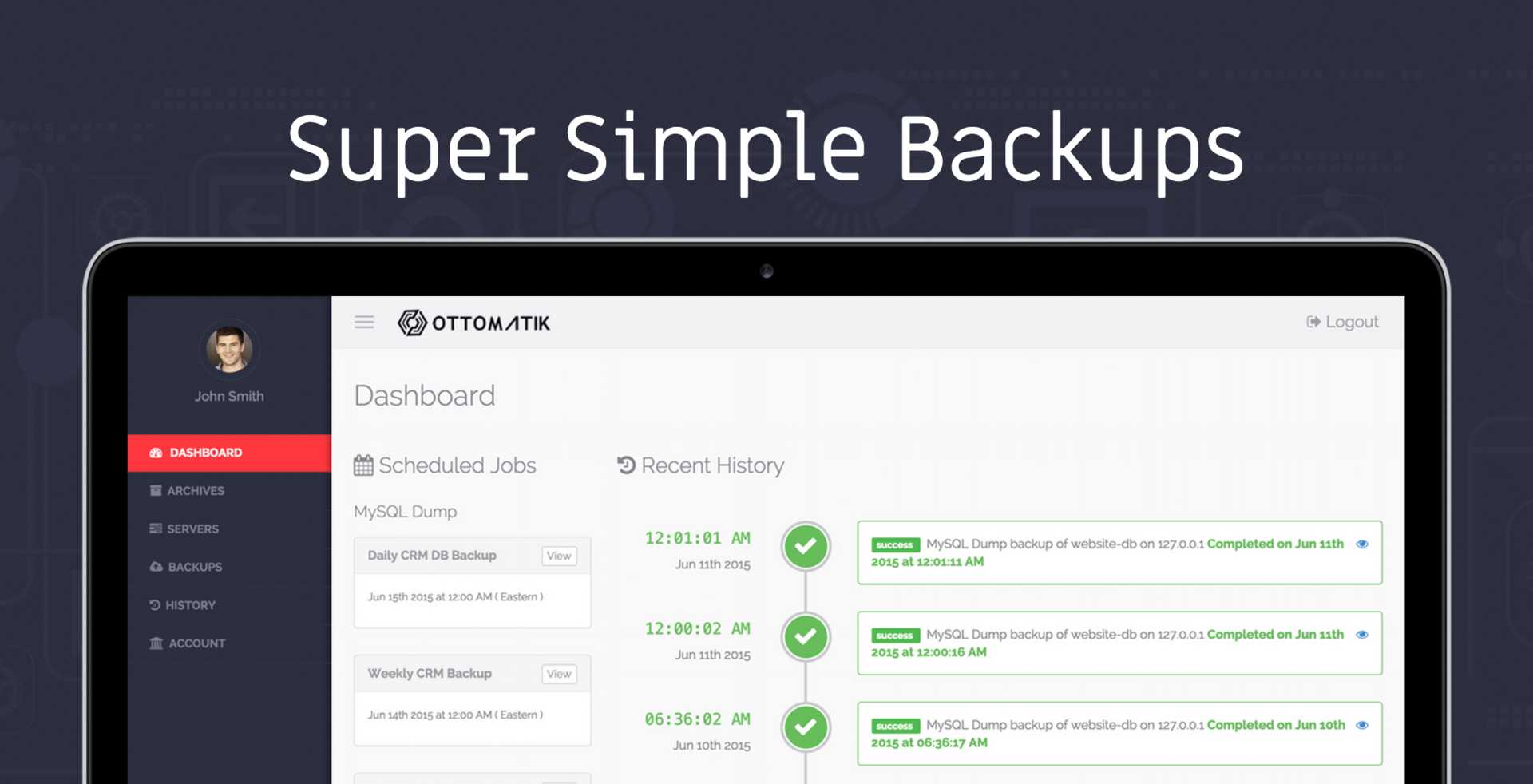
Ottomatik.io makes it simple to automatically backup your files and databases on schedule and off-site. We securely handle all the behind the scene details of storage configurations to Ottomatik’s hosted storage. You can also bring your own S3 / Dropbox / Google Drive account for unlimited backup storage and fully control your data.
Click here to visit Ottomatik.io
Ottomatik is effortless and I had my first backup in just a few minutes. Enter your credentials, set a schedule, and done.
– Eric Barnes founder of Laravel News
3 Simple Steps
- SSH into your server
- Paste a single command to configure the server
- Schedule / configure backup jobs (cronjobs supported)
Receive report summaries and notifications of successful or failed backups.
Some of the features of Ottomatik include:
Full MySQL Backup & Restore
The MySQL Backup & Restore features allow you to create a routine full backup of your MySQL database on a schedule of your choice with a myriad of options governing how to conduct the backup. If you have a very active website the zero-downtime features may be of interest. If you are running replication or binlog backups you may want to flush logs with each backup. Whichever way you need to backup your database, Ottomatik’s mysqldump backups can handle it.
We also support: MongoDB & PostgreSQL Databases
Single Click to Restore
Restore your entire database with one click. You can restore your backup to any server associated in your Ottomatik account. You can even restore to a staging / development server.
File and Directory Backups
A core component of backup operations is often simply backing up files and directories, however, sometimes this simple operation can become quite complex with rules around certain files you want to backup and others you don’t. Ottomatik’s File & Directory backup features provide some simple capabilities for paths that should be included and excluded but they can be used in powerful ways. Whether you specify full path names or use complex pattern matching functions this feature should fit your needs with a simple and usable interface.
11,411,163 backups have been processed already by Ottomatik – software developers and sysadmins like just like you. Try it today and save yourself the time and hassle of worrying about backups.
Many thanks to Ottomatik for sponsoring Laravel News