Package
Infinitypaul Laravel Dynamodb Auditing
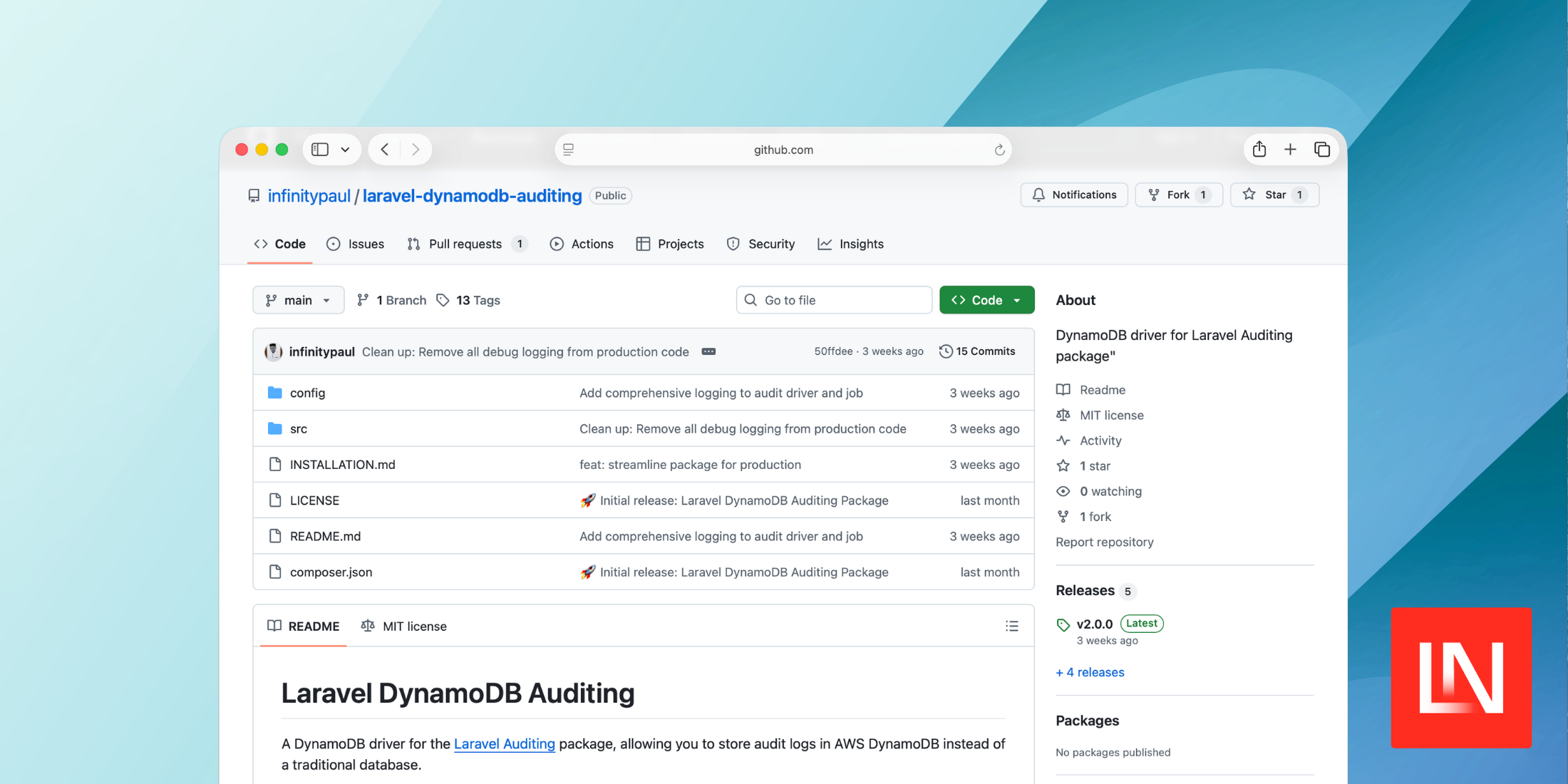
DynamoDB driver for Laravel Auditing package
Laravel DynamoDB Auditing
A DynamoDB driver for the Laravel Auditing package, allowing you to store audit logs in AWS DynamoDB instead of a traditional database.
Features
- High Performance: Store audit logs in DynamoDB for better scalability
- Auto-scaling: DynamoDB handles scaling automatically
- TTL Support: Automatic cleanup of old audit logs
- Flexible Schema: NoSQL structure for varying audit data
- Query Service: Built-in service for querying audit logs
- Laravel Integration: Seamless integration with Laravel Auditing
- Queue Support: Optional queue processing for improved performance
Installation
1. Install via Composer
composer require infinitypaul/laravel-dynamodb-auditing2. Publish Configuration
php artisan vendor:publish --tag=dynamodb-auditing-config3. Configure Environment Variables
Add the following to your .env file:
# Enable DynamoDB auditingAUDIT_DRIVER=dynamodb # DynamoDB ConfigurationDYNAMODB_AUDIT_TABLE=your-audit-table-nameDYNAMODB_AUDIT_TTL_DAYS=730DYNAMODB_AUDIT_RECENT_DAYS=7 # Queue Configuration (optional - improves performance)DYNAMODB_AUDIT_QUEUE_ENABLED=false# DYNAMODB_AUDIT_QUEUE_CONNECTION=redis # Optional: override default queue connection# DYNAMODB_AUDIT_QUEUE_NAME=audits # Optional: override default queue # AWS Credentials (production)AWS_ACCESS_KEY_ID=your-access-keyAWS_SECRET_ACCESS_KEY=your-secret-keyAWS_DEFAULT_REGION=us-east-1 # Local Development (optional)DYNAMODB_ENDPOINT=http://localhost:8000DYNAMODB_ACCESS_KEY_ID=dummyDYNAMODB_SECRET_ACCESS_KEY=dummy4. Configure Laravel Auditing Driver
Add the DynamoDB driver configuration to your config/audit.php file in the drivers array:
'drivers' => [ 'database' => [ 'table' => 'audits', 'connection' => null, ], 'dynamodb' => [ 'table' => env('DYNAMODB_AUDIT_TABLE', 'optimus-audit-logs'), 'region' => env('DYNAMODB_REGION', env('AWS_DEFAULT_REGION', 'us-east-1')), ],],5. Create DynamoDB Table
# For local developmentphp artisan audit:setup-dynamodb --local # For productionphp artisan audit:setup-dynamodbDynamoDB Table Structure
The package uses the following DynamoDB table structure:
Primary Key Design
- Partition Key (PK):
{auditable_type}#{auditable_id}(e.g.,App\Models\Wallet#12345) - Sort Key (SK):
{timestamp}#{audit_id}(for chronological ordering)
Global Secondary Index (GSI)
- CreatedAtIndex: For recent audit browsing
- Partition Key:
audit_type(always "AUDIT") - Sort Key:
created_at(timestamp)
Attributes
audit_id- Unique identifier for the audituser_id- ID of the user who performed the actionevent- Type of event (created, updated, deleted, etc.)auditable_type- Model class nameauditable_id- Model IDold_values- JSON of old valuesnew_values- JSON of new valuesurl- Request URLip_address- User's IP addressuser_agent- User's browser/clientcreated_at- TimestampTTL- Time-to-live for automatic cleanup
Setup
Quick Setup (Recommended)
# Interactive installer - handles complete setupphp artisan audit:install-dynamodb # For local developmentphp artisan audit:install-dynamodb --local # Skip all confirmationsphp artisan audit:install-dynamodb --local --forceThe installer automatically:
- ✅ Checks for migration conflicts
- ✅ Publishes configuration
- ✅ Creates DynamoDB table with GSI
- ✅ Tests the installation
- ✅ Provides next steps
Manual Setup (Advanced)
If you prefer step-by-step control:
1. Create DynamoDB Table
# Setup local DynamoDB table (requires DynamoDB Local running on port 8000)php artisan audit:setup-dynamodb --local # Or force recreate if table existsphp artisan audit:setup-dynamodb --local --force2. Test the Setup
# Test DynamoDB audit functionalityphp artisan audit:test-dynamodb # Test with specific modelphp artisan audit:test-dynamodb --model="App\Models\User" --id=1Usage
Basic Usage
Once configured, the package works automatically with Laravel Auditing:
use OwenIt\Auditing\Contracts\Auditable; class User extends Model implements Auditable{ use \OwenIt\Auditing\Auditable; // Your model code}Queue Processing (Recommended for Production)
For high-traffic applications, enable queue processing to improve performance:
# Enable queue processing (uses your existing Laravel queue configuration)DYNAMODB_AUDIT_QUEUE_ENABLED=true # Optional: Override default queue settings# DYNAMODB_AUDIT_QUEUE_CONNECTION=redis # Use specific queue connection# DYNAMODB_AUDIT_QUEUE_NAME=audits # Use specific queue nameBenefits of Queue Processing:
- Faster Response Times: Audit writes don't block user requests
- Better Scalability: Handle high-volume audit operations
- Resilience: Failed audit writes are automatically retried
- Non-blocking: User operations continue even if DynamoDB is temporarily unavailable
Queue Worker Setup:
# If using default queue configuration, just run your normal queue workersphp artisan queue:work # If using a specific queue name, target that queuephp artisan queue:work --queue=auditsNote: When queue processing is enabled, audit logs are processed asynchronously, so they may not be immediately available for querying.
Querying Audit Logs
Use the provided AuditQueryService:
use InfinityPaul\LaravelDynamoDbAuditing\AuditQueryService; $auditService = app(AuditQueryService::class); // Get all audits with pagination$result = $auditService->getAllAudits( limit: 25, lastEvaluatedKey: null, filters: [ 'entity_type' => 'App\\Models\\Wallet', // Required for fast search 'entity_id' => '12345', // Required for fast search 'start_date' => '2024-01-01T00:00:00', // Optional date filtering 'end_date' => '2024-12-31T23:59:59', // Optional date filtering ]);Configuration
Environment Variables
| Variable | Description | Default |
|---|---|---|
AUDIT_DRIVER |
Audit driver to use | database |
DYNAMODB_AUDIT_TABLE |
DynamoDB table name | optimus-audit-logs |
DYNAMODB_AUDIT_TTL_DAYS |
Days before auto-deletion (null = infinite) | 730 |
DYNAMODB_AUDIT_RECENT_DAYS |
Days to look back for recent audit browsing | 1 |
DYNAMODB_AUDIT_QUEUE_ENABLED |
Enable queue processing for better performance | false |
DYNAMODB_AUDIT_QUEUE_CONNECTION |
Queue connection to use (null = use default) | null |
DYNAMODB_AUDIT_QUEUE_NAME |
Queue name for audit jobs (null = use default) | null |
DYNAMODB_ENDPOINT |
Local DynamoDB endpoint | null |
AWS_ACCESS_KEY_ID |
AWS access key | Required for production |
AWS_SECRET_ACCESS_KEY |
AWS secret key | Required for production |
AWS_DEFAULT_REGION |
AWS region | us-east-1 |
Configuration File
The config/dynamodb-auditing.php file allows you to customize:
- AWS credentials and region
- Table name and TTL settings
- Local vs production configurations
TTL (Time-To-Live) Configuration
Control automatic cleanup of audit logs:
# Auto-delete after 2 years (default)DYNAMODB_AUDIT_TTL_DAYS=730 # Auto-delete after 1 yearDYNAMODB_AUDIT_TTL_DAYS=365 # Auto-delete after 30 daysDYNAMODB_AUDIT_TTL_DAYS=30 # Infinite retention (never auto-delete)DYNAMODB_AUDIT_TTL_DAYS=nullImportant: Setting DYNAMODB_AUDIT_TTL_DAYS=null will keep audit logs forever, which may increase storage costs over time.
Performance Considerations
Why DynamoDB for Audit Logs?
DynamoDB excels at audit log storage because:
- Consistent Performance: O(1) read/write operations regardless of table size
- Horizontal Scaling: Automatically scales to handle millions of records
- Efficient Queries: Partition + Sort key design enables fast lookups
- No Performance Degradation: Unlike SQL databases, performance doesn't degrade with table growth
Testing
Run the package tests:
composer testContributing
- Fork the repository
- Create a feature branch
- Make your changes
- Add tests for new functionality
- Submit a pull request
Commands
The package provides several Artisan commands for setup and testing:
| Command | Description | Options |
|---|---|---|
audit:install-dynamodb |
🚀 Interactive installer - complete setup | --local, --production, --force |
audit:setup-dynamodb |
Create DynamoDB table with GSI for audit logs | --local, --force |
audit:test-dynamodb |
Test DynamoDB audit functionality | --model, --id |
audit:prevent-migration |
Remove conflicting MySQL audit migrations | --check |
Command Examples
# 🚀 RECOMMENDED: Interactive installer (does everything)php artisan audit:install-dynamodb --local # Individual commands (if you prefer manual control)php artisan audit:setup-dynamodb --localphp artisan audit:test-dynamodbphp artisan audit:prevent-migration --check # Advanced usagephp artisan audit:setup-dynamodb --force # Force recreate tablephp artisan audit:test-dynamodb --model="App\Models\Product" --id=5php artisan audit:prevent-migration # Remove MySQL migrationsRepository & Support
- 📦 GitHub Repository: https://github.com/infinitypaul/laravel-dynamodb-auditing
- 📚 Documentation: Available in the repository
- 🐛 Issues & Bug Reports: GitHub Issues
- 💬 Feature Requests: GitHub Issues
License
This package is open-sourced software licensed under the MIT license.