Package
Napp Xray Laravel
AWS X-Ray for Laravel applications.
Aws X-Ray for Laravel

The package automatically trace your laravel application and sends to AWS X-Ray.
What is X-Ray?
X-Ray is a distributed tracing system for production apps. AWS X-Ray traces user requests as they travel through your entire application. It aggregates the data generated by the individual services and resources that make up your application, providing you an end-to-end view of how your application is performing.
X-Ray for Laravel
This package enables automatic tracing of important parts of your application, such as http request, database queries, views and queue jobs. Those parts are being traced and sent to AWS X-Ray for you to improve performance.
Below is a simple example of a http request with a database query. This query is quite slow and could maybe be optimized or cached.
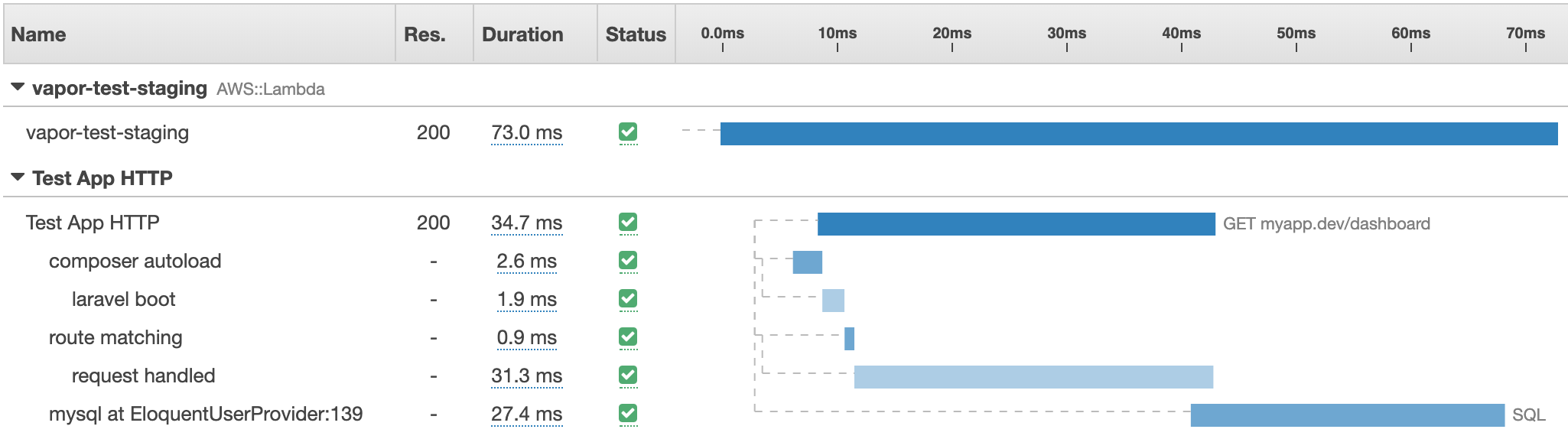
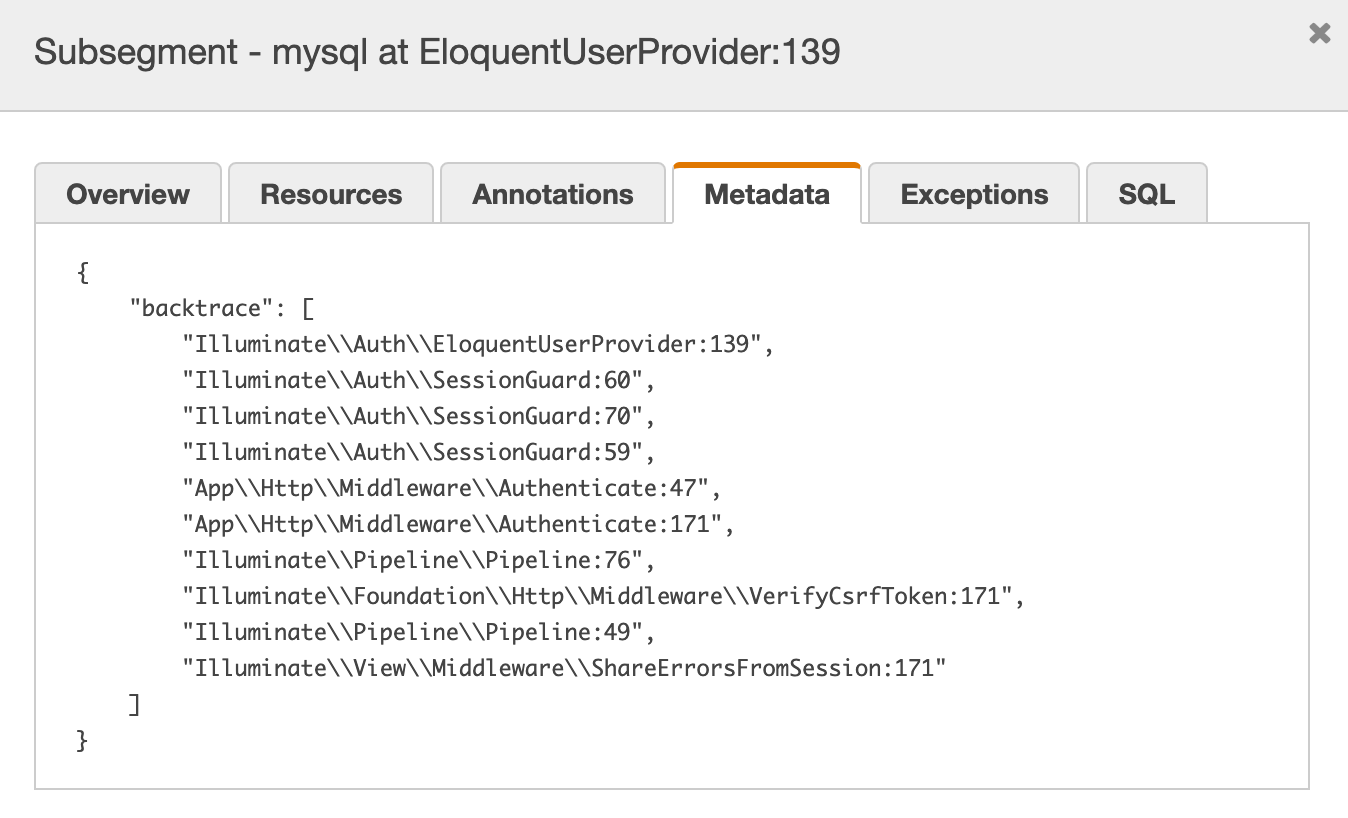
Each element has extra information, such as the database query stack trace.
Installation
- Install the package via composer:
composer require napp/xray-laravel- Add middleware to the top of the global middleware in
App\Http\Kernel.php.
protected $middleware = [ \Napp\Xray\Middleware\RequestTracing::class, // here \App\Http\Middleware\TrustProxies::class, \App\Http\Middleware\CheckForMaintenanceMode::class, // ...];- Add XrayServiceProvider to the very top of providers in
config/app.php.
'providers' => [ /* * Laravel Framework Service Providers... */ Napp\Xray\XrayServiceProvider::class, // here Illuminate\Auth\AuthServiceProvider::class, Illuminate\Broadcasting\BroadcastServiceProvider::class, // ...];Optionally, you can add the facade in config/app.php.
'aliases' => [ // ... 'Xray' => \Napp\Xray\Facades\Xray::class,],- Edit the AWS Execution role to include X-Ray permissions.
Either add the preexisting policy from AWS AWSXrayWriteOnlyAccess, or create your own:
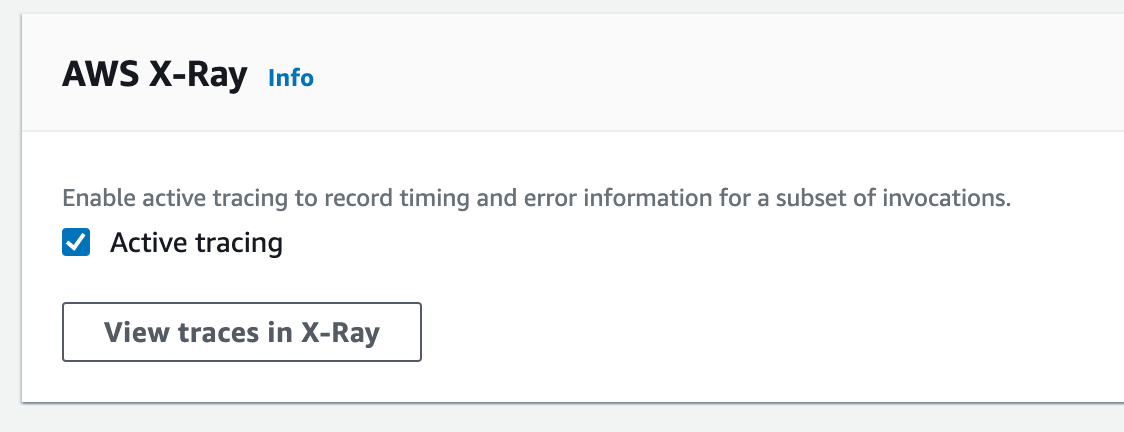
{ "Version": "2012-10-17", "Statement": [ { "Effect": "Allow", "Action": [ "xray:PutTraceSegments", "xray:PutTelemetryRecords", "xray:GetSamplingRules", "xray:GetSamplingTargets", "xray:GetSamplingStatisticSummaries" ], "Resource": [ "*" ] } ]}- Head over to AWS Console, to Lambda and find your function. Activate X-Ray Tracing.
Manually use the Tracer
Lets say you want to trace a specific piece of your code to deeply understand the impact on performance.
Xray::addSegment('MyCustomLogic'); // run your code Xray::endSegment('MyCustomLogic');Another use case is to inspect some heavy php side parsing of data.
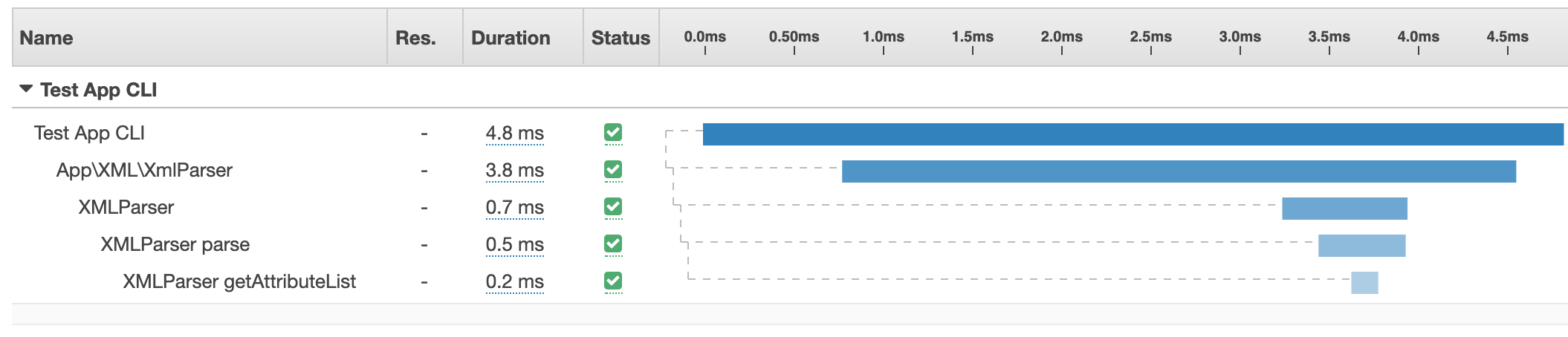
use Napp\Xray\Facades\Xray; class XMLParser{ public function handle($file) { // adding some metadata to the segment Xray::addSegment('XMLParser', null, [ 'file' => $file->name() ]); $this->parse($file); Xray::endSegment('XMLParser'); } private function parse($xml): array { Xray::addSegment('XMLParser parse'); $output = $this->getAttributeList(); // some more code Xray::endSegment('XMLParser parse'); return $output; } private function getAttributeList(): array { Xray::addSegment('XMLParser getAttributeList'); // your code Xray::endSegment('XMLParser getAttributeList'); return []; }}The above results in:
Daemon support
The X-Ray daemon is automatically run in a Lambda environment. Use this over the default Napp\Xray\Submission\APISegmentSubmitter to relay requests to Amazon X-Ray.
Firstly, publish the X-Ray config and then update the submitter in config/xray.php to \Napp\Xray\Submission\DaemonSegmentSubmitter::class
php artisan vendor:publish --tag=xray-config# config/xray.php... 'submitter' => \Napp\Xray\Submission\DaemonSegmentSubmitter::class,...The daemon submitter will pick up the _AWS_XRAY_DAEMON_ADDRESS _AWS_XRAY_DAEMON_PORT. These environment variables are injected for you if using a service like Laravel Vapor
Disable Tracer
If you want to disable the Tracer, just add to the .env file.
XRAY_ENABLED=falseWhat Tracers are supported
- [x] Composer autoload
- [x] Framework boot
- [x] Route matching
- [x] HTTP requests
- [x] Database queries
- [x] Queue jobs
- [x] Blade view render
- [x] Cache requests
LICENSE
The MIT License (MIT). Please see License File for more information.