Package
Offload Project Laravel Waitlist
Manage multiple waitlists in Laravel - perfect for beta programs, product launches, and feature access control



Laravel Waitlist
A simple and flexible waitlist package for Laravel applications. Manage multiple waitlists with ease - perfect for beta programs, product launches, feature access, and more.
This package provides the core functionality without imposing any UI or API structure, giving you complete freedom to implement your own controllers, views, and API endpoints.
Features
- Multiple Waitlists - Create and manage as many waitlists as you need
- Simple API - Clean, intuitive interface for managing waitlist entries
- Status Management - Track entries as pending, invited, or rejected
- Email Verification - Optional email verification before inviting users
- Email Notifications - Automatic notifications when users are invited
- Metadata Support - Store custom data with each entry
- Fully Tested - 44 comprehensive tests, 80 assertions
- Type Safe - Full PHPStan level 5 compliance
- Flexible - No opinionated routes or views - use it your way
Requirements
- PHP 8.4+
- Laravel 11.0+
Installation
Install the package via Composer:
composer require offload-project/laravel-waitlistPublish and run the migrations:
php artisan vendor:publish --tag="waitlist-migrations"php artisan migrateOptionally, publish the config file:
php artisan vendor:publish --tag="waitlist-config"Usage
Quick Start (Single Waitlist)
If you only need one waitlist, just start using it - a default waitlist is created automatically:
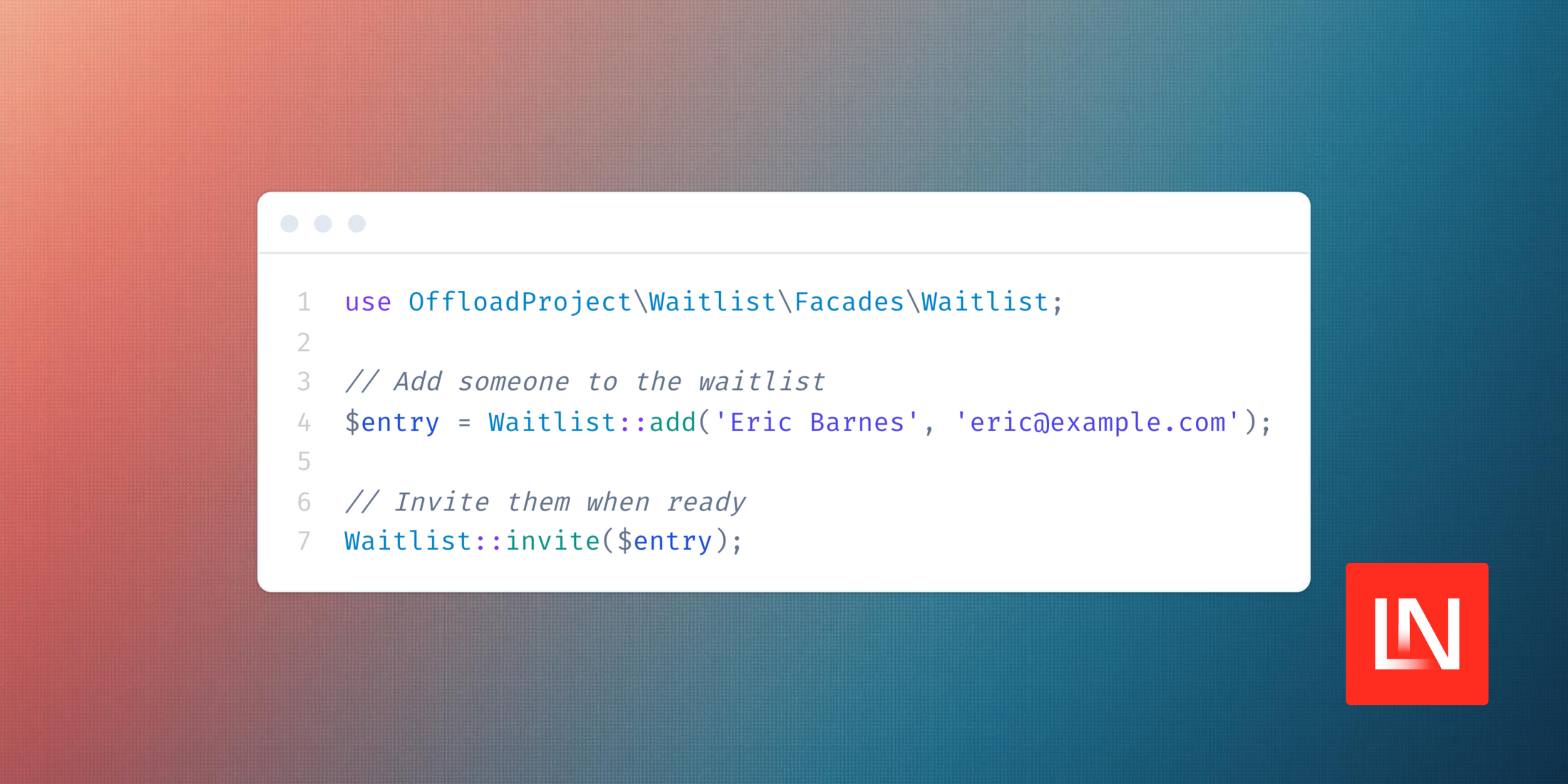
use OffloadProject\Waitlist\Facades\Waitlist; // Add users to the default waitlist$entry = Waitlist::add('John Doe', 'john@example.com'); // Invite a user (sends notification automatically)Waitlist::invite($entry); // Get statistics$total = Waitlist::count();$pending = Waitlist::countPending();Multiple Waitlists
Create and manage multiple waitlists for different purposes:
use OffloadProject\Waitlist\Facades\Waitlist; // Create separate waitlists$beta = Waitlist::create('Beta Program', 'beta', 'Early access to new features');$launch = Waitlist::create('Product Launch', 'launch', 'Get notified when we launch');$vip = Waitlist::create('VIP Access', 'vip', 'Premium tier waitlist'); // Add users to specific waitlistsWaitlist::for('beta')->add('John Doe', 'john@example.com');Waitlist::for('launch')->add('Jane Smith', 'jane@example.com');Waitlist::for('vip')->add('Bob Wilson', 'bob@example.com'); // Same person can join multiple waitlistsWaitlist::for('beta')->add('Alice Johnson', 'alice@example.com');Waitlist::for('launch')->add('Alice Johnson', 'alice@example.com'); // Get entries for a specific waitlist$betaEntries = Waitlist::for('beta')->getPending();$launchCount = Waitlist::for('launch')->count(); // Invite users from a specific waitlist$entry = Waitlist::for('beta')->getByEmail('john@example.com');Waitlist::invite($entry);Complete API
use OffloadProject\Waitlist\Facades\Waitlist; // Create waitlists$beta = Waitlist::create('Beta Program', 'beta', 'Description');$waitlist = Waitlist::find('beta'); // Find by slug // Add users$entry = Waitlist::for('beta')->add('John Doe', 'john@example.com'); // Add with metadata$entry = Waitlist::for('launch')->add('Jane Doe', 'jane@example.com', [ 'referral_source' => 'twitter', 'interest' => 'premium', 'company' => 'Acme Inc',]); // Invite and rejectWaitlist::invite($entry); // By modelWaitlist::invite($entryId); // By IDWaitlist::reject($entry);Waitlist::reject($entryId); // Query entries$pending = Waitlist::for('beta')->getPending();$invited = Waitlist::for('beta')->getInvited();$all = Waitlist::for('beta')->getAll();$entry = Waitlist::for('beta')->getByEmail('john@example.com'); // Check existenceif (Waitlist::for('beta')->exists('john@example.com')) { // User is on the beta waitlist} // Get statistics$total = Waitlist::for('beta')->count();$pending = Waitlist::for('beta')->countPending();$invited = Waitlist::for('beta')->countInvited(); // Manage waitlist status$beta->activate();$beta->deactivate();$beta->isActive(); // true/falseUsing the Model
You can also work directly with the WaitlistEntry model:
use OffloadProject\Waitlist\Models\WaitlistEntry; // Create an entry$entry = WaitlistEntry::create([ 'name' => 'Jane Doe', 'email' => 'jane@example.com', 'metadata' => ['source' => 'landing-page'],]); // Check statusif ($entry->isPending()) { // Entry is pending} if ($entry->isInvited()) { // Entry has been invited} if ($entry->isRejected()) { // Entry was rejected} // Update status$entry->markAsInvited();$entry->markAsRejected(); // Query entries$pending = WaitlistEntry::where('status', 'pending')->get();$recent = WaitlistEntry::latest()->take(10)->get();Creating Your Own Controller
Since this package doesn't include controllers, you can create your own to fit your needs:
namespace App\Http\Controllers; use Illuminate\Http\Request;use OffloadProject\Waitlist\Facades\Waitlist; class WaitlistController extends Controller{ public function store(Request $request) { $validated = $request->validate([ 'name' => 'required|string|max:255', 'email' => 'required|email|unique:waitlist_entries,email', ]); $entry = Waitlist::add( $validated['name'], $validated['email'] ); return response()->json([ 'message' => 'Successfully added to waitlist!', 'data' => $entry, ], 201); } public function stats() { return response()->json([ 'total' => Waitlist::count(), 'pending' => Waitlist::countPending(), 'invited' => Waitlist::countInvited(), ]); }}Creating Your Own Livewire Component
Example Livewire component for a waitlist form:
namespace App\Livewire; use Livewire\Component;use OffloadProject\Waitlist\Facades\Waitlist; class WaitlistForm extends Component{ public $name = ''; public $email = ''; public $success = false; public function submit() { $this->validate([ 'name' => 'required|string|max:255', 'email' => 'required|email|unique:waitlist_entries,email', ]); Waitlist::add($this->name, $this->email); $this->success = true; $this->reset(['name', 'email']); } public function render() { return view('livewire.waitlist-form'); }}Customizing the Notification
Publish the config file and change the notification class:
// config/waitlist.php'notification' => \App\Notifications\CustomWaitlistInvited::class,Create your custom notification:
namespace App\Notifications; use Illuminate\Notifications\Messages\MailMessage;use Illuminate\Notifications\Notification;use OffloadProject\Waitlist\Models\WaitlistEntry; class CustomWaitlistInvited extends Notification{ public function __construct(public WaitlistEntry $entry) {} public function via($notifiable): array { return ['mail']; } public function toMail($notifiable): MailMessage { return (new MailMessage) ->subject('Welcome to Our Platform!') ->greeting("Hi {$this->entry->name}!") ->line('Great news! Your wait is over.') ->action('Get Started', url('/register')) ->line('We can\'t wait to see what you build!'); }}Disabling Auto-Notifications
If you want to send invitations manually:
// config/waitlist.php'auto_send_invitation' => false,Then send notifications manually:
use OffloadProject\Waitlist\Notifications\WaitlistInvited; $entry = Waitlist::getByEmail('john@example.com');$entry->notify(new WaitlistInvited($entry));Using Metadata
Store custom data with waitlist entries:
Waitlist::add('John Doe', 'john@example.com', [ 'referral_source' => 'Product Hunt', 'plan_interest' => 'Enterprise', 'company_size' => '50-100', 'use_case' => 'Marketing automation',]); // Access metadata$entry = Waitlist::getByEmail('john@example.com');$source = $entry->metadata['referral_source']; // Query by metadata$enterpriseInterest = WaitlistEntry::whereJsonContains('metadata->plan_interest', 'Enterprise')->get();Email Verification
Optionally require users to verify their email before they can be invited:
// config/waitlist.php'verification' => [ 'enabled' => true, // Enable email verification 'require_before_invite' => true, // Block invites until verified],Or via environment variables:
WAITLIST_VERIFICATION_ENABLED=trueWAITLIST_REQUIRE_VERIFICATION=trueWhen verification is enabled:
use OffloadProject\Waitlist\Facades\Waitlist; // Adding an entry automatically sends a verification email$entry = Waitlist::add('John Doe', 'john@example.com'); // Check verification status$entry->isVerified(); // false initially$entry->isPendingVerification(); // true after verification email sent // Manually send/resend verification emailWaitlist::sendVerification($entry); // Verify programmatically (normally handled by the verification route)Waitlist::verify($token); // Attempting to invite an unverified entry throws an exception// when require_before_invite is truetry { Waitlist::invite($entry);} catch (\OffloadProject\Waitlist\Exceptions\UnverifiedEntryException $e) { // Handle unverified entry}The package provides a verification route at /waitlist/verify/{token} by default. Configure the routes in your config:
// config/waitlist.php'routes' => [ 'enabled' => true, // Set to false to define your own routes 'prefix' => 'waitlist', // URL prefix 'middleware' => ['web'], // Middleware to apply],Custom Verification Notification
Create your own verification notification:
// config/waitlist.php'verification' => [ 'enabled' => true, 'require_before_invite' => true, 'notification' => \App\Notifications\CustomVerifyEmail::class,],namespace App\Notifications; use Illuminate\Notifications\Messages\MailMessage;use Illuminate\Notifications\Notification;use OffloadProject\Waitlist\Models\WaitlistEntry; class CustomVerifyEmail extends Notification{ public function __construct(public WaitlistEntry $entry) {} public function via($notifiable): array { return ['mail']; } public function toMail($notifiable): MailMessage { $url = route('waitlist.verify', ['token' => $this->entry->verification_token]); return (new MailMessage) ->subject('Confirm your spot on the waitlist') ->greeting("Hi {$this->entry->name}!") ->line('Please verify your email to secure your place.') ->action('Verify Email', $url); }}Configuration
return [ // The model class used for waitlist entries 'model' => \OffloadProject\Waitlist\Models\WaitlistEntry::class, // Database table name 'table' => 'waitlist_entries', // Auto-send invitation notifications 'auto_send_invitation' => true, // Notification class for invitations 'notification' => \OffloadProject\Waitlist\Notifications\WaitlistInvited::class, // Email verification settings 'verification' => [ 'enabled' => false, // Enable/disable email verification 'require_before_invite' => true, // Require verification before inviting 'notification' => \OffloadProject\Waitlist\Notifications\VerifyWaitlistEmail::class, ], // Route configuration 'routes' => [ 'enabled' => true, // Enable package routes 'prefix' => 'waitlist', // URL prefix 'middleware' => ['web'], // Middleware ],];Database Schema
waitlists table
id- Primary keyname- Waitlist nameslug- Unique identifier for referencing the waitlistdescription- Optional descriptionis_active- Whether the waitlist is active (default: true)settings- JSON field for custom settingscreated_atandupdated_at- Laravel timestamps
Indexed fields: slug, is_active
waitlist_entries table
id- Primary keywaitlist_id- Foreign key to the waitlist (nullable for default waitlist)name- User's nameemail- User's email (unique per waitlist)status- Status: pending, invited, or rejectedinvited_at- Timestamp when invitedmetadata- JSON field for custom dataverification_token- Token for email verification (nullable)verified_at- Timestamp when email was verified (nullable)created_atandupdated_at- Laravel timestamps
Indexed fields: status, created_at, verification_token
Unique constraint: ['waitlist_id', 'email'] (same email can join multiple waitlists)
API Reference
Facade Methods
// Managing waitlistsWaitlist::create(string $name, string $slug, ?string $description = null, bool $isActive = true): WaitlistWaitlist::find(string $slug): ?WaitlistWaitlist::for(string|int|Waitlist $waitlist): self // Set waitlist contextWaitlist::getDefault(): Waitlist // Adding entries (uses current waitlist context or default)Waitlist::add(string $name, string $email, array $metadata = []): WaitlistEntry // Managing statusWaitlist::invite(int|WaitlistEntry $entry): WaitlistEntryWaitlist::reject(int|WaitlistEntry $entry): WaitlistEntry // Email verificationWaitlist::sendVerification(int|WaitlistEntry $entry): WaitlistEntryWaitlist::verify(string $token): ?WaitlistEntry // Retrieving entries (uses current waitlist context or default)Waitlist::getPending(): CollectionWaitlist::getInvited(): CollectionWaitlist::getAll(): CollectionWaitlist::getByEmail(string $email): ?WaitlistEntry // Checking existenceWaitlist::exists(string $email): bool // CountingWaitlist::count(): intWaitlist::countPending(): intWaitlist::countInvited(): intWaitlist Model Methods
// Relationships$waitlist->entries(): HasMany // Status checks$waitlist->isActive(): bool // Status updates$waitlist->activate(): self$waitlist->deactivate(): selfWaitlistEntry Model Methods
// Status checks$entry->isPending(): bool$entry->isInvited(): bool$entry->isRejected(): bool // Verification checks$entry->isVerified(): bool$entry->isPendingVerification(): bool // Status updates$entry->markAsInvited(): self$entry->markAsRejected(): self$entry->markAsVerified(): self$entry->generateVerificationToken(): selfTesting
composer testCode Quality
# Run code style fixercomposer pint # Run static analysiscomposer analyseExample Use Cases
Multiple Product Launches
// Different waitlists for different productsWaitlist::create('Product A', 'product-a');Waitlist::create('Product B', 'product-b'); Waitlist::for('product-a')->add($name, $email);Waitlist::for('product-b')->add($name, $email);Tiered Access Programs
// Different tiers of accessWaitlist::create('Free Tier', 'free');Waitlist::create('Pro Tier', 'pro');Waitlist::create('Enterprise', 'enterprise'); // Users can be on multiple tiersWaitlist::for('free')->add($name, $email);Waitlist::for('pro')->add($name, $email);Feature-Specific Waitlists
// Individual featuresWaitlist::create('AI Assistant', 'ai-assistant');Waitlist::create('Advanced Analytics', 'analytics');Waitlist::create('API Access', 'api'); // Track interest per featureWaitlist::for('ai-assistant')->add($name, $email);Regional Launches
// Different regionsWaitlist::create('North America', 'na');Waitlist::create('Europe', 'eu');Waitlist::create('Asia Pacific', 'apac'); Waitlist::for('na')->add($name, $email);Beta Programs
// Different beta phasesWaitlist::create('Alpha Testers', 'alpha');Waitlist::create('Beta Testers', 'beta');Waitlist::create('Early Access', 'early-access');License
The MIT License (MIT). Please see License File for more information.