Pest Plugin Route Testing
Pest Plugin Route Testing stats
- Downloads
- 2K
- Stars
- 74
- Open Issues
- 6
- Forks
- 4
Make sure all routes in your Laravel app are ok
Make sure all routes in your Laravel app are ok
In a typical Laravel application there are many pages that can be accessed by users. It's easy to forget to test all of them. This package makes it easy to test all GET routes in your application.
Here's a quick example:
use function Spatie\RouteTesting\routeTesting; routeTesting('all GET routes') ->assertSuccessful();This will test all GET routes in your application and ensure they return a 200 HTTP status code. Here's what the output looks like when you run this test in a small app.
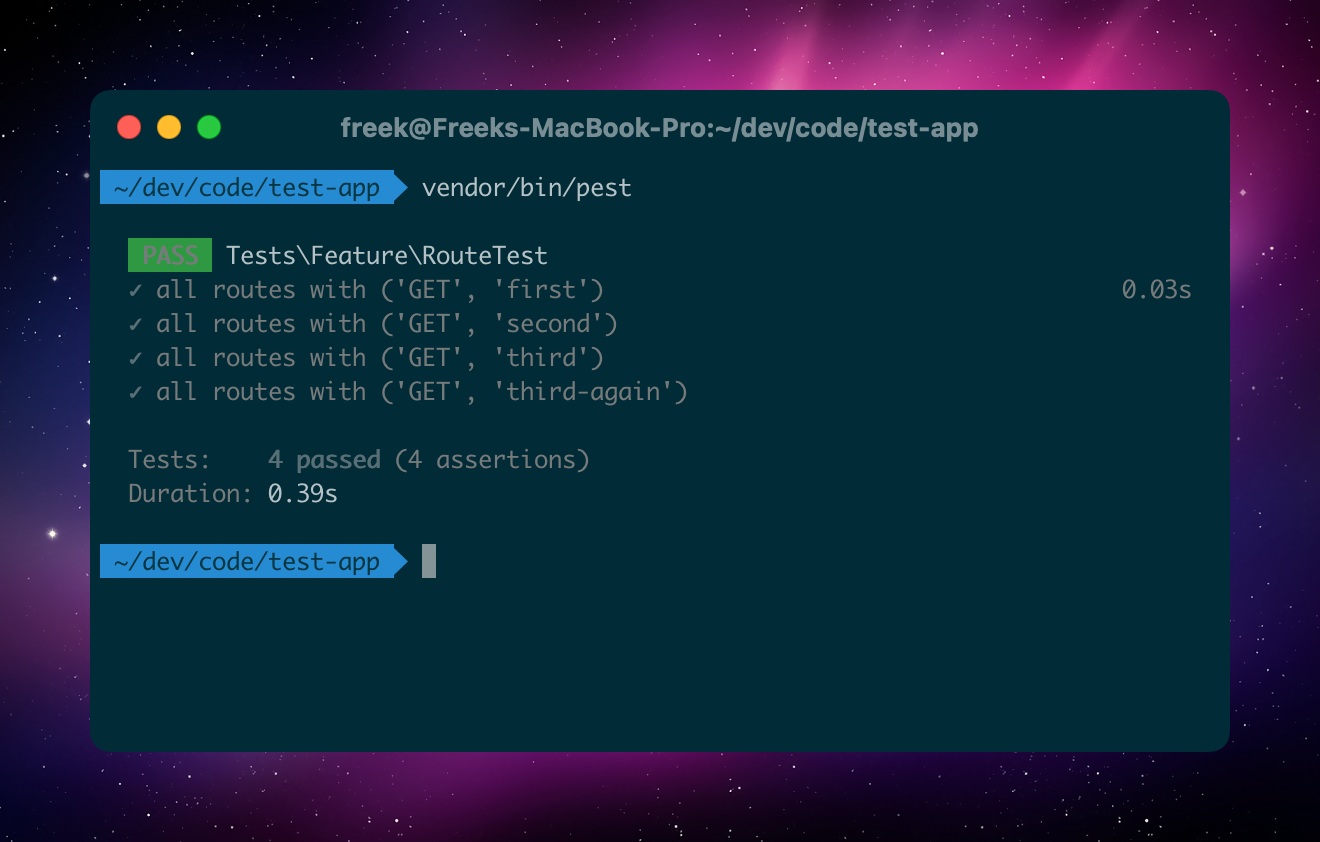
Instead of assertSuccessful() you can use any assertion that is available in Laravel's TestResponse class, such as assertRedirect(), assertNotFound(), assertForbidden(), etc.
You can also test specific routes:
use function Spatie\RouteTesting\routeTesting; routeTesting('all blog routes') ->include('blog*') ->assertSuccessful();If you there are routes that have route model bindings, the package will skip the test for those routes. Let's assume you have a route defined as user/{user}. Here's what the output looks like when you run the test.
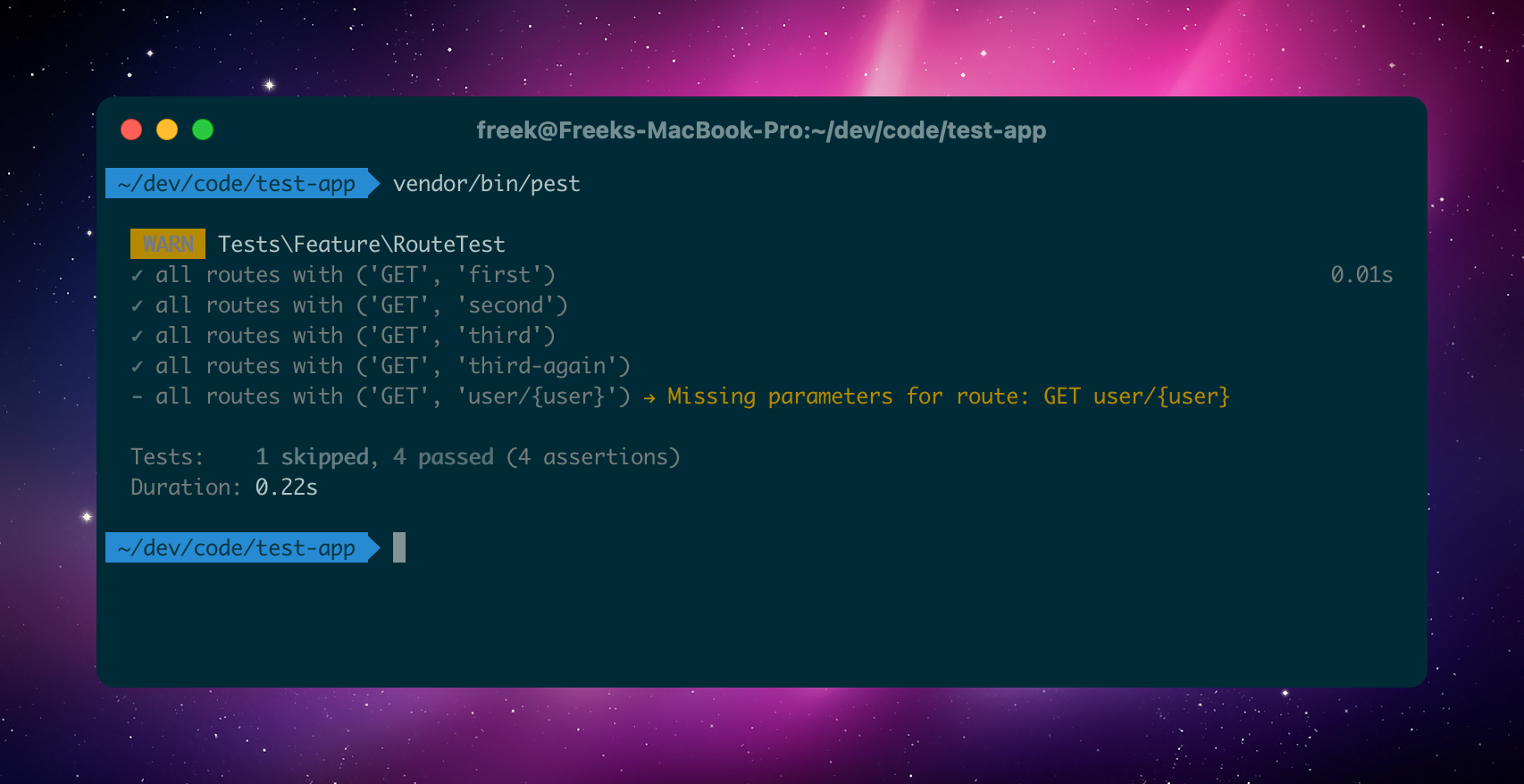
If you want to test a route with a route model binding, you can provide the model using the bind method.
use function Spatie\RouteTesting\routeTesting;use App\Models\User; routeTesting('all blog routes') ->bind('user', User::factory()->create()) ->assertSuccessful();When you run the test now, the package will use the provided model to test the route.
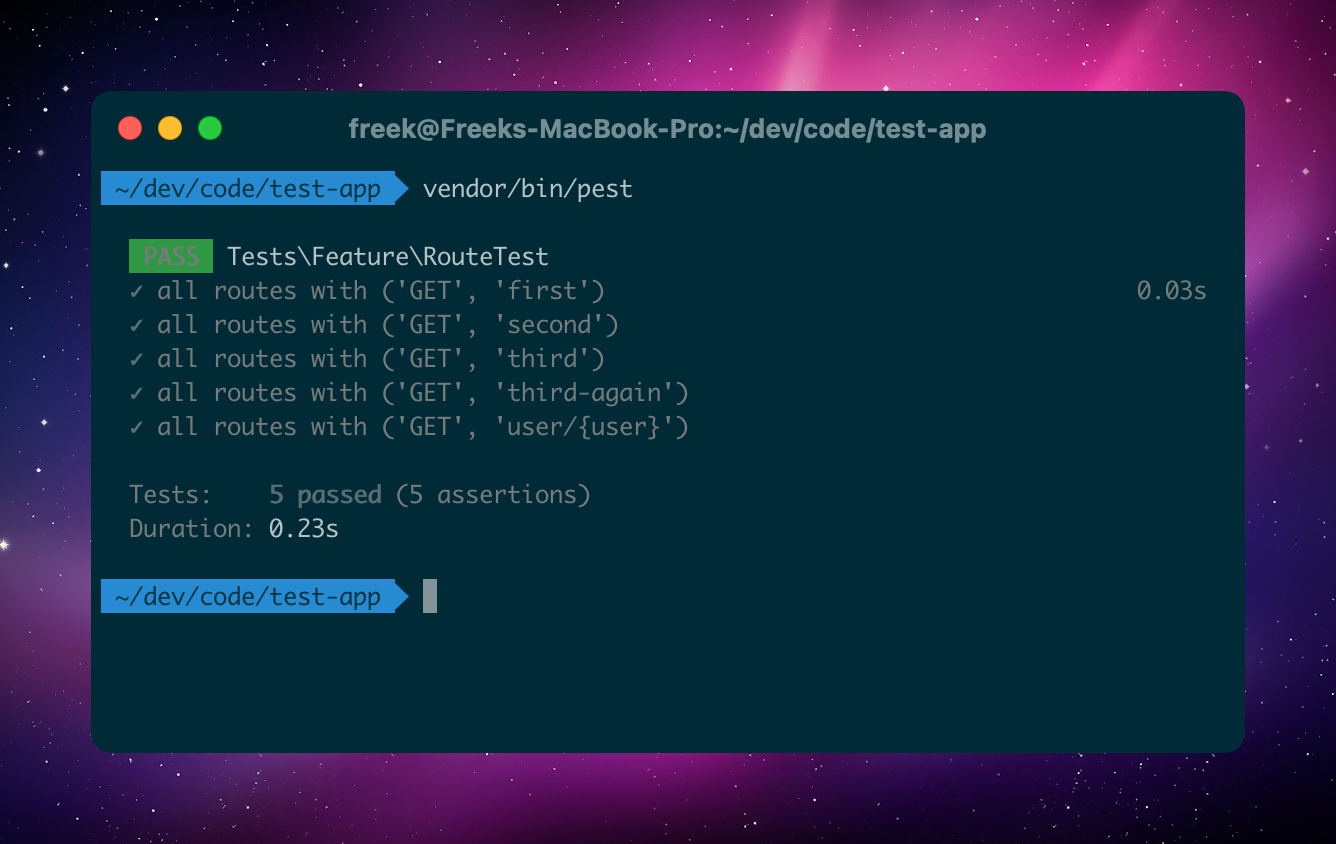
Support us

We invest a lot of resources into creating best in class open source packages. You can support us by buying one of our paid products.
We highly appreciate you sending us a postcard from your hometown, mentioning which of our package(s) you are using. You'll find our address on our contact page. We publish all received postcards on our virtual postcard wall.
Installation
You can install the package via composer:
composer require spatie/pest-plugin-route-testingUsage
You can use the routeTesting function to test all routes in your application.
use function Spatie\RouteTesting\routeTesting; routeTesting('all routes') ->assertSuccessful();This will test all GET routes in your application and ensure they return a 200 HTTP status code. Here's what the output looks like when you run this test in a small app.
Instead of assertSuccessful() you can use any assertion that is available in Laravel's TestResponse class, such as assertRedirect(), assertNotFound(), assertForbidden(), etc.
Here's an example where we test if a redirect is working.
use function Spatie\RouteTesting\routeTesting; routeTesting('redirect') ->include('old-section/*') ->assertRedirect('new-section/*');Testing specific routes
You can test specific routes by using the include method. There is support for wildcards. Here's an example that tests all routes that start with blog.
use function Spatie\RouteTesting\routeTesting; routeTesting('all blog routes') ->include('blog*') ->assertSuccessful();You can also pass as many arguments as you want to the include method.
use function Spatie\RouteTesting\routeTesting; routeTesting('all blog routes') ->include('blog*', 'post*') ->assertSuccessful();Excluding routes
If you want to exclude routes from the test, you can use the exclude method. Here's an example that tests all routes except the ones that start with admin.
use function Spatie\RouteTesting\routeTesting; routeTesting('all blog routes') ->exclude('admin*') ->assertSuccessful();Binding route model bindings
If you there are routes that have route model bindings, the package will skip the test for those routes. Let's assume you have a route defined as user/{user}. Here's what the output looks like when you run the test.
If you want to test a route with a route model binding, you can provide the model using the bind method.
use function Spatie\RouteTesting\routeTesting;use App\Models\User; routeTesting('all blog routes') ->bind('user', User::factory()->create()) ->assertSuccessful();When you run the test now, the package will use the provided model to test the route.
If you don't want to display tests that are skipped because of a missing model binding, you can call ignoreRoutesWithMissingBindings().
use function Spatie\RouteTesting\routeTesting; routeTesting('all blog routes') ->ignoreRoutesWithMissingBindings() ->assertSuccessful();Executing custom code before the test
You can use the setUp method to execute code before the route test is run. Here's an example where we log in a user before running the test.
use function Spatie\RouteTesting\routeTesting; routeTesting('all admin routes') ->setUp(function () { $user = User::factory()->create(); $this->actingAs($user); // optionally, you could also bind the model $this->bind('user', $user); }) ->include('admin*') ->assertSuccessful();Testing
composer testChangelog
Please see CHANGELOG for more information on what has changed recently.
Contributing
Please see CONTRIBUTING for details.
Security Vulnerabilities
Please review our security policy on how to report security vulnerabilities.
Credits
License
The MIT License (MIT). Please see License File for more information.