Toastr
Toastr stats
- Downloads
- 511.2K
- Stars
- 300
- Open Issues
- 5
- Forks
- 51
toastr.js flush notifications for Laravel
Toastr.js notifications for Laravel
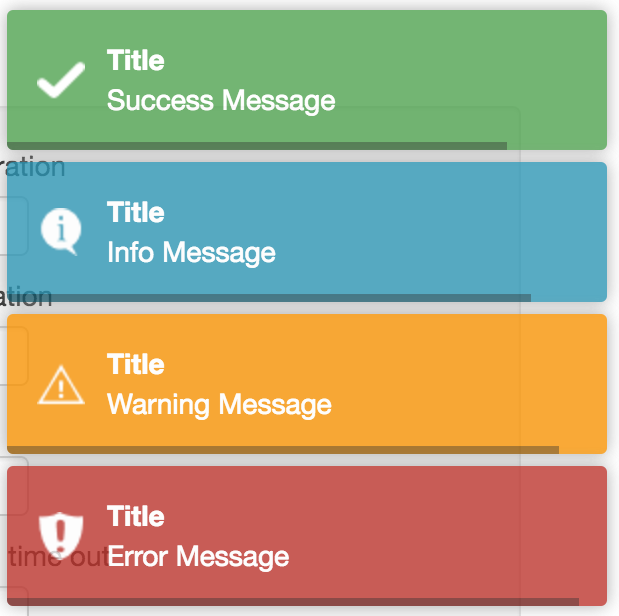
:eyes: This package helps you to add toastr.js notifications to your Laravel projects.
Install
You can install the package using composer
composer require yoeunes/toastrUsage:
The usage of this package is very simple and straightforward. it only required one step to use it :
Use toastr() helper function inside your controller to set a toast notification for info, success, warning or error
// Display an error toast with no titletoastr()->error('Oops! Something went wrong!');As an example:
<?php namespace App\Http\Controllers; use App\Post;use App\Http\Requests\PostRequest;use Illuminate\Database\Eloquent\Model; class PostController extends Controller{ public function store(PostRequest $request) { $post = Post::create($request->only(['title', 'body'])); if ($post instanceof Model) { toastr()->success('Data has been saved successfully!'); return redirect()->route('posts.index'); } toastr()->error('An error has occurred please try again later.'); return back(); }}Other Options
// Set a warning toast, with no titletoastr()->warning('Are you sure you want to proceed ?'); // Set a success toast, with a titletoastr()->success('Data has been saved successfully!', 'Congrats'); // Set an error toast, with a titletoastr()->error('Oops! Something went wrong!', 'Oops!'); // Override global config options from 'config/toastr.php'toastr()->success('Data has been saved successfully!', 'Congrats', ['timeOut' => 5000]);Other api methods:
You can also chain multiple messages together using method chaining
toastr() ->info('Welcome back') ->success('Data has been saved successfully!') ->warning('Are you sure you want to proceed ?');You can use toastr('') instead of toastr()->success()
function toastr(string $message = null, string $type = 'success', string $title = '', array $options = []);So
toastr($message)is equivalent totoastr()->success($message)toastr($message, 'info')is equivalent totoastr()->info($message)toastr($message, 'warning')is equivalent totoastr()->warning($message)toastr($message, 'error')is equivalent totoastr()->error($message)
configuration:
As optional if you want to modify the default configuration, you can publish the configuration file:
php artisan vendor:publish --provider="Yoeunes\Toastr\ToastrServiceProvider"// config/toastr.php<?php return [ /* |-------------------------------------------------------------------------- | Toastr options |-------------------------------------------------------------------------- | | Here you can specify the options that will be passed to the toastr.js | library. For a full list of options, visit the documentation. | */ 'options' => [ 'closeButton' => true, 'closeClass' => 'toast-close-button', 'closeDuration' => 300, 'closeEasing' => 'swing', 'closeHtml' => '<button><i class="icon-off"></i></button>', 'closeMethod' => 'fadeOut', 'closeOnHover' => true, 'containerId' => 'toast-container', 'debug' => false, 'escapeHtml' => false, 'extendedTimeOut' => 10000, 'hideDuration' => 1000, 'hideEasing' => 'linear', 'hideMethod' => 'fadeOut', 'iconClass' => 'toast-info', 'iconClasses' => [ 'error' => 'toast-error', 'info' => 'toast-info', 'success' => 'toast-success', 'warning' => 'toast-warning', ], 'messageClass' => 'toast-message', 'newestOnTop' => false, 'onHidden' => null, 'onShown' => null, 'positionClass' => 'toast-top-right', 'preventDuplicates' => true, 'progressBar' => true, 'progressClass' => 'toast-progress', 'rtl' => false, 'showDuration' => 300, 'showEasing' => 'swing', 'showMethod' => 'fadeIn', 'tapToDismiss' => true, 'target' => 'body', 'timeOut' => 5000, 'titleClass' => 'toast-title', 'toastClass' => 'toast', ],];For a list of available options, see toastr.js' documentation.
Credits
License
MIT