JetBrains has released PhpStorm 2026.2, with a dedicated Laravel tool window that puts Artisan commands, error logs, and Laravel Cloud deployments inside the editor. The release also adds a new PHP attribute for marking file paths, PHP 8.5 pipe operator support, and a skills manager for coding agents.
The Laravel Tool Window
The new tool window is split into three tabs:
- Dashboard for general project information and quick access to Artisan commands
- Errors for browsing local or Sentry-hosted log files, with the option to explore or fix errors using AI instead of copy-pasting logs
- Laravel Cloud for managing deployments and environment variables
Package support has grown too, with recognition for laravel/passport and stancl/tenancy. The ide.json config file picks up new options as well, including database schema file paths, Eloquent model to table mapping, custom Livewire locations, and new completion types for viteAsset, passportScopeId, and staticStrings.
New PHP Support
The new #[FileReference] attribute lets you mark string literals as file or directory paths on function, method, and constructor parameters. Once a parameter is annotated, any path passed to it gets navigation and refactoring support from the IDE. It works with relative paths defined through basePath, and with paths built dynamically or from variables and constants. Annotations apply project-wide and stick around across IDE restarts.
Other PHP additions in this release:
- PHP 8.5 pipe operator support
- PHPStan, Laravel Pint, and other quality tools can now run on the fly, on idle, or on save, configured under Settings | PHP | Quality Tools
- The built-in formatter can apply the PER Coding Style 3.0 spec
- Arrow autocompletion after object variables, on by default
- Code completion for nested arrays without explicit keys in
#[ArrayShape]annotations
AI and Agents
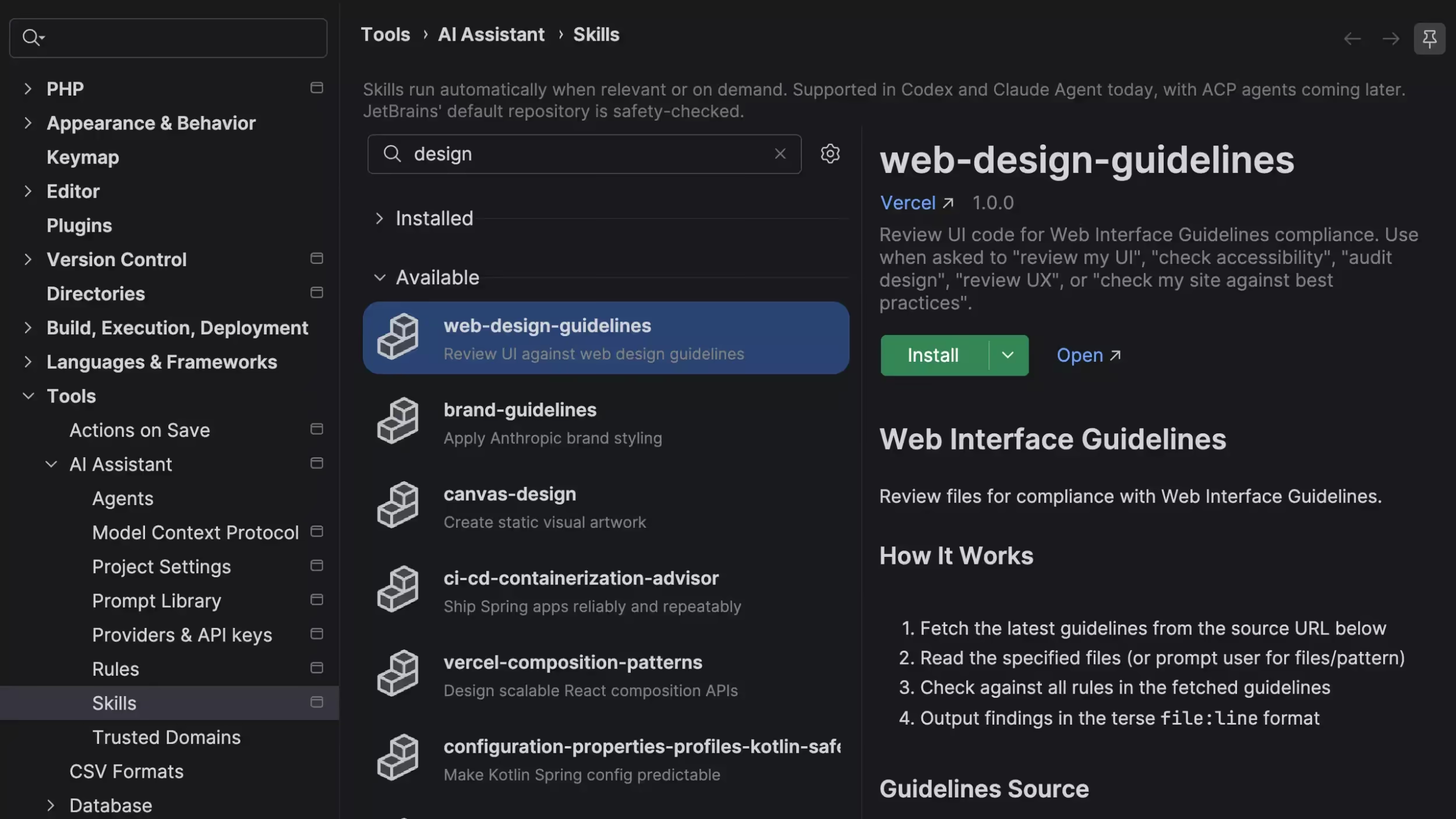
PhpStorm now ships an agent skills manager, a directory of skills you can browse and add from inside the IDE. You can pull in skills from external registries like GitHub repos, or import the ones you already have set up for Claude Code or Codex. GitHub Copilot is also natively integrated as an agent in the AI chat picker, built through a partnership with Microsoft, and it authenticates with GitHub OAuth if you have an active Copilot subscription. If you prefer your own provider, AI code completion can now connect to OpenAI-compatible models.
Everything Else
Git worktree management is now handled from the IDE, including on WSL, and a new "Resolve All Simple Conflicts" action clears standard conflicts across a whole changeset at once. Typing @ in a code review comment opens a list of users from the current GitHub or GitLab repo. The terminal accepts dragged files and folders to insert their paths, and supported CLI agent sessions accept images pasted straight from the clipboard. The Settings dialog is no longer modal, so you can keep it open while you work. On the database side, custom colors are now theme aware and can be applied to folders. JetBrains also reports project indexing running up to 10% faster.
For the full rundown, including the TypeScript 7, Docker Compose, and database changes, see the PhpStorm 2026.2 release post or the What's New page, and happy updating!