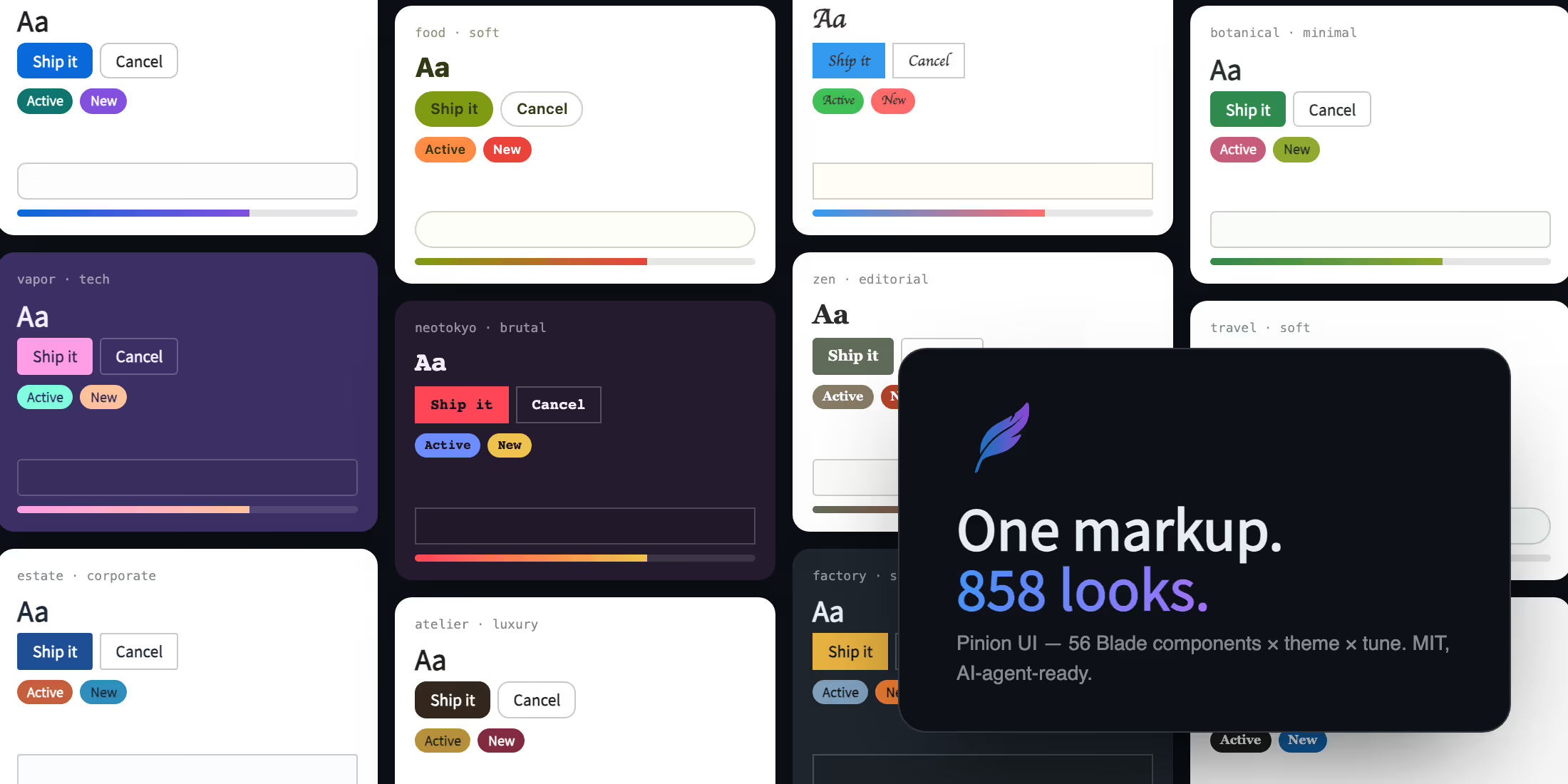
When a client asks for a different look — new colors, tighter spacing, a more corporate feel — the usual answer is to change code. You rewrite the templates yourself, or you hand the job to an AI agent and review a diff that touches every view in the project. Either way, a style decision turns into a code change, and the next restyle costs just as much.
Pinion UI is built on a simple position: a full restyle should be a job for attributes, not a rewrite. It is a free, MIT-licensed UI component library for Laravel that separates color and shape into two HTML attributes:
<html data-theme="finance" data-tune="corporate">data-theme controls color. data-tune controls shape — spacing, border radius, type scale, shadows. The two axes are independent, so any theme works with any tune. With 39 themes, 11 tunes, and a light/dark pair for every theme, the same markup can take 858
different looks. Change one value and the whole app restyles at once, consistently, on every screen.
What a restyle actually involves
A real restyle is more than a new primary color. It is spacing, type scale, radius, and shadows, kept consistent across every page. That consistency is exactly what is hard to get from an AI agent: models handle intent well but drift on details, and each run lands somewhere slightly different. Pinion UI handles this part deterministically. Each theme is a complete, tuned palette; each tune is a coherent system of shape, spacing, and typography. The design decisions are made once, in the library, and applied uniformly.

(A live version of this comparison is on pinion-ui.dev — you can drag the divider yourself.)
Built on standard tools
Pinion UI is a plugin for the TALL stack — Tailwind, Alpine.js, Laravel, Livewire. It stands on two well-known pieces: daisyUI, used only for its color tokens, and Alpine.js for lightweight reactivity. It introduces no new abstraction on top of them. All 56 Blade components render plain, readable Tailwind classes:
<x-button color="primary" icon="rocket">Ship it</x-button><x-badge color="success">Active</x-badge><x-input label="Email" type="email" /><x-rating :value="4" />What lands in your repository is ordinary Blade and ordinary Tailwind. You can read it, debug it, and maintain it — including the parts an AI agent wrote for you.
Working with AI coding agents
Pinion UI is designed around a clear division of labor. The agent is good at understanding intent; the library is good at applying styles consistently, because the same attribute always produces the same result. Running php artisan ui:install --ai places an AGENTS.md file in your project, which gives a coding agent enough context to choose components and themes on its own — for example, picking data-theme="health" for a healthcare app without being told.
Two commands support this workflow. ui:lint checks generated Blade for classes outside the library's vocabulary, so agent output stays consistent. And ui:eject converts everything back to vanilla Tailwind whenever you want — there is no lock-in.
39 themes, ready to use
Themes are named after the domains they were designed for — payments, legal, education, health, kids, estate — alongside mood themes such as zen and vapor. In total: one brand default, 11 mood themes, 11 SaaS themes, and 16 industry themes. Every theme ships as a light/dark pair that follows prefers-color-scheme,
so dark mode comes with the theme instead of being a separate project.
Getting started
Setup is two commands:
composer require sparrowhawk-labs/pinion-uiphp artisan ui:install --aiThe next time a project needs a different look, change the attribute instead of the code. All 858 combinations can be previewed live at pinion-ui.dev. Pinion UI is free and MIT-licensed, developed by Sparrowhawk Labs.