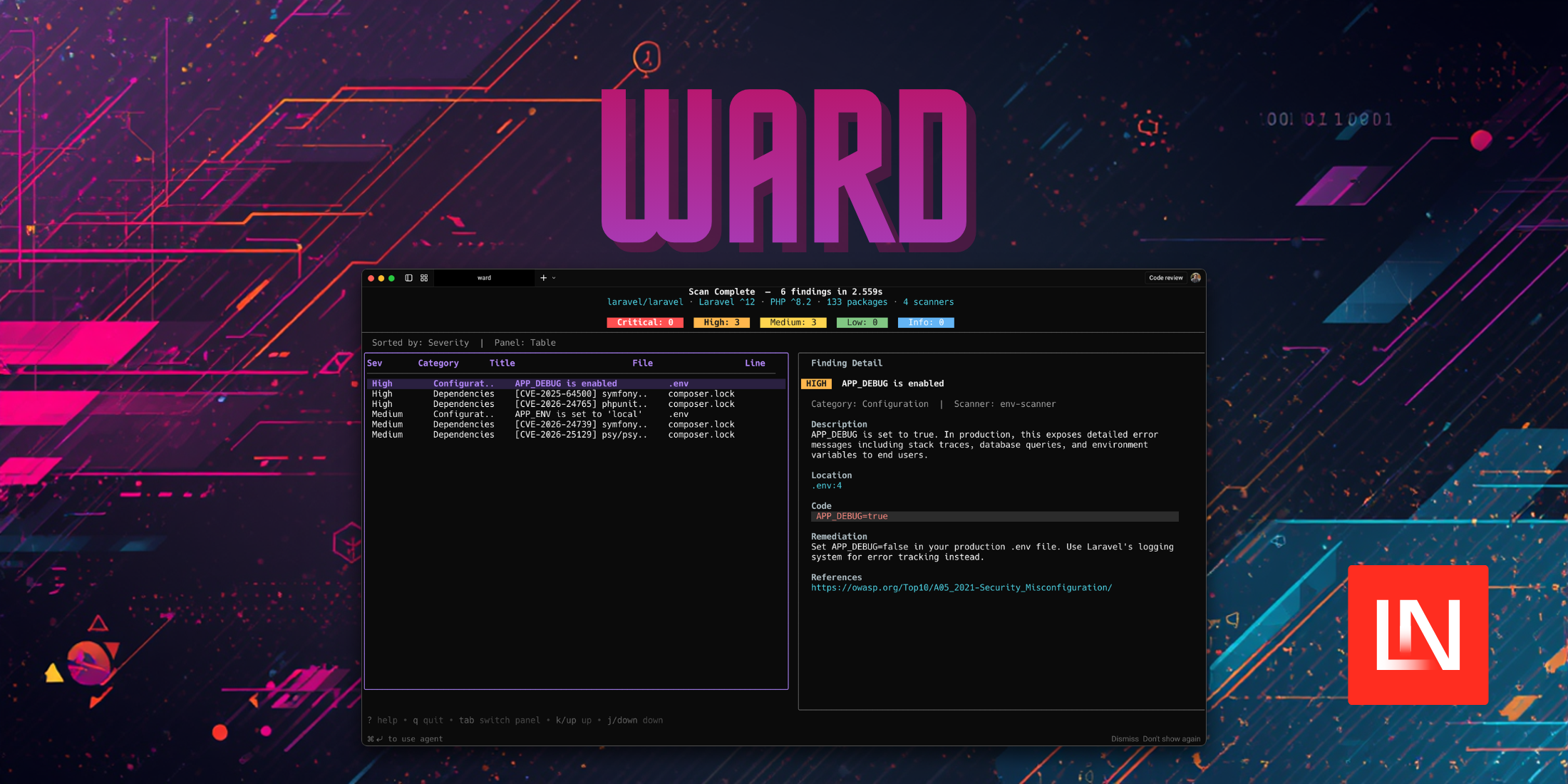
Ward, created by El Jakani Yassine is a command-line security scanner written in Go designed around Laravel's structure. Rather than running generic pattern matching across your codebase, it first parses your project's structure—routes, models, controllers, middleware, Blade templates, config files, environment variables, and dependencies—then runs targeted checks against that context.
Installation
Ward is distributed as a Go binary so you'll need to ensure you Go already installed and then you can run:
go install github.com/eljakani/ward@latest # Make sure $GOPATH/bin is in your PATHexport PATH="$PATH:$(go env GOPATH)/bin"After installing, run ward init to create ~/.ward/ with a default config file, 42+ built-in rules organized by category, and directories for reports and scan history.
Scanning a Project
Point Ward at a local directory or a remote Git repository:
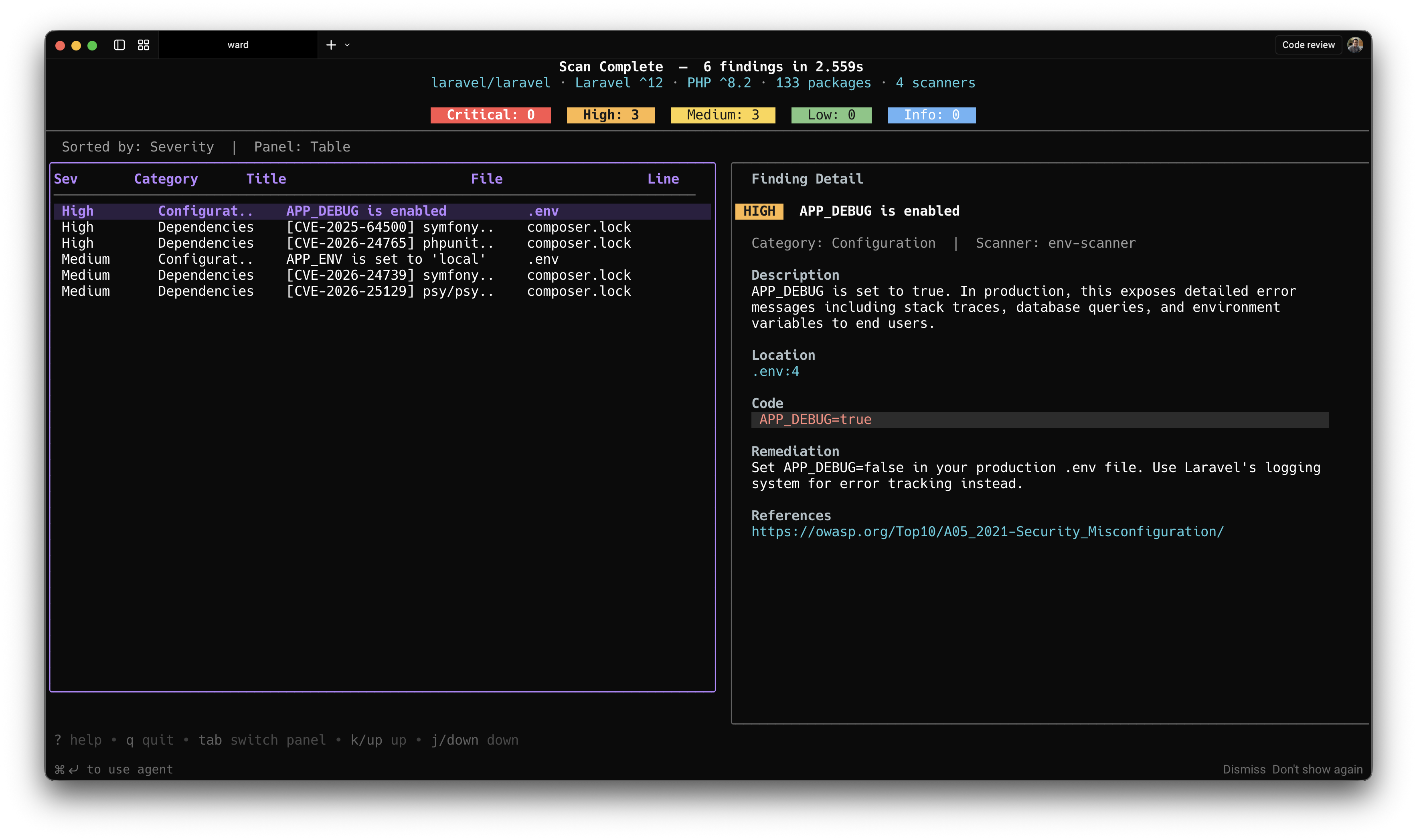
# Local projectward scan /path/to/laravel-project # Remote repository (shallow cloned)ward scan https://github.com/user/laravel-project.gitWhen run in a terminal, Ward displays a TUI. A scan view shows pipeline progress and live severity counts as scanners run. Once complete, a results view presents a sortable findings table with severity badges, category grouping, and a detail panel showing descriptions, code snippets, and remediation guidance.
What It Checks
Ward ships with four independent scan engines:
- env-scanner runs 8 checks against your
.envfile, including debug mode enabled in production, missing or weakAPP_KEY, and secrets leaked in.env.example. - config-scanner runs 13 checks across your
config/*.phpfiles, covering hardcoded credentials, insecure session flags, CORS wildcard origins, and missing security options. - dependency-scanner queries the OSV.dev advisory database in real time against your
composer.lockto find vulnerable Packagist packages. Because it queries live data rather than a bundled list, it reflects current advisories rather than whatever was current at the tool's last release. - rules-scanner applies 42 rules across 7 categories: secrets (hardcoded passwords, API keys, AWS credentials), injection (SQL, command,
eval), XSS (unescaped Blade output, JavaScript injection), debug artifacts (dd(),dump(),phpinfo()), weak cryptography (md5,sha1, insecure RNG), configuration issues (CORS, CSRF, mass assignment), and authentication gaps (missing middleware, absent rate limiting).
Output Formats
Configure output formats in ~/.ward/config.yaml:
output: formats: [json, sarif, html, markdown] dir: ./reports- JSON — machine-readable results
- SARIF — compatible with GitHub Code Scanning and IDE integrations
- HTML — standalone dark-themed visual report
- Markdown — suitable for PR comments
CI/CD Integration
Ward returns non-zero exit codes when findings meet or exceed a specified severity, making it straightforward to gate deployments:
ward scan . --output json --fail-on highA GitHub Actions example from the project's documentation:
name: Ward Security Scanon: [push, pull_request] jobs: security-scan: runs-on: ubuntu-latest steps: - uses: actions/checkout@v4 - uses: actions/setup-go@v5 with: go-version: '1.24' - name: Install Ward run: go install github.com/eljakani/ward@latest - name: Run Ward run: ward init && ward scan . --output json - name: Upload SARIF if: always() uses: github/codeql-action/upload-sarif@v3 with: sarif_file: ward-report.sarifBaseline Management
For teams that want to acknowledge existing findings without suppressing future ones, Ward supports a baseline workflow:
# Capture current stateward scan . --output json --update-baseline .ward-baseline.json # On subsequent runs, suppress known findings and fail only on new onesward scan . --output json --baseline .ward-baseline.json --fail-on highCommitting .ward-baseline.json to your repository lets the team track which findings have been acknowledged and catch regressions in CI.
Custom Rules
Drop .yaml files into ~/.ward/rules/ to define additional checks. Rules support regex or substring patterns, file-existence checks, and negative patterns that fire when something is absent—for example, flagging routes that lack @csrf. You can target PHP files, Blade templates, config files, environment files, routes, migrations, or JavaScript files.
rules: - id: TEAM-001 title: "Hardcoded internal service URL" severity: medium patterns: - type: regex target: php-files pattern: 'https?://internal-service\.\w+'Individual built-in rules can also be disabled or have their severity overridden in config.yaml without touching the rule files themselves.
Scan History
Ward saves each scan result to ~/.ward/store/, and on subsequent runs it surfaces a diff against the previous scan—for example, "2 new, 3 resolved (12→11)"—so you can track how your security posture changes over time.
Visit Eljakani/ward on GitHub to browse the source and get started.