
News

Xdebug Toggler App for macOS

Published
Xdebug Toggler App for macOS image

The Xdebug Toggler app for macOS allows you to toggle Xdebug on and off through an icon in the menubar:
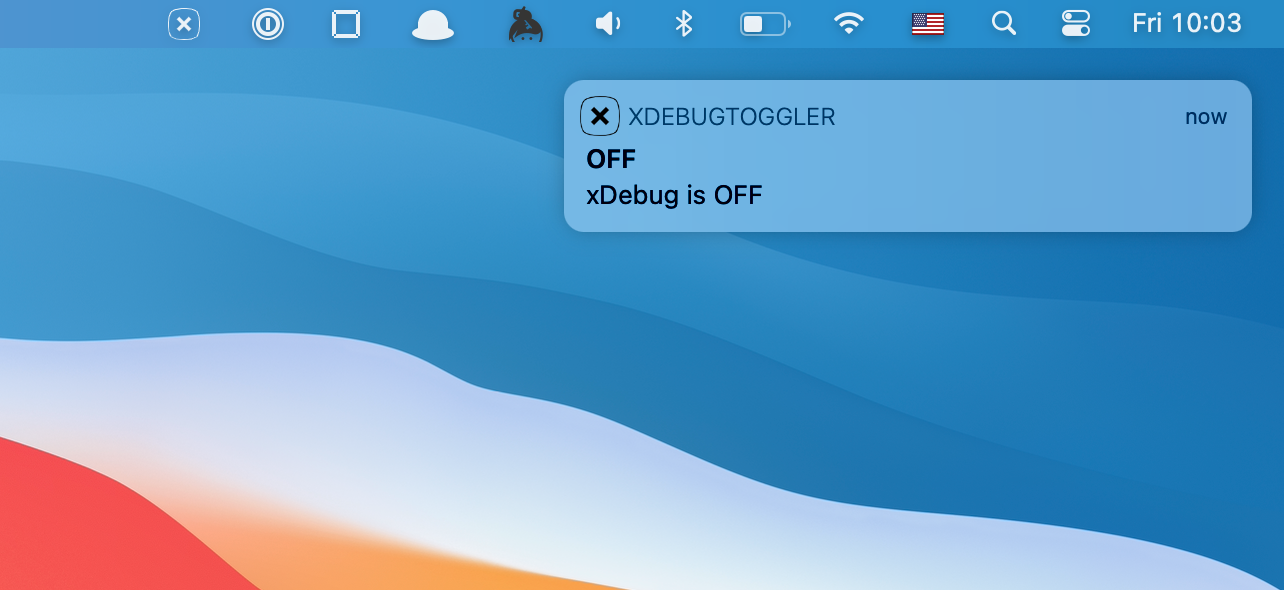
Being able to disable Xdebug quickly can help with performance when you don’t want Xdebug enabled. For example, Xdebug can adversely affect performance when running composer commands.

Besides toggling the Xdebug PHP module on and off, the app allows you to configure the location of your xdebug.ini file, configure other xdebug.ini options, and the ability to automatically restart popular PHP services on macOS when you toggle Xdebug:
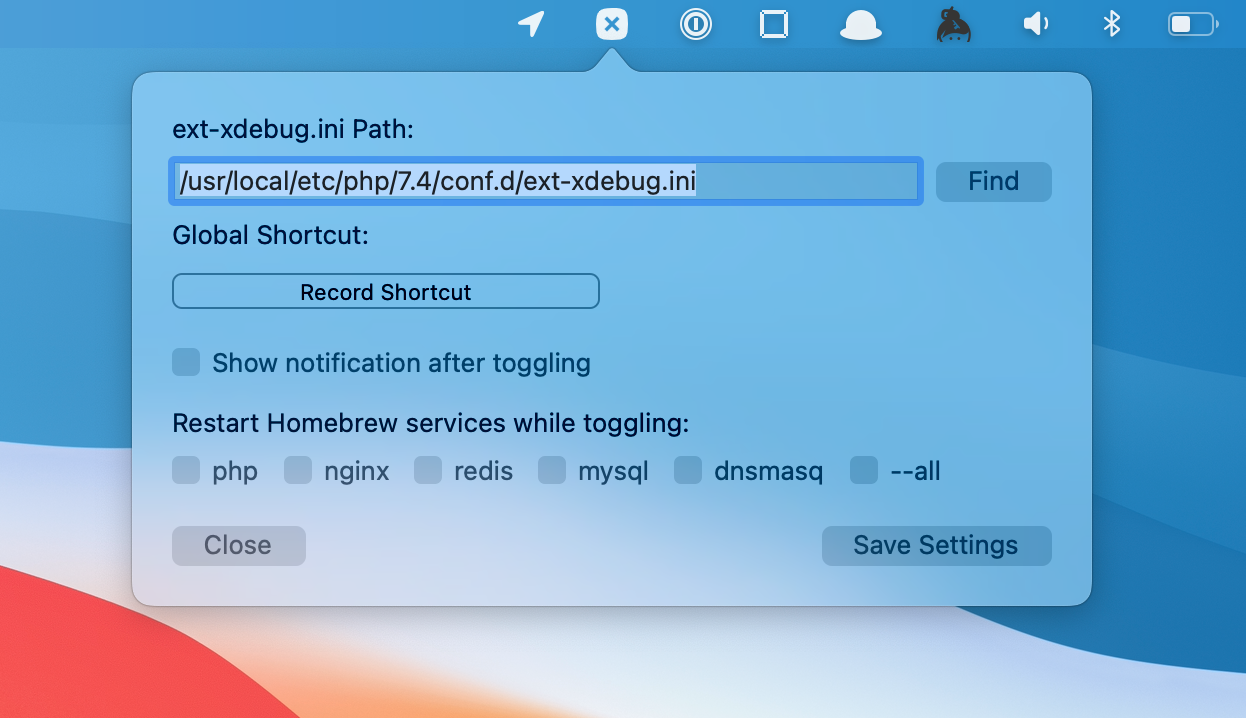
You can install via Homebrew, or downloading the latest DMG from the project. Check out the xDebug-Toggler project on GitHub to get full installation instructions, and view the source code.

Paul Redmond photo

Staff writer at Laravel News. Full stack web developer and author.

Filed in

Sponsored

masteringlaravel logo
Laravel Code Review

Get expert guidance in a few days with a Laravel code review

Visit Laravel Code Review

The latest

View all →
Image Dominant Color and HEIC Support in Laravel 13.24 image

Image Dominant Color and HEIC Support in Laravel 13.24

Read article
Official Laravel Zed Extension: LSP for PHP & Blade image

Official Laravel Zed Extension: LSP for PHP & Blade

Read article
Laravel Head: Manage Meta Tags, Open Graph, and JSON-LD image

Laravel Head: Manage Meta Tags, Open Graph, and JSON-LD

Read article
PhpStorm 2026.2 Released image

PhpStorm 2026.2 Released

Read article
Laravel Doctor: Diagnose Your App With One Artisan Command image

Laravel Doctor: Diagnose Your App With One Artisan Command

Read article
CPX: The Composer Package Executor for PHP image

CPX: The Composer Package Executor for PHP

Read article