News

Material Theme for PhpStorm

Published
Material Theme for PhpStorm image

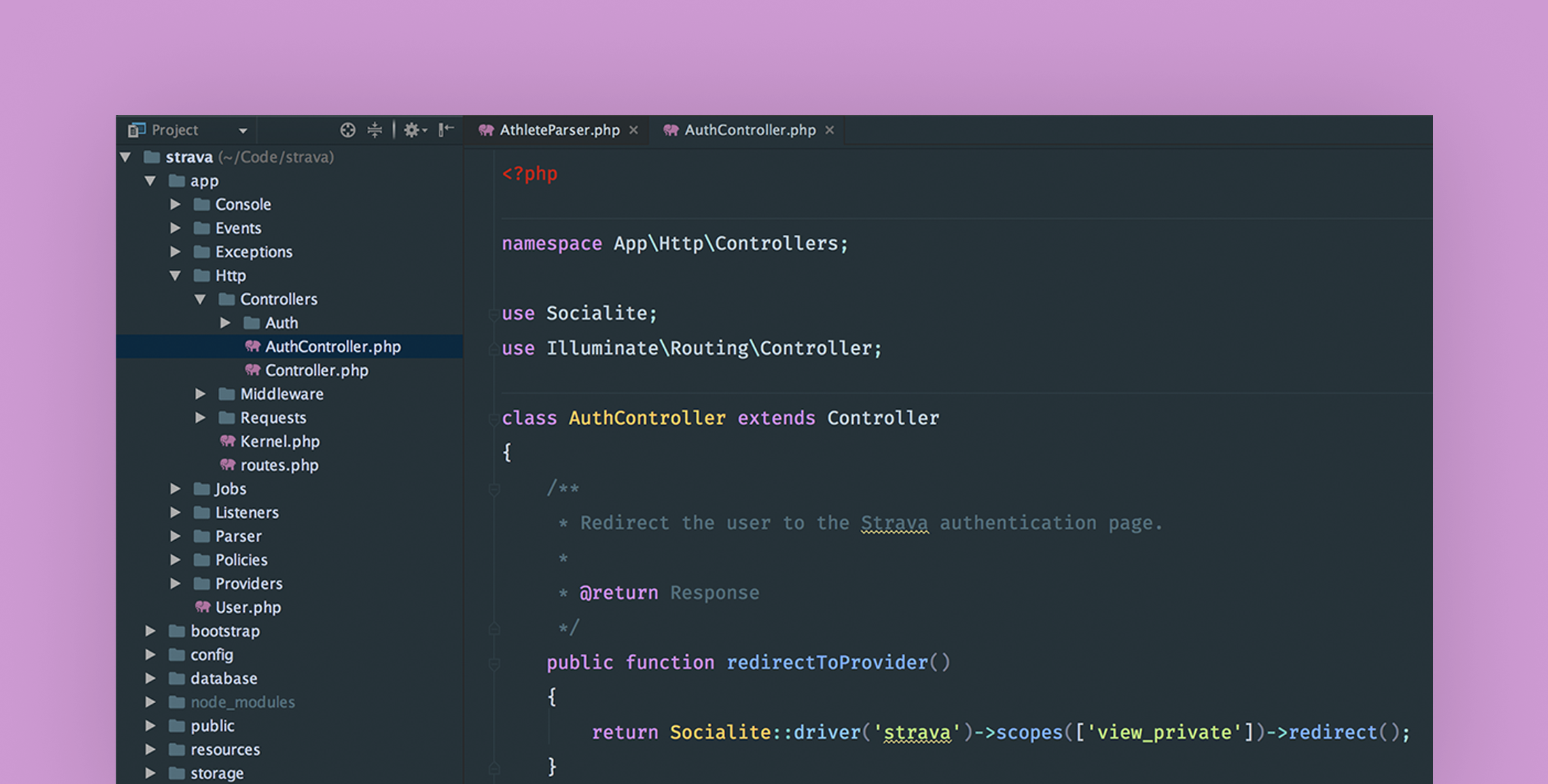
I finally had a chance to install this Material theme for PhpStorm and it’s really nice. Great colors, neat file type icons–including a Laravel icon for Blade and an elephant for the PHP files.

The theme supports all JetBrains products including WebStorm and PyStorm. It also comes in a default style as shown in the screenshot above and a darker style that sets the IDE background to a black. My only minor complaint is it’s hard for me to make out the active file editor tab.

Material Theme Installation

  1. Open the Settings/Preferences dialog
  2. Select Plugins.
  3. Click Browse repositories and then search for Material Theme UI
  4. Click Install plugin and confirm your intention to download and install the plugin.
  5. Click OK in the Settings dialog and restart for the changes to take effect.
  6. To switch the IDE theme (not the code color scheme), go to Tools -> Material Theme and choose ‘Darker Theme’, ‘Default Theme’ or ‘Lighter Theme’.

Eric L. Barnes photo

Eric is the creator of Laravel News and has been covering Laravel since 2012.

Sponsored

serpapi logo
SerpApi

The Web Search API for Your LLM and AI Applications

Visit SerpApi

The latest

View all →
Laravel monitoring that doesn't bill you by your traffic image

Laravel monitoring that doesn't bill you by your traffic

Read article
Mock PHP Classes in Tests With the Double Library image

Mock PHP Classes in Tests With the Double Library

Read article
Laravel Discount: Coupon Codes, Usage Limits, and Stacking image

Laravel Discount: Coupon Codes, Usage Limits, and Stacking

Read article
Laravel Truss: Live Interactive Database ER Diagrams image

Laravel Truss: Live Interactive Database ER Diagrams

Read article
Laravel artisan dev: Run Server, Queue, Logs, and Vite image

Laravel artisan dev: Run Server, Queue, Logs, and Vite

Read article
Validate and Convert HEIC Images in Laravel image

Validate and Convert HEIC Images in Laravel

Read article







