Get expert guidance in a few days with a Laravel code review

Execute Ping Commands and Get Back Structured Data in PHP

Last updated on by

Execute Ping Commands and Get Back Structured Data in PHP image

The spatie/ping PHP package provides a simple way to execute Internet Control Message Protocol (ICMP) ping commands and parse the results into structured data. Ping can help determine if a remote host is reachable, providing network diagnostics and measuring latency.

Spatie built the ping package for PHP to create a developer-friendly way to run ping commands and get structured data back:

While developing the feature, I was looking for good PHP packages to actually perform a unix ping and get structured results back, and to open a TCP connection. There weren't any that could do this in a simple and developer friendly way, so I decided to code them up myself.

How does this package look?

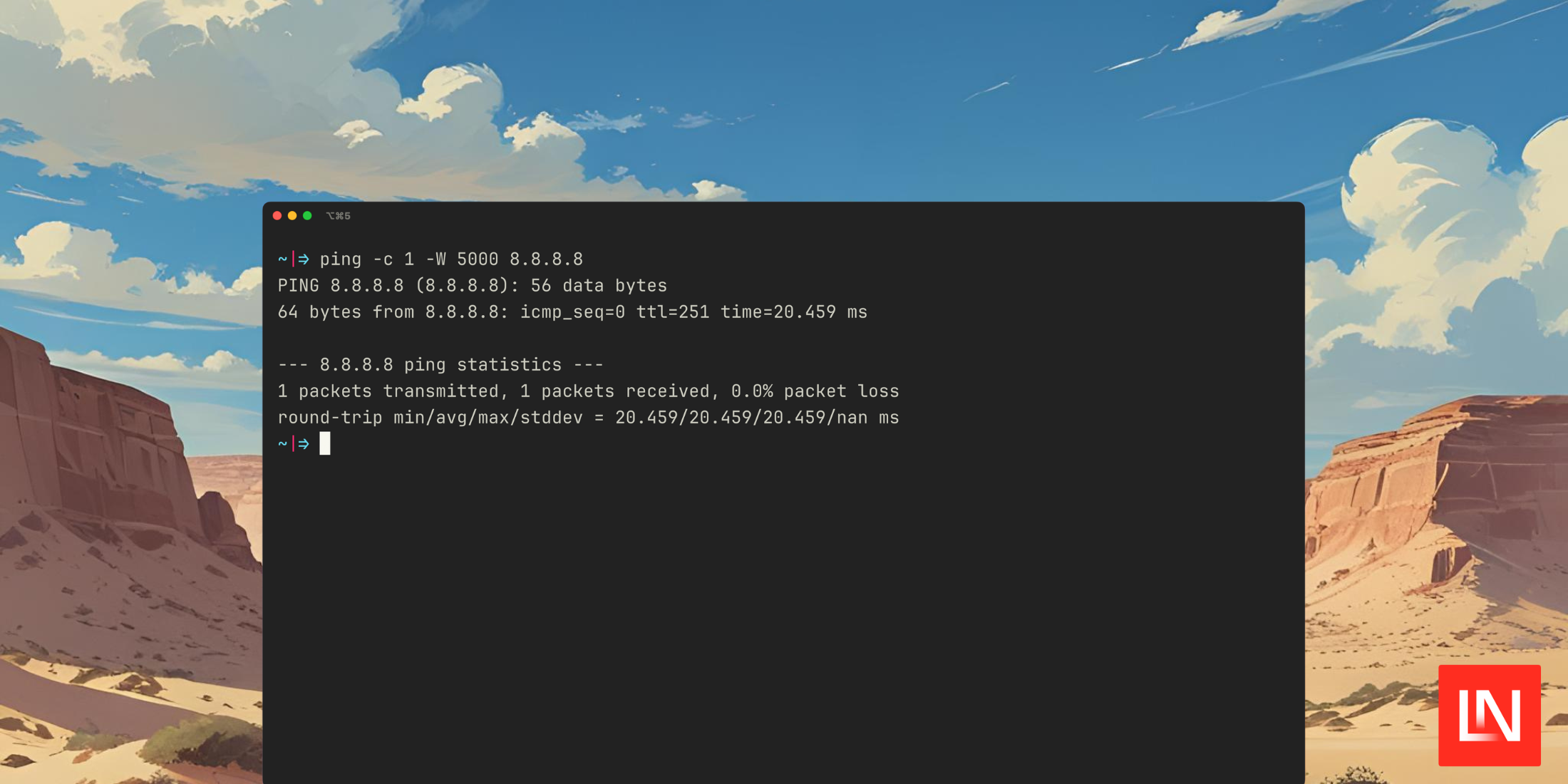
Before seeing the PHP package, here's the command that runs with the default options. It sends one packet and sets a timeout for 5 seconds:

$ ping -c 1 -W 5000 8.8.8.8
PING 8.8.8.8 (8.8.8.8): 56 data bytes
64 bytes from 8.8.8.8: icmp_seq=0 ttl=251 time=24.049 ms
 
--- 8.8.8.8 ping statistics ---
1 packets transmitted, 1 packets received, 0.0% packet loss
round-trip min/avg/max/stddev = 24.049/24.049/24.049/nan ms

From the README, you can use the Ping class (with configurable options) to run the ping command, and the result contains useful information in a structured way:

use Spatie\Ping\Ping;
 
$result = (new Ping('8.8.8.8'))->run();
 
// Basic status
echo $result->isSuccess() ? 'Success' : 'Failed';
echo $result->hasError() ? "Error: {$result->error()?->value}" : 'No errors';
 
// Packet statistics
echo "Packets transmitted: {$result->packetsTransmitted()}";
echo "Packets received: {$result->packetsReceived()}";
echo "Packet loss: {$result->packetLossPercentage()}%";
 
// Timing information
echo "Min time: {$result->minimumTimeInMs()}ms";
echo "Max time: {$result->maximumTimeInMs()}ms";
echo "Average time: {$result->averageTimeInMs()}ms";
echo "Standard deviation: {$result->standardDeviationTimeInMs()}ms";

You can also get back individual ping lines:

// Individual ping lines
foreach ($result->lines() as $line) {
echo "Response: {$line->getRawLine()} ({$line->getTimeInMs()}ms)";
}

🧑‍💻 You can get started with this package on GitHub: spatie/ping

Paul Redmond photo

Staff writer at Laravel News. Full stack web developer and author.

Filed in:
Cube

Laravel Newsletter

Join 40k+ other developers and never miss out on new tips, tutorials, and more.

image
Battle Ready Laravel

The ultimate guide to auditing, testing, fixing and improving your Laravel applications so you can build better apps faster and with more confidence.

Visit Battle Ready Laravel
Curotec logo

Curotec

World class Laravel experts with GenAI dev skills. LATAM-based, embedded engineers that ship fast, communicate clearly, and elevate your product. No bloat, no BS.

Curotec
Bacancy logo

Bacancy

Supercharge your project with a seasoned Laravel developer with 4-6 years of experience for just $3200/month. Get 160 hours of dedicated expertise & a risk-free 15-day trial. Schedule a call now!

Bacancy
Tinkerwell logo

Tinkerwell

The must-have code runner for Laravel developers. Tinker with AI, autocompletion and instant feedback on local and production environments.

Tinkerwell
Cut PHP Code Review Time & Bugs into Half with CodeRabbit logo

Cut PHP Code Review Time & Bugs into Half with CodeRabbit

CodeRabbit is an AI-powered code review tool that specializes in PHP and Laravel, running PHPStan and offering automated PR analysis, security checks, and custom review features while remaining free for open-source projects.

Cut PHP Code Review Time & Bugs into Half with CodeRabbit
Get expert guidance in a few days with a Laravel code review logo

Get expert guidance in a few days with a Laravel code review

Expert code review! Get clear, practical feedback from two Laravel devs with 10+ years of experience helping teams build better apps.

Get expert guidance in a few days with a Laravel code review
Kirschbaum logo

Kirschbaum

Providing innovation and stability to ensure your web application succeeds.

Kirschbaum
Shift logo

Shift

Running an old Laravel version? Instant, automated Laravel upgrades and code modernization to keep your applications fresh.

Shift
Harpoon: Next generation time tracking and invoicing logo

Harpoon: Next generation time tracking and invoicing

The next generation time-tracking and billing software that helps your agency plan and forecast a profitable future.

Harpoon: Next generation time tracking and invoicing
Lucky Media logo

Lucky Media

Get Lucky Now - the ideal choice for Laravel Development, with over a decade of experience!

Lucky Media
Lunar: Laravel E-Commerce logo

Lunar: Laravel E-Commerce

E-Commerce for Laravel. An open-source package that brings the power of modern headless e-commerce functionality to Laravel.

Lunar: Laravel E-Commerce
SaaSykit: Laravel SaaS Starter Kit logo

SaaSykit: Laravel SaaS Starter Kit

SaaSykit is a Multi-tenant Laravel SaaS Starter Kit that comes with all features required to run a modern SaaS. Payments, Beautiful Checkout, Admin Panel, User dashboard, Auth, Ready Components, Stats, Blog, Docs and more.

SaaSykit: Laravel SaaS Starter Kit

The latest

View all →
A new beta of Laravel Wayfinder just dropped image

A new beta of Laravel Wayfinder just dropped

Read article
Ben Bjurstrom: Laravel is the best Vibecoding stack for 2026 image

Ben Bjurstrom: Laravel is the best Vibecoding stack for 2026

Read article
Laravel Altitude - Opinionated Claude Code agents and commands for TALL stack development image

Laravel Altitude - Opinionated Claude Code agents and commands for TALL stack development

Read article
JSON:API Resource in Laravel 12.45 image

JSON:API Resource in Laravel 12.45

Read article
Caching With MongoDB for Faster Laravel Apps image

Caching With MongoDB for Faster Laravel Apps

Read article
Laravel 12.44 Adds HTTP Client afterResponse() Callbacks image

Laravel 12.44 Adds HTTP Client afterResponse() Callbacks

Read article