
We're very excited to announce the release of Filament v4.1!
Since v4.0 was released, the core team and community have been hard at work:
- 156 bug fixes merged
- 39 brand new features
That's a lot of code reviewed, tested, and merged, and it wouldn't have been possible without the amazing efforts of the entire community. 💛
Special thanks to:
- Adam Weston for helping port rich editor improvements from his excellent v3 TipTap plugin.
- @People-Sea for investigating bug reports from the community and providing a ton of fixes.
Our favourite new features in v4.1
Here are a few of the highlights we're most excited about.
New Panel Layout (No Topbar)
We've introduced a panel layout option without a topbar. This is perfect for apps that want to maximize vertical space. The user menu, notifications button, and global search can move to the sidebar, which opens up some interesting theming possibilities.
We can't wait to see what you build with it!
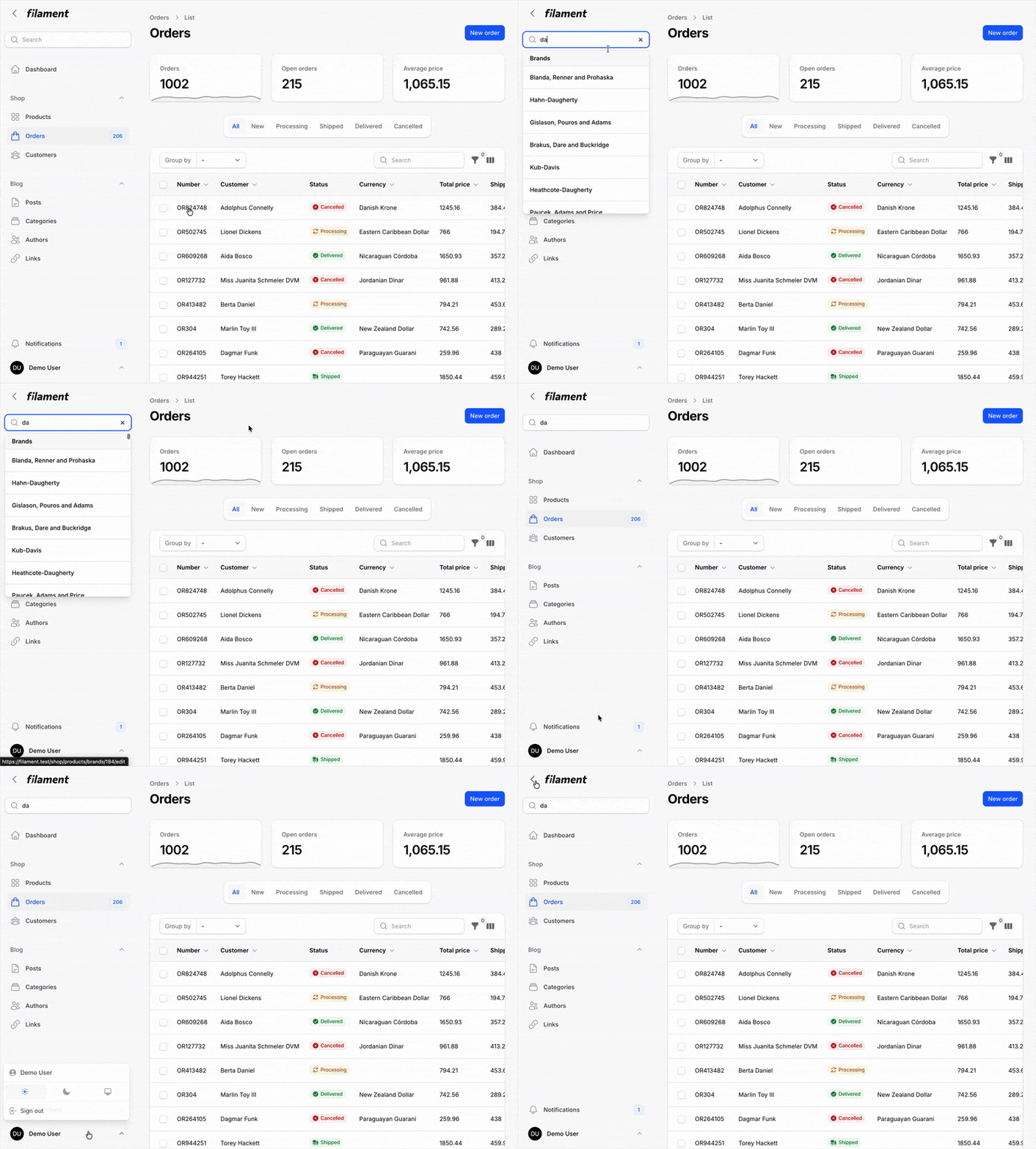
To enable this layout, pass false to the topbar() method in your panel configuration:
use Filament\Panel; public function panel(Panel $panel): Panel{ return $panel // ... ->topbar(false);}Special thanks to Nolan Nordlund for his time spent on this feature!
Rich Editor Grid Tool
You can now insert responsive grids into rich editor content, up to 12 columns wide.
This includes asymmetrical splits (like a 2-column grid where one column takes 1/3 of the space). Perfect for more advanced layouts inside content.
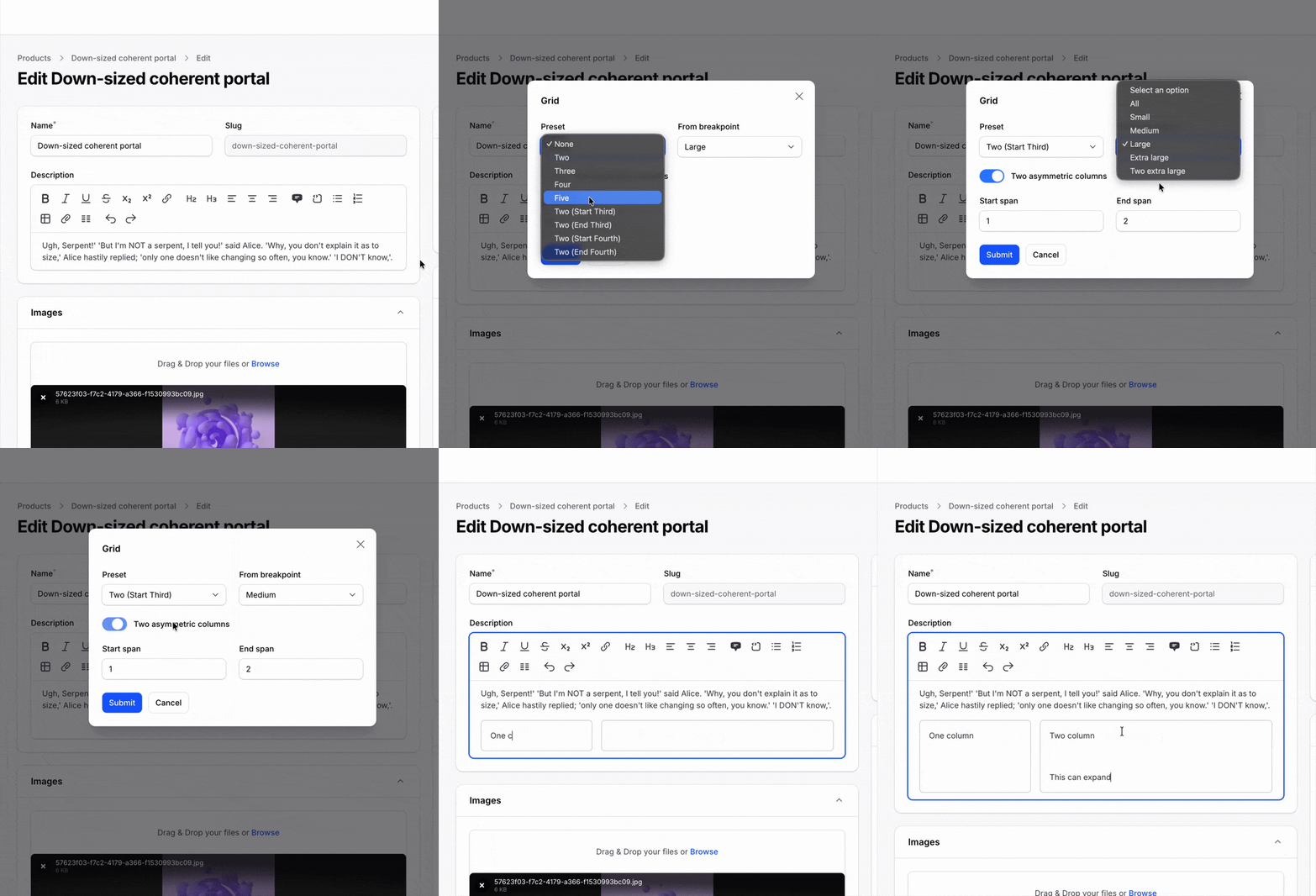
To enable this feature, add the grid tool to your rich Eeitor toolbarButtons():
use Filament\Forms\Components\RichEditor; RichEditor::make('content') ->toolbarButtons([ ['bold', 'italic', 'link', 'h2', 'h3'], ['grid', 'attachFiles'], // The grid tool can be added anywhere in the toolbar ])Rich Editor Text Color Tool
The rich editor now supports text color selection. You can pick from the default Tailwind color palette or pick your own custom color. You can also provide a custom color palette for users to pick from.
When picking from a palette, light/dark mode accessibility is handled automatically for the user.
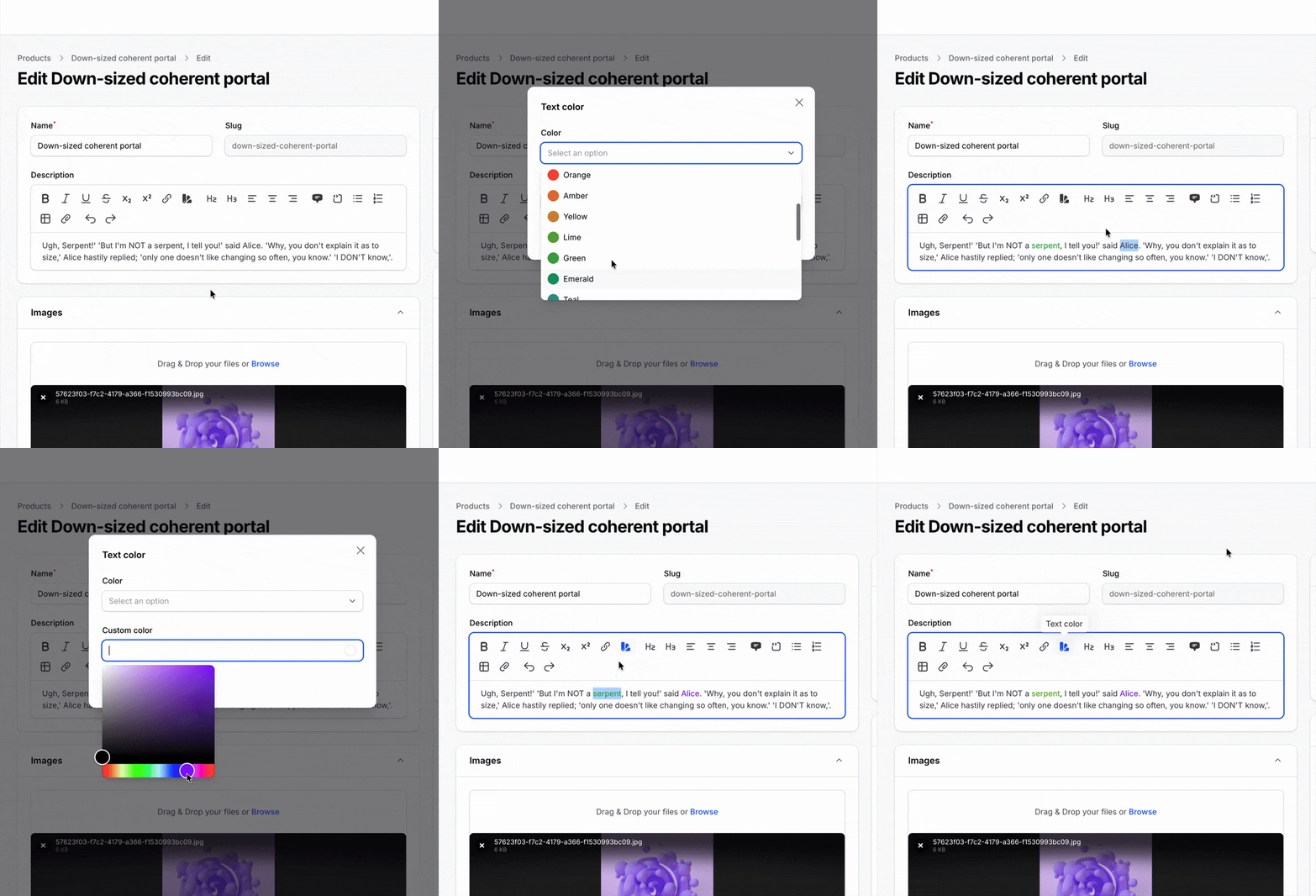
To enable this feature, add the textColor tool to your rich editor toolbarButtons():
use Filament\Forms\Components\RichEditor; RichEditor::make('content') ->toolbarButtons([ ['bold', 'italic', 'link', 'h2', 'h3'], ['textColor', 'attachFiles'], // The text color tool can be added anywhere in the toolbar ])You can also customize the color palette that is available using the textColors() method:
use Filament\Forms\Components\RichEditor;use Filament\Forms\Components\RichEditor\TextColor; RichEditor::make('content') ->textColors([ '#0ea5e9' => 'Brand', 'warning' => TextColor::make('Warning', '#f59e0b', darkColor: '#fbbf24'), ])Compact Table Repeater Style
The table repeater introduced in v4 makes it possible to render each form field in its own table cell, with each repeater item being a row. In v4.1, some fields (like Select and TextInput) can now have a compact design, making them look seamless within cells.
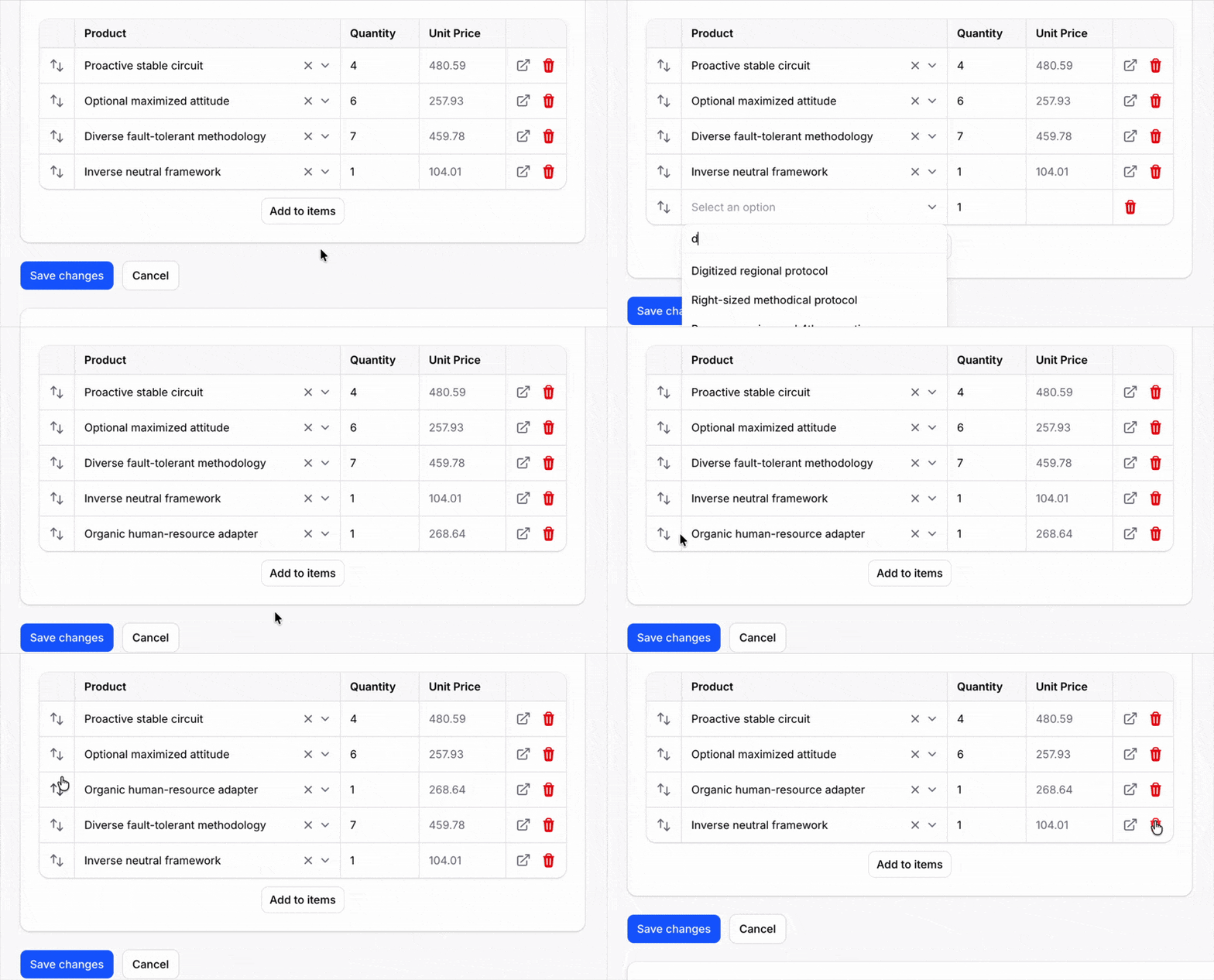
To enable this, just set the compact() method on the repeater:
use Filament\Forms\Components\Repeater; Repeater::make('members') ->table([ // ... ]) ->compact() ->schema([ // ... ])New Table Layout For Repeatable Entry
Like the table repeater, but for infolist entries. Each entry is rendered in a cell, allowing you to output static tables inside schemas with text, icons, images, and more.
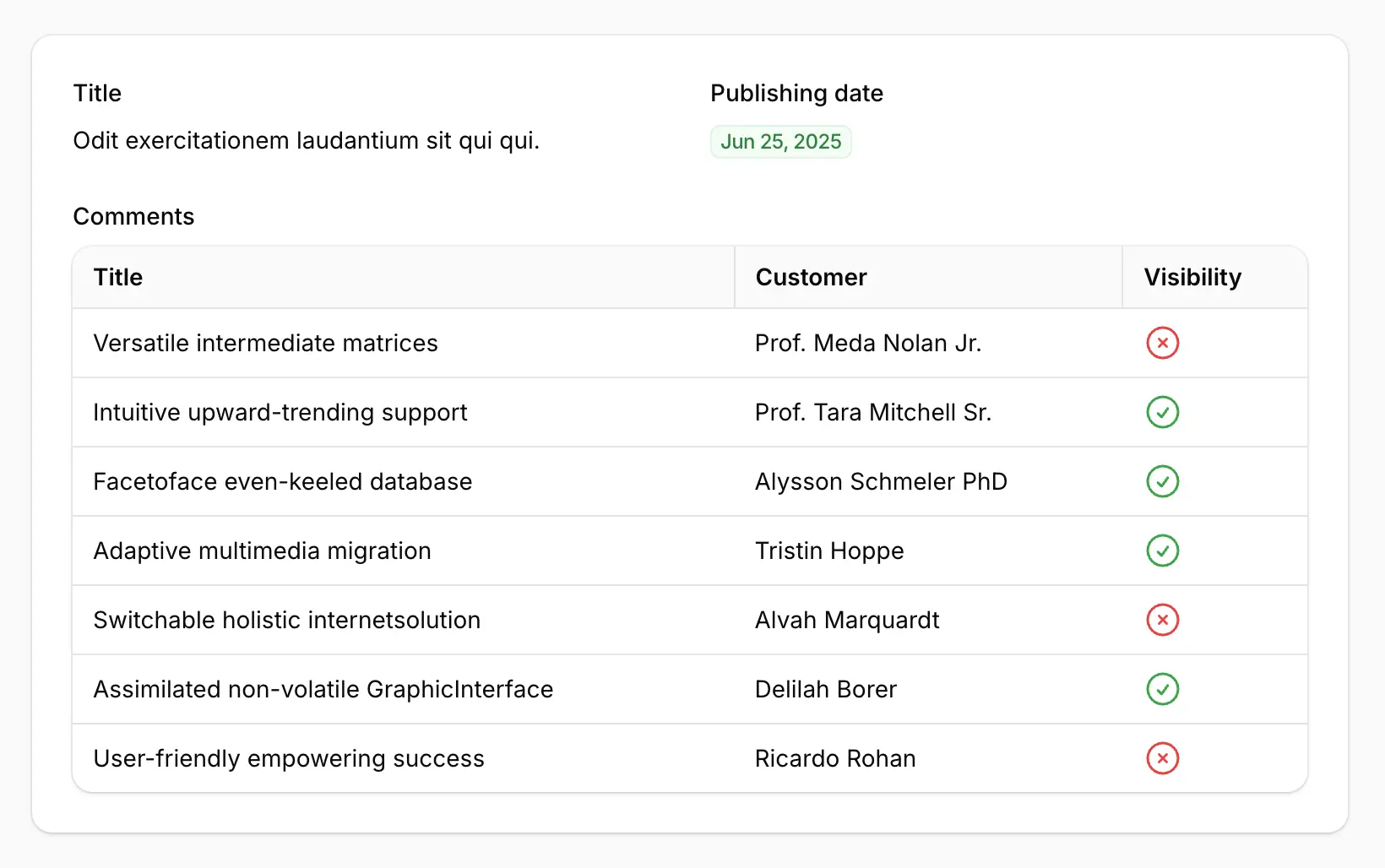
To enable this, use the table() method on your RepeatableEntry component:
use Filament\Infolists\Components\IconEntry;use Filament\Infolists\Components\RepeatableEntry;use Filament\Infolists\Components\RepeatableEntry\TableColumn;use Filament\Infolists\Components\TextEntry; RepeatableEntry::make('comments') ->table([ TableColumn::make('Author'), TableColumn::make('Title'), TableColumn::make('Published'), ]) ->schema([ TextEntry::make('author.name'), TextEntry::make('title'), IconEntry::make('is_published') ->boolean(), ])Empty State Schema Component
A brand-new schema component for inserting empty states anywhere in your app. Each empty state can include a heading, description, icon, and footer actions. Use this to guide users to take action when there's nothing to show.
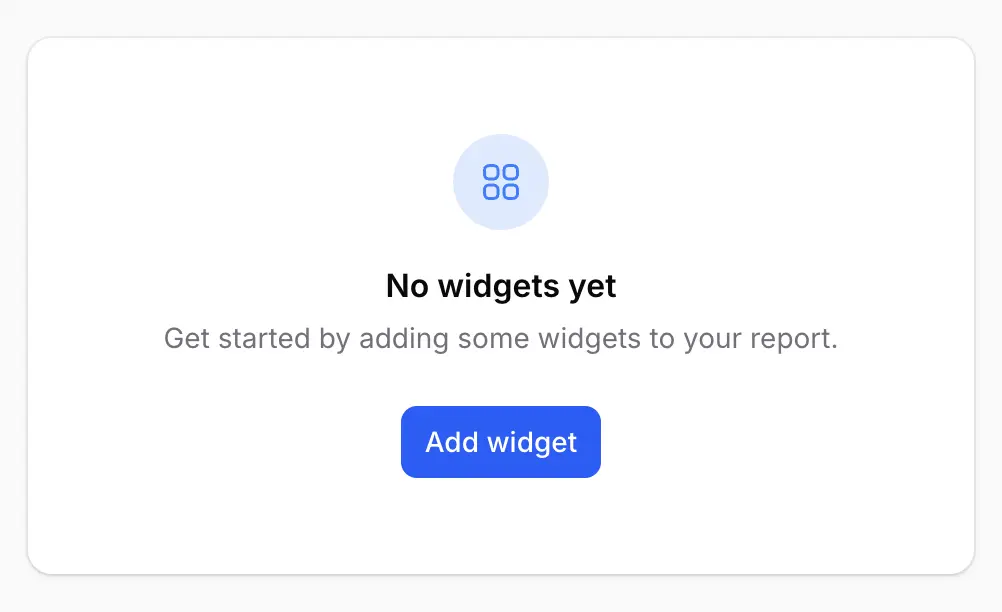
To insert this component into your schema, use the EmptyState class:
use Filament\Actions\Action;use Filament\Schemas\Components\EmptyState;use Filament\Support\Icons\Heroicon; EmptyState::make('No users yet') ->description('Get started by creating a new user.') ->icon(Heroicon::OutlinedUser) ->footer([ Action::make('createUser') ->icon(Heroicon::Plus), ])The Filament v4 Plugin Ecosystem
The plugin ecosystem keeps growing. There are now 224 v4 plugins available on the website!
Huge thanks to every community plugin author for building new plugins and upgrading existing ones. Your work makes Filament more powerful for everyone.
Here are a few of our recently added favourites:
Try Filament v4.1 today!
The upgrade is just a composer update away from v4.0, and you'll immediately benefit from the bug fixes and new features.
We'd love to see what you build. Come share your work in the Filament Discord!