Laravel TurboMaker is a package designed to supercharge your development workflow by generating complete CRUD and API modules from a single Artisan command. Created by Jean-Marc Strauven, the package generates models, migrations, controllers, routes, tests, views, policies, and more—all following Laravel conventions and best practices.
Basic Usage
Generate a complete module with all associated files:
php artisan turbo:make Post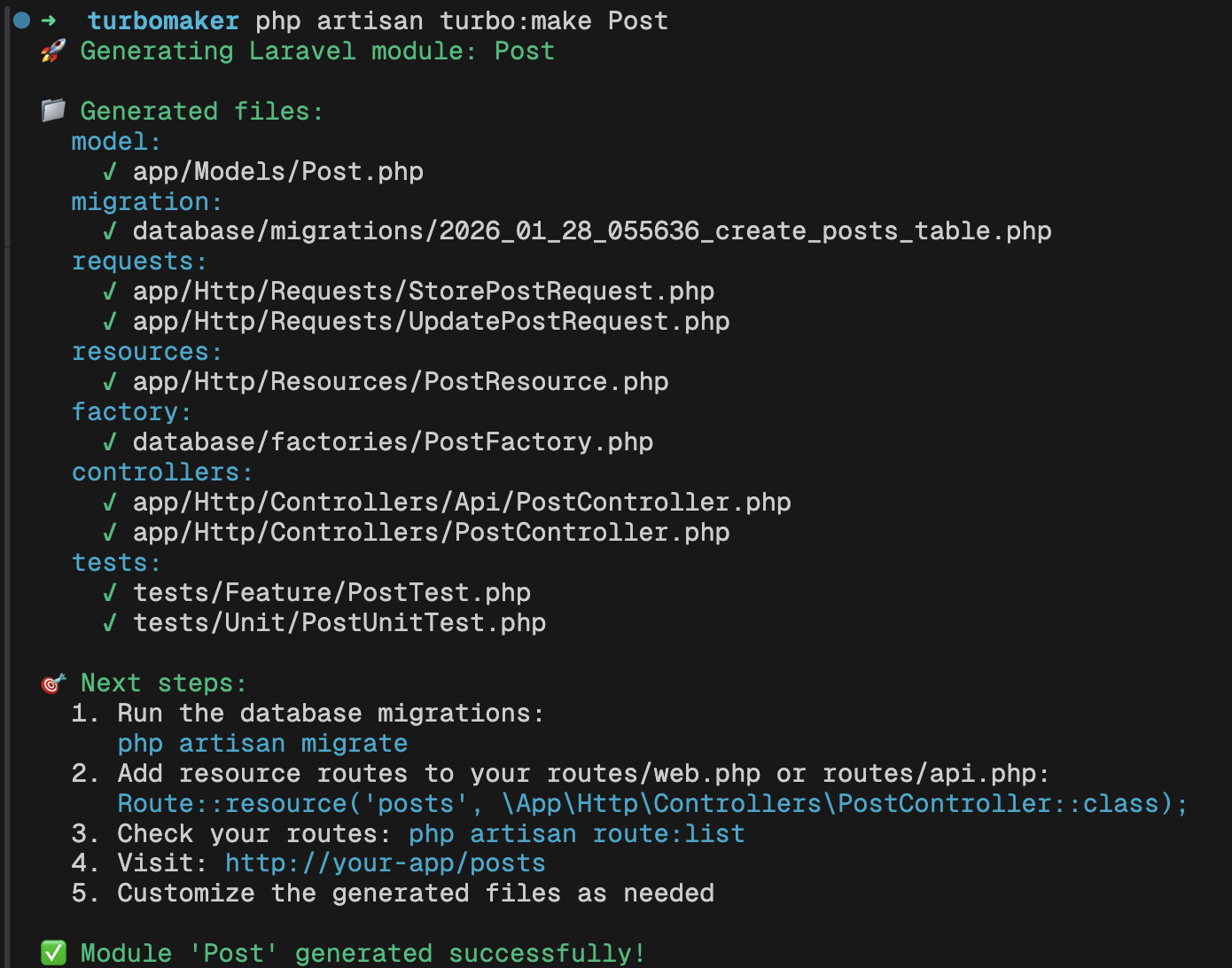
For API-only generation with tests and policies:
php artisan turbo:api Product --tests --policiesYou can also define relationships directly from the command line:
php artisan turbo:make Comment --belongs-to=Post --belongs-to=UserSchema-Based Generation
For more complex projects, TurboMaker supports YAML-based schema definitions. First, create a schema with your field definitions:
php artisan turbo:schema create Product --fields="name:string,price:decimal,description:text"The schema file will be generated in resources/schemas/product.schema.yml, a sample of which looks similar to this:
fields: name: type: string nullable: false price: type: decimal nullable: false category_id: type: foreignId nullable: falserelationships: []options: table: products timestamps: true soft_deletes: falsemetadata: version: '2.0' description: 'ModelSchema-powered schema for Product' created_at: '2026-01-26' engine: 'ModelSchema Enterprise'Further edits can then be made by following the many field types and options outlined in the Schema System Documentation.
Then generate the module from that schema:
php artisan turbo:make Product --schema=ProductCustomizations
To customize the default behaviors, publish the package's configuration file:
php artisan vendor:publish --tag=turbomaker-configYou can also publish and modify the stub templates as well:
php artisan vendor:publish --tag=turbomaker-stubsWhether you're prototyping a new idea or scaffolding features for a larger project, TurboMaker can speed up the repetitive parts so you can focus on the interesting ones. Check out the GitHub repository for full documentation and more examples.