Dealing with hefty CSV files is pretty standard in the business world, especially when you've got loads of data to analyze, report on, or move around. If you're using Laravel and need to process large CSV files, you've come to the right place. We will guide you through the smoothest way to handle this task without causing a traffic jam in your application's performance.
Memory and Performance
First off, let's talk about the elephant in the room: memory and performance. Chugging through a massive CSV can be a memory hog and could slow down your app. Sure, you might think about just cranking up the memory limit or extending the timeout period. But let's be honest, that's like putting a band-aid on a leaky pipe – not the best solution.
Enter Simple Excel by Spatie
Instead of the band-aid approach, we're going to use a nifty package called Simple Excel by Spatie. If you're nodding because you expected Spatie to have a solution, you're not alone.
composer require spatie/simple-excelAssuming you've got your CSV file ready to go, we'll use SimpleExcelReader to load it up. The cool thing is, by default, it returns you a LazyCollection – think of it as a more considerate way to handle your data without exhausting your server's memory. This means you can process the file bit by bit, keeping your app light on its feet.
$rows is an instance of Illuminate\Support\LazyCollection
Laravel Jobs to the Rescue
Now, before we dive into code, let's set up a Laravel Job to manage our CSV processing.
php artisan make:job ImportCsvNow here is what our ImportCsv job looks like:
<?php namespace App\Jobs; use Illuminate\Bus\Queueable;use Illuminate\Contracts\Queue\ShouldQueue;use Illuminate\Foundation\Bus\Dispatchable;use Illuminate\Queue\InteractsWithQueue;use Illuminate\Queue\SerializesModels;use Spatie\SimpleExcel\SimpleExcelReader; class ImportCsv implements ShouldQueue{ use Dispatchable, InteractsWithQueue, Queueable, SerializesModels; /** * Create a new job instance. */ public function __construct() { // } /** * Execute the job. */ public function handle(): void { SimpleExcelReader::create(storage_path('app/public/products.csv')) ->useDelimiter(',') ->useHeaders(['ID', 'title', 'description']) ->getRows() ->chunk(5000) ->each( // Here we have a chunk of 5000 products ); }}Here's the game plan:
- Chunking the CSV: We're going to break that file into manageable pieces, giving us a
LazyCollectionto play with. - Job Dispatching: For each chunk, we'll send out a job. This way, we're processing in batches, which is way easier on your server.
- Database Insertion: Each chunk will then be inserted into the database, nice and easy.
Chunking the CSV
With our LazyCollection ready, we'll slice the CSV into chunks. Think of it like turning a gigantic sandwich into bite-sized pieces – much easier to handle.
php artisan make:job ImportProductChunkFor every piece of the CSV, we'll create and fire off a job. These jobs are like diligent workers, each taking a chunk and carefully inserting the data into your database.
<?php namespace App\Jobs; use App\Models\Product;use Illuminate\Bus\Queueable;use Illuminate\Contracts\Queue\ShouldBeUnique;use Illuminate\Contracts\Queue\ShouldQueue;use Illuminate\Database\Eloquent\Model;use Illuminate\Foundation\Bus\Dispatchable;use Illuminate\Queue\InteractsWithQueue;use Illuminate\Queue\SerializesModels;use Illuminate\Support\Str; class ImportProductChunk implements ShouldBeUnique, ShouldQueue{ use Dispatchable, InteractsWithQueue, Queueable, SerializesModels; public $uniqueFor = 3600; /** * Create a new job instance. */ public function __construct( public $chunk ) { // } /** * Execute the job. */ public function handle(): void { $this->chunk->each(function (array $row) { Model::withoutTimestamps(fn () => Product::updateOrCreate([ 'product_id' => $row['ID'], 'title' => $row['title'], 'description' => $row['description'], ])); }); } public function uniqueId(): string { return Str::uuid()->toString(); }}Ensuring Uniqueness
One crucial thing to remember is to use $uniqueFor and uniqueId in your jobs. It's like giving each worker a unique ID badge, so you don't accidentally have two people doing the same job – a big no-no for efficiency.
Dispatching Jobs
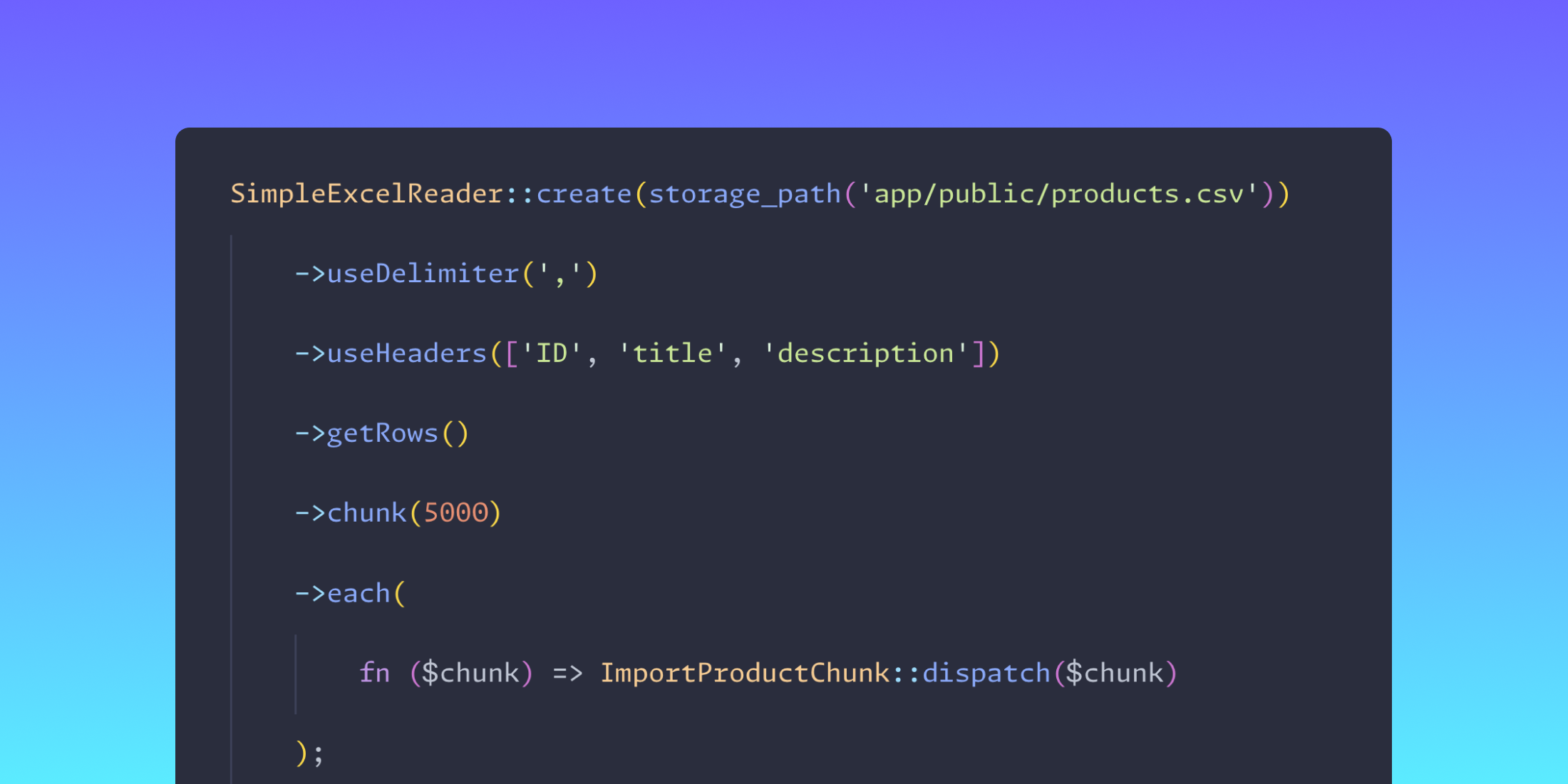
Back in our ImportCsv job, we'll dispatch a job for each chunk within the each method. It's like saying, "You get a chunk, and you get a chunk – everybody gets a chunk!"
<?php namespace App\Jobs; use Illuminate\Bus\Queueable;use Illuminate\Contracts\Queue\ShouldQueue;use Illuminate\Foundation\Bus\Dispatchable;use Illuminate\Queue\InteractsWithQueue;use Illuminate\Queue\SerializesModels;use Spatie\SimpleExcel\SimpleExcelReader; class ImportCsv implements ShouldQueue{ use Dispatchable, InteractsWithQueue, Queueable, SerializesModels; /** * Create a new job instance. */ public function __construct() { // } /** * Execute the job. */ public function handle(): void { SimpleExcelReader::create(storage_path('app/public/products.csv')) ->useDelimiter(',') ->useHeaders(['ID', 'title', 'description']) ->getRows() ->chunk(5000) ->each( fn ($chunk) => ImportProductChunk::dispatch($chunk) ); }}And there you have it! Your chunks are off to be processed independently, without any memory drama. If you're in a rush, just add more workers, and like a well-oiled machine, your data will be processed even quicker.
Processing large CSV files in Laravel doesn't have to be a headache. With the right tools and approach, you can keep your application running smoothly while dealing with all that data.
Happy coding!