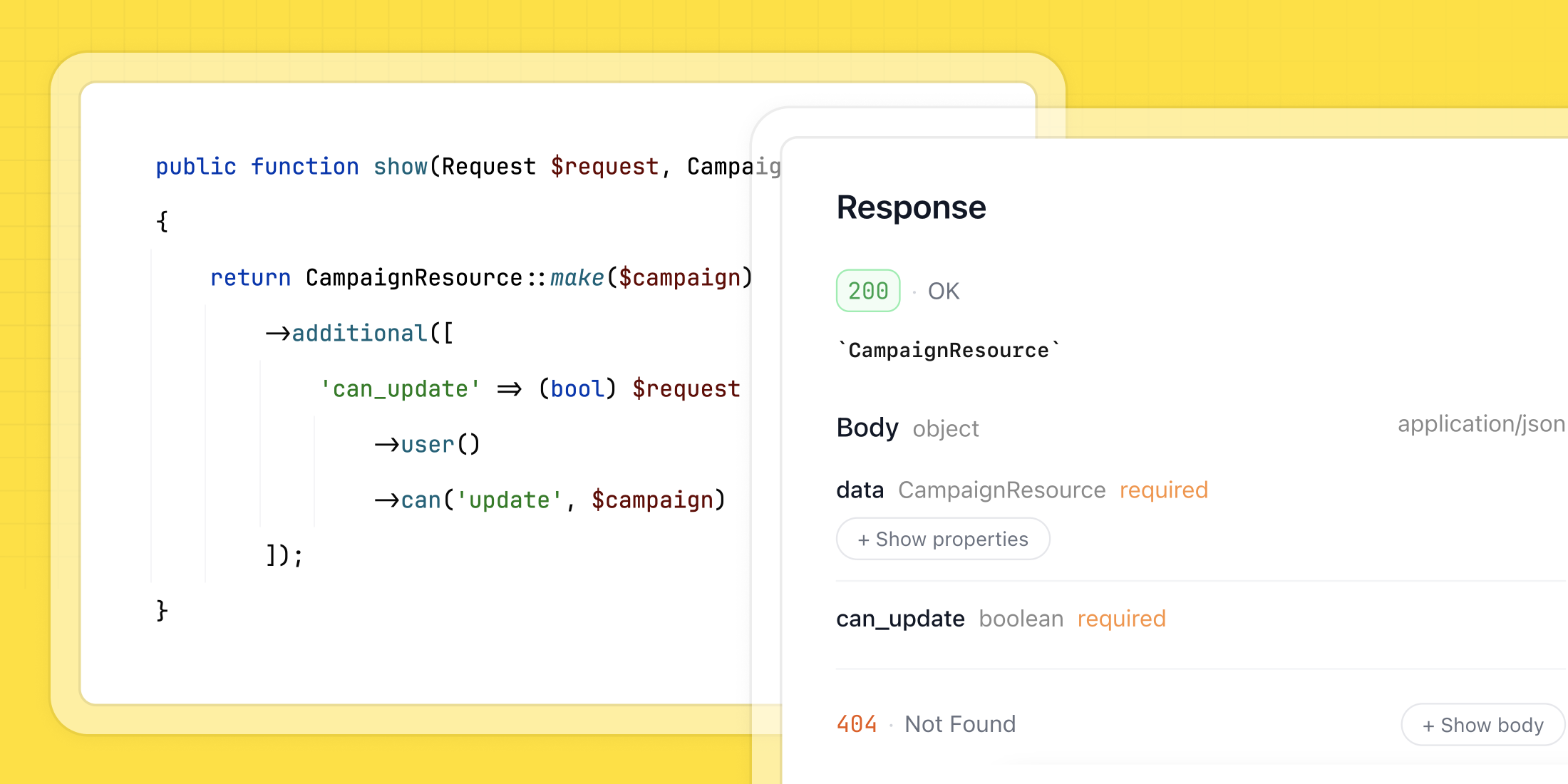
Documenting API responses can be one of the trickier parts of building an API with Laravel. It's easy for documentation to become outdated or incomplete as your project evolves.
There are a few challenges in documenting API responses:
- making it accurate
- keeping the docs in sync with the evolving project
Scramble is a modern API documentation generator for Laravel that solves these problems. Instead of relying on manual annotations, it uses static code analysis to generate accurate API responses documentation that stays in sync with the codebase.
This article focuses on documenting API responses. To learn about documenting API requests, check out my previous article.
Minimizing manual work
The main goal of Scramble is to generate as much API documentation automatically as possible without requiring you to write manual annotations. Thanks to this, you can have accurate API response documentation that is always in sync with the project.
Scramble analyzes controller methods to infer return types, and based on those types, it documents API responses. This way, you don’t need to manually annotate things that can be understood from the codebase.
Here are a few common cases as examples.
API resources
A common approach is to return an API resource when you create, retrieve, or update a model:
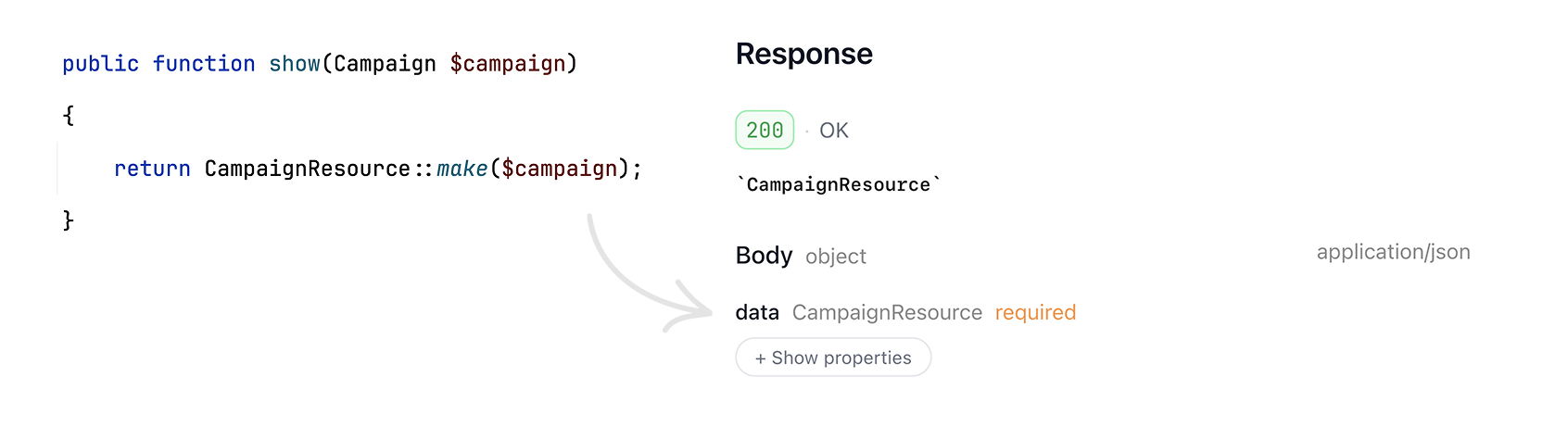
By analyzing this code, Scramble knows that the response of this method will be an instance of CampaignResource. Then, by analyzing the CampaignResource@toArray method, Scramble creates a schema for CampaignResource, completing the documentation for the index endpoint.
Scramble also has a deep understanding of additional data you add to resources or resource collections:
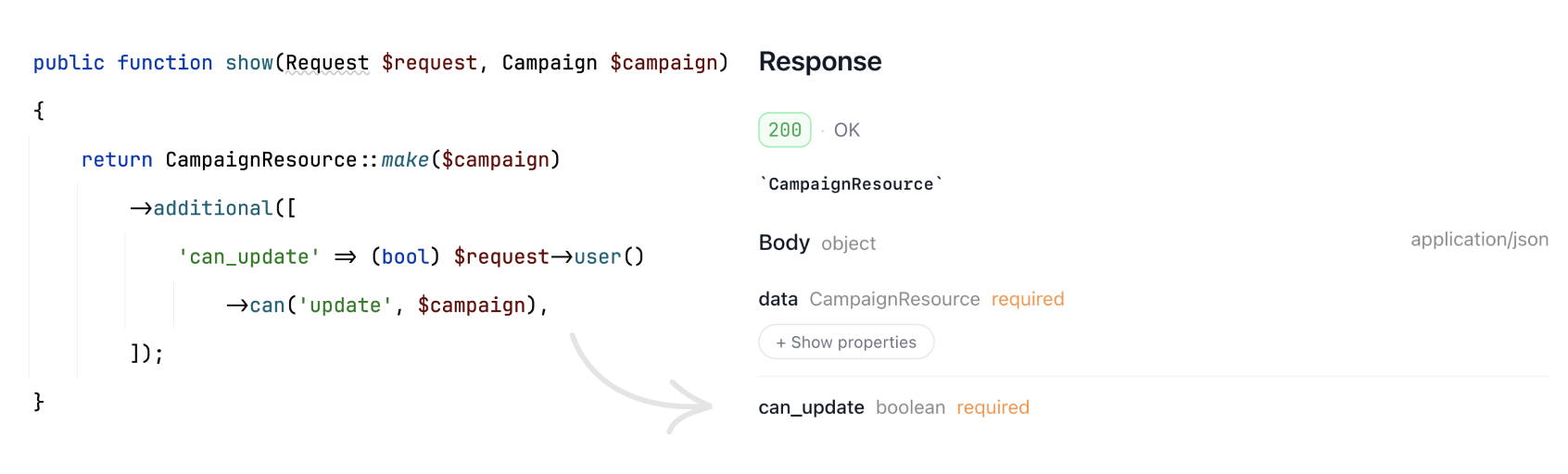
In your resources, you can define the with method, which will also be documented.
The withResponse method in your resource class allows you to customize the response. Scramble will document this too.
Models
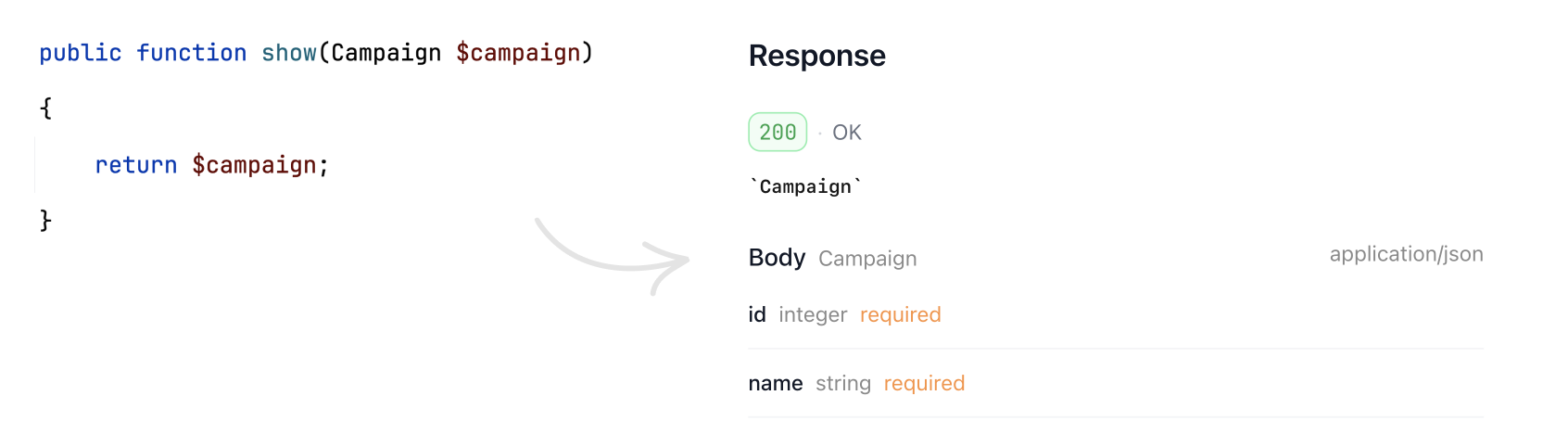
Models and model collections returned from your controller methods will be documented automatically:
Resource collections
Resource collections are supported too.
For example, the common way to return a list of paginated items is to wrap a paginator in a resource collection:
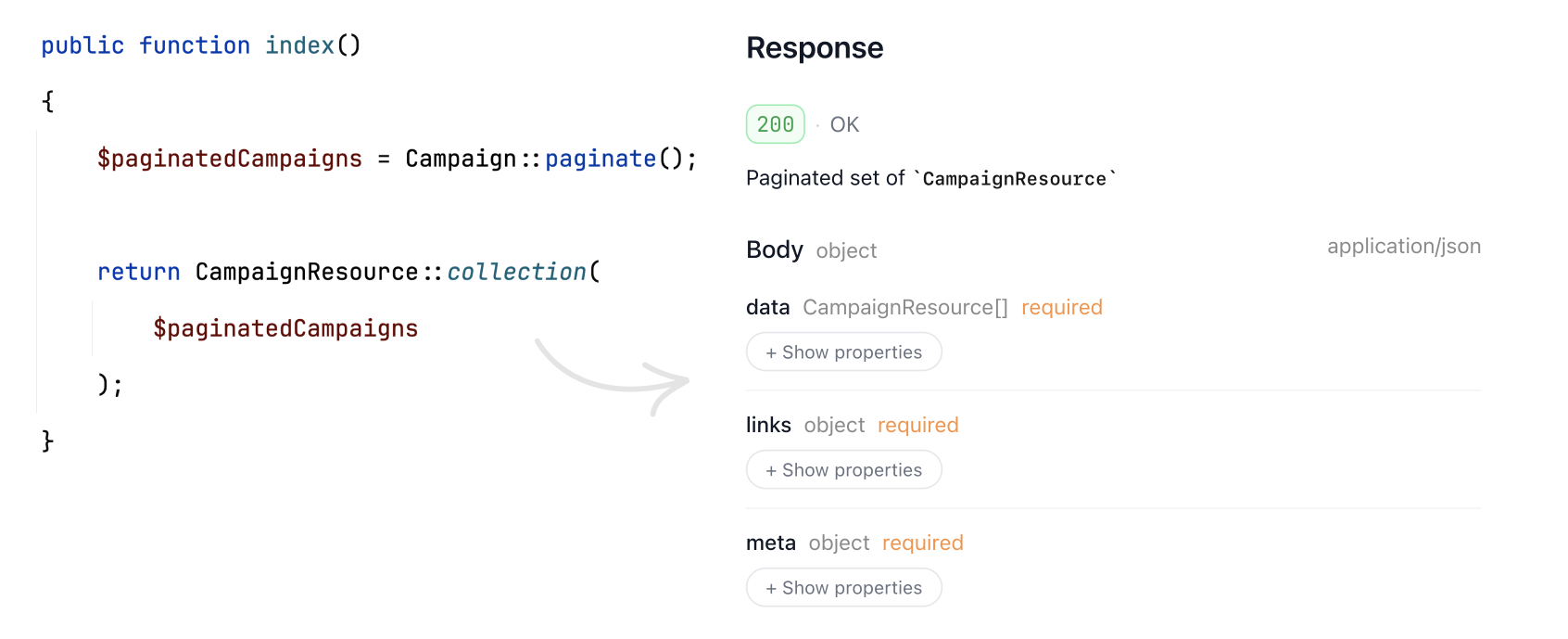
Notice how you don’t need to manually document the paginator response – it just works ✨
Besides anonymous resource collections, custom resource collections are supported as well.
With a recent release, Scramble got smarter and now supports custom anonymous collections: when you redefine the newCollection (or collection) method on your resource class, that will be taken into account when generating the documentation.
JSON responses
When you return a JSON response, Scramble has you covered too (at least as long as the type of the response data can be inferred):
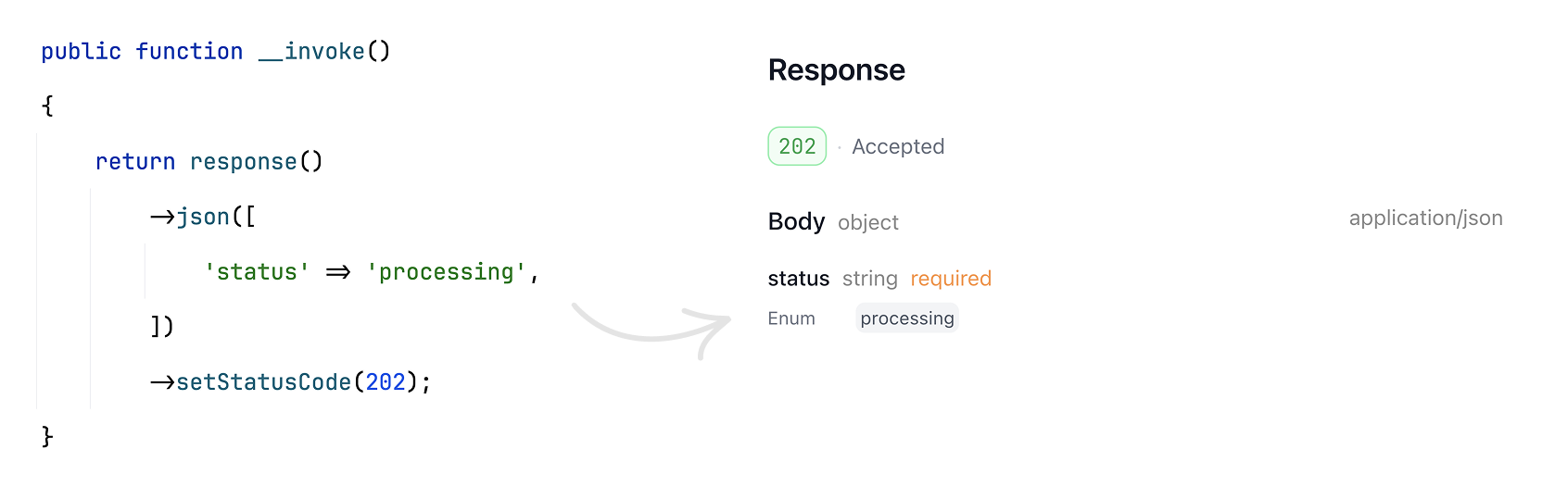
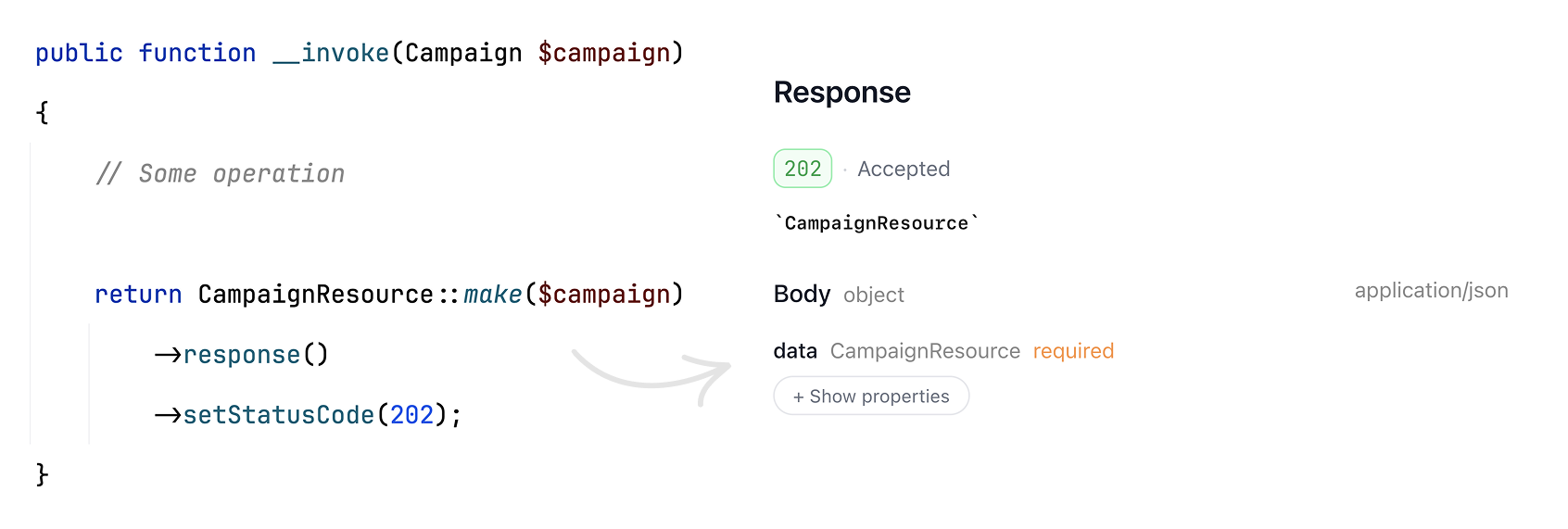
The beauty of analyzing types to generate API documentation is that when you chain the response method on your API resources, Scramble knows that a JSON response is returned and can properly document any customizations you apply:
File downloads, streamed JSON responses, event streams
When you return a file download response from an endpoint, Scramble will document it too. Not only that! If a file extension is present in your response creation expression, Scramble will guess the resulting content type 🤯 Feels like magic!
// app/Models/Camapaign.phppublic function getPdfReportName(Campaign $campaign): string{ return $this->name.'-'.now()->toDateString().'.pdf';} // app/Http/Controllers/CampaignsController.phppublic function downloadPdfReport(Campaign $campaign){ return response()->file($campaign->getPdfReportName());}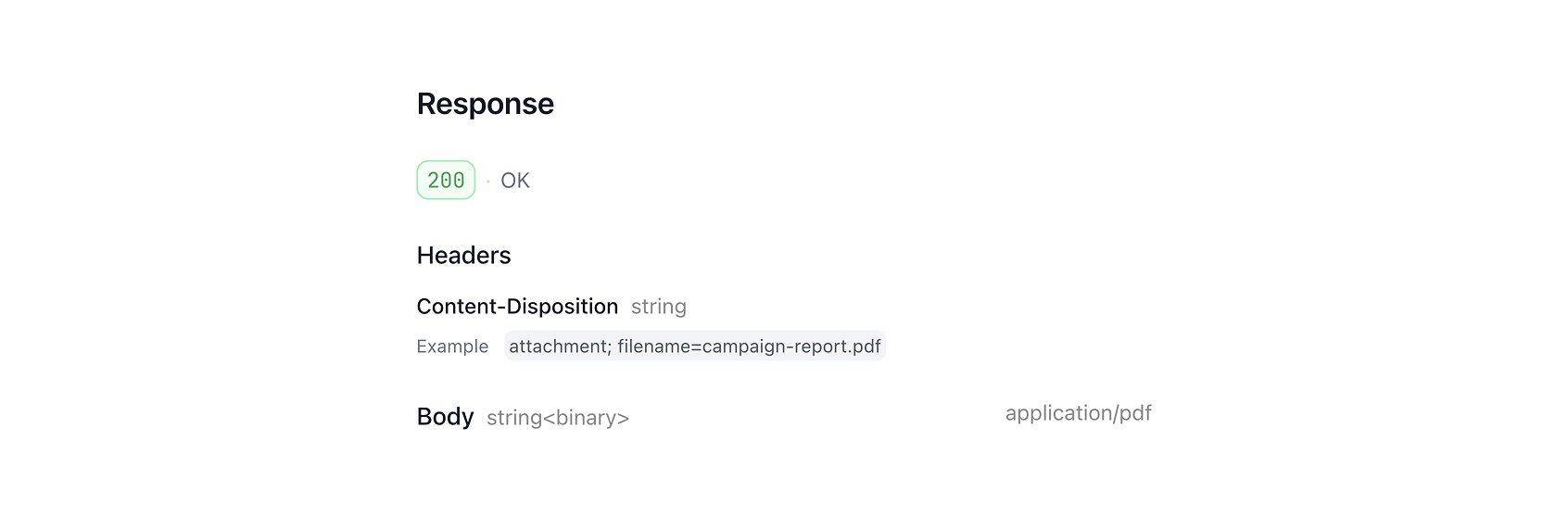
Streamed responses are documented too:
public function __invoke(){ return response()->stream(function () { foreach (['developer', 'admin'] as $string) { echo $string; } }, 200, ['X-Accel-Buffering' => 'no']);}As well as event streams:
public function __invoke(){ return response()->eventStream(function () { // ... });}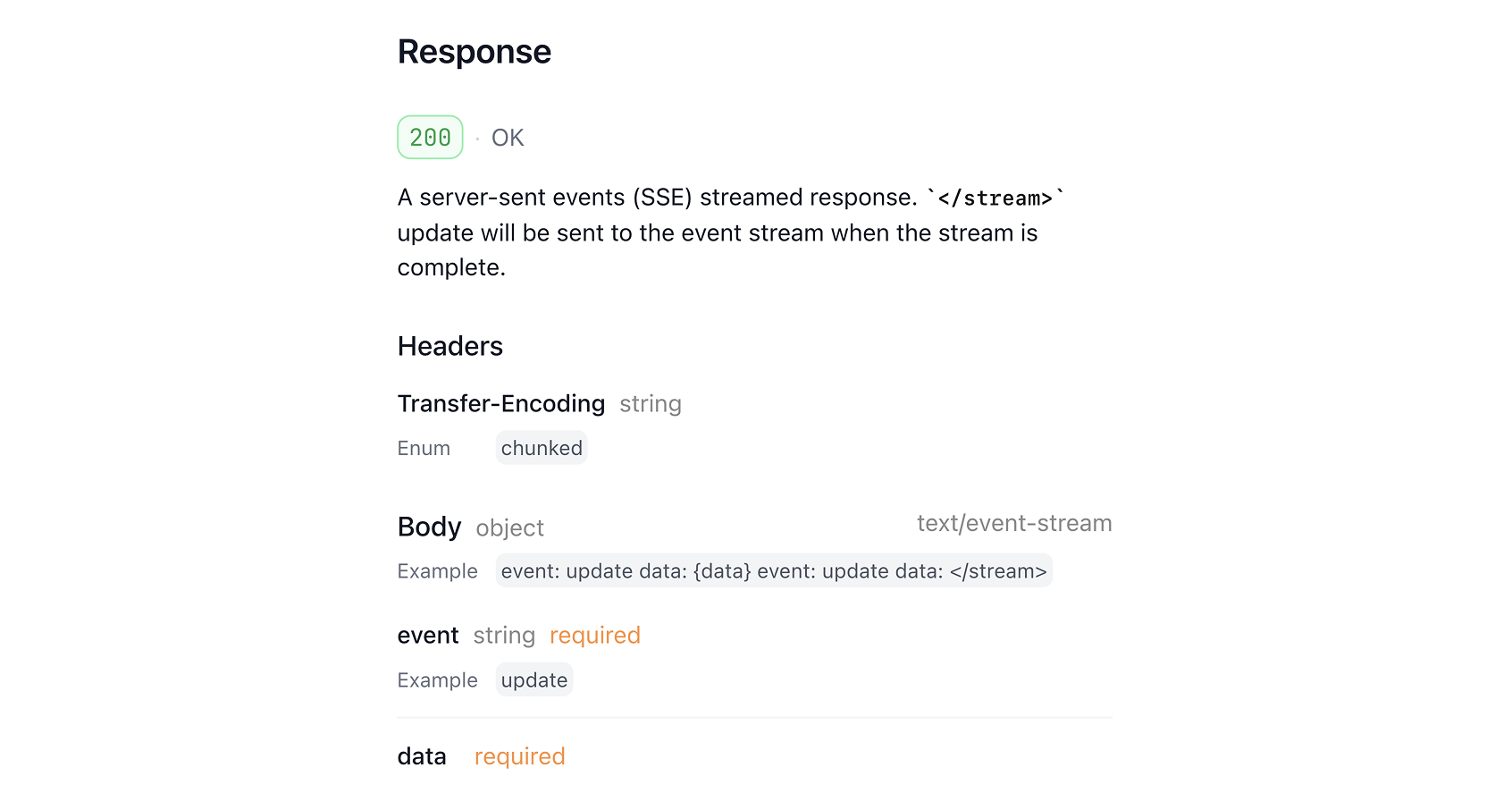
Adding manual response documentation when needed
At this point, after Scramble has done its job and you have documentation derived from your codebase, you can step in and add some documentation manually if needed — response descriptions, headers, etc.
Adding headers documentation manually
To add response header documentation manually for a single response, you can use the Header attribute:
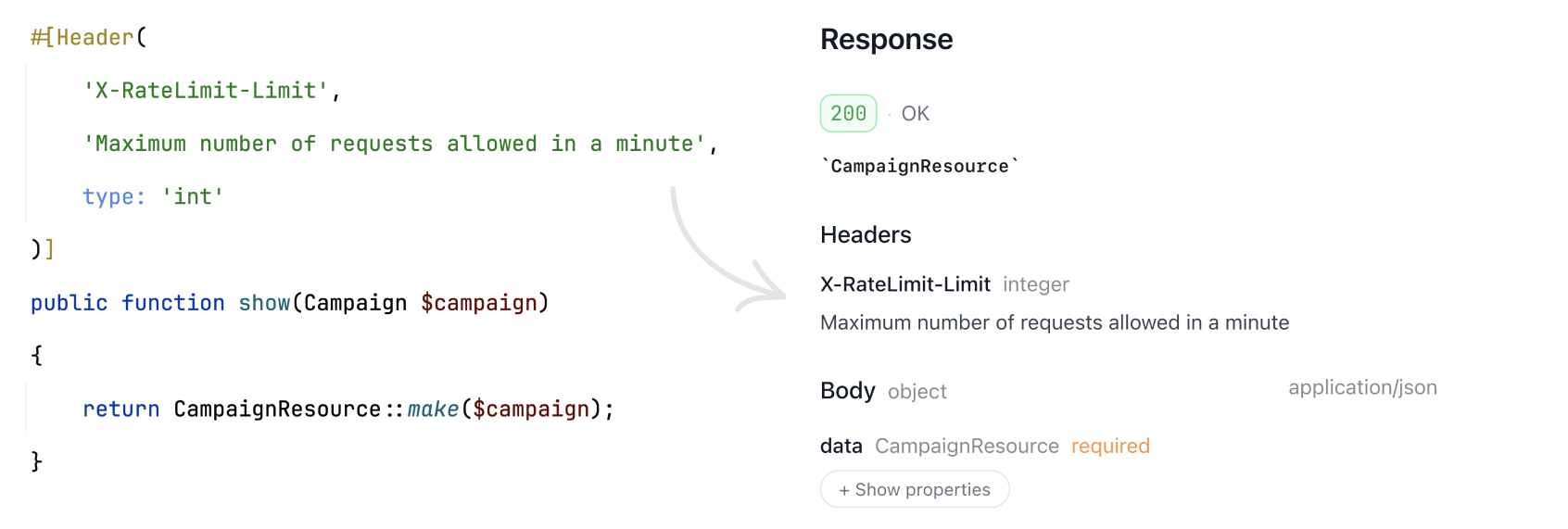
If you need to add a response header to all of your responses, you can use an operation transformer and add it there:
Scramble::configure() ->withOperationTransformers(function (Operation $operation) { foreach ($operation->responses as $response) { if (! $response instanceof Response) { continue; } $response->addHeader( 'X-RateLimit-Limit', new Header('The rate limit', schema: Schema::fromType(new IntegerType)), ); } });Manually adding a response
If Scramble didn’t recognize some responses, you can always add them manually.
Using the Response attribute, you can add response documentation to the endpoint:
use Dedoc\Scramble\Attributes\Response; #[Response(200, 'The Excel export file', mediaType: 'application/vnd.ms-excel', type: 'string', format: 'binary')]public function index(){}The Response attribute allows not only adding new response documentation but also enhancing already inferred responses:
use Dedoc\Scramble\Attributes\Response; #[Response(description: 'The requested campaign resource.')]public function show(Campaign $campaign){ return CampaignResource::make($campaign);}Customizing response status and body
To customize the response status of a response inferred from the codebase, you can use the @status PHPDoc annotation.
This can be useful when documenting responses that create new models. The actual response status will always be 201, but Scramble will currently document it as 200. You can improve the documentation manually:
public function store(){ /** @status 201 */ return CampaignResource::make(/* ... */);}Conclusion
With Scramble, you can get accurate API documentation with minimal effort. The resulting documentation will always stay in sync with the codebase. When needed, you can add extra details manually.
Here’s a simple demo project that uses Scramble for API documentation so you can get a feel:
Demo documentation website: https://scramble.dedoc.co/demo/scramble#/
Demo documentation repository: https://github.com/dedoc/demo-scramble
If you’re working on a Laravel API project, give Scramble a try! Visit https://scramble.dedoc.co to learn more!