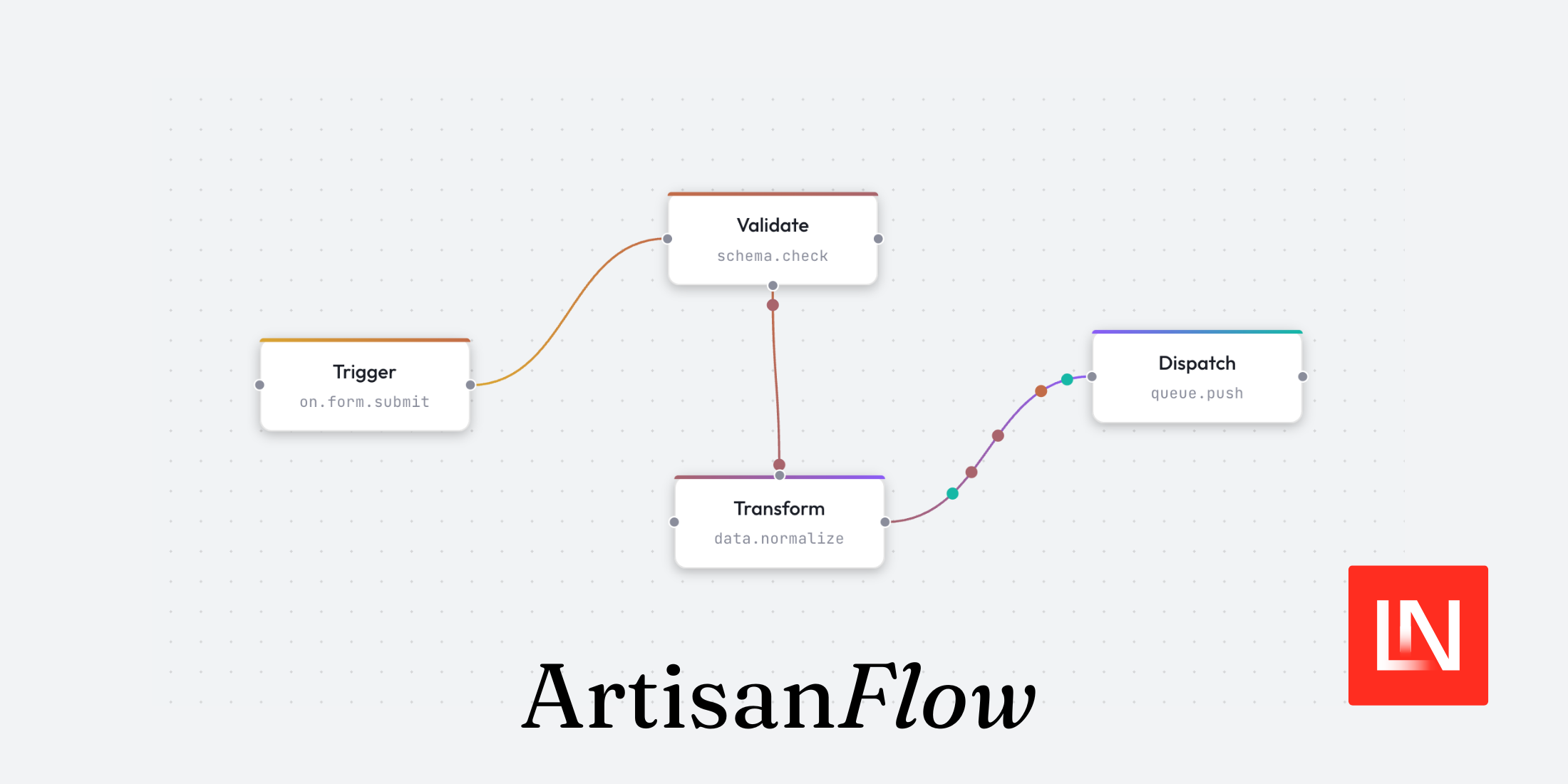
ArtisanFlow is a new package by Zac Hiler that brings node-based flowchart UIs to Laravel applications. It ships in alpha and consists of two packages: AlpineFlow, the core frontend engine built on Alpine.js, and WireFlow, the Laravel companion that wraps it in Blade components and a Livewire trait.
Rather than render functions or JSX, you build flows with x-flow-* Alpine directives — or with WireFlow, plain Blade components with no custom JavaScript required.
Key Features
Some of the key features include:
- Directive-driven — everything is an Alpine directive; no render functions or JSX needed
- Animation engine — built-in support for timelines, particles, path motion, and camera tracking, all in a single animation loop
- Deep nesting — nodes support parent/child hierarchies with type validation, child count limits, and auto-stacking
- Zero-JS Livewire integration — install via Composer and use Blade components with multiple sync modes and server-side control
- Smart edge routing — edges automatically route around nodes using avoidant or orthogonal path algorithms
- AI-ready docs — ships with Laravel Boost skills for IDE integration so AI tools understand the API from the start
Installation
For a Laravel app, install WireFlow via Composer:
composer require getartisanflow/wireflowThen run the install command, which publishes the assets and wires up the imports:
php artisan wireflow:installnpm run buildWireFlow bundles AlpineFlow alongside it, so you don't need a separate npm install for the core. The service provider auto-discovers, and after the build step <x-flow> is ready to use in any Blade view.
Building a Flow
The typical setup is a Livewire component holding your node and edge data, paired with a Blade view using <x-flow>.
Nodes and edges are plain PHP arrays. Each node needs an id, a position and data with a label, while edges need at least an id, source, and target:
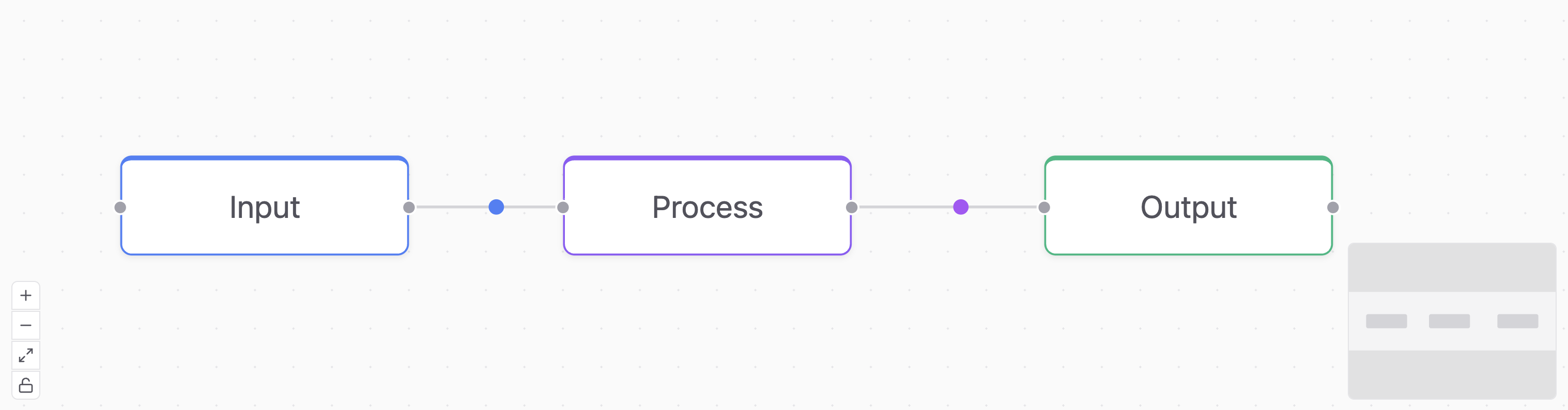
use Livewire\Component; class DemoFlow extends Component{ public array $nodes = [ [ 'id' => '1', 'position' => ['x' => 20, 'y' => 120], 'class' => 'flow-node-info', 'data' => ['label' => 'Input'] ], [ 'id' => '2', 'position' => ['x' => 250, 'y' => 120], 'class' => 'flow-node-primary', 'data' => ['label' => 'Process'] ], [ 'id' => '3', 'position' => ['x' => 500, 'y' => 120], 'class' => 'flow-node-success', 'data' => ['label' => 'Output'] ], ]; public array $edges = [ [ 'id' => 'e1-2', 'source' => '1', 'target' => '2', 'animated' => 'dot', 'particleColor' => '#3b82f6' ], [ 'id' => 'e2-3', 'source' => '2', 'target' => '3', 'animated' => 'dot', 'particleColor' => '#a855f7' ], ]; public function render() { return view('livewire.demo-flow'); }}The Blade view passes those arrays to <x-flow> and defines the node template inside an <x-slot:node>:
<x-flow :nodes="$nodes" :edges="$edges"> <x-slot:node> <x-flow-handle type="target" position="left" /> <span x-text="node.data.label"></span> <x-flow-handle type="source" position="right" /> </x-slot:node></x-flow><x-flow-handle> marks connection points. Handles with type="source" initiate edges, and type="target" receives them. Inside the node slot, node is a reactive Alpine object, so any Alpine expression works — :class, x-show, x-text, and so on:
<x-slot:node> <x-flow-handle type="target" position="top" /> <span x-text="node.data.label"></span> <span x-show="node.selected" class="text-blue-500 text-xs">Selected</span> <x-flow-handle type="source" position="bottom" /></x-slot:node>Canvas Features
Several canvas features can be toggled via props on <x-flow>:
<x-flow :nodes="$nodes" :edges="$edges" background="dots" :controls="true" :minimap="true" :fit-view-on-init="true" :history="true">background accepts "dots", "lines", "cross", or "none". controls adds zoom and fit-view buttons. minimap renders an overview panel. fit-view-on-init centres all nodes on first load. history enables undo/redo with Ctrl+Z / Ctrl+Y.
Custom Node Types
For flows with multiple node types, you can register separate Blade views per type using :node-types:
<x-flow :nodes="$nodes" :edges="$edges" :node-types="[ 'input' => 'flow.nodes.input-node', 'output' => 'flow.nodes.output-node', ]">Then set type on individual nodes in your PHP array, and WireFlow will stamp the matching view. Nodes without a matching type fall back to the default slot.
Handling Events
User interactions on the canvas — connecting nodes, clicking, dragging — fire events you can listen to on <x-flow>:
<x-flow :nodes="$nodes" :edges="$edges" @connect="onConnect" @node-click="onNodeClick" @node-drag-end="onNodeDragEnd">These route to methods on your Livewire component. Add the WithWireFlow trait and define the handlers:
use ArtisanFlow\WireFlow\Concerns\WithWireFlow; class DemoFlow extends Component{ use WithWireFlow; public function onConnect(string $source, string $target): void { $this->edges[] = [ 'id' => "e-{$source}-{$target}", 'source' => $source, 'target' => $target, ]; } public function onNodeClick(string $id): void { // handle click } public function onNodeDragEnd(string $id, float $x, float $y): void { // persist the new position }}Server-Driven Updates
The WithWireFlow trait also exposes methods for pushing changes to the canvas from the server — adding or removing nodes, controlling the viewport, triggering animations, and more:
public function addStep(): void{ $this->flowAddNodes([ ['id' => 'new-1', 'position' => ['x' => 300, 'y' => 100], 'data' => ['label' => 'New Step']], ]);} public function focusCanvas(): void{ $this->flowFitView();} public function resetCanvas(): void{ $this->flowClear();}For methods that dispatch canvas commands without updating Livewire state, Livewire 3.3+'s #[Renderless] attribute skips the re-render:
#[Renderless]public function zoomToFit(): void{ $this->flowFitView();}Sync Modes
By default, WireFlow sends node and edge data to the canvas as initial values and leaves state management on the client. You can flip this with two props:
:sync="true"— two-way binding via Livewire'sentangle(). Every drag or connection syncs back to$nodesand$edgeson the server automatically.:listen="true"— read-only canvas; users can't drag or connect. Useful for dashboards that push state changes.
Laravel Boost Skills
ArtisanFlow also ships with Laravel Boost skills, which provide AI-optimised documentation that tools like Claude Code and Cursor can consume directly. The idea is that your AI assistant understands the ArtisanFlow API out of the box — directives, components, trait methods — without you having to paste docs into context or explain the API yourself.
Live Collaboration
ArtisanFlow also includes a collaboration add-on that enables real-time multi-user editing. It automatically syncs node and edge changes across connected clients, supports remote cursors, shared selections, and Laravel Reverb as a provider.
Note: At the time of writing, ArtisanFlow is in alpha, but already has a solid feature set worth keeping an eye on.
Follow along with Zac as he continues development, explore the source code on GitHub, and check out the full documentation to dig deeper.