Simple, keyword-based database queries are often inadequate for user searches because they struggle with complexities such as synonyms, slang, and relevance judgments. They potentially also suffer from slow performance on large datasets due to inefficient indexing methods. Consequently, these basic queries fail to provide users with a helpful, relevant, or nuanced list of results, leading to a less-than-ideal user experience.
Vector search is fundamentally better than basic keyword database queries because it searches based on semantic meaning rather than exact text matches, and it is built to scale efficiently.
A more comprehensive explanation of vector search is out of the scope of this article, but here's a quick overview to establish a baseline: Vector search is a technique that uses numerical representations, called vectors or embeddings, to find items that are semantically similar to a query, meaning you find things based on their meaning, not the keywords used to describe them.
The heavy lifting of creating these dense, high-dimensional vectors from text, images, or other data is done by existing embedding models. Vector search works by calculating the distance or similarity between the query's vector and the vectors in a database, quickly returning the most relevant items.
If you want to know more about the vector search concepts, I recommend watching our videos on vectors and embedding fundamentals and the future of data querying, or visit MongoDB's resources for a more thorough explanation of vector search.
Laravel vector search implementation
In this article, we'll use a GitHub code repository to illustrate how MongoDB Vector Search works in Laravel. I created a tag, as the repo will evolve in the future.
The repo's README.md has more information and is structured to mirror the tutorial's natural progression: Each section includes the "why" behind configuration choices, example commands with expected outputs, and a troubleshooting guide that explains what went wrong and how to fix it.
Prerequisites to run the repo
- Basic understanding of Vector Search
- Start a free MongoDB Atlas cluster with the mflix_sample database loaded
- Here's how to start a free cluster (in the "Atlas UI" tab) and how to load the sample databases.
- A free Voyage AI API key
- A functioning PHP/Laravel development environment. We recommend using our pre-built container environment on GitHub Codespaces (free for individual accounts).
Voyage AI was recently acquired by MongoDB. Its models have been recognized as some of the highest-performing by industry-leading benchmarks like the Hugging Face MTEB Leaderboard. That said, MongoDB's Vector Search is compatible with nearly all embedding models on the market, so you have ample control and choices for your specific use case.
Connect the Laravel app to the MongoDB database
If you haven't connected to MongoDB from Laravel before, we have a more detailed tutorial on how to build a back-end service with Laravel and MongoDB. In this article, we'll emphasise only the main points related to using MongoDB Vector Search in Laravel.
At this point, we'll assume that your MongoDB Atlas cluster is running and that you have loaded the sample data, especially the sample_mflix database, which we will be using. You can use the MongoDB Atlas GUI to do that (Database > Clusters > Browse Collections). Alternatively, there's MongoDB Compass, a native app that offers a more responsive and user-friendly experience.
The sample_mflix database contains two movie collections, "movies" and "embedded_movies." We are going to work on the "movies" collection as it does not contain vector embeddings. Our Laravel app will create the embeddings.
Connect to the database
Using the code repo, let's first connect to the MongoDB database.
Cluster network access: Make sure your current IP address is allowed through the cluster's firewall by adding it to the allowed list. If you are working on public WiFi (hotel, convention center, airport, etc.) adding the IP won't be enough and you may need to allow all IPs to have access, which is not recommended for security. Follow the instructions on the official documentation page (jump to "Add IP Access List Entries" and choose the "Atlas GUI" tab).
Connect from Laravel: Create an .env file, based on the .env.example file, and look for DB_CONNECTION=mongodb. Right below that, you have to update the DB_DSN entry with the actual connection string of your live cluster that includes username and password. Here's a tutorial that shows how to get the connection string in Atlas (jump to "In Atlas, go to the Clusters page for your project").
Our CodeSpaces environment will run the three commands below at startup. If you prefer your own setup, don't forget to initialize the repo with the commands below:
# create a new .env filecp .env.example .env # download libraries required by our appcomposer install # generate the keys for this appphp artisan key:generateIn the .env file, replace the sample DB_DSN MongoDB connection string with your own. Now would be a good time to add the Voyage AI API key as well.
DB_CONNECTION=mongodbDB_DSN=mongodb+srv://USERNAME:PASSWORD@cluster.mongodb.net/sample_mflix?retryWrites=true&w=majorityDB_DATABASE=sample_mflix VOYAGE_AI_API_KEY=YOUR_API_KEY_HERENote that MongoDB's schema flexibility allows us to remain migration-free for now, so we won't have to execute "php artisan migrate". Once your credentials are in, run this command to launch the app. Locally, it runs at http://localhost:8000, but it may be different depending on how you configured your PHP/Laravel development environment. Adapt the subsequent URL references to your situation.
In the Codespaces environment, you can find the URL by hovering above the "globe" icon in the Ports tab.
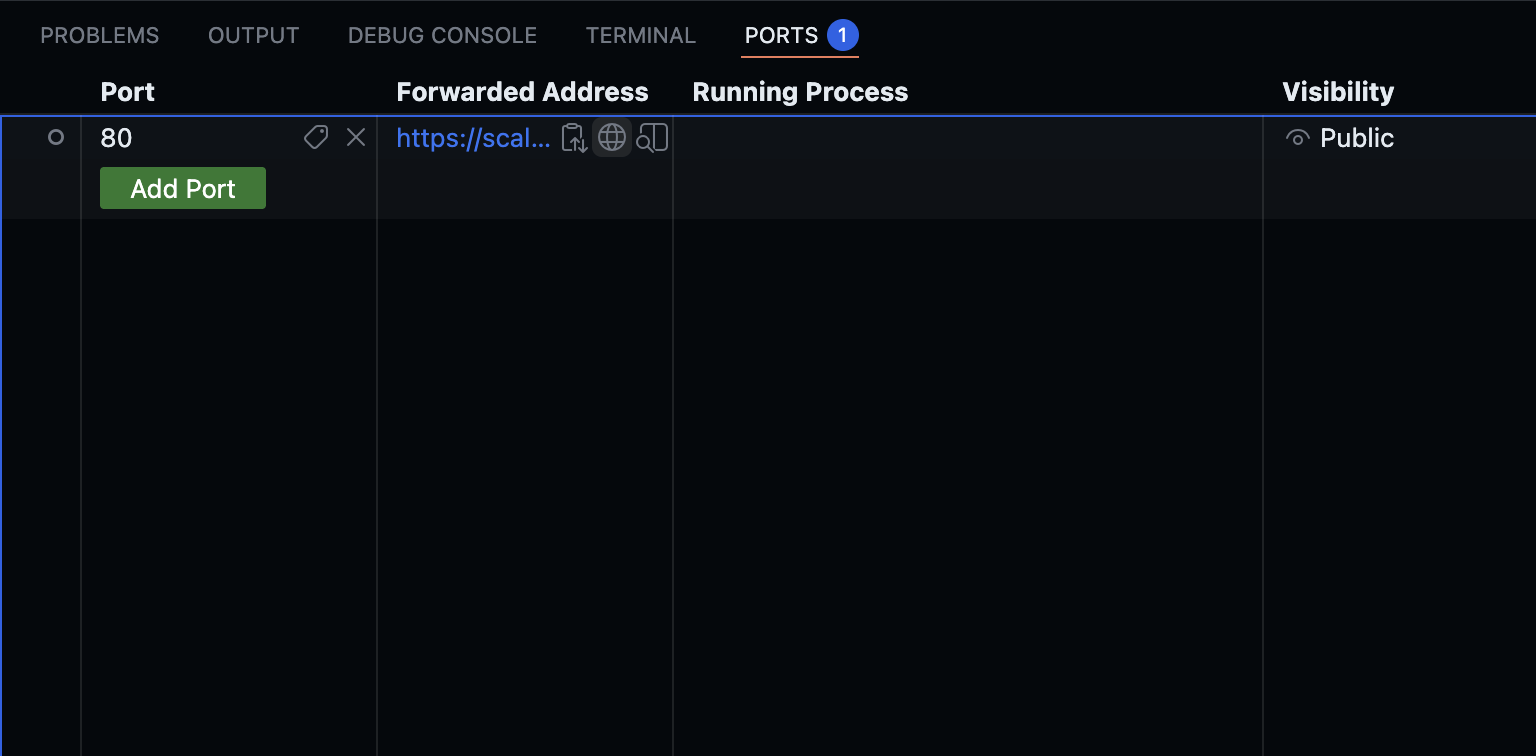 We're going to build some API endpoints, so in CodeSpaces, port 80 is made "public" to facilitate access. If you see a warning message, just click on Continue.
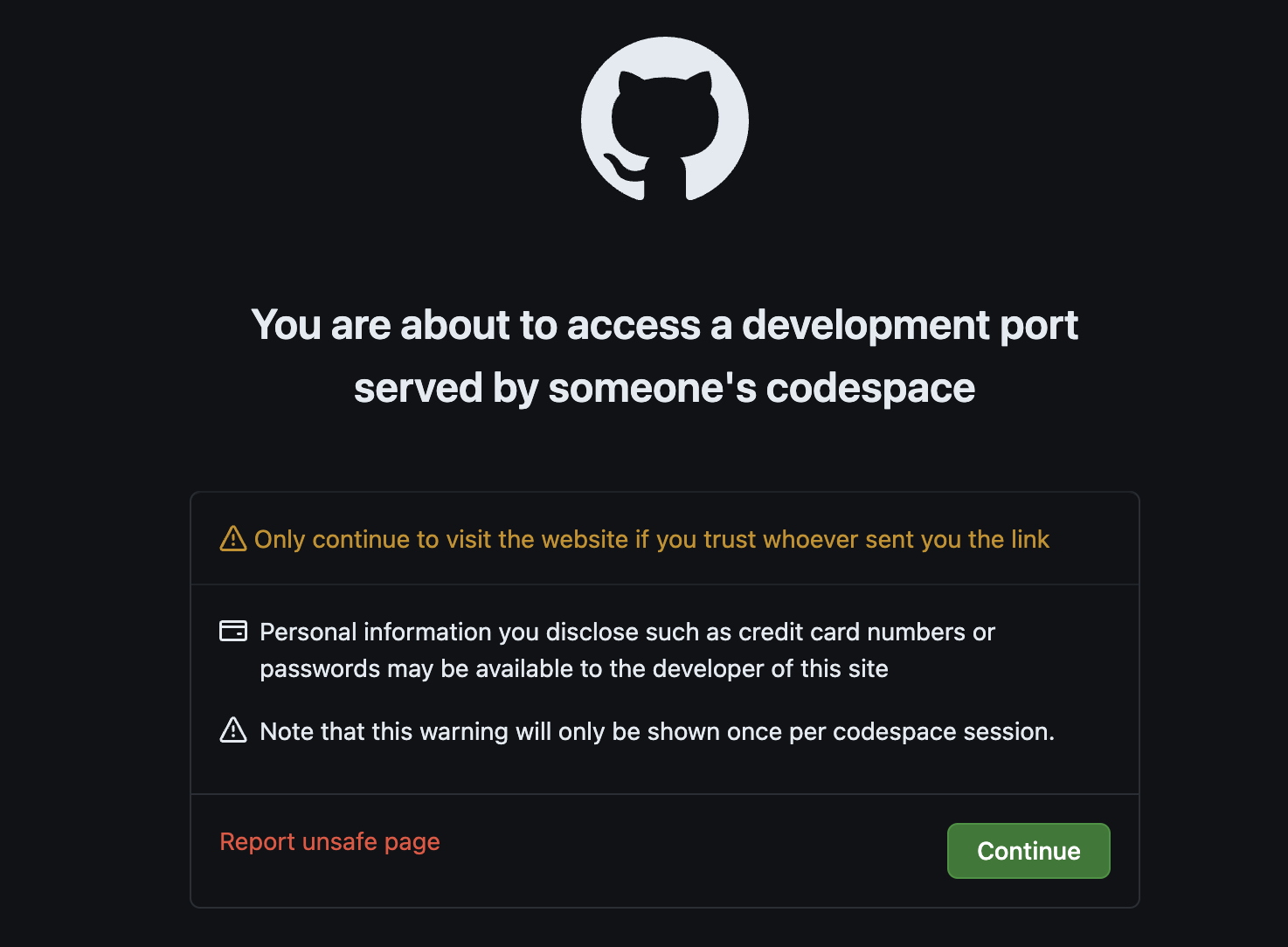
php artisan serveThere are some API endpoints that have been created for testing the app, and the connection to MongoDB.
Remember, in Codespaces, the URL format is {friendly-name}-{random-hash}-{port}.app.github.dev and can be obtained in the Ports tab.
# returns {"response":"hello world"} if the app is up and runningcurl http://localhost:8000/api/hello # returns {"status":"success","connection":"MongoDB connection successful"...curl http://localhost:8000/api/mongodb-testIf both API calls are successful, our connection is solid, and we are ready for the next step: Use Vector Search!
3 steps to your MongoDB Vector Search in Laravel
If your data is already in MongoDB, performing a vector search takes only three steps, and we'll show you in detail below.
Step 1: Generate vector embeddings for your data
Before anything else, we need to have vectors if we want to search based on them! We will use an embedding model from Voyage AI to generate embeddings via their API.
The Voyage AI API access is implemented as a service (in app/Services/VoyageAIService.php), and the most interesting function is generateEmbeddings(), which takes an array of text inputs and returns the model's vector representations for those texts.
This service connects to the Voyage AI API via a REST API call in the makeRequest() function. If successful, the Voyage API returns the following for each datapoint:
- vector embedding
- embedding model name
- number of dimensions
- number of tokens used by the model
// makes a request to the external vector embedding model$response = $this->makeRequest($texts); if ($response['success']) { $embeddings = $response['data']['data'] ?? []; return [ 'success' => true, 'embeddings' => $embeddings, 'count' => count($embeddings), 'usage' => $response['data']['usage'] ?? null ];} return $response;Vector embeddings for our database records tend to be built at a low frequency: at the initial model selection, when the vectorized data changes, or if there's a new model selection. We've added a console command in app/Console/Commands/GenerateEmbeddings. There's also a command to delete the embeddings in the same directory.
From the terminal, you can generate embeddings for the data, by using this command:
php artisan embeddings:generateAfter using it, you can return to the MongoDB Atlas GUI and look at your documents. You should see a new "embedding" field, with an array of 512 floats. That is the vector embedding for that document. We now have documents that are ready to be indexed, well done!
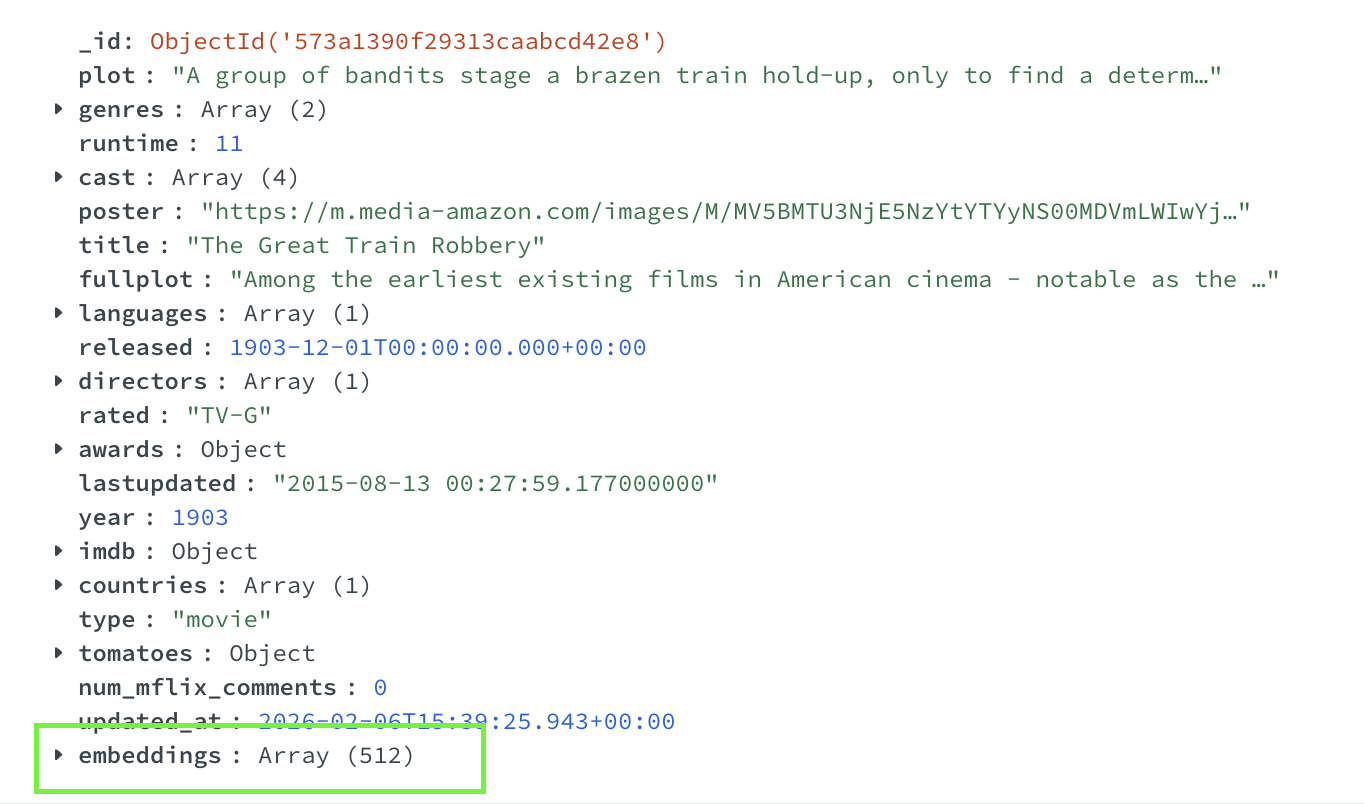 Note: By default, there's a hard limit of 100 total embeddings created by this command. This is so you don't use too many tokens, as the database has tens of thousands of records. Comment out the blocker or raise the pre-set value if you want to experiment with more.
Step 2: Create a vector index
Vector search requires searching an index—a vector index, to be precise. The interesting code is shown below, and you'll have to provide three critical pieces of information:
- path: the field name containing the vector data
- numDimensions: the number of dimensions of the vector, how many numbers are in the vector array
- similarity: the similarity function to be used for the distance calculation
path is something you decide as a developer, and you can name that field anything you want. numDimensions and similarity should be provided by the embedding model creators, so check their documentation. In our case, we're using the Voyage AI voyage-3-lite model, and the embeddings documentation shows 512 dimensions.
To create a vector search index, use the CLI command that is implemented in /app/Console/Commands/CreateVectorIndex.php using the createSearchIndex() function.
$connection = DB::connection('mongodb');$collection = $connection->getCollection($collectionName);// ...$result = $collection->createSearchIndex( [ 'fields' => [ [ 'type' => 'vector', 'path' => config('vector.field_path'), 'numDimensions' => $vectorDimensions, 'similarity' => $vectorSimilarity ] ] ], [ 'name' => $indexName, 'type' => 'vectorSearch' ]);php artisan vector:create-indexIf there's already a vector index, you can delete it and create a new one, using:
php artisan vector:create-index --forceAfter that, you can check that the index has been created and is ready. In our code repo, the initial index build appears almost instantaneous because we have only 100 vector embeddings to index. However, a database with a few thousand vectors would take some seconds, and the index build time may scale linearly from there. We're suggesting using a free instance here, but there are ways to greatly scale in production, including with the dedicated Search Nodes.
For that, we've added a CLI command you can run (implemented in /app/Console/Commands/CheckVectorIndex.php). That function lists all the indexes for a specific collection and checks for a naming convention in this case.
$indexes = iterator_to_array($collection->listSearchIndexes()); // Look for the specific vector index$vectorIndex = null;foreach ($indexes as $index) { if ($index['name'] === $indexName) { $vectorIndex = $index; break; }}php artisan vector:check-indexWhy we check: If you run a vector search query without creating the index first, you won't get an error. Your query executes successfully, the API returns a 200 status code, but the results array is empty. This can be confusing for developers who are new to vector search.
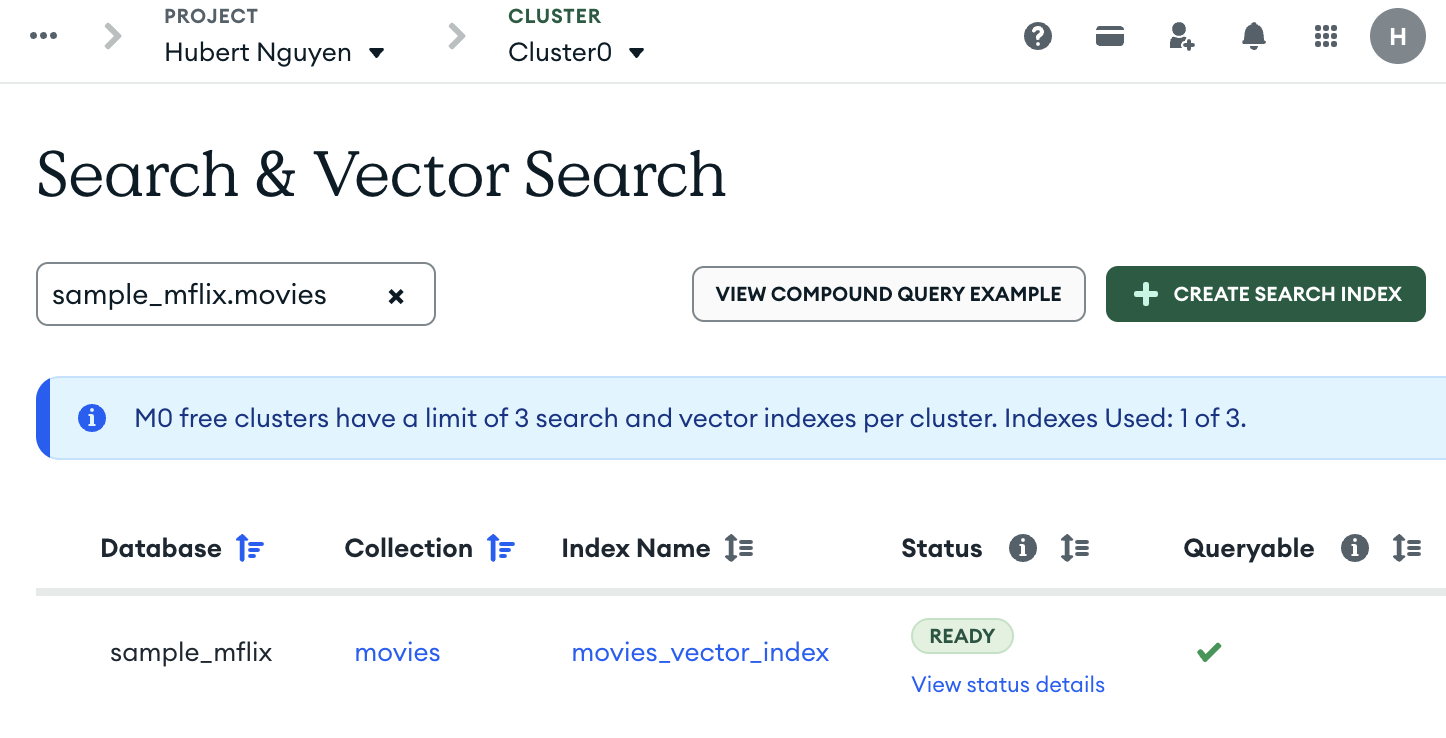
Alternatively, you can also look in the Atlas GUI. Go to the "movies" collection (Database > Clusters > Browse Collections). Select the "sample_mflix.movies" collection, and click on the "Search Indexes" tab. You should see your index as "ready."
Step 3: Perform a query
With a vector index ready to be searched, the last thing we need is to launch a search query! This involves two main steps. First, we need to receive a query from a user, and for that, there's an "/api/movie-search-vector" API endpoint.
The most interesting part of that code is the text query vector embedding generation and the vector search query itself:
// $query is the user text input// $result is a multi-dimensions vector$result = $voyageAI->generateEmbeddings([$query]); if (!$result['success']) { return response()->json([ 'error' => 'Failed to generate query embedding', 'message' => $result['error'] ], 500);} // Voyage AI returns an array of vectors// because we use a batch embedding function$queryVector = $result['embeddings'][0]['embedding']; // Perform vector search using Eloquent$results = Movie::vectorSearch( index: config('vector.index.name'), path: config('vector.field_path'), queryVector: $queryVector, limit: config('vector.search.limit'), // # of ranked results returned numCandidates: config('vector.search.num_candidates'));MongoDB's vector search uses two parameters that work together: numCandidates controls how many approximate matches (the candidate pool) MongoDB examines during the HNSW vector index data structure traversal in memory. Limit controls how many final results are returned to the user. The recommended minimum ratio is 20:1, so if you want 10 results (limit: 10), MongoDB should search through 200 candidates (numCandidates: 200) to ensure it finds the best matches.
The endpoint expects a string input as a URL parameter and you can use CURL as follows:
curl -X POST http://localhost:8000/api/movie-search-vector \ -H "Content-Type: application/json" \ -d '{"query": "outlaws on the run from law enforcement"}'This returns a response like the one below. We've chosen to return only a few fields, like title and plot, to make things more readable and allow you to check how relevant the search is.
{ "query": "outlaws on the run from law enforcement", "results": [ { "_id": {"$oid": "573a1390f29313caabcd42e8"}, "title": "The Great Train Robbery", "plot": "A group of bandits stage a brazen train hold-up...", "score": 0.8234567 } ], "count": 10, "embedding_model": "voyage-3-lite", "vector_dimensions": 512}The "score" field is a very interesting piece of metadata from the vector search engine. It allows you to see the degree of relevance of the results.
Vector search will always return results based on the calculated similarity score, even if the closest match is conceptually unrelated or irrelevant to your query. A very high score (for distance metrics) or a very low score (for similarity metrics) indicates that the returned item is likely not a good match, even though it was the "closest" mathematically.
Now that our vector search is functional, you can try more searches. Remember, vector search can find things based on semantics (meaning) and you do not need to know the exact keywords present in the database records.
Try some of these and see if the results are relevant, and there are more suggestions in the repo's README.md file in the "Semantic Search Query Suggestions" section—have fun!
- "prehistoric creature comes alive"
- "rags to riches criminal empire"
- "sacrifice for a greater cause"
Use cases
MongoDB Vector Search provides a necessary architectural layer for building modern, intelligent Laravel applications. Think of it as replacing flaky, slow, text-based or regex-based database query lookups or complex fuzzy search packages with a specialized search you need to install, manage, secure, and learn.
By sending data to an embedding service and storing the resulting vectors, you can instantly power features that were previously impossible or performance nightmares: semantically relevant search across millions of records, context-aware chatbot retrieval (RAG), and real-time personalized recommendations using a simple, powerful search query via Eloquent.
A diverse range of apps can benefit from vector search, including document search, multimodal (text/image/video) search, recommendations ("more like this"), "similar past events" in logs or telemetry, and more!
Common questions
What happens if the model is updated, or if I change the embedding model?
Generally, if you use a different (updated or new) embedding model, you should expect to have to regenerate the embeddings for all your data. Even small changes in a model can create shifts in the vector space, and this could affect the outcome of your search queries if using previously generated vectors. For model changes, many people run two sets of embeddings and search indexes during the transition period.
Will vector search introduce high latency (slow down my queries) compared to my existing MySQL/full-text search?
At runtime, the vector search query latency will often be faster than a text or regex search on an equally large dataset. It is common for vector queries to run at <200ms, although this number can be affected by the number of candidates selected.
People using vector search in production with very large datasets more often run into cost issues, as the vector index data structure needs to fit in RAM. To mitigate cost (and improve speed), look at using vector quantization.
Conclusion
MongoDB Vector Search is a fundamental upgrade over traditional text query methods because it operates on the principle of semantic meaning rather than keyword matching. This is essential for finding results that would be difficult or impossible to locate with standard database queries, especially when a user's query employs abstract themes, synonyms, or a non-specialized lexicon. By understanding the intent behind the query, vector search can surface the most relevant information, effectively finding what we've called the "unqueryable."
Vector Search is readily available within MongoDB, even in MongoDB Community Edition. This translates directly into flexibility: Leverage MongoDB for unmatched ease of use as your primary database, or deploy it as a secondary, highly scalable vector search database. One thing to consider is that MongoDB also offers full-text search, which can be combined with vector search to unlock the power of hybrid search—something that many alternatives don't have.
MongoDB lets you choose the architecture that best fits your needs, all while keeping advanced vector capabilities native.