Yesterday, we sent out all the invitations to the Slack Team for tomorrow’s Laracon Online event. Many attendees have already registered on Slack and have been chatting ever since. With over 3,500 ticket holders we know that many of you may not be familiar with the Slack system, so I wanted to cover some of the essentials of the app and explain the setup we have in place.
Muting Channels
After you first register and login you will be placed in a #general channel with everyone. This channel has been very busy and, as such, it’s not a bad idea to silence it. To do this go to the gear icon at the top and click “mute”:
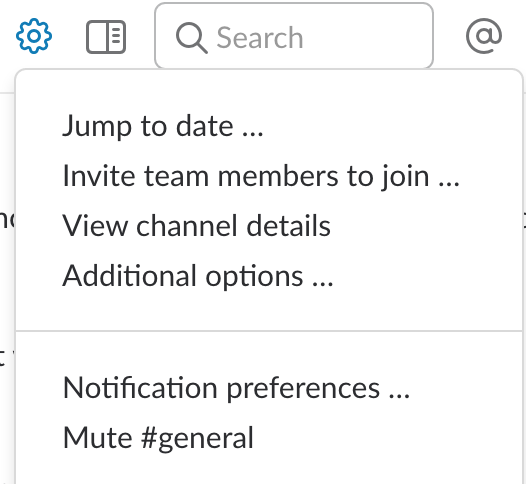
When you mute a channel it prevents all notifications and stops the unread icon from appearing unless you are mentioned through the @{username} tag.
Laracon Channels
The next step you’ll want to take is to join the various speaker and question channels. These are accessed via the “CHANNELS” link in the sidebar.
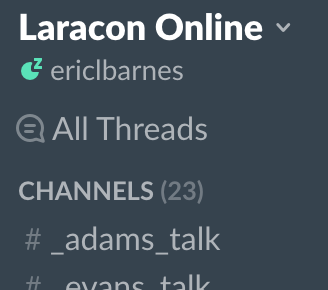
We have two for each speaker, _{name}_talk and questions_for_{name}. The talk channel is just for discussion while the talk is going on and the questions channel is for any questions you may have that you’d like the speaker to address after their talk is over. Depending on time we will select a few for them to cover live and then after they finish they will be able to address the others within the channel.
For those that are not native English speakers or want to meet others within their region of the world, we have channels for each continent prefixed with “geo.”
Pinned Messages
Pinned messages, accessed via the tiny “pin” icon at the top of the channel will show you any messages that contains interesting information.
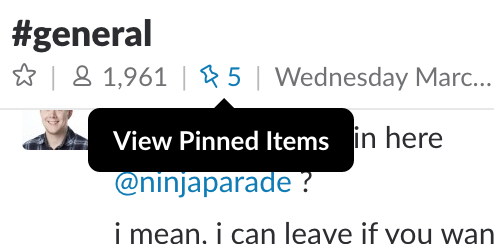
Right now this includes the topic list shown below, country-specific time zone schedules, and a few different Slack themes.
Laracon Topic List
All times are EST, and you can see country-specific times here.
- 8:00 am Mingle in Slack
- 8:45 am Opening remarks
- 9:00 am Jeffrey Way “Laravel Mix.”
- 10:00am Evan You “Something Vue.js 2.2+ related”
- 11:00 am Break
- 11:15 am Rachel Andrew “CSS Grid and Flexbox.”
- 12:15 pm Adam Wathan “You Might Not Need a Mocking Framework.”
- 1:15 pm Break
- 1:30 pm Taylor Otwell “Laravel 5.4 internals walkthrough.”
- 2:30 pm Nick Canzoneri “What developers should know about email.”
- 3:30 pm Break
- 3:45 pm Jason McCreary “You don’t know Git.”
- 4:45 pm Matt Stauffer “Mastering the Illuminate Container.”
- 5:45 pm Closing remarks
- 6:00 pm Mingle in Slack
Tickets are still available for $20 and will be kept open through the day of the conference. However, if you are waiting I’d recommend getting yours today so you can have everything set up and ready for the event on Wednesday.