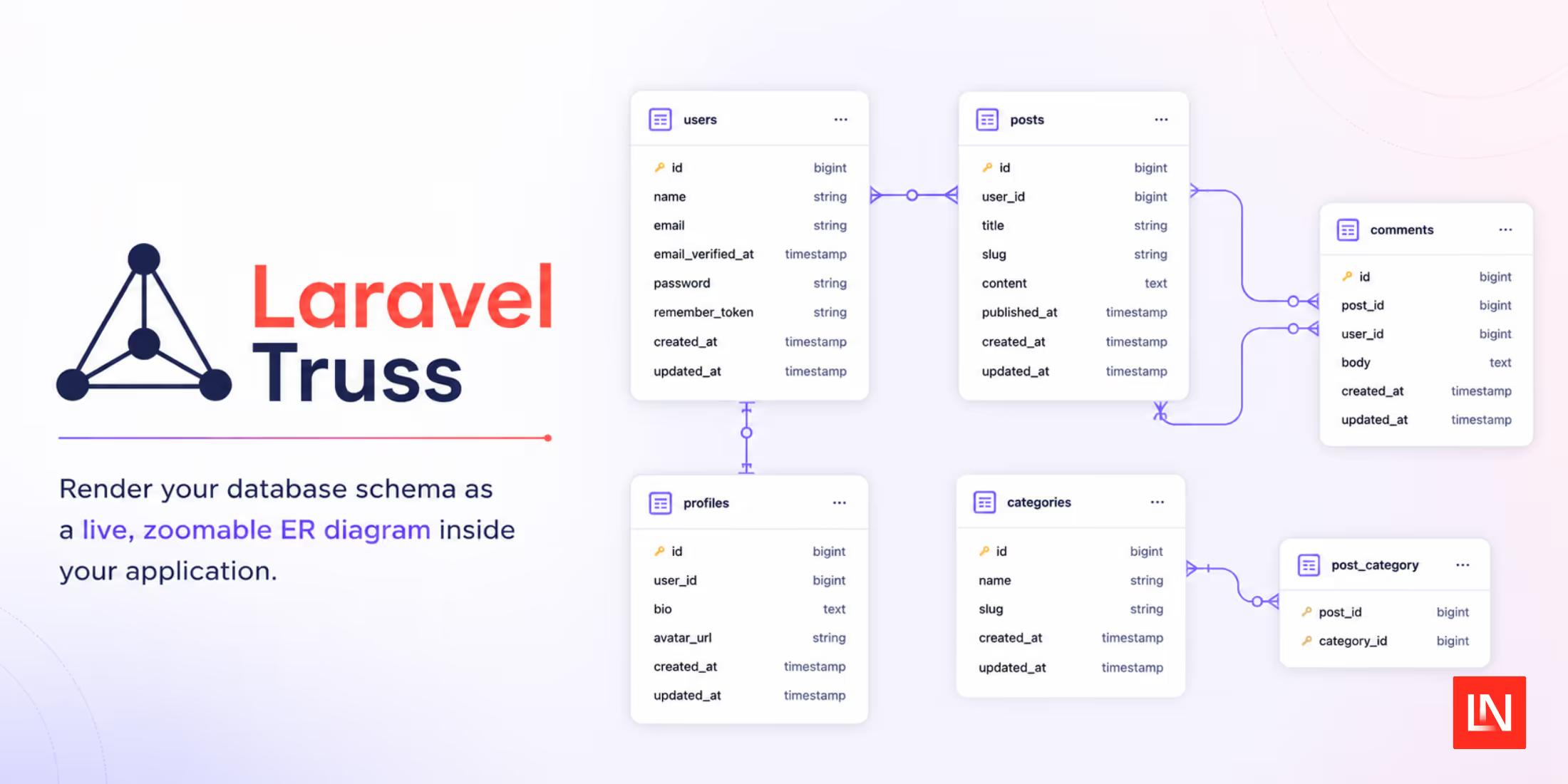
Laravel Truss is a package by Alberto Arena that draws your database structure as a zoomable entity-relationship diagram you can open in the browser. It reads structure only, meaning tables, columns, keys, and indexes, and never queries row data, so you don't need to point an external GUI client at the database or regenerate a static diagram every time you run a migration.
What you get:
- Live ER diagrams: tables, columns, primary keys, and relationships, rendered with vendored Mermaid assets.
- Focus mode: isolates one table and its foreign-key neighbours.
- Schema diffing: shows added, removed, or modified tables, columns, indexes, and foreign keys since the last migration.
- Schema doctor: checks for missing primary keys, unindexed foreign keys, duplicate indexes, and risky column types.
- Multi-connection support: switch between configured database connections from a toolbar picker.
- Exports: the diagram as PNG or SVG from the browser, and the structure as DBML, JSON, CSV, Mermaid, or a Markdown data dictionary from the browser or the command line.
- Offline and CSP-safe: fonts and Mermaid libraries ship with the package, so nothing is fetched from a CDN.
Interactive ER Diagram Dashboard
Visit /truss to get a map-style canvas you can pan and zoom over your tables. Click a table and Focus Mode highlights it along with its foreign-key neighbours, dimming everything else.
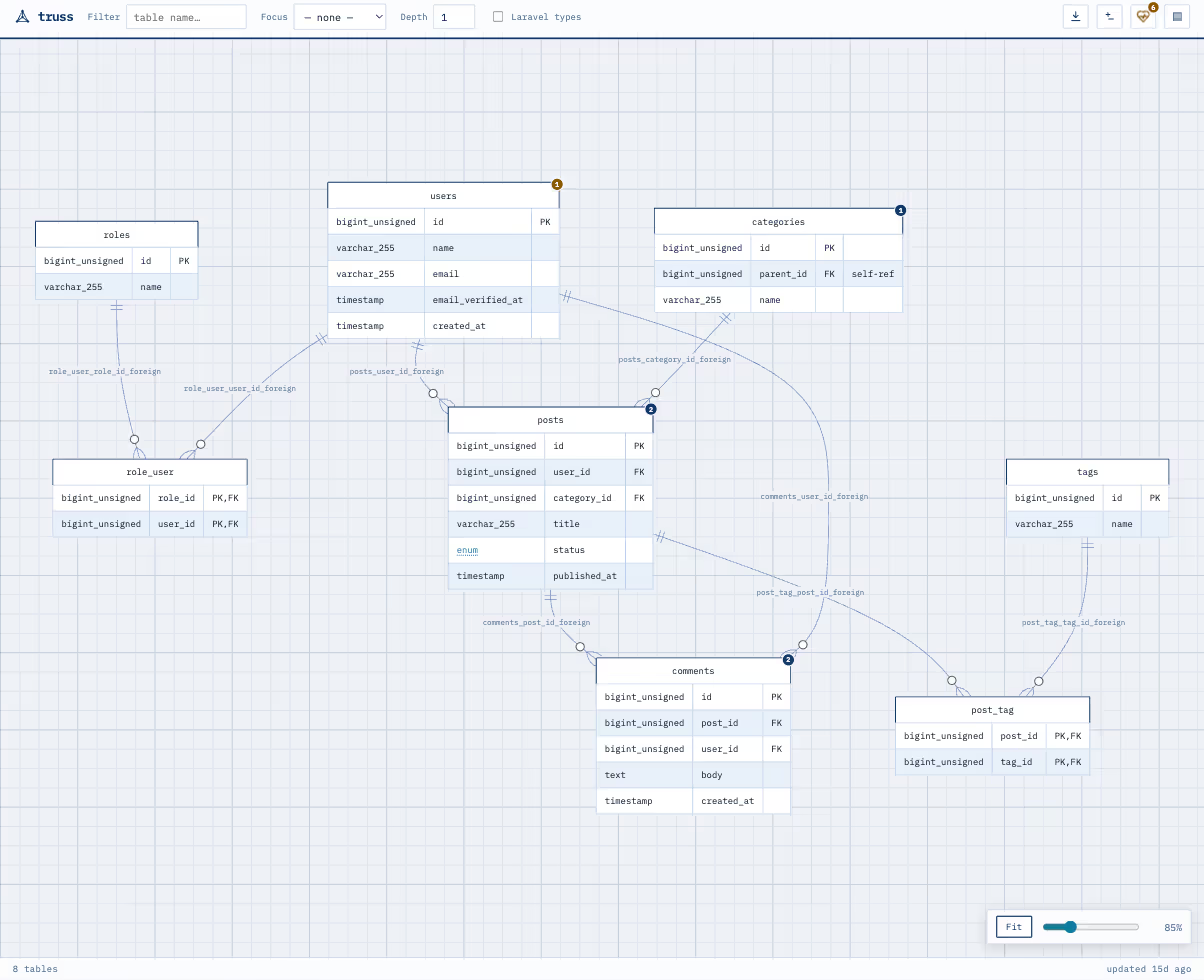
Focusing the posts table centres it with the four tables it references or is referenced by, and hides the rest of the schema from view. The Depth control widens that ring one hop at a time.
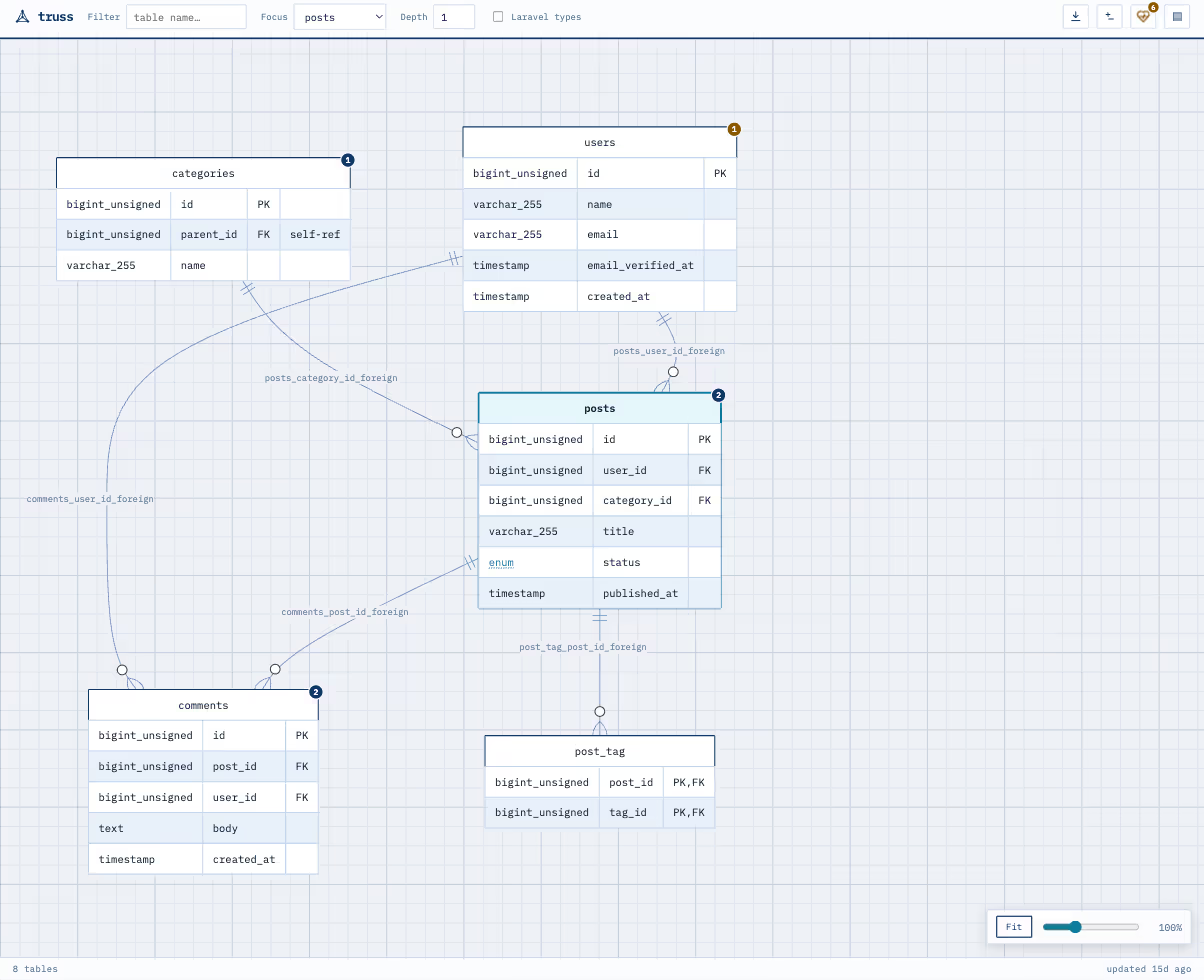
You can filter tables by name, toggle between native SQL types and Laravel-style column labels, and switch between light and dark blueprint themes. If your application talks to more than one database, list the connections you want to see in config/truss.php. The keys are the connection names you already have in config/database.php, and each one can hide its own tables:
// config/truss.php'connections' => [ 'pgsql' => [], 'analytics' => ['excluded_tables' => ['page_views', 'raw_events']],],With two or more connections configured, a picker appears in the dashboard toolbar. Switching it re-renders the connection's schema and keeps the selection in the URL so that you can bookmark or share a particular view. Each connection is introspected against its own database, so nothing from a neighbouring schema leaks into the diagram.
Since the static assets and fonts are bundled with the package, the dashboard works offline and runs under strict Content Security Policy rules without pulling in third-party scripts.
Schema Diffing and Migration Tracking
Truss caches a structural snapshot after your migrations run, then compares the current database against that snapshot. Along the same lines as tools for detecting schema changes, it surfaces the result in a "Changes" panel in the web interface and through an Artisan command:
php artisan truss:diffThe diff covers added or dropped tables, changes to column types, index adjustments, and foreign key updates. It never reads table records.
Schema Doctor Diagnostics
Schema Doctor runs deterministic checks against your structure and flags:
- Tables with no primary key.
- Foreign key columns without an index.
- Duplicate or redundant index definitions.
- Risky data type choices.
The results show up in the dashboard's "Health" panel, and you can run the same checks from a terminal or a CI pipeline:
php artisan truss:doctorCommand-Line and Multiple Format Exports
For documenting a database or handing a structural report to the rest of the team, Truss exports both the visual diagram and the definitions behind it. The dashboard's export button saves the diagram as PNG or SVG, and the structure as DBML, JSON, CSV, Mermaid, or a Markdown data dictionary. You can also work one table at a time: clicking a table in the diagram opens a menu to focus it, copy its JSON, or download that single table as JSON, CSV, or Markdown, which is handy when you only need to hand someone the shape of one table. The same structural formats are available for the whole schema from the terminal:
php artisan truss:export --format=dbml --output=docs/schema.dbmlOutput goes to stdout unless you pass --output, and it's deterministic, so the same schema always produces the same bytes no matter what order the database reports its tables in. That's what makes the --check flag useful in CI: it regenerates the export, compares it against the committed file, and exits non-zero when they differ, so a migration that changes the schema without refreshing the file fails the build.
That export sits alongside tools like the schema dump command when you're working with a large schema or keeping project documentation up to date.
Installation and Setup
Truss requires PHP 8.3+ and Laravel 12+. For local development, install it as a dev dependency:
composer require albertoarena/laravel-truss --devBy default, the /truss route is only enabled in the local environment. To use it in staging or production behind an authorisation gate, install it as a regular dependency without --dev, then enable it and configure viewers in your app.
For custom themes, authorisation, and the full list of CLI options, see the Laravel Truss GitHub repository or the Truss documentation site.