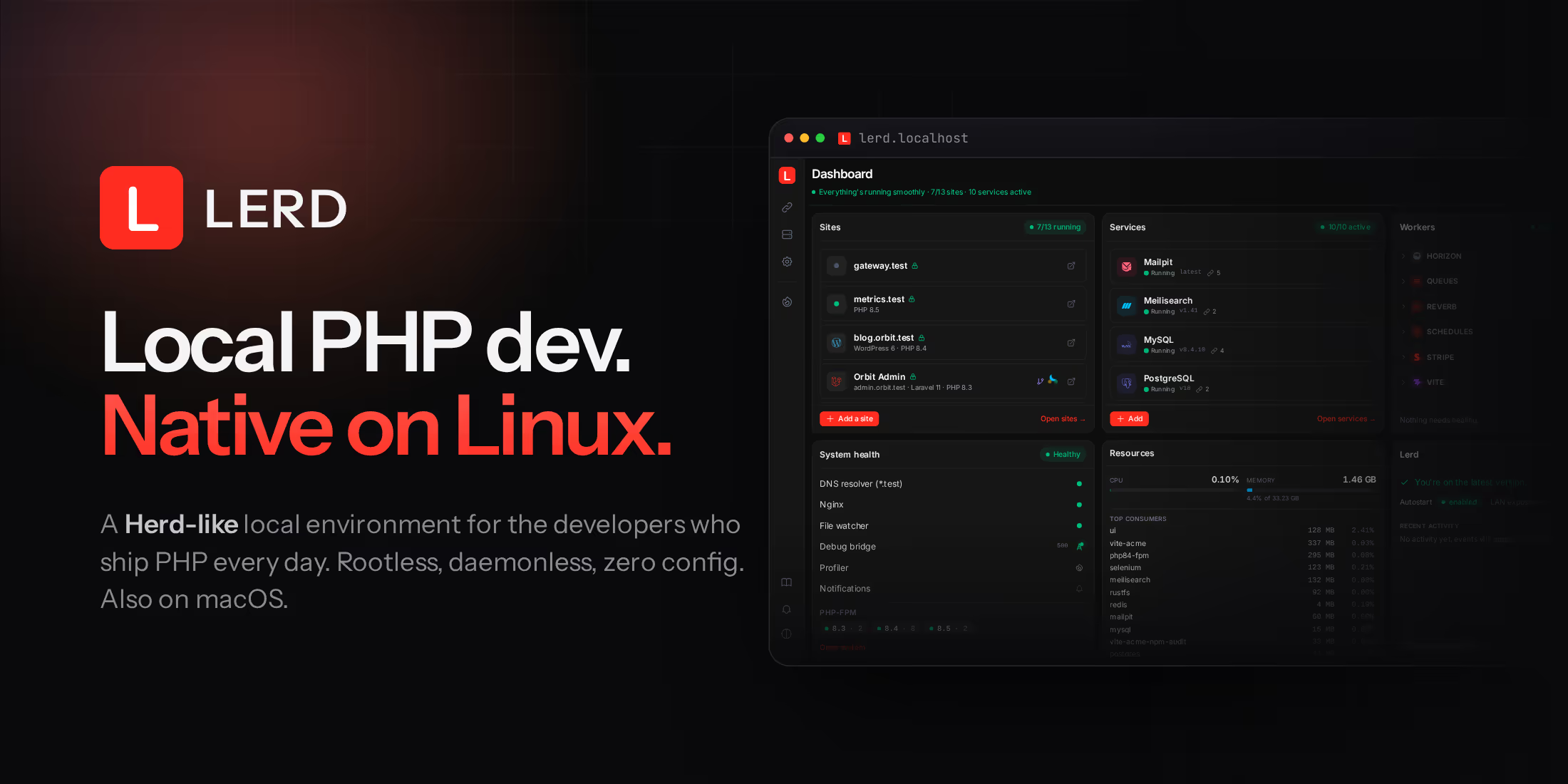
If you're on macOS, Laravel Herd is pretty much the default now. On Linux, local dev has long been a mess: Sail stacks eating a gigabyte of RAM each, hand-rolled nginx configs, or a system PHP that breaks every time two projects disagree on a version. And Herd doesn't run there.
Even on macOS there's a catch. The core Herd experience is free, but the parts you end up needing daily, the dump viewer, mail capture, the database services, sit behind a Pro subscription.
The idea behind Lerd is simple: the full experience should be free and open source, on both platforms. Link a project and it's live at project.test with trusted HTTPS, its own PHP version, and its services running. No Docker Desktop, no sudo, nothing to configure and nothing behind a paywall.
cd ~/code/my-app
lerd link
# → detecting framework… Laravel
# → php 8.4 · node 22 · nginx vhost written
# → https://my-app.test
Under the hood
Everything runs as rootless Podman containers wired into systemd user services on Linux and launchd on macOS. There's no daemon running as root, no background process you didn't ask for. Every project gets its own PHP version, from 8.5 down to a frozen 7.4 legacy tier for the client projects still hosted on the old stack, plus per-project Node through the bundled fnm or an nvm you already have, and bun as a first-class JS runtime. FrankenPHP is available per site as an alternative to PHP-FPM, with Laravel Octane worker mode. All projects run simultaneously, and a stack that would cost gigabytes under per-project Docker Compose idles at a fraction of that.
Framework detection goes well beyond Laravel. Symfony, WordPress and Magento projects come up correctly on link, along with a dozen other frameworks, each with the right nginx rules, env handling and required services, pulled from a versioned community store that updates without waiting for a release. Non-PHP projects work too, a Node, Python or Go dev server can sit behind its own .test domain as a host-proxy site.
Debugging with nothing to install
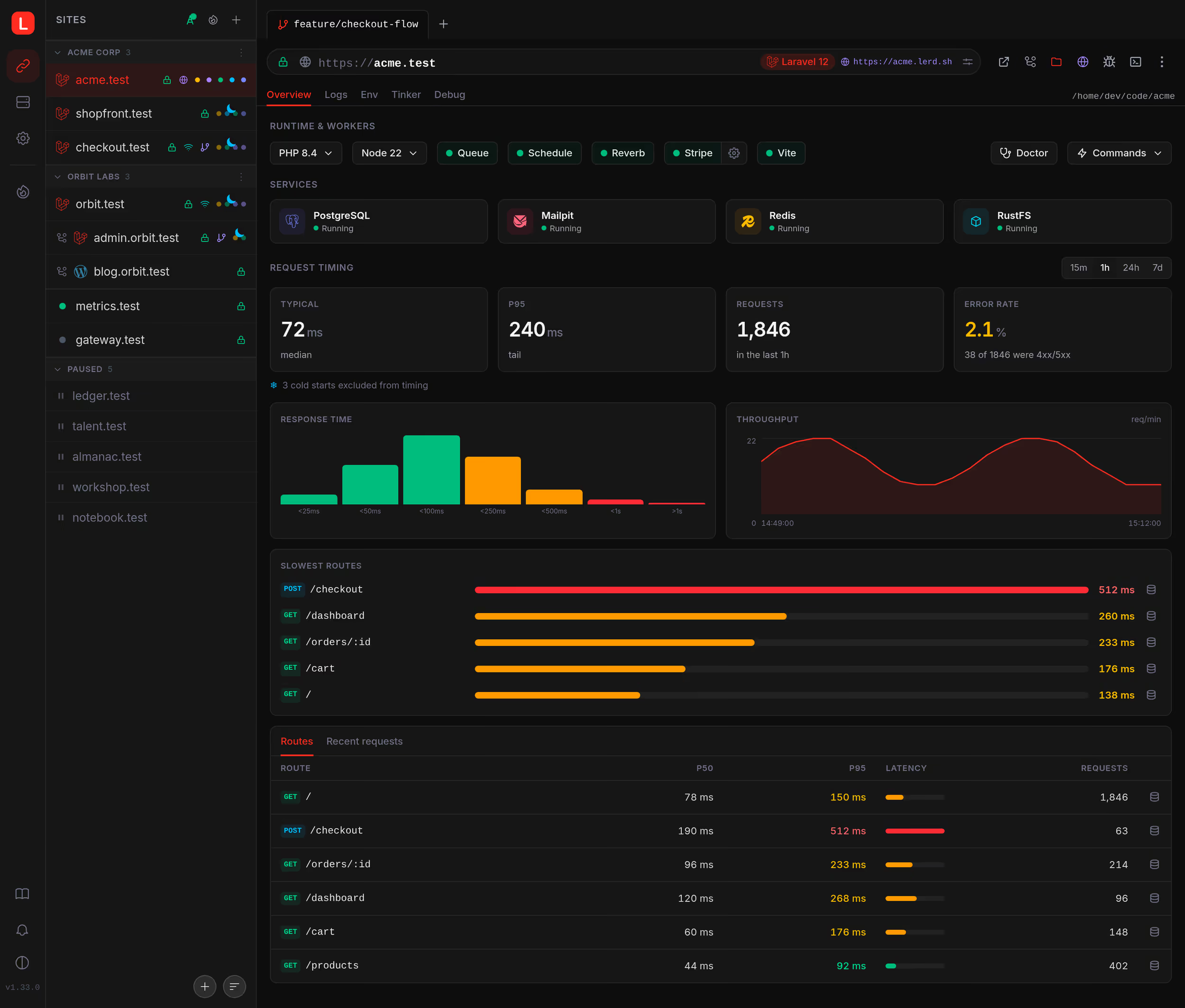
Lerd intercepts every dump() and dd() and streams it to the dashboard, alongside SQL queries with N+1 and slow-query detection, outgoing mail, rendered views, events, queued jobs, and outgoing HTTP, grouped per request, for Laravel and Symfony, without adding a single package to your project.
When something is slow, the built-in SPX profiler turns any request into a flame graph with one click, no FPM restart, no code changes. A per-site timing view fed passively from the nginx access log ranks the slowest routes by recent p95, so you profile what's slow in real traffic rather than what you guessed. And a Tinker tab gives every site an in-browser PHP REPL with project-aware autocomplete: your models and Builder chains resolve as you type.
Git worktrees with isolated databases
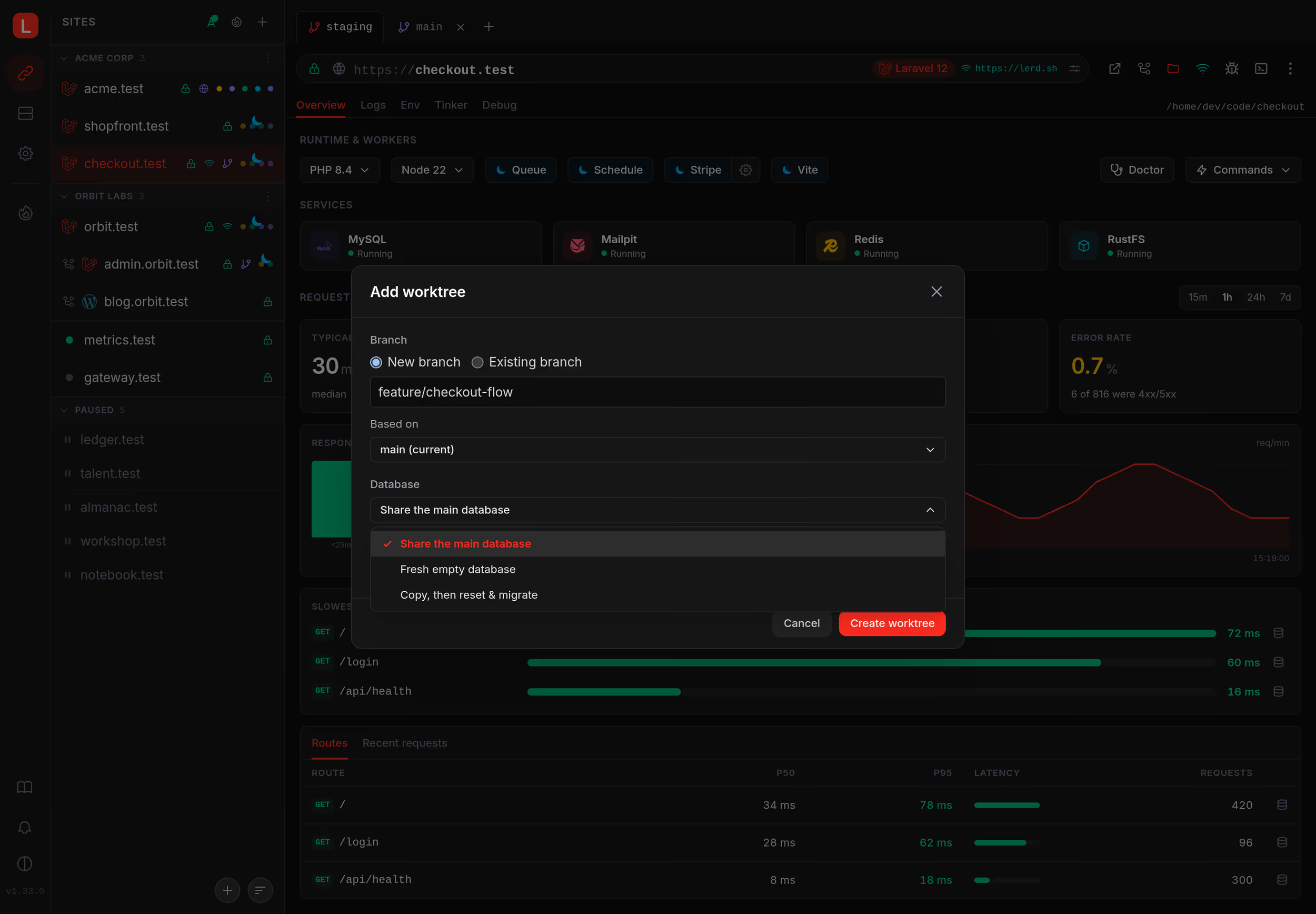
Each branch gets its own subdomain and its own database. Run migrations on a feature branch without touching the data on main, then switch back and everything is exactly as you left it. Each worktree can pin its own PHP and Node version and runs its own Vite worker, and a running Vite serves its assets under the site's own .test hostname instead of localhost:5173, so a shared or LAN-opened page arrives styled. If you run parallel AI coding agents, each one works in its own isolated environment, and lerd worktree wait lets a script or an agent block until a fresh checkout is fully provisioned before touching it.
Services, databases and sharing

MySQL, PostgreSQL, Redis, Mailpit and the rest of the usual stack install with one click, and every add-on service comes from a store that updates independently. Databases are managed from the dashboard: create, drop, export, import, snapshot, or open an admin tool without leaving the browser. A dump taken from a managed provider imports cleanly, ownership and definer statements are filtered on the way in. JetBrains users get their IDE wired automatically: a linked project receives one data source pointed at its own lerd database, on the host port it answers on.
Sharing works the way you do: LAN share with a QR code for testing on a real phone, public tunnels through Cloudflare, ngrok or Pinggy, stable URLs on a domain you control, or a share straight through a reverse proxy or VPN you already run.
A dashboard, a TUI, and one-click upkeep
The built-in web UI covers sites, services, live logs in real colour, a global command palette, and in-browser editing of nginx configs, php.ini and .env files, validated before they apply, with timestamped backups. It ships in fourteen languages and installs as a PWA. Prefer the terminal? lerd tui opens a btop-style dashboard with the same operations surface, built for tmux and SSH workflows. There's also an optional native desktop app with system notifications.
Maintenance is automated too: lerd doctor checks the environment and repairs what it safely can, a site doctor runs health checks per project with one-click fixes, failed queue and schedule workers self-heal, and idle sites suspend their workers automatically, resuming on the next request or file save.
Built for the AI-assisted workflow
Lerd ships an MCP server, so assistants like Claude Code, Cursor or Copilot can scaffold projects, run migrations, switch PHP versions and read logs directly. It also diagnoses performance from real traffic: the route_timing and optimize_route tools hand the assistant a slow route together with the N+1 queries and CPU hotspots behind it, so it works from real behavior instead of guessing from code.
You: set up the project I just cloned
AI:  → site(action: "link")
     → exec(action: "composer", args: ["install"])
     → env(action: "setup")
     → framework(action: "setup")
     ✓  myapp → https://myapp.test ready
On macOS: everything Herd Pro charges for, free
If you're on a Mac and happy paying for Herd Pro, it's a great product and there's no urgent reason to switch. But if you've been holding off on Pro, Lerd gives you the pieces it gatekeeps at no cost: the dump and query window, local mail capture, database services with admin UIs, the profiler and log viewing, plus things Herd does not have, like per-branch database isolation for git worktrees, a terminal dashboard for tmux and SSH workflows, and production parity through the same container images your servers run. One trade-off worth knowing: on macOS, Lerd runs its containers inside a lightweight Podman VM, so it won't be as light as Herd's native processes. Whether free and open source is worth that is your call to make.
Free means free
Lerd is fully open source under MIT, with every feature included: no Pro tier, no telemetry, no account required. If you want to give it a spin, one command on Linux or macOS:
curl -fsSL https://lerd.sh/install.sh | bash
Then lerd link inside any project. Ubuntu and Debian users can install from the PPA with apt instead, NixOS has its own flake, and Windows works through WSL2, currently in beta. The docs and a live dashboard demo are at lerd.sh, and the code is at github.com/lerd-env/lerd.