
Mailbox for Laravel captures outgoing email and displays it inside your application at /mailbox. Built by Redberry and maintained by Nika Jorjoliani, the package gives developers a local inbox without a separate mail service or process. Its test API also lets you check the message after Laravel renders it.
Set up the local inbox
The package requires PHP 8.3 or later and supports Laravel 10 through 13. Install it as a development dependency, run its install command, and select the mailbox mailer:
composer require redberry/mailbox-for-laravel --devphp artisan mailbox:installMAIL_MAILER=mailboxIf your staging deploy runs composer install --no-dev, install Mailbox as a regular dependency to use it there.
The install command publishes the assets and configuration and runs the package migrations. The transport captures Mailables, notifications sent by mail, and Mail::raw() messages. By default, captured messages go into a dedicated SQLite database at storage/app/mailbox/mailbox.sqlite. You can instead use an existing database connection or the package's file store.
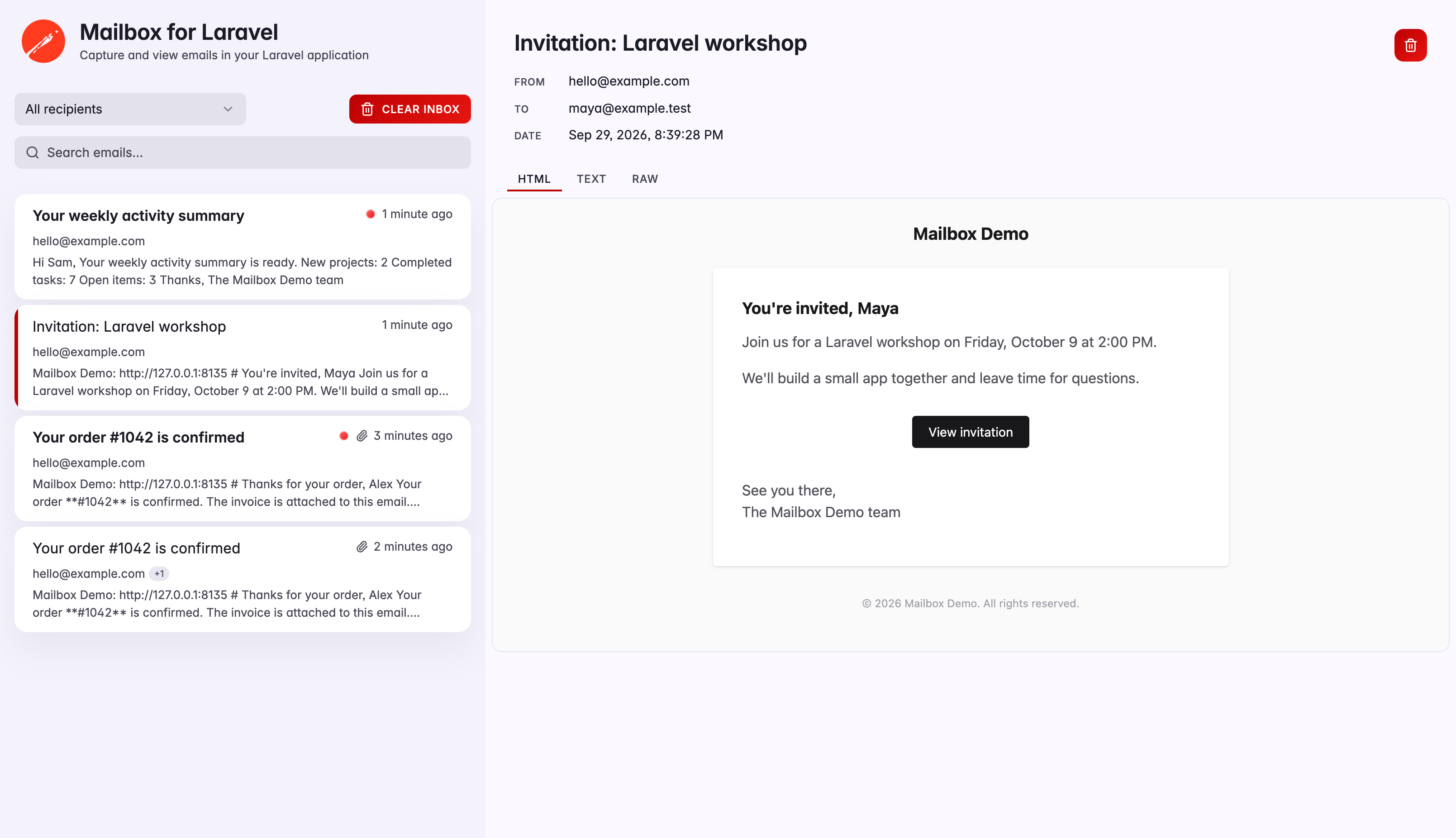
Open /mailbox to inspect the inbox. You can switch between HTML, plain-text, and raw message views, preview or download attachments, and search or filter by recipient. The message list updates without a manual refresh.
Assert against rendered messages
Once your app sends an email through Mailbox, you can assert on the rendered HTML, recipients, and attachments. For an order confirmation, the test might look like this:
use Redberry\MailboxForLaravel\Facades\Mailbox; Mailbox::assertSentCount(1); Mailbox::firstSent() ->assertHasSubject('Order Confirmation') ->assertHasTo('buyer@example.com') ->assertSeeInHtml('Order #12345') ->assertHasAttachment('receipt.pdf', 'application/pdf');The optional InteractsWithMailbox trait clears captured messages before each test and gives you $this->mailbox() as an alternative to the facade. You can also check the text body, sender, headers, and attachment count. If a test captures several messages, pass a callback to firstSent() to pick one.
Capture mail and deliver it
With MAIL_MAILER=mailbox, messages go to the dashboard and stop there. To deliver them too, point MAILBOX_DECORATE at one of your configured mailers:
MAIL_MAILER=mailboxMAILBOX_DECORATE=smtpMailbox is disabled by default in production. Keep your normal production mailer configured. If MAIL_MAILER=mailbox remains set while MAILBOX_ENABLED=false, emails won't be sent.
The dashboard's default gate allows access outside production. On staging, protect /mailbox with authentication and define a restrictive viewMailbox gate. Captured email may contain reset tokens and personal data.
Automatic pruning is off by default. Set MAILBOX_RETENTION_SCHEDULE=true to run daily cleanup for messages past the configured retention period.
For full documentation, configuration options, and the testing API, see the GitHub repository.