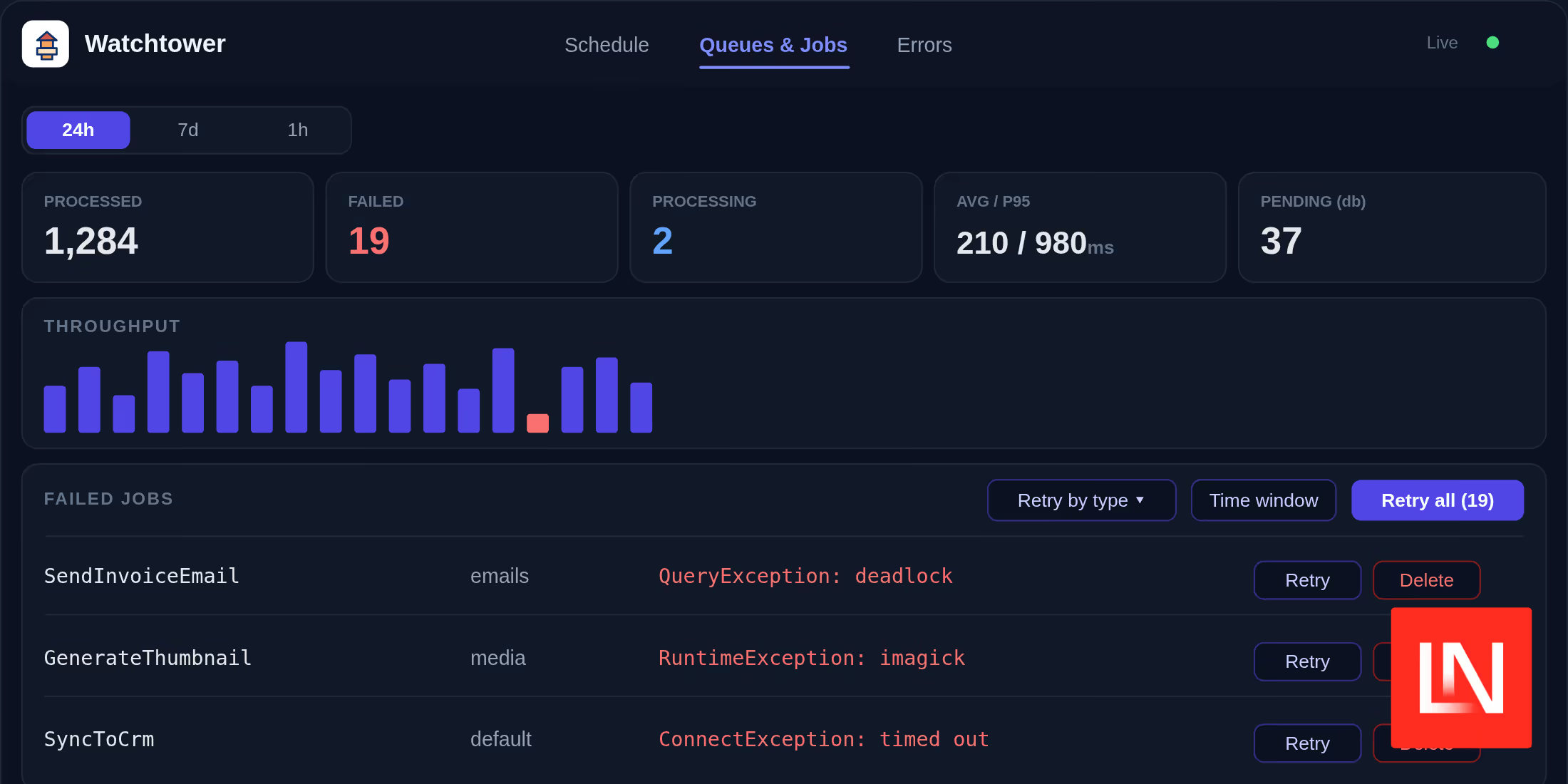
Watchtower is a Laravel package that puts scheduled tasks, queues, jobs, and exceptions on a single dashboard built to stay running in production. At a glance, it gives you:
- One dashboard for scheduled tasks, queues, jobs, and exceptions
- Actions, not just visibility — run a task on demand, bulk-retry failed jobs, and mark errors resolved
- Any queue driver (database, Redis, or SQS), with no Redis dependency
- Awareness of single-database, multi-database, and multi-tenant setups
- Production-safe recording with deferred writes, sampling, and automatic pruning
- Gate-based access control in the style of Horizon and Telescope
- Optional Slack, webhook, or email alerts
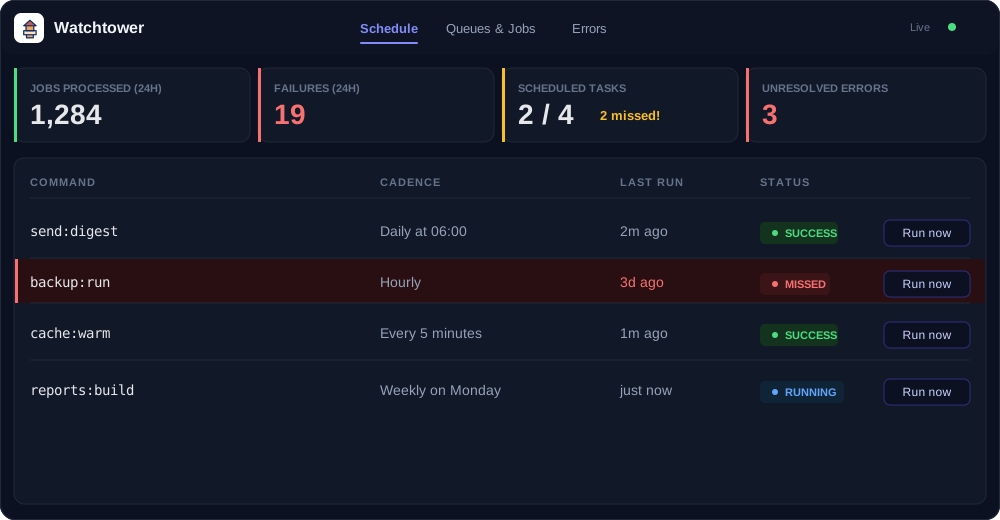
Three Tabs for Background Work
The dashboard is split into three views. The Schedule tab lists every scheduled task with its cron expression written in plain English, alongside run history, durations, and missed-run detection — and a "Run now" button to dispatch a task immediately.
The Queues & Jobs tab puts live queue metrics next to the failed-jobs table, where you can retry a single job or bulk-retry by exception type or time window.
The Errors tab groups exceptions by type and count, with full stack traces, request and job context, and resolve/reopen controls.
None of this is tied to a particular driver: queues can run on database, Redis, or SQS, and Watchtower reads from a dedicated connection when your app spans multiple databases or tenants.
Production Safety by Default
Recording activity on every request and job could easily become a tax on the app it's watching, so Watchtower defers its writes to Laravel's terminating() callback to keep them off the request path. High-traffic apps can record only a fraction of activity with a sampling rate while still capturing every failure and schedule run, and all stored fields are truncated to bound row sizes. A daily watchtower:prune command clears aged records on per-type retention windows — 30 days for schedule runs and exceptions, 7 days for queue records by default.
Most of this is tuned through environment variables. A few of the available settings:
WATCHTOWER_ENABLED=trueWATCHTOWER_DB_CONNECTION=monitoringWATCHTOWER_SAMPLING_RATE=0.25WATCHTOWER_AFTER_RESPONSE=trueWATCHTOWER_RETAIN_EXCEPTIONS=30Setting WATCHTOWER_ENABLED=false is a kill switch that stops recording instantly, and ignore lists for jobs, commands, and exceptions keep noisy items off the dashboard.
Authorization
By default the dashboard is restricted to the local environment; opening it up elsewhere means defining the viewWatchtower gate:
use Illuminate\Support\Facades\Gate; Gate::define('viewWatchtower', function ($user) { return $user !== null && $user->isAdmin();});There's also a fluent callback if you'd rather keep the authorization logic with the package:
use Watchtower\Watchtower; Watchtower::auth(fn ($request) => $request->user()?->isAdmin());Unauthorized requests receive a 403 response.
Optional Alerts
Watchtower can notify you when a scheduled task fails, a run is missed, or failed jobs cross a threshold (25 within 60 minutes by default). Alerts stay off until you set WATCHTOWER_ALERTS_ENABLED=true, and they can go out over Slack, a generic webhook, or email. The checks run from the watchtower:monitor command, which you schedule alongside your other tasks:
$schedule->command('watchtower:monitor')->everyFiveMinutes();Watchtower requires PHP 8.2+ and Laravel 11 or 12, and is MIT-licensed. You can find the source, configuration reference, and installation details on GitHub.