Package
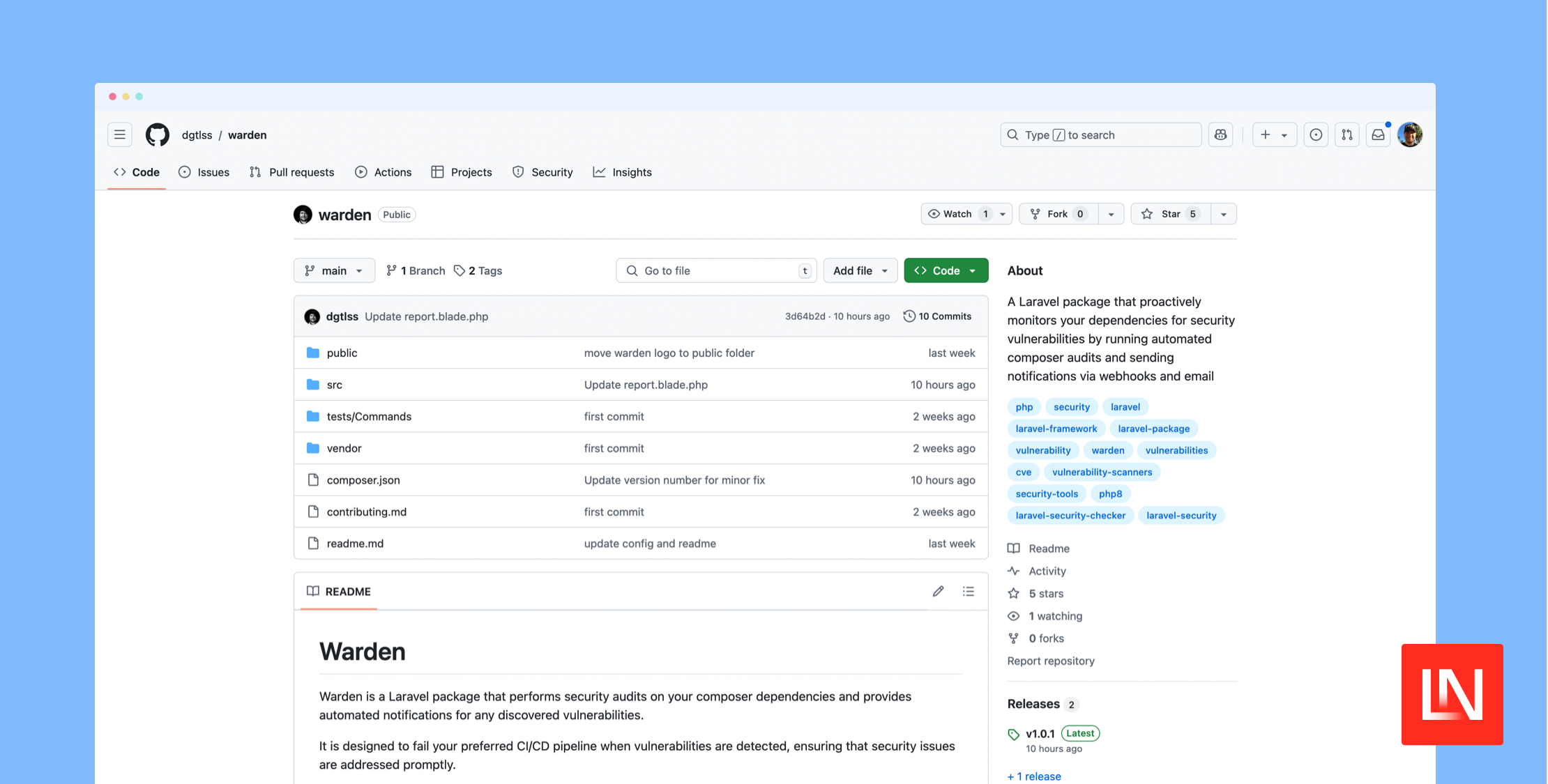
Dgtlss Warden
A Laravel package that proactively monitors your dependencies for security vulnerabilities by running automated composer audits and sending notifications via webhooks and email
Warden
Warden is a Laravel package that performs security audits on your composer dependencies and provides automated notifications for any discovered vulnerabilities.
It is designed to fail your preferred CI/CD pipeline when vulnerabilities are detected, ensuring that security issues are addressed promptly.
Installation
You can install the package via composer:
composer require dgtlss/wardenConfiguration
Publish the configuration file:
php artisan vendor:publish --tag="warden-config"This will create a config/warden.php file in your application.
Environment Variables
Add the following variables to your .env file:
# Webhook ConfigurationWARDEN_WEBHOOK_URL=# Email Recipients ConfigurationWARDEN_EMAIL_RECIPIENTS=email1@example.com,email2@example.comUsage
Warden provides a simple command to run security audits:
php artisan warden:auditCommand Options
--silent: Run the audit without sending notifications
php artisan warden:audit --silentExit Codes
The command returns different exit codes based on the audit results:
0: No vulnerabilities found1: Vulnerabilities detected2: Audit process failed to run
Notifications
Warden supports two types of notifications:
1. Webhook Notifications
Configure WARDEN_WEBHOOK_URL in your .env file to receive webhook notifications. The webhook will receive a POST request with the audit report in the request body.
2. Email Notifications
Configure the email recipients and SMTP settings in your .env file to receive email notifications. Multiple recipients can be specified as a comma-separated list in WARDEN_EMAIL_RECIPIENTS.
Report Format
The audit report includes:
- Package name
- Vulnerability title
- CVE identifier
- Reference link
- Affected versions
CI/CD Integration
Warden is designed to fail your CI/CD pipeline when vulnerabilities are detected. This ensures that security issues are addressed promptly.
Example GitHub Actions workflow:
steps: - name: Security Audit run: php artisan warden:audit continue-on-error: falseExample Chipper CI workflow:
tasks: - name: Install Dependencies script: composer install --no-interaction --prefer-dist - name: Run Warden Audit script: php artisan warden:audit --silentLicense
This package is open source and released under the MIT License.
Contributing
We welcome contributions to improve the package. Please see our CONTRIBUTING GUIDELINES for guidelines on how to submit improvements and bug fixes.
Donate
If you find this package useful, please consider donating to support its development and maintenance.