Tailwind Merge Laravel
Tailwind Merge Laravel stats
- Downloads
- 15.4K
- Stars
- 135
- Open Issues
- 1
- Forks
- 7
TailwindMerge for Laravel merges multiple Tailwind CSS classes by automatically resolving conflicts between them
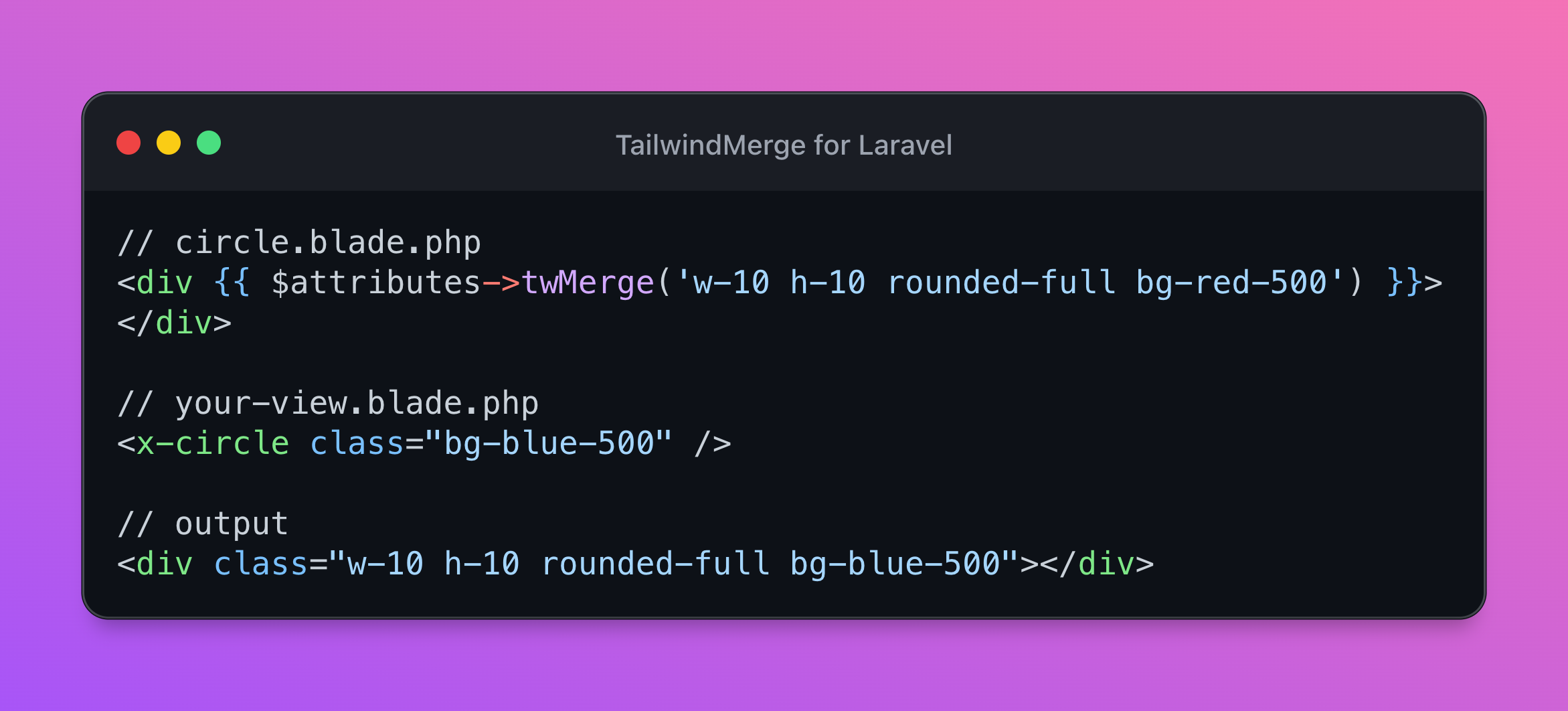




TailwindMerge for Laravel allows you to merge multiple Tailwind CSS classes and automatically resolves conflicts between classes by removing classes conflicting with a class defined later. This is especially helpful when you want to override Tailwind CSS classes in your Blade components.
A Laravel / PHP port of tailwind-merge by dcastil.
Supports Tailwind v3.0 up to v3.3.
If you find this package helpful, please consider sponsoring the maintainer:
- Sandro Gehri: github.com/sponsors/gehrisandro
If you are NOT using Laravel, you can use the TailwindMerge for PHP directly.
Table of Contents
Get Started
Requires Laravel 10
First, install TailwindMerge for Laravel via the Composer package manager:
composer require gehrisandro/tailwind-merge-laravelOptionally, publish the configuration file:
php artisan vendor:publish --provider="TailwindMerge\Laravel\TailwindMergeServiceProvider"This will create a config/tailwind-merge.php configuration file in your project, which you can modify to your needs
using environment variables. For more information, see the Configuration section:
TAILWIND_MERGE_PREFIX=tw-Finally, you may use TailwindMerge in various places like your Blade components:
// circle.blade.php<div {{ $attributes->twMerge('w-10 h-10 rounded-full bg-red-500') }}></div> // your-view.blade.php<x-circle class="bg-blue-500" /> // output<div class="w-10 h-10 rounded-full bg-blue-500"></div>TailwindMerge is not only capable of resolving conflicts between basic Tailwind CSS classes, but also handles more complex scenarios:
use TailwindMerge\Laravel\Facades\TailwindMerge; // conflicting classesTailwindMerge::merge('block inline'); // inlineTailwindMerge::merge('pl-4 px-6'); // px-6 // non-conflicting classesTailwindMerge::merge('text-xl text-black'); // text-xl text-black // with breakpointsTailwindMerge::merge('h-10 lg:h-12 lg:h-20'); // h-10 lg:h-20 // dark modeTailwindMerge::merge('text-black dark:text-white dark:text-gray-700'); // text-black dark:text-gray-700 // with hover, focus and other statesTailwindMerge::merge('hover:block hover:inline'); // hover:inline // with the important modifierTailwindMerge::merge('!font-medium !font-bold'); // !font-bold // arbitrary valuesTailwindMerge::merge('z-10 z-[999]'); // z-[999] // arbitrary variantsTailwindMerge::merge('[&>*]:underline [&>*]:line-through'); // [&>*]:line-through // non tailwind classesTailwindMerge::merge('non-tailwind-class block inline'); // non-tailwind-class inlineIt's possible to pass the classes as a string, an array or a combination of both:
TailwindMerge::merge('h-10 h-20'); // h-20TailwindMerge::merge(['h-10', 'h-20']); // h-20TailwindMerge::merge(['h-10', 'h-20'], 'h-30'); // h-30TailwindMerge::merge(['h-10', 'h-20'], 'h-30', ['h-40']); // h-40Usage
For in depth documentation and general PHP examples, take a look at the gehrisandro/tailwind-merge-php repository.
Use in Laravel Blade Components
Create your Blade components as you normally would, but instead of specifying the class attribute directly, use the mergeClasses method:
// circle.blade.php<div {{ $attributes->twMerge('w-10 h-10 rounded-full bg-red-500') }}></div>Now you can use your Blade components and pass additional classes to merge:
// your-view.blade.php<x-circle class="bg-blue-500" />This will render the following HTML:
<div class="w-10 h-10 rounded-full bg-blue-500"></div>Note: Usage of
$attributes->merge(['class' => '...'])is currently not supported due to limitations in Laravel.
Merge classes on multiple elements
By default Laravel allows you to only merge classes in one place. But with TailwindMerge you can merge classes on multiple elements by using twMergeFor():
// button.blade.php<button {{ $attributes->withoutTwMergeClasses()->twMerge('p-2 bg-gray-900 text-white') }}> <svg {{ $attributes->twMergeFor('icon', 'h-4 text-gray-500') }} viewBox="0 0 448 512"><path d="..."/></svg> {{ $slot }}</button>You can now specify additional classes for the button and the svg icon:
// your-view.blade.php<x-button class="bg-blue-900" class:icon="text-blue-500"> Click Me</x-button>This will render the following HTML:
<button class="p-2 blue text-white"> <svg class="h-4 text-blue-500" viewBox="0 0 448 512"><path d="..."/></svg> Click Me</button>Note: Use
withoutTwMergeClasses()on your main attributes bag, otherwise allclass:xyzattributes will be rendered in the output.
Use Laravel Blade Directive
The package registers a Blade directive which can be used to merge classes in your Blade views:
@twMerge('w-10 h-10 rounded-full bg-red-500 bg-blue-500') // w-10 h-10 rounded-full bg-blue-500 // or multiple arguments@twMerge('w-10 h-10 rounded-full bg-red-500', 'bg-blue-500') // w-10 h-10 rounded-full bg-blue-500If you want to rename the blade directive, you can do so in the config/tailwind-merge.php configuration file:
// config/tailwind-merge.phpreturn [ 'blade_directive' => 'customTwMerge',];You could even disable the directive completely by setting it to null:
// config/tailwind-merge.phpreturn [ 'blade_directive' => null,];Everywhere else in Laravel
If you don't use Laravel Blade, you can still use TailwindMerge by using the Facade or the helper method directly:
Facade
use TailwindMerge\Laravel\Facades\TailwindMerge; TailwindMerge::merge('w-10 h-10 rounded-full bg-red-500 bg-blue-500'); // w-10 h-10 rounded-full bg-blue-500Helper Method
twMerge('w-10 h-10 rounded-full bg-red-500 bg-blue-500'); // w-10 h-10 rounded-full bg-blue-500More usage examples
Take a look at the TailwindMerge for PHP repository.
Configuration
If you are using Tailwind CSS without any extra config, you can use TailwindMerge right away. And stop reading here.
If you're using a custom Tailwind config, you may need to configure TailwindMerge as well to merge classes properly.
By default TailwindMerge is configured in a way that you can still use it if all the following apply to your Tailwind config:
- Only using color names which don't clash with other Tailwind class names
- Only deviating by number values from number-based Tailwind classes
- Only using font-family classes which don't clash with default font-weight classes
- Sticking to default Tailwind config for everything else
If some of these points don't apply to you, you need to customize the configuration.
Configure Prefix
You can configure the prefix directly in the config/tailwind-merge.php configuration file or by setting the environment variable:
TAILWIND_MERGE_PREFIX=tw-Modify merge process
If TailwindMerge is not able to merge your changes properly you can modify the merge process by modifying existing class groups or adding new class groups.
For example, if you want to add a custom font size of "very-large":
// config/tailwind-merge.php return [ 'classGroups' => [ 'font-size' => [ ['text' => ['very-large']] ], ],];For a more detailed explanation of the configuration options, visit the original package documentation.
Contributing
Thank you for considering contributing to TailwindMerge for Laravel! The contribution guide can be found in the CONTRIBUTING.md file.
TailwindMerge for PHP is an open-sourced software licensed under the MIT license.

Father, Husband and Laravel enthusiast. Creator of @openai-php and TailwindMerge for PHP