Package
Google Gemini Php Laravel
Google Gemini PHP for Laravel is a supercharged PHP API client that allows you to interact with the Google Gemini AI API


Gemini PHP for Laravel is a community-maintained PHP API client that allows you to interact with the Gemini AI API.
- Fatih AYDIN github.com/aydinfatih
For more information, take a look at the google-gemini-php/client repository.
Table of Contents
Prerequisites
To complete this quickstart, make sure that your development environment meets the following requirements:
- Requires PHP 8.1+
- Requires Laravel 9,10,11
Setup
Installation
First, install Gemini via the Composer package manager:
composer require google-gemini-php/laravelNext, execute the install command:
php artisan gemini:installThis will create a config/gemini.php configuration file in your project, which you can modify to your needs using environment variables. Blank environment variables for the Gemini API key is already appended to your .env file.
GEMINI_API_KEY=You can also define the following environment variables.
GEMINI_BASE_URL=GEMINI_REQUEST_TIMEOUT=Setup your API key
To use the Gemini API, you'll need an API key. If you don't already have one, create a key in Google AI Studio.
Usage
Interact with Gemini's API:
use Gemini\Laravel\Facades\Gemini; $result = Gemini::geminiPro()->generateContent('Hello'); $result->text(); // Hello! How can I assist you today?Chat Resource
Text-only Input
Generate a response from the model given an input message. If the input contains only text, use the gemini-pro model.
$result = Gemini::geminiPro()->generateContent('Hello'); $result->text(); // Hello! How can I assist you today?Text-and-image Input
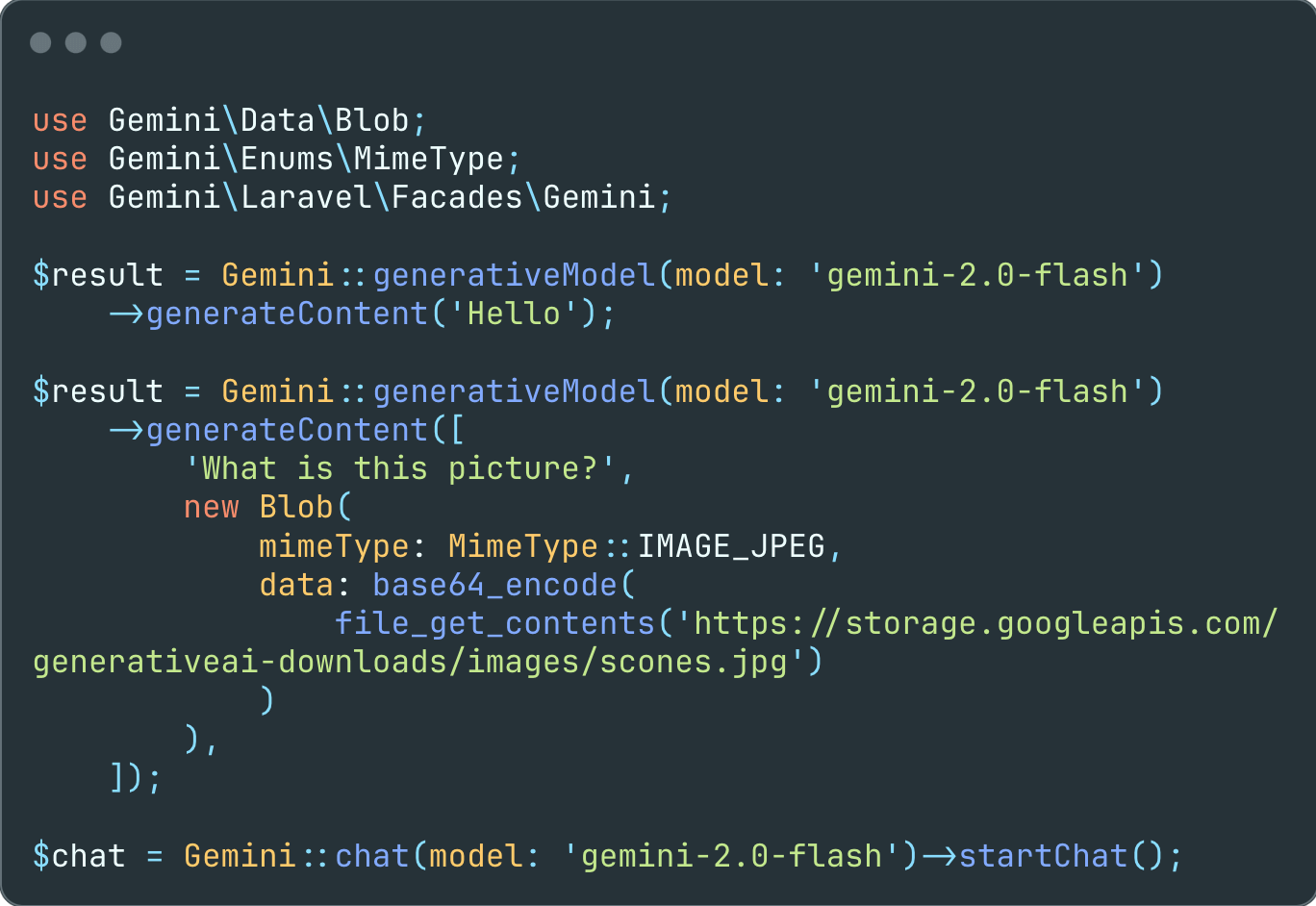
If the input contains both text and image, use the gemini-pro-vision model.
$result = Gemini::geminiProVision() ->generateContent([ 'What is this picture?', new Blob( mimeType: MimeType::IMAGE_JPEG, data: base64_encode( file_get_contents('https://storage.googleapis.com/generativeai-downloads/images/scones.jpg') ) ) ]); $result->text(); // The picture shows a table with a white tablecloth. On the table are two cups of coffee, a bowl of blueberries, a silver spoon, and some flowers. There are also some blueberry scones on the table.Multi-turn Conversations (Chat)
Using Gemini, you can build freeform conversations across multiple turns.
$chat = Gemini::chat() ->startChat(history: [ Content::parse(part: 'The stories you write about what I have to say should be one line. Is that clear?'), Content::parse(part: 'Yes, I understand. The stories I write about your input should be one line long.', role: Role::MODEL) ]); $response = $chat->sendMessage('Create a story set in a quiet village in 1600s France');echo $response->text(); // Amidst rolling hills and winding cobblestone streets, the tranquil village of Beausoleil whispered tales of love, intrigue, and the magic of everyday life in 17th century France. $response = $chat->sendMessage('Rewrite the same story in 1600s England');echo $response->text(); // In the heart of England's lush countryside, amidst emerald fields and thatched-roof cottages, the village of Willowbrook unfolded a tapestry of love, mystery, and the enchantment of ordinary days in the 17th century.The
gemini-pro-visionmodel (for text-and-image input) is not yet optimized for multi-turn conversations. Make sure to use gemini-pro and text-only input for chat use cases.
Stream Generate Content
By default, the model returns a response after completing the entire generation process. You can achieve faster interactions by not waiting for the entire result, and instead use streaming to handle partial results.
$stream = Gemini::geminiPro() ->streamGenerateContent('Write long a story about a magic backpack.'); foreach ($stream as $response) { echo $response->text();}Count tokens
When using long prompts, it might be useful to count tokens before sending any content to the model.
$response = Gemini::geminiPro() ->countTokens('Write a story about a magic backpack.'); echo $response->totalTokens; // 9Configuration
Every prompt you send to the model includes parameter values that control how the model generates a response. The model can generate different results for different parameter values. Learn more about model parameters.
Also, you can use safety settings to adjust the likelihood of getting responses that may be considered harmful. By default, safety settings block content with medium and/or high probability of being unsafe content across all dimensions. Learn more about safety settings.
use Gemini\Data\GenerationConfig;use Gemini\Enums\HarmBlockThreshold;use Gemini\Data\SafetySetting;use Gemini\Enums\HarmCategory; $safetySettingDangerousContent = new SafetySetting( category: HarmCategory::HARM_CATEGORY_DANGEROUS_CONTENT, threshold: HarmBlockThreshold::BLOCK_ONLY_HIGH); $safetySettingHateSpeech = new SafetySetting( category: HarmCategory::HARM_CATEGORY_HATE_SPEECH, threshold: HarmBlockThreshold::BLOCK_ONLY_HIGH); $generationConfig = new GenerationConfig( stopSequences: [ 'Title', ], maxOutputTokens: 800, temperature: 1, topP: 0.8, topK: 10); $generativeModel = Gemini::geminiPro() ->withSafetySetting($safetySettingDangerousContent) ->withSafetySetting($safetySettingHateSpeech) ->withGenerationConfig($generationConfig) ->generateContent("Write a story about a magic backpack.");Embedding Resource
Embedding is a technique used to represent information as a list of floating point numbers in an array. With Gemini, you can represent text (words, sentences, and blocks of text) in a vectorized form, making it easier to compare and contrast embeddings. For example, two texts that share a similar subject matter or sentiment should have similar embeddings, which can be identified through mathematical comparison techniques such as cosine similarity.
Use the embedding-001 model with either embedContents or batchEmbedContents:
$response = Gemini::embeddingModel() ->embedContent("Write a story about a magic backpack."); print_r($response->embedding->values);//[// [0] => 0.008624583// [1] => -0.030451821// [2] => -0.042496547// [3] => -0.029230341// [4] => 0.05486475// [5] => 0.006694871// [6] => 0.004025645// [7] => -0.007294857// [8] => 0.0057651913// ...//]Models
List Models
Use list models to see the available Gemini models:
$response = Gemini::models()->list(); $response->models;//[// [0] => Gemini\Data\Model Object// (// [name] => models/gemini-pro// [version] => 001// [displayName] => Gemini Pro// [description] => The best model for scaling across a wide range of tasks// ...// )// [1] => Gemini\Data\Model Object// (// [name] => models/gemini-pro-vision// [version] => 001// [displayName] => Gemini Pro Vision// [description] => The best image understanding model to handle a broad range of applications// ...// )// [2] => Gemini\Data\Model Object// (// [name] => models/embedding-001// [version] => 001// [displayName] => Embedding 001// [description] => Obtain a distributed representation of a text.// ...// )//]Get Model
Get information about a model, such as version, display name, input token limit, etc.
$response = Gemini::models()->retrieve(ModelType::GEMINI_PRO); $response->model;//Gemini\Data\Model Object//(// [name] => models/gemini-pro// [version] => 001// [displayName] => Gemini Pro// [description] => The best model for scaling across a wide range of tasks// ...//)Testing
The package provides a fake implementation of the Gemini\Client class that allows you to fake the API responses.
To test your code ensure you swap the Gemini\Client class with the Gemini\Testing\ClientFake class in your test case.
The fake responses are returned in the order they are provided while creating the fake client.
All responses are having a fake() method that allows you to easily create a response object by only providing the parameters relevant for your test case.
use Gemini\Testing\ClientFake;use Gemini\Responses\GenerativeModel\GenerateContentResponse; Gemini::fake([ GenerateContentResponse::fake([ 'candidates' => [ [ 'content' => [ 'parts' => [ [ 'text' => 'success', ], ], ], ], ], ]),]); $result = Gemini::geminiPro()->generateContent('test'); expect($result->text())->toBe('success');In case of a streamed response you can optionally provide a resource holding the fake response data.
use Gemini\Testing\ClientFake;use Gemini\Responses\GenerativeModel\GenerateContentResponse; Gemini::fake([ GenerateContentResponse::fakeStream(),]); $result = Gemini::geminiPro()->streamGenerateContent('Hello'); expect($response->getIterator()->current()) ->text()->toBe('In the bustling city of Aethelwood, where the cobblestone streets whispered');After the requests have been sent there are various methods to ensure that the expected requests were sent:
// assert list models request was sentGemini::models()->assertSent(callback: function ($method) { return $method === 'list';});// orGemini::assertSent(resource: Models::class, callback: function ($method) { return $method === 'list';}); Gemini::geminiPro()->assertSent(function (string $method, array $parameters) { return $method === 'generateContent' && $parameters[0] === 'Hello';});// orGemini::assertSent(resource: GenerativeModel::class, model: ModelType::GEMINI_PRO, callback: function (string $method, array $parameters) { return $method === 'generateContent' && $parameters[0] === 'Hello';}); // assert 2 generative model requests were sentGemini::assertSent(resource: GenerativeModel::class, model: ModelType::GEMINI_PRO, callback: 2);// orGemini::geminiPro()->assertSent(2); // assert no generative model requests were sentGemini::assertNotSent(resource: GenerativeModel::class, model: ModelType::GEMINI_PRO);// orGemini::geminiPro()->assertNotSent(); // assert no requests were sentGemini::assertNothingSent();To write tests expecting the API request to fail you can provide a Throwable object as the response.
Gemini::fake([ new ErrorException([ 'message' => 'The model `gemini-basic` does not exist', 'status' => 'INVALID_ARGUMENT', 'code' => 400, ]),]); // the `ErrorException` will be thrownGemini::geminiPro()->generateContent('test');