Tyro
Tyro stats
- Downloads
- 23
- Stars
- 63
- Open Issues
- 0
- Forks
- 8
Tyro - zero-config API boilerplate packaged for Laravel 12 projects

Tyro Package
Tyro is the zero-config API boilerplate for Laravel 12. It ships with Sanctum authentication, role/ability management, ready-made routes, seeders, factories, middleware logging, and an extensible configuration layer so any Laravel app can install the same battle-tested API surface in minutes.
Why Tyro?
Tyro is everything you need to stand up a secure Laravel API without writing boilerplate:
- Production-ready surface in minutes. Install once and immediately inherit login, registration, profile, role, privilege, and audit endpoints with sensible defaults.
- Security hardening out of the box. Sanctum tokens automatically mirror role + privilege slugs, suspension workflows revoke tokens instantly, and the same middleware stack that protects the flagship Tyro app ships in this package.
- Roles, privileges, and Gate integration. Manage reusable privileges per role via HTTP or CLI, then reuse them in middleware or
$user->can()calls. - Useful artisan command collection. 40+
tyro:*commands let you seed roles, attach privileges, rotate tokens, suspend users, inspect Postman collections, and even prepare your User model, so incident response and onboarding never require raw SQL. - Extensibility without friction. Publish config, migrations, factories, or disable route auto-loading entirely when you want to override Tyro internals.
- Documentation and tooling baked in. Comes with factories, seeders, tests, and an official Postman collection so teams can experiment or automate immediately.
Requirements
- PHP ^8.2
- Laravel ^12.0
- Laravel Sanctum ^4.0
Quick start (TL;DR)
composer require hasinhayder/tyrophp artisan tyro:install(wrapsinstall:api+migrate+seed+prepare-user-modelso Sanctum, User model and your database are ready)
The rest of this document elaborates on those six steps and shows how to customize Tyro for your team.
Step-by-step installation
1. Install the package
composer require hasinhayder/tyroTyro's service provider is auto-discovered. Publish its assets if you want to customize them:
php artisan vendor:publish --tag=tyro-configphp artisan vendor:publish --tag=tyro-migrationsphp artisan vendor:publish --tag=tyro-databasephp artisan tyro:publish-config --forcephp artisan tyro:publish-migrations --forceNeed the ready-made API client collection? Run php artisan tyro:postman-collection --no-open to print the GitHub URL for the official Postman collection, or omit --no-open to open it directly.
2. Run tyro:install (recommended)
php artisan tyro:installtyro:install is the one command you need to bootstrap Tyro on a fresh project. Under the hood it:
- Calls Laravel 12's
install:apiso Sanctum's config, migration, and middleware stack are registered. - Runs
php artisan migrate(respecting--forcewhen you provide it) to apply both Laravel's and Tyro's database tables. - Prompts to execute
tyro:seed --force, inserting the default role/privilege catalog plus the bootstrap admin account. - Offers to run
tyro:prepare-user-modelimmediately if you skip seeding so the correct traits and imports land on your user model.
Skipping tyro:install means you must run each of those commands manually (install:api, migrate, tyro:seed, tyro:prepare-user-model). Most teams never need to—tyro:install keeps the happy path automated and idempotent.
3. Run Tyro's migrations & seeders manually (optional)
php artisan migrate# or, interactivelyphp artisan tyro:seedℹ️ Seeding is technically optional, but highly recommended the first time you install Tyro.
TyroSeederinserts the default role catalogue (Administrator, User, Customer, Editor, All, Super Admin) and creates a ready-to-useadmin@tyro.projectsuperuser (passwordtyro). Skipping the seeder means you'll need to create equivalent roles and an admin account manually before any ability-gated routes will authorize.
4. Prepare your user model
Tyro augments whatever model you mark as tyro.models.user (defaults to App\Models\User). Make sure it can issue Sanctum tokens and manage Tyro roles:
php artisan tyro:prepare-user-modelThe command above injects the required imports and trait usage automatically. Prefer editing manually? Here is what the class should look like:
<?php namespace App\Models; use Illuminate\Foundation\Auth\User as Authenticatable;use Laravel\Sanctum\HasApiTokens;use HasinHayder\Tyro\Concerns\HasTyroRoles; class User extends Authenticatable{ use HasApiTokens, HasTyroRoles;}That is the only code change you need. Tyro will automatically attach the default role (slug user) to future registrations.
Seeding (optional but recommended)
Tyro's TyroSeeder keeps every environment aligned by inserting the default roles, privileges, and bootstrap admin account. Trigger it manually or rerun it with --force any time you need to refresh local data:
php artisan tyro:seed --forceRunning the seeder will:
- Insert the Administrator, User, Customer, Editor, All, and Super Admin roles along with their mapped privileges.
- Create the
admin@tyro.projectsuperuser (passwordtyro) so you always have a token-ready account. - Reapply protected role/privilege relationships, ensuring middleware strings such as
ability:admin,super-adminalways resolve.
Need something narrower? Use tyro:seed-roles or tyro:seed-privileges to refresh a single catalog without touching users. Seeding remains optional, but skipping it means you must handcraft equivalent roles, privileges, and an administrator before ability-gated routes will authorize.
HasTyroRoles API cheat sheet
The trait layered onto your User model brings a single source of truth for roles, privileges, and suspensions. Every helper below wraps logic used by Tyro's routes and artisan commands, so you can rely on them inside your own code without duplicating behavior.
| Method | Category | Description |
|---|---|---|
roles(): BelongsToMany |
Roles | Returns the eager-loadable relationship Tyro uses everywhere. Useful when you want to chain additional constraints. |
assignRole(Role $role): void |
Roles | Syncs the provided role without detaching existing ones (Tyro uses this when seeding or attaching via CLI). |
removeRole(Role $role): void |
Roles | Detaches the given role from the pivot table. |
hasRole(string $role): bool |
Roles | Checks whether the user currently owns the provided role slug (honours wildcard *). |
hasRoles(array $roles): bool |
Roles | Returns true only when the user holds every role in the provided array. |
privileges(): Collection |
Privileges | Returns the unique collection of privileges inherited through the user's roles (pre-tyroted when roles is already loaded). |
hasPrivileges(array $privileges): bool |
Privileges | Ensures the user inherits all of the provided privilege slugs directly from their roles (no Sanctum token refresh needed). |
can($ability, $arguments = []): bool |
Privileges | Overrides Laravel's Authorizable hook so Tyro privilege slugs are treated just like Gate abilities. Falls back to Gate::check() for everything else. |
suspend(?string $reason = null): void |
Suspension | Sets suspended_at, stores an optional reason, saves the model, and revokes every Sanctum token via $this->tokens()->delete(). Mirrors the CLI/HTTP workflows. |
unsuspend(): void |
Suspension | Clears suspended_at and suspension_reason without touching roles or privileges. |
isSuspended(): bool |
Suspension | Returns true when the model currently has a suspension timestamp. Tyro's guards and middleware rely on this helper. |
getSuspensionReason(): ?string |
Suspension | Convenience accessor to display the stored reason (or null). |
Note:
hasPrivilege()is kept protected because it powerscan(). Reach forhasRole()/hasRoles()orhasPrivileges()when you need explicit checks, and prefercan()or theprivilege/privilegesmiddleware for single privilege lookups.
Tyro caches role and privilege slugs per user so the authorization middleware never has to hit the database on every request. The cache is opt-out via tyro.cache.enabled, respects the store/TTL settings above, and is automatically invalidated whenever you mutate roles, privileges, or user-role assignments through Tyro's APIs or artisan commands.
Reach for these helpers anywhere—jobs, controllers, observers, Livewire components—to keep business logic consistent with Tyro's built-in routes and artisan commands.
5. Optional configuration
Override defaults in config/tyro.php to align with your app:
| Option | Description |
|---|---|
version |
Value returned by /api/tyro/version. |
disable_commands |
When true (or TYRO_DISABLE_COMMANDS=true) Tyro skips registering its artisan commands. |
guard |
Guard middleware used for protected routes (default sanctum). |
route_prefix |
Route prefix (default api). |
disable_api |
When true (or TYRO_DISABLE_API=true) Tyro skips loading its built-in routes. |
route_middleware |
Global middleware stack for package routes. |
models.user |
Fully qualified class name of your user model. |
models.privilege |
Fully qualified class name of the privilege model (defaults to Tyro\Models\Privilege). |
tables.roles/pivot |
Override the role table (default roles) or user-role pivot (default user_roles). |
tables.users |
Table name Tyro targets when publishing its suspension columns (default users). |
tables.privileges/role_privilege |
Override the privilege table (default privileges) or the role-privilege pivot (default privilege_role). |
default_user_role_slug |
Role attached to new users (user by default). |
protected_role_slugs |
Role slugs that cannot be mutated or deleted. |
delete_previous_access_tokens_on_login |
Enforce single-session logins when true. |
cache.enabled |
Toggle Tyro's per-user role/privilege cache (enabled by default). |
cache.store |
Choose which cache store to use for the helper cache (null falls back to Laravel's default store). |
cache.ttl |
Seconds to cache role/privilege slugs. null (or <= 0) caches indefinitely until Tyro invalidates entries. |
abilities.* |
Ability arrays checked by the middleware groups. |
Set load_default_routes to false if you prefer to include routes/api.php manually and merge Tyro endpoints into your own files.
Disable Tyro commands or API via .env
Tyro registers a sizable CLI toolbox. If you would rather keep production shells lean (or limit what teammates can run), drop the following snippet into .env on the environments you wish to lock down:
TYRO_DISABLE_COMMANDS=trueWith the variable set to true, Tyro skips registering every tyro:* artisan command while continuing to expose routes, middleware, and config overrides as usual. Remove the line (or set it to false) locally to regain the commands for development.
Need to turn off the bundled API endpoints entirely? Set:
TYRO_DISABLE_API=trueWhen TYRO_DISABLE_API is true, Tyro skips loading its routes/api.php file so you can provide a fully custom HTTP surface (or disable it in worker contexts).
Need an emergency token rotation? Run php artisan tyro:logout-all-users --force to revoke every Sanctum token the package has issued.
Routes & middleware
Tyro registers the following API endpoints (prefixed by tyro.route_prefix, api by default):
GET /tyro,GET /tyro/versionPOST /loginPOST /users(public registration)- Authenticated routes (
auth:<guard>):GET /mePUT|PATCH|POST /users/{user}(self + admin abilities)- Admin-only group (
ability:admin,super-admin): user CRUD, role CRUD, privilege CRUD, user-role assignments, role-privilege assignments
Wrap any route with the tyro.log middleware to capture request/response diagnostics inside storage/logs/laravel.log.
Fine-grained protections for your own routes
Tyro exposes the exact middleware aliases it relies on (ability, abilities, privilege, privileges, role, roles, tyro.log, plus whichever auth guard you configure), so locking down your own endpoints feels identical to the built-in API.
Quick reference
| Middleware | When to use it | Example |
|---|---|---|
auth:tyro.guard |
Ensures the request is authenticated via Sanctum (default) or your custom guard. | auth:'.config('tyro.guard', 'sanctum') |
ability:comma,list |
Require all listed abilities (role slugs and/or privilege slugs). | 'ability:admin,editor,reports.run' |
abilities:comma,list |
Allow access when the token has any of the listed abilities. | 'abilities:billing.view,finance.approve' |
role:comma,list |
Require all listed roles on the authenticated user (honours wildcard *). |
'role:admin,super-admin' |
roles:comma,list |
Allow access when the user holds any of the listed roles (no token re-issue required). | 'roles:editor,admin' |
privilege:comma,list |
Require all listed privileges directly against the authenticated user (no need to reissue tokens). | 'privilege:reports.run,export.generate' |
privileges:comma,list |
Allow access when the user has any of the listed privileges, checked in real time. | 'privileges:billing.view,reports.run' |
tyro.log |
Log request/response pairs for auditing privileged routes. | 'tyro.log' |
Tyro assigns abilities to Sanctum tokens automatically—every role slug and privilege slug the user inherits becomes an ability on the token. That means you can freely mix role names and privilege identifiers inside the middleware strings. Need to bypass token abilities entirely? Reach for role/roles, which read directly from the authenticated user's role relationship on each request.
Step-by-step recipe
-
Model the privilege
- CLI:
php artisan tyro:add-privilege reports.run --name="Run Reports" - Attach it to a role:
php artisan tyro:attach-privilege reports.run editor - HTTP alternative:
POST /api/privilegesthenPOST /api/roles/{role}/privileges
- CLI:
-
(Optional) Group abilities in config Publish
config/tyro.phpand add helper buckets so you do not repeat strings:'abilities' => ['reports.generate' => ['admin', 'reports.run'],'billing.manage' => ['super-admin', 'billing.view'],], -
Guard the route Pick the guard (defaults to
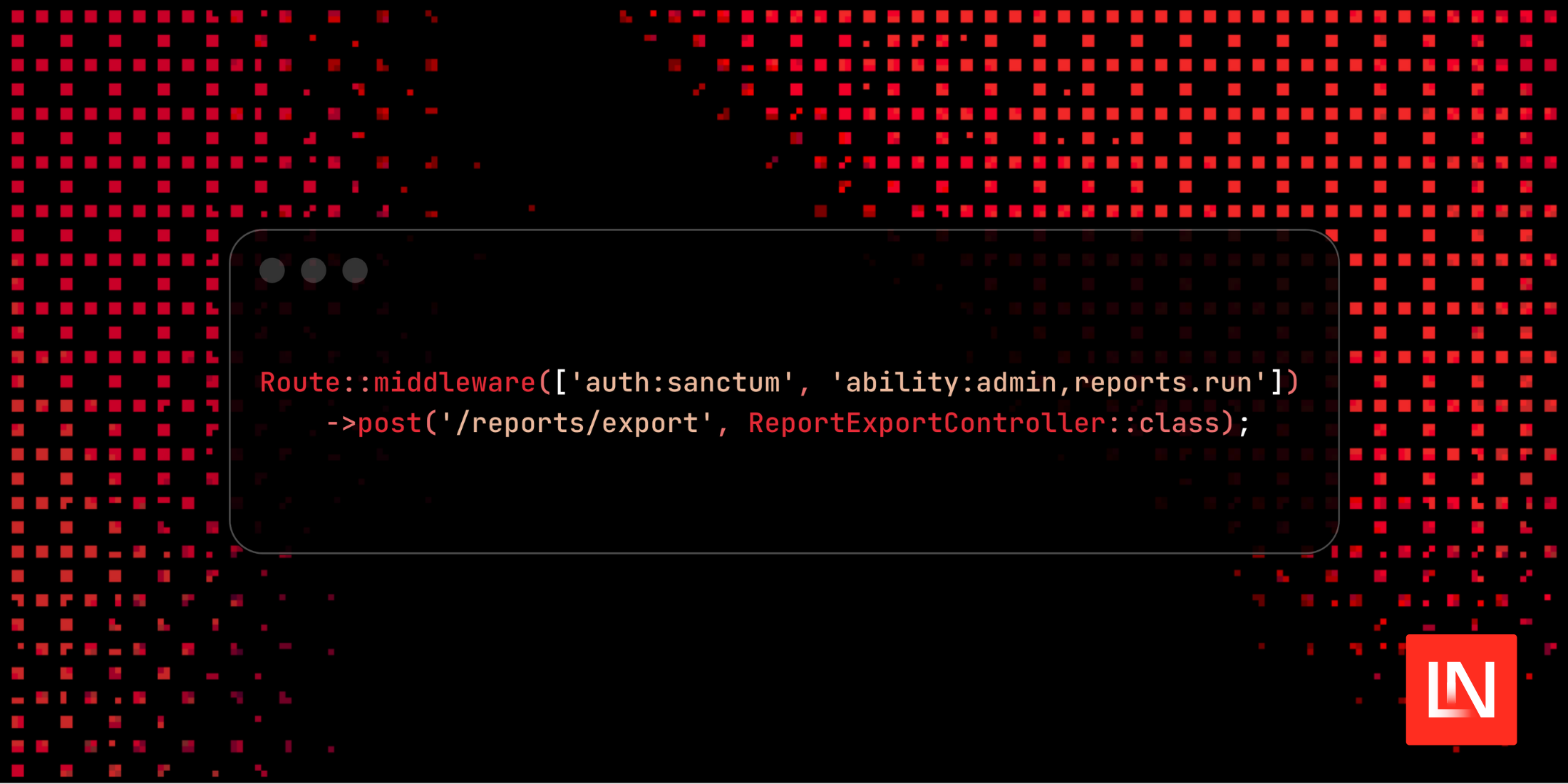
sanctum) and chain ability middleware:use Illuminate\Support\Facades\Route;Route::middleware(['auth:'.config('tyro.guard', 'sanctum'),'ability:'.implode(',', config('tyro.abilities.reports.generate')),'tyro.log',])->post('reports/run', ReportsController::class);// OR inline without config helpersRoute::middleware(['auth:sanctum', 'abilities:reports.run,admin'])->delete('reports/{report}', [ReportsController::class, 'destroy']); -
Enforce inside controllers & policies The
HasTyroRolestrait brings helpers you can fall back to even without middleware:if (! $request->user()->can('reports.run')) {abort(403, 'Missing reports privilege.');}if ($request->user()->hasRole('admin') || $request->user()->hasRole('editor')) {// Show extra UI affordances} -
Audit sensitive flows Chain
tyro.logwhen you want Laravel's log to record payloads and responses for forensic review:Route::middleware(['auth:sanctum', 'ability:billing.view', 'tyro.log'])->get('billing/statements', BillingStatementController::class);
Tyro's service provider registers every middleware alias above the moment you install the package—no manual kernel edits required.
Worked examples
Protect an export endpoint with multiple roles
Route::middleware(['auth:sanctum', 'abilities:admin,super-admin,reports.run']) ->post('exports/run', FileExportController::class);Any token containing either the admin role slug, the super-admin role slug, or the reports.run privilege gets through. Everyone else receives 403.
Role-only guard without touching token abilities
Route::middleware(['auth:sanctum', 'role:admin,super-admin']) ->get('admin/dashboard', AdminDashboardController::class); Route::middleware(['auth:sanctum', 'roles:editor,admin']) ->post('articles/publish', PublishArticleController::class);The first route requires both admin and super-admin slugs on the authenticated user, while the second lets either editor or admin through—perfect when your guard does not mint custom Sanctum abilities.
Scoped settings route that reuses Tyro's presets
Route::middleware([ 'auth:sanctum', 'ability:'.implode(',', config('tyro.abilities.user_update')),])->patch('settings/profile', ProfileController::class);config('tyro.abilities.user_update') already includes the roles you seeded, so the route stays tight even if you change which roles may update profiles later.
Policy-level checks
public function destroy(User $user, Report $report): bool{ return $user->hasRole('admin') || $user->can('reports.run');}This keeps controllers tidy when you prefer authorisation logic in policies.
💡 Tip: use
tyro:roles-with-privilegesto double-check that the roles you expect include the privilege slugs referenced in middleware. Pair it withtyro:user-privileges {user}to see the exact privilege table resolved byHasTyroRoles::privileges(), and fall back totyro:mewhen you need to inspect the bearer token's abilities.
Privilege management (admin-only)
# List privileges and the roles that inherit themcurl http://localhost/api/privileges -H "Authorization: Bearer ${TOKEN}" # Create a new privilegecurl -X POST http://localhost/api/privileges \ -H "Accept: application/json" \ -H "Content-Type: application/json" \ -H "Authorization: Bearer ${TOKEN}" \ -d '{"name":"Run Reports","slug":"reports.run"}' # Attach privilege ID 2 to the Editor role (ID 4)curl -X POST http://localhost/api/roles/4/privileges \ -H "Accept: application/json" \ -H "Content-Type: application/json" \ -H "Authorization: Bearer ${TOKEN}" \ -d '{"privilege_id":2}' # Detach againcurl -X DELETE http://localhost/api/roles/4/privileges/2 \ -H "Authorization: Bearer ${TOKEN}"Privilege-driven authorization
Tyro introduces first-class privileges that belong to roles. Each privilege is a reusable capability such as report.generate or billing.view. Roles now own any number of privileges, and the HasTyroRoles trait exposes a Laravel-style can() helper so you can evaluate privileges anywhere:
if ($request->user()->can('report.generate')) { // build the export – the user inherited the privilege through any of their roles}Tyro keeps everything synced through three layers:
- HTTP API –
GET|POST|PUT|DELETE /api/privilegesplusPOST|DELETE /api/roles/{role}/privileges/{privilege}let you manage privileges remotely. - Artisan commands – run
tyro:privileges,tyro:add-privilege,tyro:attach-privilege, etc. to script migrations or incident response from the CLI. - Database seeders – the default
TyroSeedernow inserts sample privileges (reports, billing, wildcard) so fresh installs have meaningful data on day one.
Tokens automatically inherit abilities for every privilege on the user's roles, so no additional middleware changes are required.
User suspension
Tyro now ships with first-class user suspension support so you can freeze accounts without deleting them:
- Publish the latest migrations (
php artisan tyro:publish-migrations --force) to add thesuspended_atandsuspension_reasoncolumns to your user table. - Suspend an account with
php artisan tyro:suspend-user --user=5 --reason="Manual review"(accepts ID or email). Rerun the command with--unsuspendto lift the hold. - Prefer
php artisan tyro:unsuspend-user --user=5(or the--unsuspendflag above) when you want a dedicated command that clears the columns and confirms intent. - Need an HTTP workflow instead?
POST /api/users/{id}/suspend(admin tokens only) applies the lock and accepts an optionalreasonstring, whileDELETE /api/users/{id}/suspendlifts it—both endpoints mirror the CLI behavior and revoke tokens on suspension. - Inspect every frozen account (and its reason) via
php artisan tyro:suspended-usersor spot them inline withphp artisan tyro:users—suspended names render in red/orange and the table exposes a dedicatedSuspendedcolumn. - Authentication guardrails are automatic:
/api/loginreturnsuser is suspended(HTTP 423) for suspended accounts, whiletyro:loginrefuses to mint tokens and prints the stored reason so operators know why an account is locked. - CLI automation also respects suspensions:
tyro:quick-tokenfails fast with the stored reason so CI/CD jobs never mint tokens for frozen accounts. - The moment you suspend an account every Sanctum token it previously held is revoked—
tyro:suspend-userdeletes them and prints a warning so operators know active sessions were terminated.
This workflow keeps your audit trail intact while preventing access across both HTTP and CLI surfaces.
Using Tyro (practical examples)
Tyro is opinionated but not limiting—the following snippets mirror the workflows we verified in the sandbox project.
Artisan helpers
Tyro now ships with a tyro:* CLI toolbox so you can manage roles, users, and tokens without crafting SQL by hand:
| Command | Purpose |
|---|---|
tyro:install |
Run Laravel's install:api then migrate, optionally kicking off tyro:seed or tyro:prepare-user-model. |
tyro:create-user |
Prompt for name/email/password and attach the default role. |
tyro:prepare-user-model |
Automatically add HasApiTokens and HasTyroRoles to your default User model. |
tyro:login |
Mint a Sanctum token using a user ID or email (respects the delete_previous_access_tokens_on_login flag). |
tyro:quick-token |
Mint a Sanctum token by user ID/email without needing a password prompt (respects suspensions and prints the stored reason instead of minting). |
tyro:seed-roles |
Reapply the default role catalogue (truncates the roles table, confirmation required unless --force). |
tyro:seed |
Run the full TyroSeeder (roles + bootstrap admin). Handy when you want a fresh start locally. |
tyro:purge-roles |
Truncate the roles + pivot tables without re-seeding them. |
tyro:roles |
Display all roles with user counts. |
tyro:roles-with-privileges |
Display roles alongside their attached privilege slugs and user counts. |
tyro:privileges |
List every privilege and which roles currently own it. |
tyro:add-privilege / tyro:update-privilege / tyro:delete-privilege |
Create, edit, or remove privilege records (prompts for missing identifiers, supports flags). |
tyro:attach-privilege / tyro:detach-privilege |
Attach/detach privileges to roles via slug or ID (prompts if omitted). |
tyro:seed-privileges |
Reapply Tyro's default privilege catalog and role mappings (confirmation required unless --force). |
tyro:purge-privileges |
Remove all privileges and detach them from every role (confirmation required unless --force). |
tyro:users / tyro:users-with-roles |
Inspect users with their role slugs, plus a dedicated suspension column (suspended names render in color for quick scanning). |
tyro:suspend-user |
Suspend a user (ID or email) with an optional reason or lift the suspension with --unsuspend. |
tyro:unsuspend-user |
Dedicated shortcut to lift suspensions when you do not want to re-run tyro:suspend-user. |
tyro:suspended-users |
Show every suspended user, when they were locked, and why. |
tyro:role-users |
List all users currently attached to a given role (accepts ID or slug). |
tyro:user-roles |
Display a specific user's roles (with IDs) and the privileges attached to each role. |
tyro:user-privileges |
Display the real-time privilege table (ID, slug, name) a specific user inherits through their roles. |
tyro:create-role / tyro:update-role / tyro:delete-role |
Manage custom roles (protected slugs cannot be renamed or deleted). |
tyro:publish-config |
Drop config/tyro.php into your app (respects --force). |
tyro:publish-migrations |
Copy Tyro's migration files (roles, privileges, and the user suspension columns) into your app's database/migrations directory. |
tyro:logout / tyro:logout-all |
Revoke a single token or every token for a given user. |
tyro:logout-all-users |
Revoke every Sanctum token for every user in one command (great for emergency rotations). |
tyro:assign-role / tyro:delete-user-role |
Attach or detach a role from a user by email/ID. |
tyro:update-user / tyro:delete-user |
Update or delete a user while ensuring you don't remove the last admin. |
tyro:me |
Paste a Sanctum token and see which user/abilities it belongs to. |
tyro:version |
Echo the current Tyro version from configuration. |
tyro:postman-collection |
Open (or print) the official Postman collection URL. |
tyro:star |
Opens the GitHub repo so you can give Tyro a ⭐. |
tyro:doc |
Opens the documentation site (or prints the URL with --no-open). |
tyro:about |
Summarises Tyro's mission, author, and useful links right in the terminal. |
Every command accepts non-interactive --option flags, making them automation-friendly and easy to exercise inside CI or artisan tests.
Public auth flow
# Register a usercurl -X POST http://localhost/api/users \ -H "Accept: application/json" \ -H "Content-Type: application/json" \ -d '{"name":"Jane User","email":"jane@example.com","password":"password","password_confirmation":"password"}' # Login (admin or regular user)curl -X POST http://localhost/api/login \ -H "Accept: application/json" \ -H "Content-Type: application/json" \ -d '{"email":"admin@tyro.project","password":"tyro"}'The login response contains a Sanctum token with the correct abilities already embedded based on the user's roles.
Authenticated requests
TOKEN="<paste token here>" # Who am I?curl http://localhost/api/me \ -H "Accept: application/json" \ -H "Authorization: Bearer ${TOKEN}" # Update my profile (requires ability list in `tyro.abilities.user_update`)curl -X PATCH http://localhost/api/users/1 \ -H "Accept: application/json" \ -H "Content-Type: application/json" \ -H "Authorization: Bearer ${TOKEN}" \ -d '{"name":"Tyro Admin"}'Role management (admin-only)
# List rolescurl http://localhost/api/roles -H "Authorization: Bearer ${TOKEN}" # Attach the "Editor" role to user 5curl -X POST http://localhost/api/users/5/roles \ -H "Accept: application/json" \ -H "Content-Type: application/json" \ -H "Authorization: Bearer ${TOKEN}" \ -d '{"role_id":4}' # Remove that role againcurl -X DELETE http://localhost/api/users/5/roles/4 \ -H "Authorization: Bearer ${TOKEN}"Consuming Tyro inside Laravel code
Tyro is just another set of routes, so you can call them through Laravel's HTTP client if you want server-to-server automation:
$token = Http::post('https://api.example.com/api/login', [ 'email' => 'admin@tyro.project', 'password' => 'tyro',])->json('token'); $roles = Http::withToken($token)->get('https://api.example.com/api/roles')->json(); Http::withToken($token)->post('https://api.example.com/api/users/5/roles', [ 'role_id' => 2,]);FAQ
How do I get the authenticated user's roles inside a controller?
use Illuminate\Http\Request; class ProfileController{ public function __invoke(Request $request) { $roleSlugs = $request->user()->tyroRoleSlugs(); // Or eager-load Role models when you need metadata $roles = $request->user()->roles()->select(['id', 'name', 'slug'])->get(); return response()->json(compact('roleSlugs', 'roles')); }}How do I get the authenticated user's privileges?
use Illuminate\Http\Request; class ApiTokenController{ public function show(Request $request) { $privileges = $request->user()->tyroPrivilegeSlugs(); return response()->json(['privileges' => $privileges]); }}How do I assign or remove roles to a user from code?
use HasinHayder\Tyro\Models\Role;use App\Models\User; class UserRoleController{ public function assignRoles() { $user = User::find(1); // Assign a single role $editorRole = Role::where('slug', 'editor')->first(); $user->assignRole($editorRole); // Assign multiple roles $adminRole = Role::where('slug', 'admin')->first(); $user->assignRole($adminRole); // Or use the roles relationship directly $customerRole = Role::where('slug', 'customer')->first(); $user->roles()->attach($customerRole->id); } public function removeRoles() { $user = User::find(1); // Remove a single role $editorRole = Role::where('slug', 'editor')->first(); $user->removeRole($editorRole); // Or use the roles relationship directly $user->roles()->detach($editorRole->id); // Remove all roles $user->roles()->detach(); }}How do I assign or remove privileges to a role?
use HasinHayder\Tyro\Models\Role;use HasinHayder\Tyro\Models\Privilege; class RolePrivilegeController{ public function assignPrivileges() { $role = Role::where('slug', 'editor')->first(); // Assign a single privilege $reportPrivilege = Privilege::where('slug', 'reports.run')->first(); $role->privileges()->attach($reportPrivilege->id); // Assign multiple privileges at once $billingPrivilege = Privilege::where('slug', 'billing.view')->first(); $exportPrivilege = Privilege::where('slug', 'reports.export')->first(); $role->privileges()->attach([ $billingPrivilege->id, $exportPrivilege->id, ]); // Or sync privileges (replaces all existing privileges) $role->privileges()->sync([ $reportPrivilege->id, $billingPrivilege->id, ]); } public function removePrivileges() { $role = Role::where('slug', 'editor')->first(); // Remove a single privilege $reportPrivilege = Privilege::where('slug', 'reports.run')->first(); $role->privileges()->detach($reportPrivilege->id); // Remove multiple privileges $role->privileges()->detach([ $reportPrivilege->id, $billingPrivilege->id, ]); // Remove all privileges from the role $role->privileges()->detach(); }}How do I get the list of privileges in a role?
use HasinHayder\Tyro\Models\Role; class RolePrivilegesController{ public function show(Role $role) { // Load privileges relationship $role->loadMissing('privileges:id,name,slug'); return response()->json([ 'role' => $role->only(['id', 'name', 'slug']), 'privileges' => $role->privileges, ]); } public function getPrivilegeSlugs(Role $role) { // Get only the privilege slugs as an array $privilegeSlugs = $role->privileges()->pluck('slug')->toArray(); return response()->json(['privilege_slugs' => $privilegeSlugs]); }}How do I check if a role has specific privileges?
The Role model includes hasPrivilege() and hasPrivileges() methods for checking privileges:
use HasinHayder\Tyro\Models\Role; class RoleCheckController{ public function checkPrivileges() { $role = Role::where('slug', 'editor')->first(); // Check if role has a single privilege if ($role->hasPrivilege('reports.run')) { // Role has the reports.run privilege } // Check if role has ALL specified privileges if ($role->hasPrivileges(['reports.run', 'billing.view'])) { // Role has both reports.run AND billing.view privileges } // Check if role has ANY of the specified privileges $hasAny = $role->privileges() ->whereIn('slug', ['reports.run', 'billing.view']) ->exists(); }}How do I check if the authenticated user has particular roles?
use Illuminate\Http\Request; class ArticleController{ public function store(Request $request) { if (! $request->user()->hasRoles(['editor', 'admin'])) { abort(403, 'Editors or admins only.'); } // Create the article } public function destroy(Request $request) { if (! $request->user()->hasRole('super-admin')) { abort(403, 'Super admins only.'); } // Delete the article }}How do I check if the authenticated user has specific privileges?
use Illuminate\Http\Request; class BillingReportController{ public function index(Request $request) { if (! $request->user()->hasPrivileges(['reports.run', 'billing.view'])) { abort(403, 'Missing reporting privileges.'); } // Build the report } public function export(Request $request) { if (! $request->user()->can('reports.export')) { abort(403, 'Missing export privilege.'); } // Return the file download }}How do I check if a user is suspended and inspect the reason?
use Illuminate\Http\Request; class LoginStatusController{ public function __invoke(Request $request) { $user = $request->user(); if ($user->isSuspended()) { return response()->json([ 'suspended' => true, 'reason' => $user->getSuspensionReason(), ], 423); } return response()->json(['suspended' => false]); }}Database assets
database/migrations/*creates theroles,user_roles,privileges, andprivilege_roletables (configurable viaconfig/tyro.php).database/seeders/TyroSeederseeds the core roles, default privileges, and creates the admin bootstrap user.database/factories/UserFactorytargets whichever user model you configure, andPrivilegeFactoryspeeds up testing custom privileges.
Development
src/Providers/TyroServiceProvider.phphandles route loading, publishing, and middleware aliases.- Controllers live under
src/Http/Controllers/*and operate against the configurable user model. routes/api.phpdeclares all endpoints and ability middleware in one place.
Contributions are welcome! Please open an issue or pull request with improvements, bug fixes, or new ideas.
License
Tyro is open-sourced software licensed under the MIT license.

I am a Full Stack Developer with a huge love for Alpine.js, Vue.js, React.js, Laravel, Headless Tech, Everything API, RDBMS, WordPress, and System Architecture.