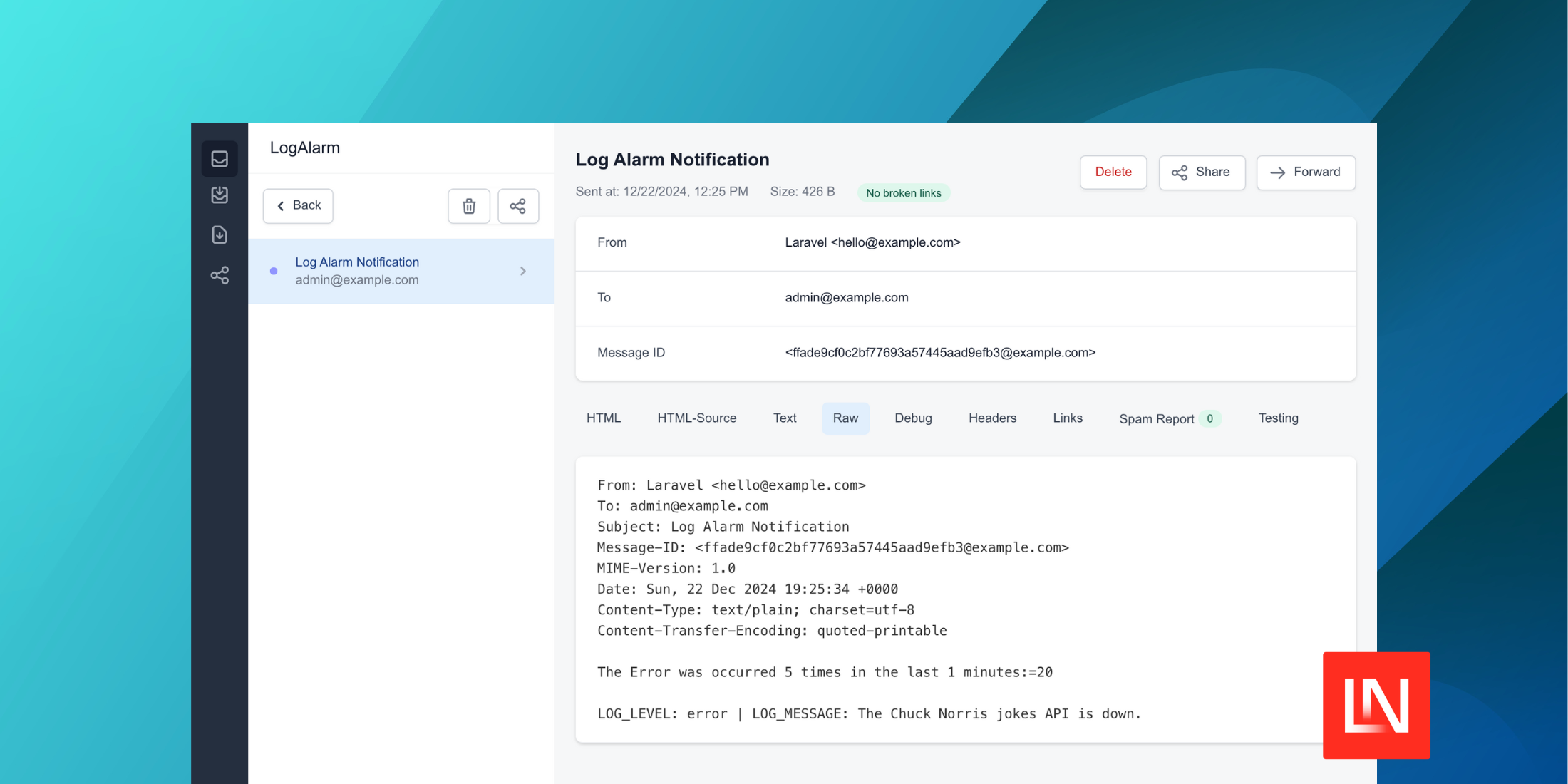
Laravel Log Alarm
Laravel Log Alarm stats
- Downloads
- 2.9K
- Stars
- 37
- Open Issues
- 0
- Forks
- 1
Laravel log Alarm help you to set up alarm when errors occur in your system and send you a notification via Slack and email

Real-time Log Monitoring and Error Detection for Your Laravel Applications
Youtube · Twitter · Facebook · Buy Me a Coffee



Log Alarm for Laravel
Log Alarm is a robust and easy-to-use Laravel package designed to enhance your application's logging capabilities. Whether you're running a small web app or a large enterprise system, Log Alarm helps you stay on top of your logs by providing real-time monitoring, error detection, and instant notifications via Slack and email.
✨ Features
- Real-time Log Monitoring: Continuously listen for log events and keep track of your application's health.
- Error Detection: Automatically detect and respond to error log events.
- Customizable Notifications: Send instant notifications to Slack and email when errors occur.
- Frequency Control: Set thresholds and delays to avoid notification flooding.
- Cache-based Alert System: Efficiently track error occurrences without the overhead of database operations.
- Flexible Configuration: Easily configure settings and specify error conditions with custom strings.
Why Choose Log Alarm?
In today's fast-paced digital environment, timely responses to application issues are crucial. Log Alarm ensures that you and your team are promptly informed about critical errors, reducing downtime and improving your application's reliability. Perfect for developers, system administrators, and DevOps teams looking to enhance their monitoring capabilities.
Requirements
- PHP >= 7
- Laravel >= 5
⬇️ Installation
Install the package via Composer:
composer require saasscaleup/laravel-log-alarmFor Laravel < 5.5
Add Service Provider to config/app.php in providers section
Saasscaleup\LogAlarm\LogAlarmServiceProvider::class,Publish package's config file
Publish package's config, migration and view files by running below command:
php artisan vendor:publish --provider="Saasscaleup\LogAlarm\LogAlarmServiceProvider"Usage
The package will automatically start listening to your application's log events. Customize the settings in the config/log-alarm.php file to match your requirements.
For Example:
LA_SLACK_WEBHOOK_URL=https://hooks.slack.com/services/your/webhook/urlLA_NOTIFICATION_EMAIL=your-email@example.comLA_NOTIFICATION_EMAIL_SUBJECT="Log Alarm Notification"In order to trigger the Log Alarm with the current defualt setting, All you need to do is
- Add your
LA_SLACK_WEBHOOK_URLandLA_NOTIFICATION_EMAIL - Print Error log 5 times in
tinkeror in yourController
Tinker example:
php artisan tinker\Log::error('Log alarm');\Log::error('Log alarm');\Log::error('Log alarm');\Log::error('Log alarm');\Log::error('Log alarm');After the fifth error log message, email and slack notification will be sent! (Email example)
From: Laravel <hello@example.com>To: admin@example.com, admin2@example.comSubject: Log Alarm Notification The Error was occurred 5 times in the last 1 minutes: LOG_LEVEL: error | LOG_MESSAGE: Log alarm🔧 Configuration
Update your .env file with the following environment variables:
LA_ENABLED=trueLA_LOG_TYPE=errorLA_LOG_TIME_FRAME=1LA_LOG_PER_TIME_FRAME=5LA_DELAY_BETWEEN_ALARMS=5LA_SLACK_WEBHOOK_URL=https://hooks.slack.com/services/your/webhook/urlLA_NOTIFICATION_EMAIL=your-email@example.comLA_NOTIFICATION_EMAIL_SUBJECT="Log Alarm Notification"Here's the full configuration file content for config/log-alarm.php:
<?php return [ // enable or disable LOG ALARM 'enabled' => env('LA_ENABLED', true), // log listener for specific log type 'log_type' => env('LA_LOG_TYPE', 'error'), // also possible: 'error,warning,debug' // log time frame - log time frame to listen - in minutes "log_time_frame" => env('LA_LOG_TIME_FRAME', 1), // log per time frame - How many log to count per time frame until alarm trigger "log_per_time_frame" => env('LA_LOG_PER_TIME_FRAME', 5), // delay between alarms in minutes - How many minutes to delay between alarms 'delay_between_alarms' => env('LA_DELAY_BETWEEN_ALARMS', 5), // log listener for specific word inside log messages 'specific_string' => env('LA_SPECIFIC_STRING', ''), // also possible: 'table lock' or 'foo' or 'bar' or leave empty '' to enable any word // notification message for log alarm 'notification_message' => env('LA_NOTIFICATION_MESSAGE', 'Log Alarm got triggered!'), // Slack webhook url for log alarm 'slack_webhook_url' => env('LA_SLACK_WEBHOOK_URL', ''), // notification email address for log alarm 'notification_email' => env('LA_NOTIFICATION_EMAIL', 'admin@example.com,admin2@example.com'), // notification email subject for log alarm 'notification_email_subject' => env('LA_NOTIFICATION_EMAIL_SUBJECT', 'Log Alarm Notification'),];
Contribution
We welcome contributions! Please feel free to submit a Pull Request or open an Issue on GitHub.
License
This package is open-sourced software licensed under the MIT license.
Support 🙏😃
If you Like the tutorial and you want to support my channel so I will keep releasing amzing content that will turn you to a desirable Developer with Amazing Cloud skills... I will realy appricite if you:
Thanks for your support :)

Enhance your Laravel application's monitoring capabilities today with Log Alarm. Get started by installing the package and experience improved error management and faster response times.

Expert in AWS DevOps & Laravel, helping businesses scale cloud & web solutions for success!