Package
Spatie Laravel Web Tinker
Artisan Tinker in your browser
Artisan Tinker in your browser



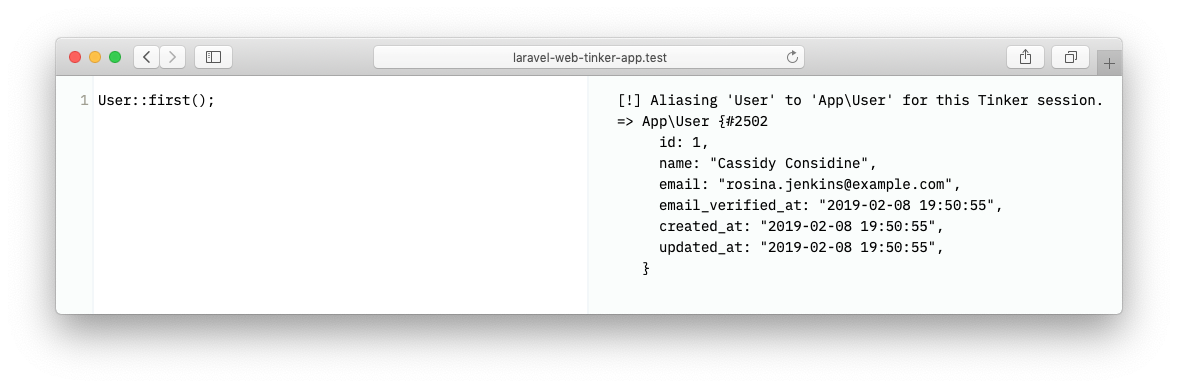
Artisan's tinker command is a great way to tinker with your application in the terminal. Unfortunately running a few lines of code, making edits, and copy/pasting code can be bothersome. Wouldn't it be great to tinker in the browser?
This package will add a route to your application where you can tinker to your heart's content.
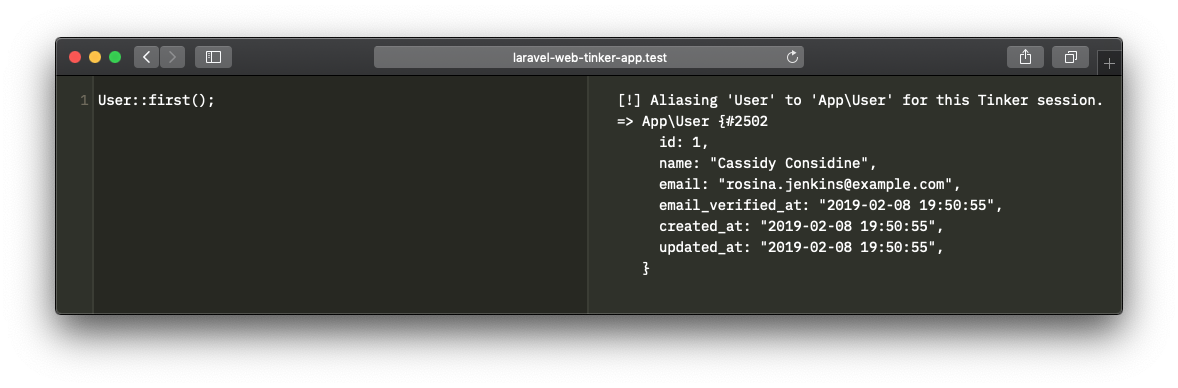
In case light hurts your eyes, there's a dark mode too.
Support us

We invest a lot of resources into creating best in class open source packages. You can support us by buying one of our paid products.
We highly appreciate you sending us a postcard from your hometown, mentioning which of our package(s) you are using. You'll find our address on our contact page. We publish all received postcards on our virtual postcard wall.
🚨 A word to the wise 🚨
This package can run arbitrary code. Unless you know what you are doing, you should never install or use this in a production environment, or any environment where you handle real world data.
Installation
You can install the package via composer:
composer require spatie/laravel-web-tinker --devNext, you must publish the assets from this package by running this command.
php artisan web-tinker:installOptionally, you can publish the config file of the package.
php artisan vendor:publish --provider="Spatie\WebTinker\WebTinkerServiceProvider" --tag="config"This is the content that will be published to config/web-tinker.php
return [ /* * The web tinker page will be available on this path. */ 'path' => '/tinker', /* * Possible values are 'auto', 'light' and 'dark'. */ 'theme' => 'auto', /* * By default this package will only run in local development. * Do not change this, unless you know what your are doing. */ 'enabled' => env('APP_ENV') === 'local', /* * This class can modify the output returned by Tinker. You can replace this with * any class that implements \Spatie\WebTinker\OutputModifiers\OutputModifier. */ 'output_modifier' => \Spatie\WebTinker\OutputModifiers\PrefixDateTime::class, /* * These middleware will be assigned to every WebTinker route, giving you the chance * to add your own middlewares to this list or change any of the existing middleware. */ 'middleware' => [ Illuminate\Cookie\Middleware\EncryptCookies::class, Illuminate\Session\Middleware\StartSession::class, Spatie\WebTinker\Http\Middleware\Authorize::class, ], /* * If you want to fine-tune PsySH configuration specify * configuration file name, relative to the root of your * application directory. */ 'config_file' => env('PSYSH_CONFIG', null),];Usage
By default this package will only run in a local environment.
Visit /tinker in your local environment of your app to view the tinker page.
Authorization
Should you want to run this in another environment (we do not recommend this), there are two steps you must perform.
- You must register a
viewWebTinkerability. A good place to do this is in theAuthServiceProviderthat ships with Laravel.
public function boot(){ $this->registerPolicies(); Gate::define('viewWebTinker', function ($user = null) { // return true if access to web tinker is allowed });}- You must set the
enabledvariable in theweb-tinkerconfig file totrue.
Modifying the output
You can modify the output of tinker by specifying an output modifier in the output_modifier key of the web-tinker config file. An output modifier is any class that implements \Spatie\WebTinker\OutputModifiers\OutputModifier.
This is how that interface looks like.
namespace Spatie\WebTinker\OutputModifiers; interface OutputModifier{ public function modify(string $output = ''): string;}The default install of this package will use the PrefixDataTime output modifier which prefixes the output from Tinker with the current date time.
Testing
composer testChangelog
Please see CHANGELOG for more information on what has changed recently.
Contributing
Please see CONTRIBUTING for details.
Security
If you've found a bug regarding security please mail security@spatie.be instead of using the issue tracker.
Credits
This package was inspired by and uses code from the nova-tinker-tool package by Marcel Pociot.
License
The MIT License (MIT). Please see License File for more information.