Laravel Scout Tntsearch Driver
Laravel Scout Tntsearch Driver stats
- Downloads
- 1.5M
- Stars
- 1,067
- Open Issues
- 91
- Forks
- 135
Driver for Laravel Scout search package based on https://github.com/teamtnt/tntsearch
TNTSearch Driver for Laravel Scout - Laravel 5.3 - 10







This package makes it easy to add full text search support to your models with Laravel 5.3 to 9.0.
Premium products
If you find TNT Search to be one of your valuable assets, take a look at one of our premium products

Support us on Open Collective
Contents
Installation
You can install the package via composer:
composer require teamtnt/laravel-scout-tntsearch-driverAdd the service provider:
// config/app.php'providers' => [ // ... TeamTNT\Scout\TNTSearchScoutServiceProvider::class,],Ensure you have Laravel Scout as a provider too otherwise you will get an "unresolvable dependency" error
// config/app.php'providers' => [ // ... Laravel\Scout\ScoutServiceProvider::class,],Add SCOUT_DRIVER=tntsearch to your .env file
Then you should publish scout.php configuration file to your config directory
php artisan vendor:publish --provider="Laravel\Scout\ScoutServiceProvider"In your config/scout.php add:
'tntsearch' => [ 'storage' => storage_path(), //place where the index files will be stored 'fuzziness' => env('TNTSEARCH_FUZZINESS', false), 'fuzzy' => [ 'prefix_length' => 2, 'max_expansions' => 50, 'distance' => 2, 'no_limit' => true ], 'asYouType' => false, 'searchBoolean' => env('TNTSEARCH_BOOLEAN', false), 'maxDocs' => env('TNTSEARCH_MAX_DOCS', 500),],To prevent your search indexes being commited to your project repository,
add the following line to your .gitignore file.
/storage/*.index
The asYouType option can be set per model basis, see the example below.
Usage
After you have installed scout and the TNTSearch driver, you need to add the
Searchable trait to your models that you want to make searchable. Additionaly,
define the fields you want to make searchable by defining the toSearchableArray method on the model:
<?php namespace App; use Illuminate\Database\Eloquent\Model;use Laravel\Scout\Searchable; class Post extends Model{ use Searchable; public $asYouType = true; /** * Get the indexable data array for the model. * * @return array */ public function toSearchableArray() { $array = $this->toArray(); // Customize array... return $array; }}Then, sync the data with the search service like:
php artisan scout:import App\\Post
If you have a lot of records and want to speed it up you can run (note that with this you can no longer use model-relations in your toSearchableArray()):
php artisan tntsearch:import App\\Post
After that you can search your models with:
Post::search('Bugs Bunny')->get();
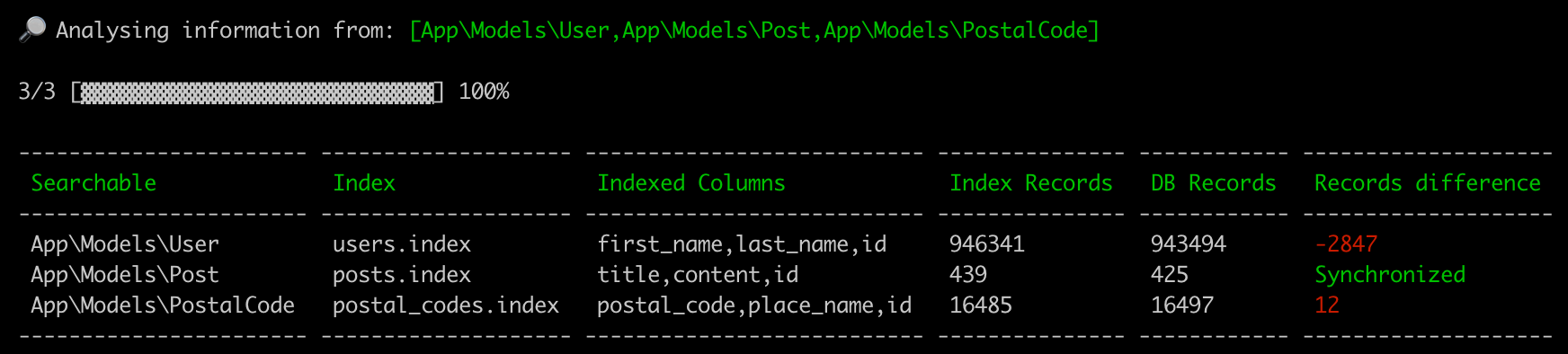
Scout status
php artisan scout:status
With this simple command you'll get a quick overview of your search indices.
Or you can pass a searchable model argument:
php artisan scout:status "App\Models\Post"
If your models are not in the default location app or one of its subdirectories, you may set the modelPath option
// config/scout.php'tntsearch' => [ // ... 'modelPath' => 'models',],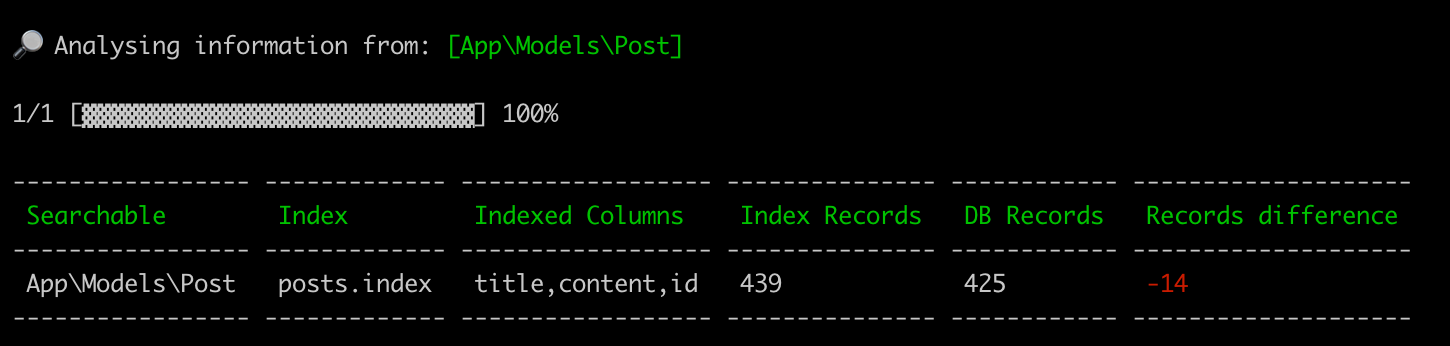
Constraints
Additionally to where() statements as conditions, you're able to use Eloquent queries to constrain your search. This allows you to take relationships into account.
If you make use of this, the search command has to be called after all queries have been defined in your controller.
The where() statements you already know can be applied everywhere.
namespace App\Http\Controllers; use App\Post; class PostController extends Controller{ /** * Display a listing of the resource. * * @return \Illuminate\Http\Response */ public function index(Request $request) { $post = new Post; // filter out posts to which the given topic is assigned if($request->topic) { $post = $post->whereNotIn('id', function($query){ $query->select('assigned_to')->from('comments')->where('topic','=', request()->input('topic')); }); } // only posts from people that are no moderators $post = $post->byRole('moderator','!='); // when user is not admin filter out internal posts if(!auth()->user()->hasRole('admin')) { $post= $post->where('internal_post', false); } if ($request->searchTerm) { $constraints = $post; // not necessary but for better readability $post = Post::search($request->searchTerm)->constrain($constraints); } $post->where('deleted', false); $post->orderBy('updated_at', 'asc'); $paginator = $post->paginate(10); $posts = $paginator->getCollection(); // return posts }}Adding via Query
The searchable() method will chunk the results of the query and add the records to your search index.
$post = Post::find(1); // You may also add record via collection...$post->searchable(); // OR $posts = Post::where('year', '>', '2018')->get(); // You may also add records via collections...$posts->searchable();When using constraints apply it after the constraints are added to the query, as seen in the above example.
OrderBy
An orderBy() statement can now be applied to the search query similar to the where() statement.
When using constraints apply it after the constraints are added to the query, as seen in the above example.
Sponsors
Become a sponsor and get your logo on our README on Github with a link to your site. [Become a sponsor]
Credits
Contributors
This project exists thanks to all the people who contribute.

Backers
Thank you to all our backers! 🙏 [Become a backer]