Sentry has rolled out a new Logs feature, allowing you to capture and aggregate application logs alongside your errors. This addition makes it easier to diagnose issues that might not trigger traditional error reporting.
In a recent demo, the Sentry team showed how logs can be used to debug a Laravel + React (Inertia) application. In the example, a user-reported coupon code problem wasn’t surfacing as an error in Laravel’s backend. By enabling logs for both the Laravel API and the React frontend, they were able to trace the problem from the user’s session through to the empty coupon string being sent to the backend.
Setting Up Logs in Laravel and Inertia
On the Frontend side, enable logs and add the console logging integration to capture console.log events.
Next, on the Laravel side, add Sentry as a log channel in config/logging.php.
'channels' => [ // ... 'sentry_logs' => [ 'driver' => 'sentry_logs', // The minimum logging level at which this handler will be triggered // Available levels: debug, info, notice, warning, error, critical, alert, emergency 'level' => env('LOG_LEVEL', 'info'), // defaults to `debug` if not set ],],Then in .env set the following to activate logging in the Laravel SDK:
LOG_CHANNEL=stack`LOG_STACK=single,sentry_logsSENTRY_LOGS_ENABLED=trueOnce configured, you can continue using Laravel’s Log facade as usual, with logs appearing in Sentry alongside errors.
Filtering & Debugging
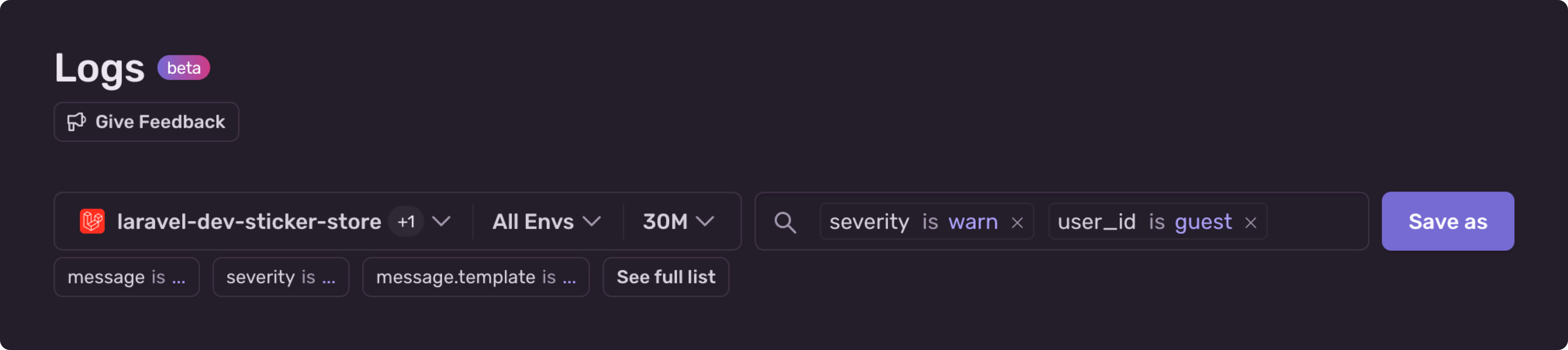
Sentry’s log viewer makes it easy to:
- Filter logs by severity (e.g., warn).
- Query custom attributes such as user_id for targeted searches.
- Combine logs with stack traces to understand the full request flow.
- Review session replays (with sensitive inputs obscured) to see what the user experienced.
AI-Powered Fixes with Seer
The demo also showcased Seer, Sentry’s AI debugging agent. With access to your errors, stack traces, logs, and events, Seer can identify root causes and even open pull requests with fixes automatically.
With logs now integrated into Sentry, you have a more complete picture when diagnosing issues—especially those tricky ones that slip past traditional error monitoring.