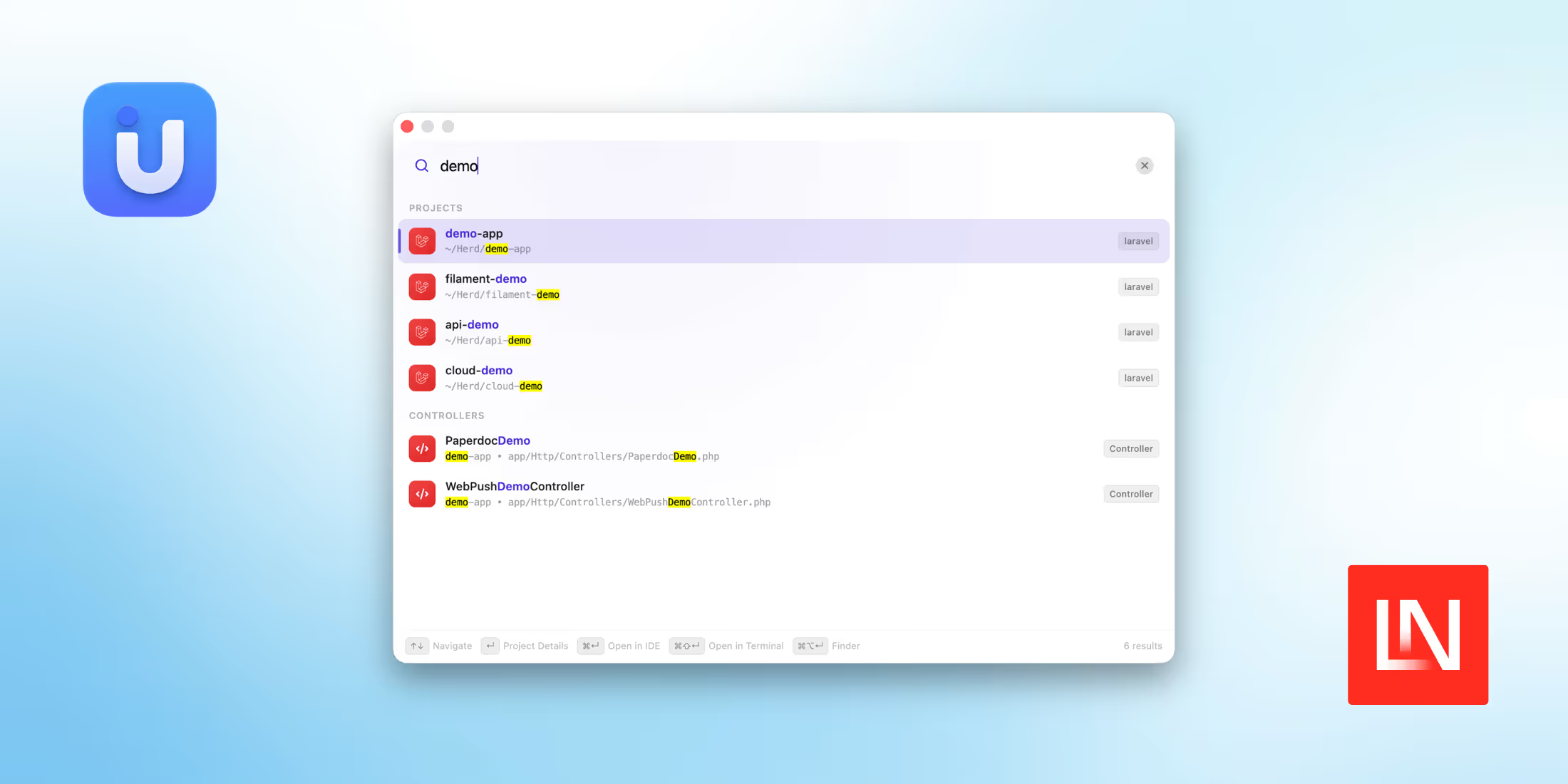
Uvora is a macOS menu bar app that indexes the Laravel projects on your machine and lets you jump to any of them from a keyboard shortcut. Instead of digging through nested folders or retyping paths in a terminal, you press a shortcut, type a project name, and open it in your editor. It is built by Efekpogua Victory from Viqe Systems Ltd. and is free to use.
Anyone juggling a stack of Laravel apps at once, client work, a few side projects, and packages they help maintain knows how much time it takes just to find the right folder. That is the one job Uvora sets out to do.
How It Works
You point Uvora at the folders where your projects live, and it builds a local index of what it finds. It does not stop at folder names either. It reads through the files that make a Laravel app what it is: routes, controllers, Livewire components, Eloquent models, migrations, config, service providers, and Composer dependencies. Because a search hits the index rather than the disk, Uvora says results come back in under 50 milliseconds.
There is no rescan to run by hand. Uvora keeps an eye on the folders it already knows about and picks up new projects as you clone them.
Pick a result, and it opens in your editor. Uvora looks for the editors you already have, VS Code, Cursor, PhpStorm, Sublime Text, and Windsurf, and hands the project to whichever one you set as your default.
Local by Design
The index lives in an SQLite file on your Mac. No account to create, nothing syncing to a server, no telemetry, so the list of what you work on never leaves the machine. If you are under an NDA or spend your days in private repositories, that is worth something.
Getting Started
Uvora runs on macOS 13 or later, on both Apple Silicon and Intel Macs. The search window opens with ⌘⇧L out of the box. Windows and Linux support is listed as coming soon.
As of this writing, it is at version 0.1.4 and still in beta, and it is free with no paid tiers.
You can learn more and download it at uvora.dev.