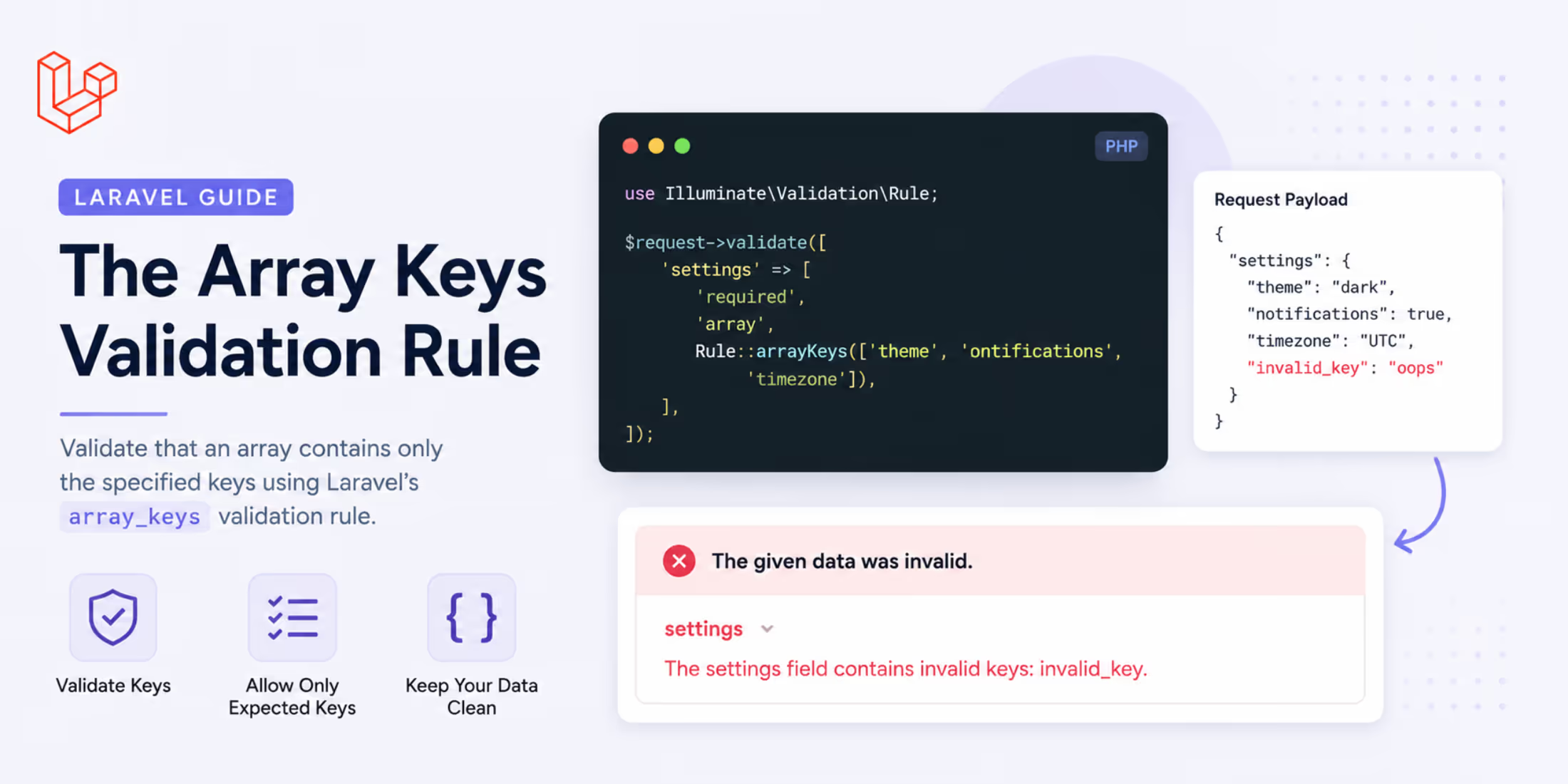
Endpoints that take a bag of options have a quiet failure mode. A client sends ?filter[stat us]=draft with a typo, your code reads $filters['status'], finds nothing, and returns the unfiltered list. Nobody gets an error, the response looks fine, and the bug surfaces later as "the filter doesn't work sometimes."
Laravel 13.24 adds an array_keys validation rule for exactly this: an array may contain these keys and nothing else, with a failure message that names what went wrong.
The Rule
Both the builder and the string form work:
use Illuminate\Validation\Rule; $request->validate([ 'filter' => Rule::arrayKeys(['status', 'author', 'tag']),]); // Equivalent$request->validate([ 'filter' => 'array_keys:status,author,tag',]);Given ['status' => 'draft', 'stat us' => 'draft'], validation fails with:
The filter field must only contain the following keys: status, author, tag.
The keys are permitted, not required. The rule constrains what may appear; it does not demand that anything be present. If you need the other half, required_array_keys still covers it and the two compose:
'coordinates' => [ 'required_array_keys:lat,lng', Rule::arrayKeys(['lat', 'lng']),],That pair reads as "exactly these keys, no more and no fewer."
Why Not array:key_1,key_2?
Rule::array() has accepted a key list for a while, and it does reject unexpected keys. The difference is what happens when it fails. The array rule answers two questions, "is this an array?" and "does it only have these keys?", and reports both with the same message:
| Rule | Message on ['status' => 'draft', 'colour' => 'red'] |
|---|---|
array:status,author |
The filter field must be an array. |
array_keys:status,author |
The filter field must only contain the following keys: status, author. |
The first message is actively misleading, since the value is an array. There is also no placeholder for the offending keys, so you cannot write a custom message that names them.
The two rules report separately in $validator->failed(), as Array and ArrayKeys, so you can apply both when you want each failure distinguishable:
'filter' => ['array', Rule::arrayKeys(['status', 'author', 'tag'])],Rule::array() and its message are unchanged, so nothing you have already written behaves differently.
Naming the Offending Keys
The rule ships two placeholders. :values holds the accepted keys and is what the default message uses. :unexpected holds the keys that actually caused the failure, and while it is not in the default message, it is usually the more useful half in an API response:
$request->validate( ['filter' => Rule::arrayKeys(['status', 'author', 'tag'])], ['filter.array_keys' => 'The :attribute field may not contain :unexpected.'],); // The filter field may not contain colour, sort.Telling a client which key it got wrong turns a guessing game into a one-line fix, which is worth the custom message on a public API.
A Filtered Index Endpoint
Putting it together on a route that takes filters, sorting, and includes, each with its own allowed key set:
namespace App\Http\Requests; use App\Enums\PostStatus;use Illuminate\Foundation\Http\FormRequest;use Illuminate\Validation\Rule; class IndexPostRequest extends FormRequest{ public function rules(): array { return [ 'filter' => ['sometimes', 'array', Rule::arrayKeys(['status', 'author', 'tag'])], 'filter.status' => ['sometimes', Rule::enum(PostStatus::class)], 'filter.author' => ['sometimes', 'integer', 'exists:users,id'], 'filter.tag' => ['sometimes', 'string', 'max:50'], 'sort' => ['sometimes', 'string', Rule::in(['title', '-title', 'published_at', '-published_at'])], ]; } public function messages(): array { return [ 'filter.array_keys' => 'Unknown filter: :unexpected. Allowed filters are :values.', ]; }}The controller can then read the filter bag without defensive checks, because anything that reached it is a key you named:
public function index(IndexPostRequest $request){ $filters = $request->validated('filter', []); return PostResource::collection( Post::query() ->when($filters['status'] ?? null, fn ($q, $status) => $q->where('status', $status)) ->when($filters['author'] ?? null, fn ($q, $author) => $q->where('user_id', $author)) ->when($filters['tag'] ?? null, fn ($q, $tag) => $q->whereRelation('tags', 'slug', $tag)) ->paginate() );}Without the rule, ?filter[autor]=3 returns every post and looks like a working request. With it, the client gets a 422 naming autor.
Validating a JSON Column
The same rule is useful on writes, where a settings or preferences column tends to accumulate whatever the frontend happened to send:
'preferences' => ['sometimes', 'array', Rule::arrayKeys(['theme', 'timezone', 'digest_frequency'])],'preferences.theme' => ['sometimes', Rule::in(['light', 'dark', 'system'])],'preferences.timezone' => ['sometimes', 'timezone'],'preferences.digest_frequency' => ['sometimes', Rule::in(['daily', 'weekly', 'never'])],A renamed frontend field now fails loudly during deployment instead of writing a key nothing reads into every row.
Details Worth Knowing
A few behaviors that are not obvious from the message:
-
A non-array value fails the rule. Passing
'filter' => 'draft'produces the "must only contain the following keys" message, which reads oddly for a string. Pair it witharraywhen the input might not be an array at all, so the type failure is reported on its own terms. -
The rule needs at least one key. Writing
'array_keys'with no keys raises anInvalidArgumentExceptionwhen validation runs rather than failing the field. There is no "allow nothing" form;prohibitedcovers that case. -
Keys can come from anywhere
Arrayable. A collection or an enum-backed list works, and backed enums are resolved to their values:Rule::arrayKeys(FilterKey::cases());Rule::arrayKeys(collect(config('filters.allowed'))); -
The variadic form works too.
Rule::arrayKeys('status', 'author')is equivalent to passing the array, which is handy inline.
The rule was contributed by @nebarg in #60918.
Further Reading
- Laravel Validation: A Practical Guide with Examples covers form requests, custom rules, and error handling
- Image Dominant Color and HEIC Support in Laravel 13.24 has the rest of the release notes