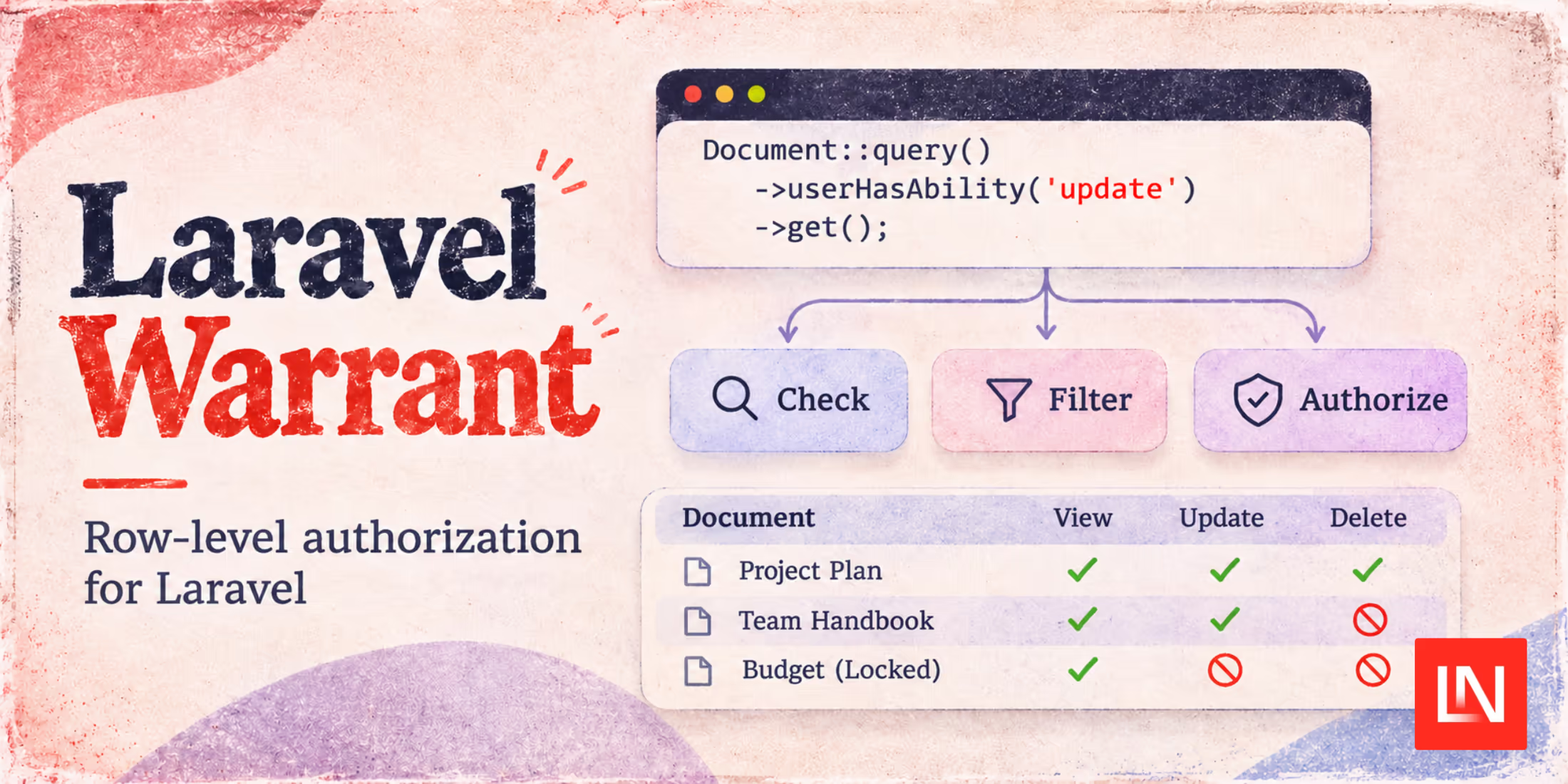
Laravel Warrant, by Patrick Hanna, compiles authorization rules into SQL conditions. If you've written an ownership check in a policy and repeated it in a query scope, you'll recognize the problem it addresses. Change one and forget the other, and your list page can disagree with your policy.
Take a timesheet screen where employees can view their own entries and edit them until they're locked. With Warrant, you write those rules once and use them to authorize updates or filter the list. You can also return each row's allowed abilities to decide whether to show an edit button.
How It Compares to Other Authorization Options
Laravel's gates and policies already let you express ownership checks and other application rules. A policy method can contain arbitrary PHP, but Laravel does not automatically translate that method into a database filter for a list page.
With Warrant, you define conditions as query constraints and combine them in its rule language. You have a schema and syntax to learn, but you can then use the same rules to filter records.
| Option | What I would use it for |
|---|---|
| Native Laravel policies | Application rules expressed in PHP, with access queries maintained in application code. |
| Spatie Laravel Permission | Assigning permissions to users and roles, then combining them with application logic in policies. |
| Bouncer | Roles and abilities, including grants for individual models and ownership-based access. |
| Laravel Warrant | Record-dependent rules that must also filter Eloquent queries and produce per-row ability lists. |
Spatie's policy guidance recommends combining application logic with permission rules in model policies. If you already use Spatie, you could keep its role assignments and write a Warrant rule provider that returns rules for those roles.
With Bouncer, you can grant access to individual models and allow users to act on records they own. For this timesheet screen, I'd use Warrant because I also need to filter the list by ownership and lock status.
Define Ownership and Lock Conditions
Warrant is in beta, and its API may change between releases. The maintainer recommends pinning an exact version and checking the changelog before upgrading:
composer require patrickhanna/laravel-warrant:4.12.3
php artisan vendor:publish --tag=warrant-config
The package supports Laravel 11, 12, and 13 with PHP 8.2 or later. Laravel 13 itself requires PHP 8.3 or later.
For this example, you'll need a timesheets table with user_id and a non-nullable boolean locked column. Create app/Warrant/TimesheetSchema.php:
namespace App\Warrant;

use App\Models\Timesheet;
use Illuminate\Contracts\Database\Query\Builder;
use Warrant\Rules\RuleProviderContext;
use Warrant\Schema\Abilities\Ability;
use Warrant\Schema\Conditions\Row\RowCondition;
use Warrant\Schema\Conditions\Row\RowConditionContext;
use Warrant\Schema\Types\Classes\ModelSchema;

class TimesheetSchema extends ModelSchema
{
    public const model = Timesheet::class;

    #[Ability] public const VIEW = 'view';
    #[Ability] public const UPDATE = 'update';

    #[RowCondition]
    public function isOwner(RowConditionContext $c): Builder
    {
        return $c->query->where(
            $c->column('user_id'),
            $c->user->getAuthIdentifier(),
        );
    }

    #[RowCondition]
    public function isLocked(RowConditionContext $c): Builder
    {
        return $c->query->where($c->column('locked'), true);
    }

    public function rules(RuleProviderContext $context): string
    {
        return <<<'WARRANT'
            if is_owner they can view, update
            if is_locked they cannot update
        WARRANT;
    }
}
The method names become is_owner and is_locked in the rule language. Using $c->column() qualifies columns for the row being checked, including when the query uses an alias.
This schema returns its own rules. If you want to keep them in a database or .warrant files, an optional IRuleProvider can load them instead. Warrant leaves the storage and role model to you.
Denials override grants. An employee can view a locked timesheet they own, but cannot update it. A declared ability with no matching grant is denied.
Filter Records Before Pagination
Add Warrant's trait and schema reference to your model. Include an array cast for the JSON ability column we'll select later:
namespace App\Models;

use App\Warrant\TimesheetSchema;
use Illuminate\Database\Eloquent\Model;
use Warrant\HasWarrantSchema;

class Timesheet extends Model
{
    use HasWarrantSchema;

    protected $casts = ['abilities' => 'array'];

    public static function warrantSchema(): string
    {
        return TimesheetSchema::class;
    }
}
Register the schema under a stable key in the published config/warrant.php:
'schemas' => [
    'timesheets' => App\Warrant\TimesheetSchema::class,
],
In an authenticated request, query the timesheets the current user can update:
use App\Models\Timesheet;

$timesheets = Timesheet::query()
    ->userHasAbility('update')
    ->orderByDesc('id')
    ->paginate(20);
The database filters out timesheets the user can't update before Laravel paginates the results. Filtering a collection after fetching a page could leave you with fewer than 20 rows and a total that includes inaccessible records.
To query on someone else's behalf, pass that user as the scope's second argument.
Return Abilities and Authorize Actions
To list the user's timesheets with an edit button beside the unlocked entries, select the update ability alongside each row:
$timesheets = Timesheet::query()
    ->userHasAbility('view')
    ->selectUserAbilities(onlyAbilities: ['update'])
    ->paginate(20);

foreach ($timesheets as $timesheet) {
    $canEdit = in_array('update', $timesheet->abilities, true);
}
The model cast decodes the selected abilities column into ['update'] or []. Ability selection supports PostgreSQL, MySQL/MariaDB, and SQLite.
Hiding the button doesn't protect the update endpoint. Authorize the action before saving changes. Warrant's Gate integration is enabled by default so that you can use Laravel's usual calls:
use Illuminate\Support\Facades\Gate;

$canEdit = $request->user()->can('update', $timesheet);

// In the update action, before saving changes:
Gate::authorize('update', $timesheet);
The same integration supports Blade authorization directives and Laravel's can: middleware.
Warrant uses a Gate::before hook. When the target's registered schema declares an ability, Warrant handles the check, and Laravel skips the corresponding policy method. Abilities the schema doesn't declare continue through Laravel's normal authorization handling. If you're moving an existing ability into Warrant, check its policy method for rules you still need to carry over.
When I Would Try Warrant
I'd try Warrant when I'm maintaining the same access rules in policies and list queries. The timesheet example is a good case: both the list and the update endpoint need to account for ownership and lock status. If a few PHP policy methods cover the application's needs, I'd keep those rather than introduce another rule language.
Check the generated SQL against your data, especially when conditions query related tables. As Warrant's performance documentation explains, selecting per-row abilities adds a predicate for each ability you request. If the screen only needs an edit button, request update rather than the full ability list.
Test which records each user can see and change, including cases where a grant and a denial both match.
You'll find the setup guides in the documentation and the source in the Laravel Warrant repository.