Package
Musonza Chat
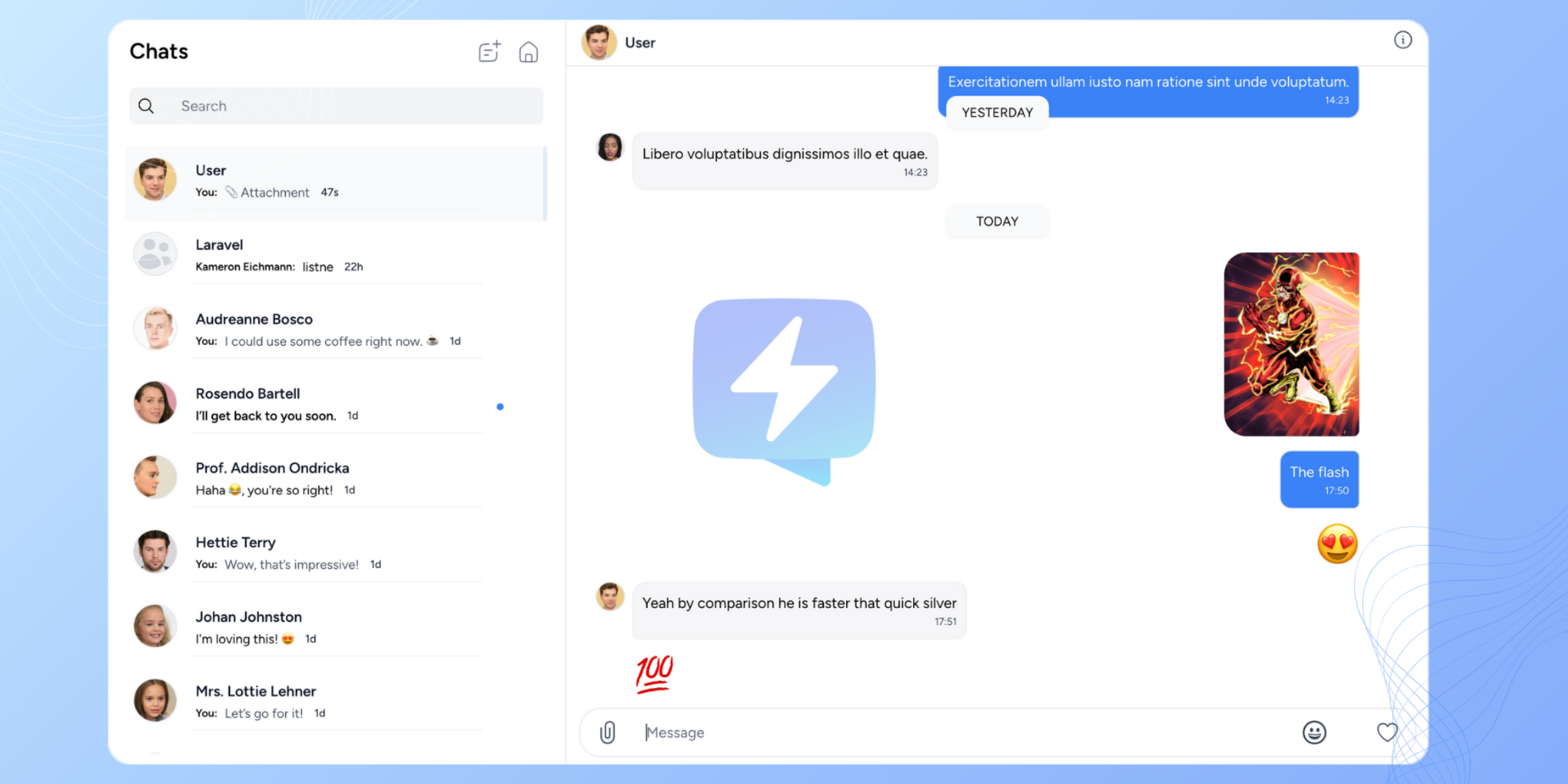
Chat Package for Laravel




Chat
Create a Chat application for your multiple Models
What to learn how to make a package like this? https://leanpub.com/laravel-package-development
Table of Contents
Click to expand
- Introduction
- Installation
- Usage
- Adding the ability to participate to a Model
- Get participant details
- Creating a conversation
- Get a conversation by Id
- Update conversation details
- Send a text message
- Send a message of custom type
- Get a message by id
- Get message sender
- Mark a message as read
- Mark whole conversation as read
- Unread messages count
- Delete a message
- Cleanup Deleted Messages
- Clear a conversation
- Get participant conversations
- Get a conversation between two participants
- Get common conversations among participants
- Remove participants from a conversation
- Add participants to a conversation
- Get messages in a conversation
- Get recent messages
- Get participants in a conversation
- Get participation entry for a Model in a conversation
- Update participation settings
- Data Transformers
- License
Checkout a simple Demo Application
Introduction
This package allows you to add a chat system to your Laravel ^5.4 application
Installation
From the command line, run:
composer require musonza/chatPublish the assets:
php artisan vendor:publishThis will publish database migrations and a configuration file musonza_chat.php in the Laravel config folder.
Configuration
See musonza_chat.php for configuration
Run the migrations:
php artisan migrateUsage
You can mix Models as participants. For instance you can have Parents, Students and Professors models communicating
Adding the ability to participate to a Model
Add the Musonza\Chat\Traits\Messageable trait to any Model you want to participate in Conversations
For example, let's say we want out Bot model to chat with other Models:
use Illuminate\Database\Eloquent\Model;use Musonza\Chat\Traits\Messageable; class Bot extends Model{ use Messageable;}Get participant details
Since we allow Models with data that differ in structure to chat, we may want a uniform way to represent the participant details in a uniform way.
You can get the details as follows:
$participantModel->getParticipantDetails();Assuming you have a column name for your model, this returns a default array ['name' => 'column_value']
You can however, customize this for your needs by adding an Eloquent Accessor that returns an array
with as much as you need to your model as follows:
public function getParticipantDetailsAttribute(){ return [ 'name' => $this->someValue, 'foo' => 'bar', ];}Creating a conversation
You can start a conversation by passing an array of Models as participants
$participants = [$model1, $model2,..., $modelN]; $conversation = Chat::createConversation($participants);Creating a conversation of type private / public
You may want to classify conversations as private or public
$participants = [$model1, $model2,..., $modelN]; // Create a private conversation$conversation = Chat::createConversation($participants)->makePrivate(); // Create a public conversation$conversation = Chat::createConversation($participants)->makePrivate(false); // Create a direct message // Make direct conversation after creation$conversation = Chat::createConversation($participants)->makeDirect(); // Specify intent for direct conversation before creation$conversation = Chat::makeDirect()->createConversation($participants);Note: You will not be able to add additional participants to a direct conversation. Additionally you can't remove a participant from a direct conversation.
Get a conversation by id
$conversation = Chat::conversations()->getById($id);Update conversation details
$data = ['title' => 'PHP Channel', 'description' => 'PHP Channel Description'];$conversation->update(['data' => $data]);Send a text message
$message = Chat::message('Hello') ->from($model) ->to($conversation) ->send();Send a message of custom type
The default message type is text. If you want to specify custom type you can call the type() function as below:
$message = Chat::message('http://example.com/img') ->type('image') ->from($model) ->to($conversation) ->send();To add more details about a message
Sometimes you might want to add details about a message. For example, when the message type is an attachment, and you want to add details such as attachment's filename, and attachment's file url, you can call the data() function and pass your data as an array.
$message = Chat::message('Attachment 1') ->type('attachment') ->data(['file_name' => 'post_image.jpg', 'file_url' => 'http://example.com/post_img.jpg']) ->from($model) ->to($conversation) ->send();Get a message by id
$message = Chat::messages()->getById($id);Get message sender
$sendModel = $message->sender;Mark a message as read
Chat::message($message)->setParticipant($participantModel)->markRead();Flag / mark a message
Chat::message($message)->setParticipant($participantModel)->toggleFlag(); Chat::message($message)->setParticipant($participantModel)->flagged(); // trueMark whole conversation as read
Chat::conversation($conversation)->setParticipant($participantModel)->readAll();Unread messages count
$unreadCount = Chat::messages()->setParticipant($participantModel)->unreadCount();Unread messages count per Conversation
Chat::conversation($conversation)->setParticipant($participantModel)->unreadCount();Delete a message
Chat::message($message)->setParticipant($participantModel)->delete();Cleanup Deleted Messages
What to cleanup when all participants have deleted a $message or $conversation?
Listen for \Musonza\Chat\Eventing\AllParticipantsDeletedMessage and
\Musonza\Chat\Eventing\AllParticipantsClearedConversation
Clear a conversation
Chat::conversation($conversation)->setParticipant($participantModel)->clear();Get participant conversations
Chat::conversations()->setPaginationParams(['sorting' => 'desc']) ->setParticipant($participantModel) ->limit(1) ->page(1) ->get();Get a conversation between two participants
$conversation = Chat::conversations()->between($participantModel1, $participantModel2);Get common conversations among participants
$conversations = Chat::conversations()->common($participants);$participants is an array of participant Models
Remove participants from a conversation
/* removing one user */Chat::conversation($conversation)->removeParticipants([$participantModel]);/* removing multiple participants */Chat::conversation($conversation)->removeParticipants([$participantModel, $participantModel2,...,$participantModelN]);Add participants to a conversation
/* add one user */Chat::conversation($conversation)->addParticipants([$participantModel]);/* add multiple participants */Chat::conversation($conversation)->addParticipants([$participantModel, $participantModel2]);Get messages in a conversation
Chat::conversation($conversation)->setParticipant($participantModel)->getMessages()Get user conversations by type
// private conversations$conversations = Chat::conversations()->setParticipant($participantModel)->isPrivate()->get(); // public conversations$conversations = Chat::conversations()->setParticipant($participantModel)->isPrivate(false)->get(); // direct conversations / messages$conversations = Chat::conversations()->setParticipant($participantModel)->isDirect()->get(); // all conversations$conversations = Chat::conversations()->setParticipant($participantModel)->get();Get recent messages
$messages = Chat::conversations()->setParticipant($participantModel)->limit(25)->page(1)->get();Pagination
There are a few ways you can achieve pagination
You can specify the limit and page as above using the respective functions or as below:
$paginated = Chat::conversations()->setParticipant($participant) ->setPaginationParams([ 'page' => 3, 'perPage' => 10, 'sorting' => "desc", 'columns' => [ '*' ], 'pageName' => 'test' ]) ->get();You don't have to specify all the parameters. If you leave the parameters out, default values will be used.
$paginated above will return Illuminate\Pagination\LengthAwarePaginator
To get the conversations simply call $paginated->items()
Get participants in a conversation
$participants = $conversation->getParticipants();Get participation entry for a Model in a conversation
Chat::conversation($conversation)->getParticipation($model);Update participation settings
Set Conversation settings for participant (example: mute_mentions, mute_conversation)
$settings = ['mute_mentions' => true]; Chat::conversation($conversation) ->getParticipation($this->alpha) ->update(['settings' => $settings]);Data Transformers
Need to have more control on the data returned from the package routes? You can specify your own Model transformers and take advantage of Fractal.
All you need to do is specify the location of your transformers in the configuration
file musonza_chat.php as follows:
/** * Model Transformers */'transformers' => [ 'conversation' => \MyApp\Transformers\ConversationTransformer::class, 'message' => \MyApp\Transformers\MessageTransformer::class, 'participant' => \MyApp\Transformers\ParticipantTransformer::class,]Note: This only applies to responses from package routes.
License
Chat is open-sourced software licensed under the MIT license