Token Forge by Blaspsoft, is a versatile Laravel package designed to add robust, customizable API token management to your application. The package is inspired by Laravel Jetstream’s token implementation but for users of Laravel Breeze.
Key Features
The key features of this package include:
- Token Management: Create, update, and revoke API tokens with ease.
- Permission Control: Define granular permissions for tokens.
- Activity Monitoring: Monitor token usage and activity for better security.
- Integration: Works with Laravel's authentication and session systems.
- Customization: Supports a configurable interface via a
TokenForgeControllercontract, adapting to specific application needs.
Note: This package supports both the Blade and Inertia Vue stacks provided by Laravel Breeze and requires Laravel Sanctum. Before installing Token Forge, ensure the chosen Laravel Breeze stack is installed and properly configured along with Laravel Sanctum.
Assuming those dependencies are already installed and configured properly, you can install Token Forge using composer:
composer require blaspsoft/token-forge
php artisan vendor:publish --tag=token-forge-config --force
This will publish a configuration file at config/token-forge.php, allowing you to customize Token Forge settings.
Depending on the Laravel Breeze stack you chose, run the appropriate command to install Token Forge:
# For blade
php artisan token-forge:install blade

#For Vue-Inertia
php artisan token-forge:install vue
If you are using Inertia with Vue, there is an additional change you will need to make in your HandleInertiaRequest.php middleware. This allows Token Forge to flash token information to your Inertia responses thus allowing you to use the token in your Vue components.
public function share(Request $request): array
{
    return [
        ...parent::share($request),
        'auth' => [
            'user' => $request->user(),
        ],
        'flash' => [
            'tokenForge' => [
                'token' => fn () => session()->get('token'),
            ],
        ],
    ];
}
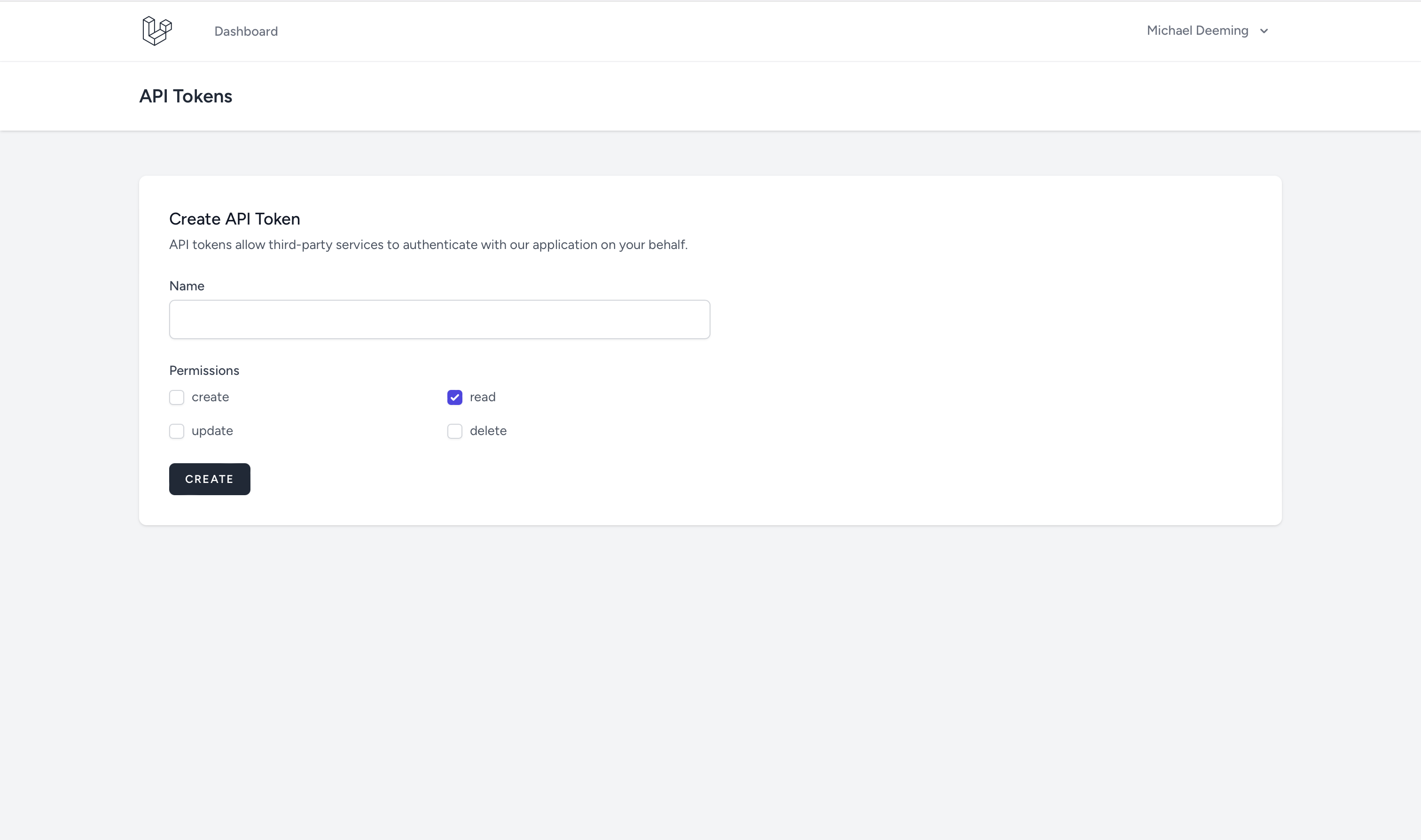
Also in the config/token-forge.php file you will want to specifiy your default and available permissions. For example:
'default_permissions' => [
    'read',
],
'available_permissions' => [
    'create',
    'read',
    'update',
    'delete',
],
Once setup, Token Forge will provide you with routes providing a complete interface to generate, view, and revoke API tokens through a consistent REST API.
You can learn more about this package, get full installation instructions, and view the source code on GitHub.