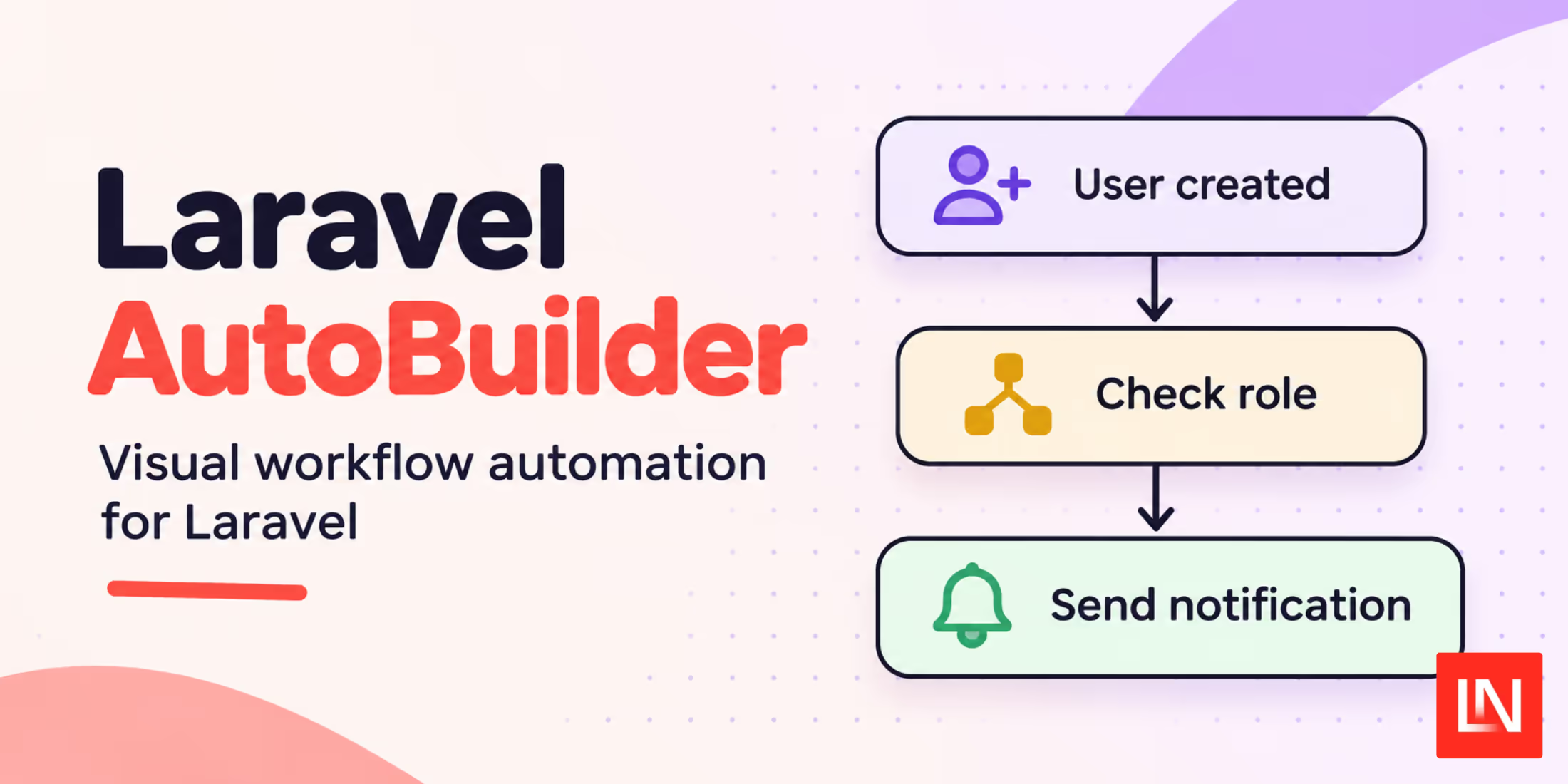
Laravel AutoBuilder lets you build automation workflows in a drag-and-drop editor inside your Laravel app. Created by Jean-Marc Strauven, the package connects triggers to conditions and actions. A team could use it to configure a welcome notification when someone registers, or call an external API after a record changes.
I would consider it for an internal tool where staff need to change automation rules without asking a developer to edit a listener each time. Developers still handle installation and any application-specific actions.
Connect Events to Actions
AutoBuilder calls its workflow components "bricks". Triggers start a flow, conditions check its data, and actions perform the work. The editor uses Vue Flow to connect them visually.
A signup workflow could connect a Model Created trigger for the User model to a Log Message action. A message such as Welcome, {{ model.name }}. Your account is ready. would then appear in the logs when the flow runs.
Other actions can create or update Eloquent records and make HTTP requests. The Send Notification action uses Laravel notifications and requires an application notification class and a notifiable recipient.
Conditions let you check a field value or a user's role before continuing. For multiple checks, gates combine their results: AND requires all inputs to be true, OR requires at least one, and AtLeast supports thresholds such as a minimum count or a majority.
You can also start flows from webhooks or a cron schedule. Scheduled flows require Laravel's scheduler to be running.
Use Data From the Trigger
Each run has a FlowContext containing its payload and variables. Fields that support variables accept double-brace expressions with dot notation.
The Model Created trigger puts the record's attributes under model. For a User model, a message field could contain:
Welcome, {{ model.name }}. Your account is ready.
Use model.name here rather than user.name: the key must match the trigger's payload. Filters are available too. For example, Name: {{ model.name | upper }} converts the name to uppercase.
Add a Custom PHP Action
You can extend the editor with your own triggers, conditions, and actions. By default, AutoBuilder discovers classes under app/AutoBuilder. Custom actions extend its Action base class.
For example, this action normalises an incoming contact.email value and makes the result available to later nodes:
namespace App\AutoBuilder\Actions;

use Grazulex\AutoBuilder\Bricks\Action;
use Grazulex\AutoBuilder\Flow\FlowContext;

class NormaliseContactEmail extends Action
{
    public function name(): string
    {
        return 'Normalise Contact Email';
    }

    public function description(): string
    {
        return 'Trim and lowercase the contact email address.';
    }

    public function icon(): string
    {
        return 'mail';
    }

    public function fields(): array
    {
        return [];
    }

    public function handle(FlowContext $context): FlowContext
    {
        $email = (string) $context->get('contact.email', '');

        return $context->set('contact.email', strtolower(trim($email)));
    }
}
The class belongs in app/AutoBuilder/Actions/NormaliseContactEmail.php. It expects a payload with contact.email; it does not validate the address. FlowContext::get() checks variables before the original payload, so subsequent nodes read the normalised value.
We tested this action in a local Laravel app. The workflow shown below connects a Manual Trigger to the custom action, followed by a Field Equals condition that checks whether contact.subscribed equals yes. Each output connects to a Log Message action:
- True:
Welcome, {{ contact.email }}. Your subscription is confirmed. - False:
Skipped newsletter for {{ contact.email }}.
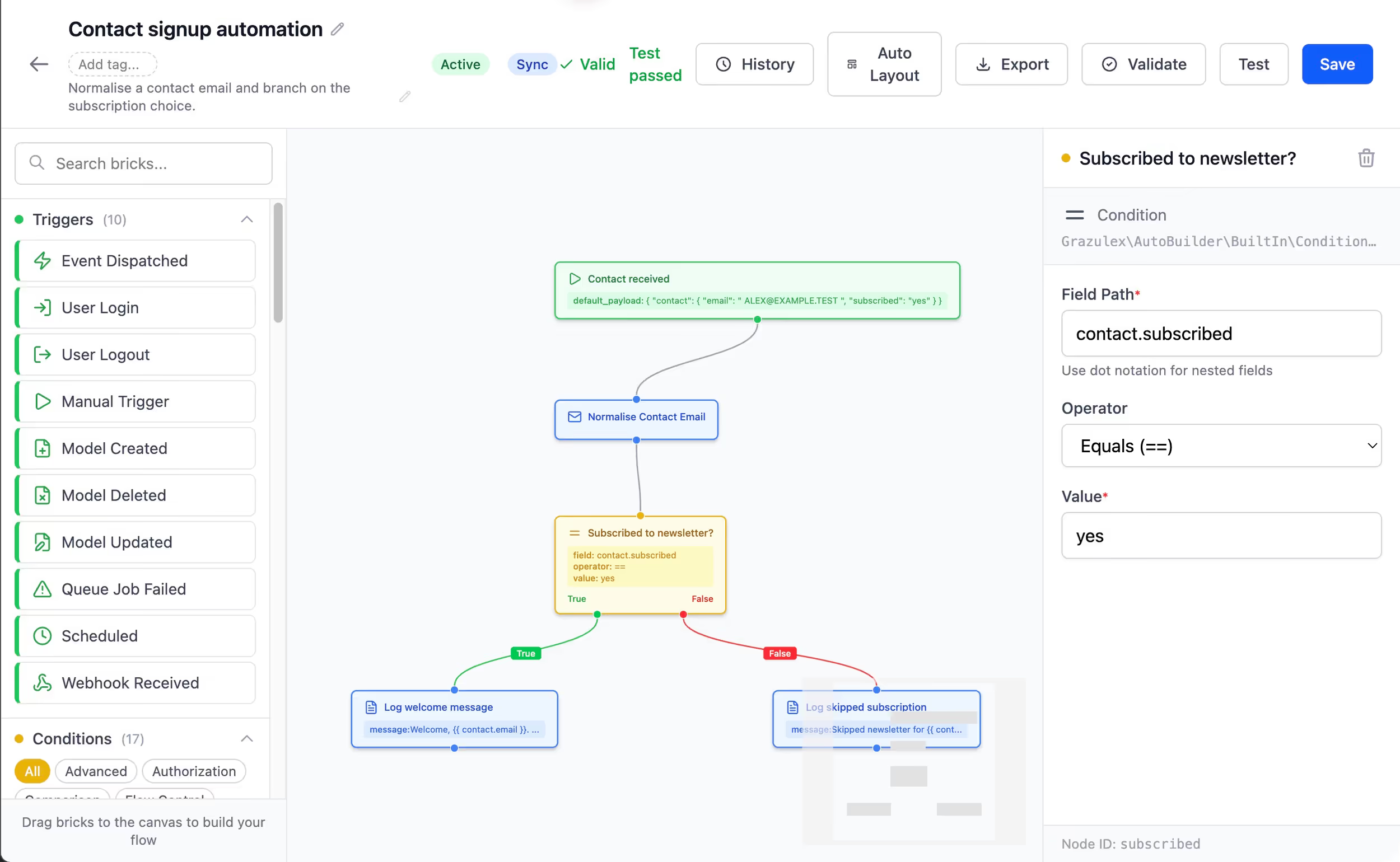
The custom PHP class appears as a node in the same editor as the built-in actions.
Inspect Workflow Runs
Manual tests and the Artisan command execute flows immediately. Event-triggered flows can run through Laravel's queue. Execution history shows each run's payload, variables, and logs. The editor's Validate button checks required fields and graph connections on demand. Flows can also be imported and exported as JSON.
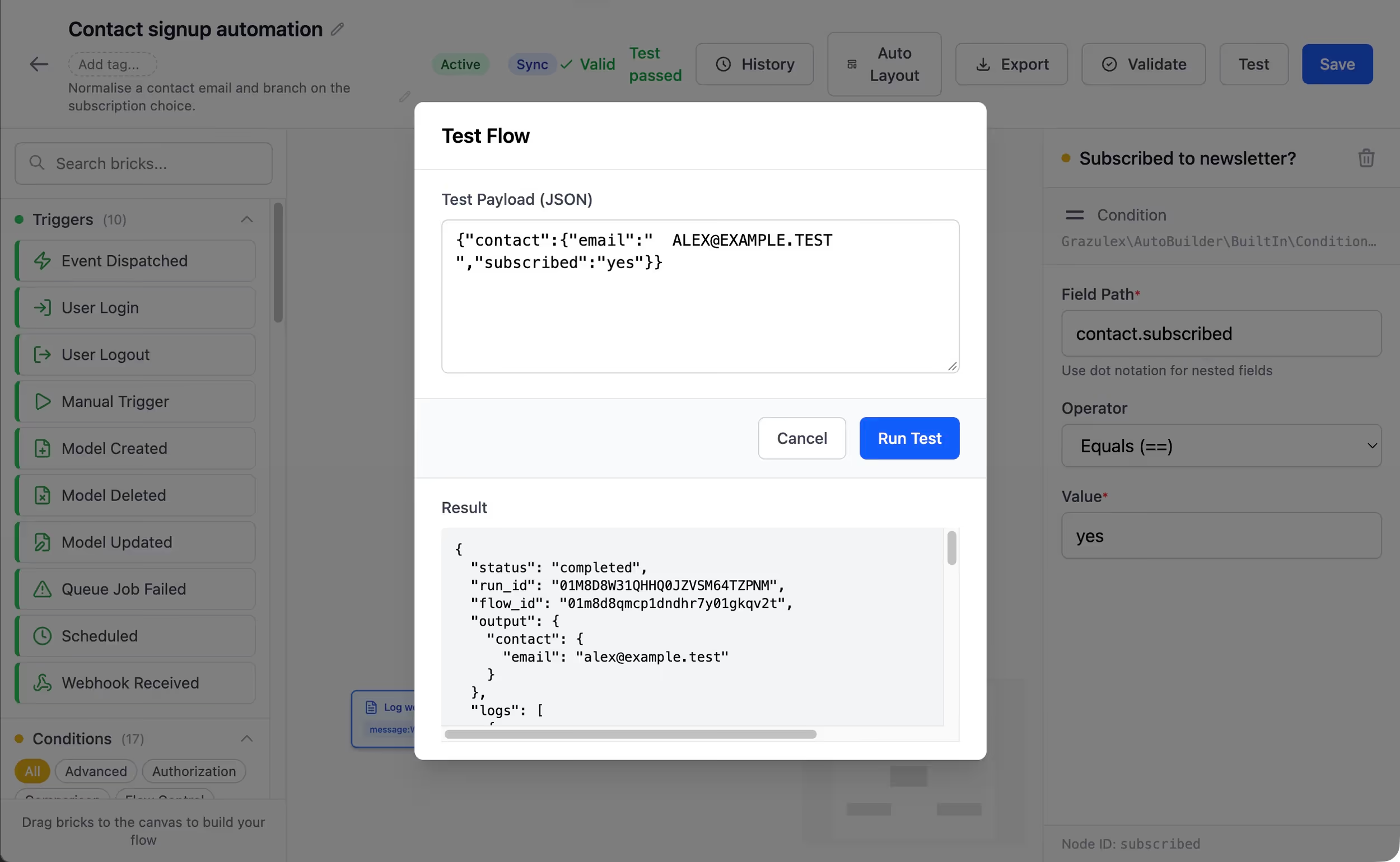
The screenshots show AutoBuilder 1.8.0 on Laravel 13.44.1 with PHP 8.4. The editor's Test dialog accepts a JSON payload. We used:
{
  "contact": {
    "email": "  ALEX@EXAMPLE.TEST  ",
    "subscribed": "yes"
  }
}
The test completed with alex@example.test in its output and logged the welcome message. Changing subscribed to no logged the skipped-subscription message instead.
You can run the same saved flow from the command line:
php artisan autobuilder:run 'Contact signup automation' \
  --payload='{"contact":{"email":"  ALEX@EXAMPLE.TEST  ","subscribed":"yes"}}'
For queued execution, you need a working queue connection and worker. If your main requirement is a long-running process with recorded progress and external signals, our coverage of Durable Workflow for Laravel discusses that use case.
Installation
The current Composer requirements specify PHP 8.4+ and Laravel 12 or 13. Install the package, publish its assets and migrations, and migrate:
composer require grazulex/laravel-autobuilder
php artisan vendor:publish --tag=autobuilder-assets
php artisan vendor:publish --tag=autobuilder-migrations
php artisan migrate
The editor is available at /autobuilder. Publish the configuration to adjust discovery paths, execution settings, and access controls:
php artisan vendor:publish --tag=autobuilder-config
The package's middleware requires authentication. Define the access-autobuilder gate to restrict access to the staff who should manage automations; the middleware only checks that gate if it has been defined.
You can find the source and setup documentation in the Laravel AutoBuilder repository.